





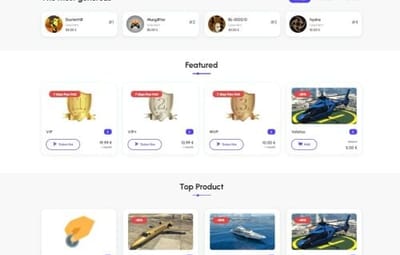
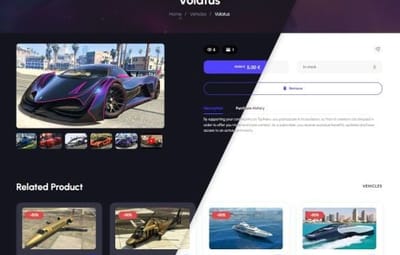
About Rust Donation Webstore
Monetize Your Rust Server
Tip4Serv is a complete Rust Webstore, Donation Store and Server Monetization platform built for Rust communities.
Create your own professional Rust server store in minutes and sell VIP ranks, kits, permissions, queue priority, items, virtual currency, subscriptions and donation packages with automatic in-game delivery.
Looking for a Tebex alternative for Rust? Tip4Serv provides a customizable storefront, automatic Rust command execution, RCON and plugin integration, Discord integration, subscriptions, multi-currency checkout and 25+ payment methods worldwide.
Create your store: https://tip4serv.com
 Built for Rust Server Monetization
Turn your Rust community into a sustainable project by selling:
- VIP Memberships & Ranks
- Queue Priority
- Kits
- Item Bundles
- Oxide / Carbon Groups
- Permissions
- Economics Money
- Server Rewards Points
- Virtual Currency
- Subscriptions
- Battle Passes
- Donation Packages
- Cosmetics
- Supporter Packages
- Monthly Memberships
- Custom Products
After a successful payment, Tip4Serv can automatically execute commands on your Rust server to deliver the purchased product.
No manual delivery required.
 Automatic Rust Delivery
Connect your Rust server using either:
- Tip4Serv Rust Plugin
- RCON
- Once connected, purchases can automatically trigger Rust console commands.
- Tip4Serv can work with standard Rust commands as well as commands provided by other Oxide or Carbon plugins.
- This means you can integrate your store with plugins such as:
- Economics
- Server Rewards
- Kits
- Permission systems
- VIP systems
- Custom plugins
- and virtually any other plugin exposing console commands.
 25+ Payment Methods
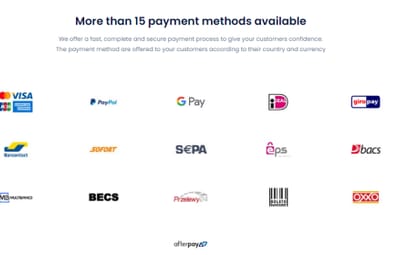
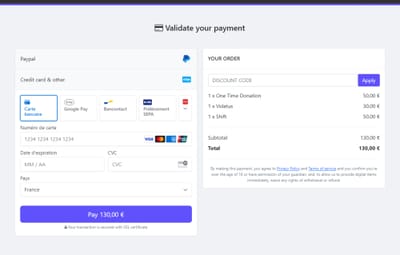
Give your players a fast checkout experience with payment methods available around the world, including:
- Credit & Debit Cards
- PayPal
- Apple Pay
- Google Pay
- Venmo
- Amazon Pay
- Revolut Pay
- CashApp
- Klarna
- Link
- iDEAL
- Bancontact
- EPS
- BACS
- BECS
- SEPA
- Multibanco
- Przelewy24
- Boleto
- OXXO
- MobilePay
- and more
Available payment methods are automatically adapted to the customer's country and payment configuration.
 Multi-Currency Rust Store
Sell to players around the world without maintaining separate stores.
Tip4Serv supports multi-currency checkout, allowing international customers to purchase your Rust packages using supported currencies while your products remain centrally managed.
This is especially useful for Rust communities operating servers across Europe, North America, Australia and other regions.
 Payments, Fraud Protection & Chargebacks
Tip4Serv provides features designed to help protect your Rust server revenue:
- Secure online payments
- 3D Secure support
- Anti-fraud protection
- Chargeback Protection tools
- Automatic dispute evidence assistance
- Transaction history
- Detailed sales statistics
- Tax & VAT tools
Spend less time managing payments and more time running your Rust community.
 Build Your Own Rust Store
Create a professional storefront without building a website yourself.
Features include:
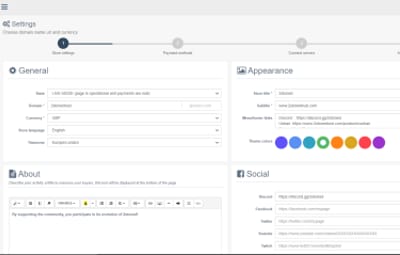
- Custom Store Branding
- Multiple Store Themes
- Dark & Light Mode
- Custom Domain Name
- Free SSL Certificate
- DDoS Protection
- Product Images, GIFs & Videos
- Product Categories
- Related Products
- Product Search
- Top Customers
- Custom CSS
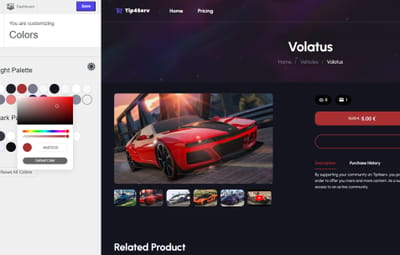
- Advanced Theme Editor
- Customer Avatars
- Steam Account Linking
- Discord Account Linking
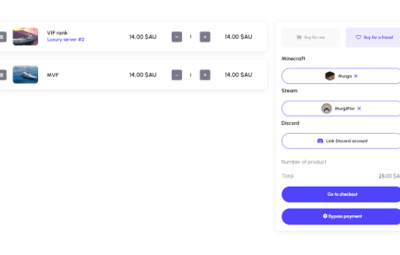
- Mobile-Friendly Checkout
Your Rust store can be customized to match the branding of your server or network.
 Starter – Start for Free
€0/month – 5% platform fee
Includes:
- Unlimited Products & Categories
- Unlimited Rust Servers & Commands
- Automatic Rust Delivery
- Subscription Products
- Discord Roles & Webhooks
- Multi-Currency
- 25+ Payment Methods
- Managers & Staff Access
- Sales Statistics
- Coupons & Discounts
- Loyalty Points
- Custom Domain Name
- Resend Orders
- Tax & VAT Tools
- Chargeback Protection
- Free SSL Certificate
- DDoS Protection
- No Advertisements
- No credit card is required to get started.
 PRO – 21-Day Free Trial
€11.99/month + 3.8% platform fee
Includes all Starter features plus:
- Reduced Platform Fee: 3.8% instead of 5%
- Gift Cards
- Multiple Dynamic Themes
- Custom Fields & Command Integration
- Product Galleries
- Video & GIF Support
- Top Customers
- Related Products
- Built-In Product Search
- Advanced UI Theme Editor
- Custom CSS Editor
- Additional Store Customization Features
 Available in 15 Languages
Tip4Serv stores can serve international Rust communities in:
English, Danish, Dutch, French, German, Hungarian, Italian, Norwegian, Polish, Portuguese, Romanian, Russian, Spanish, Swedish and Turkish.
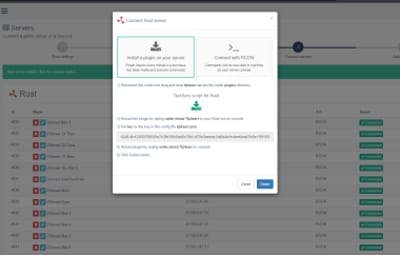
 Rust Plugin Installation
1. Create your Tip4Serv store
Create a free account: https://tip4serv.com/
Create your store and add your Rust server from the Tip4Serv dashboard.
2. Install the plugin
Place: Tip4Serv.cs inside your Rust server's: oxide/plugins/ directory.
The plugin is compatible with Oxide/uMod and Carbon.
3. Reload Tip4Serv
Run: oxide.reload Tip4Serv from your Rust server console.
4. Configure your API key
Add your Tip4Serv API key to: Tip4Serv.json
5. Reload the plugin
Run again: oxide.reload Tip4Serv
Your console should confirm that the server has been successfully connected.
 Installation via RCON
You can also connect your Rust server without using the plugin.
- Create your account at https://tip4serv.com
- Create your Rust store
- Add your Rust server
- Enter your server IP
- Enter your RCON port
- Enter your RCON password
- Connect the server
Once connected, Tip4Serv can execute your configured commands automatically after purchases.
 Setting up commands on Tip4Serv
Before setting up your commands on Tip4serv.com, you should know that command work in your server's console (not ingame as an admin).
Here are some sample commands you can use in the products configuration: MY PRODUCTS. But you can use any plugin commands you want.
Give a group or permission
Add a player to a group previously created with oxide.group add [group-name]:
oxide.usergroup add {steam_id} group-name
Remove a player from a group:
oxide.usergroup remove {steam_id} group-name
Give a permission to a player:
oxide.grant user {steam_id} permission-name
Remove a permission from a player:
oxide.revoke user {steam_id} permission-name
Give an item to a player inventory with steam_id (advised)
IMPORTANT: Please select the option [Player must be online] in your product editor
inventory.giveto {steam_id} item-short-name quantity
Example: inventory.giveto {steam_id} scientist 5
Give an item to a player inventory with Give plugin
IMPORTANT: Please select the option [Player must be online] in your product editor
giveto {steam_id} item-short-name quantity
Example: giveto {steam_id} fun.guitar 1
Give a kit to a player with Give plugin:
givekitto {steam_id} kit-name
Give money
Give money to a player with Economics plugin:
deposit {steam_id} amount
Give points
Give points to a player with Server Rewards plugin:
sr add {rust_username} amount
Quantity multiplier
You can also multiply the quantity choosen by the customer like this: {quantity*50}
Note: You must first activate the **Allow quantity choice** option in your product.
Use this command on Tip4serv if you want to sell bundles of $200 with economics plugin:
deposit {steam_id} {quantity*200}
This will run in your server console after a purchase if the player buys product 4 times:
deposit 76561198181797231 800
 Built for Growing Rust Communities
Tip4Serv is designed for both small Rust servers and established multi-server networks.
Manage your products, servers, customers, subscriptions, payments and automatic delivery from one platform.
Tip4Serv has processed more than $10 million in sales and 640,000+ payments across gaming communities.
 Looking for a Tebex Alternative for Rust?
If you're searching for:
- Rust Tebex Alternative
- Rust Donation Store
- Rust Webstore
- Rust Server Store
- Rust VIP Store
- Rust Monetization Plugin
- Rust Shop Plugin
- Rust Payment Plugin
- Rust Server Donations
- Sell Rust Kits
- Sell Rust VIP
- Sell Rust Ranks
Tip4Serv provides an all-in-one solution with automatic Rust delivery, subscriptions, Discord integration, international payments and customizable storefronts.
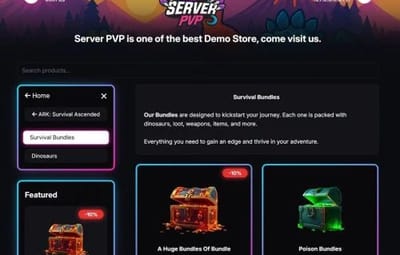
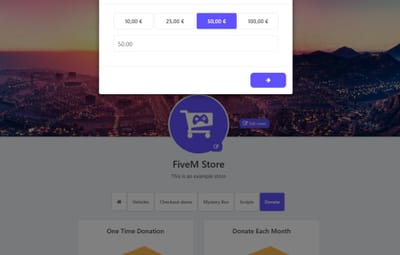
 Rust Store Demo
See what a Tip4Serv store can look like:
More store examples:
 Documentation & Support
Tip4Serv Documentation: https://docs.tip4serv.com
Create Your Store: https://tip4serv.com
Contact Support: https://tip4serv.com/contact
Create your Rust donation store, connect your server and start selling VIP ranks, kits, permissions and other packages in minutes.

