About Industrial Recycler
Industrial Recycler | Automated Recycling for Rust
Put recycling to work inside your players' bases.
Connect storage, feed in recyclable items and send the materials back into your industrial network. Industrial Recycler gives your players a recycling line they can build into their base, with automatic item transfers, dedicated input and output storage, and control over processing speed and efficiency.
The same plugin also includes standard placeable recyclers, personal virtual recycling and an in-game purchase menu. Offer convenient recycling to your community, then choose the costs, access rules and group benefits that fit your server.
Industrial automation · 48-slot input + 48-slot output · Standard and virtual recyclers · Configurable speed and efficiency · In-game purchases
Watch Industrial Recycler in action
Build a recycling line into the base
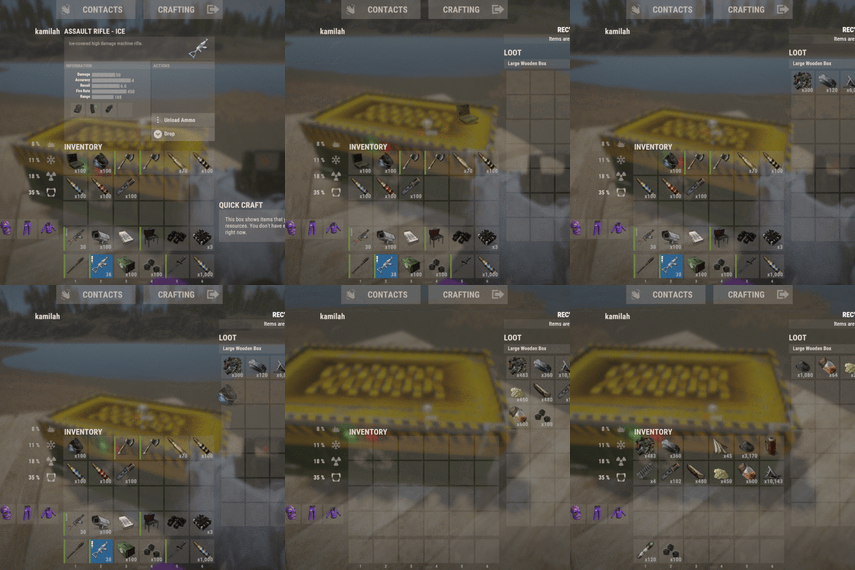
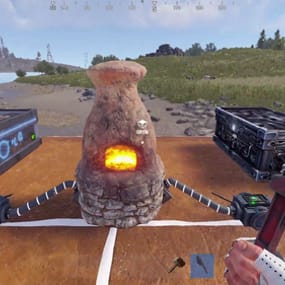
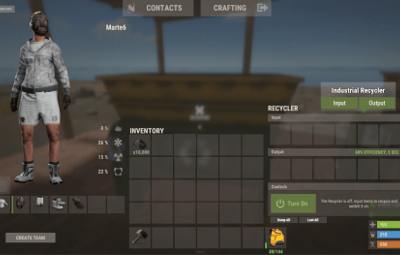
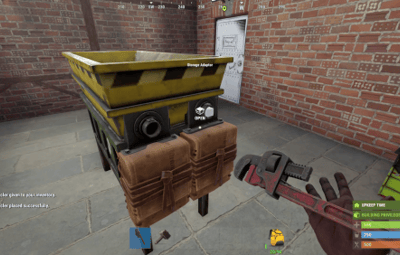
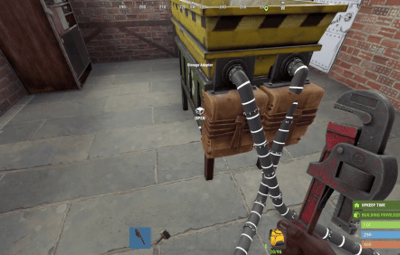
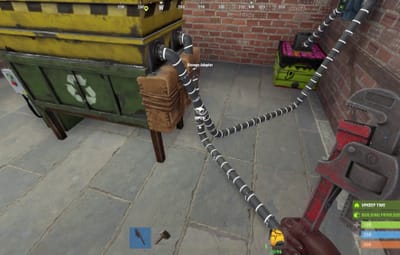
An industrial recycler comes with dedicated input and output containers and storage adapters for Rust's industrial piping system.
- Feed the input. Add recyclable items manually or connect the input adapter to your industrial network.
- Let it process. The plugin transfers items into the recycler and starts recycling automatically.
- Collect the materials. Recycled output goes into the attached output container, ready to be moved through your network.
Each attached container has 48 item slots, giving the setup room for incoming items and outgoing materials. Players can leave the inventory screen and let the placed industrial recycler handle the work.

Useful handling is built in: the industrial recycler unloads ammunition and removes weapon attachments into output storage before recycling the weapon. Items without a recycling blueprint are routed from input toward output storage.
Three ways to offer recycling
| Recycler type | Player experience | Best fit |
|---|---|---|
| Industrial | A placed recycler with automatic transfers, input/output storage and industrial adapters | Players building automated bases |
| Standard | A familiar recycler that players place and operate manually | Convenient recycling at home |
| Virtual |
A personal recycler opened with /irec or /virtualrec
|
Command-based convenience for permitted groups |
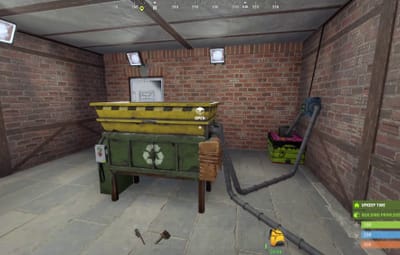
Standard recyclers also support tugboat placement. Industrial recyclers are placed on supported building surfaces.
An owner with the appropriate permission can upgrade a standard recycler using /upgraderecycler, adding the industrial storage and adapters to the existing recycler.
Give resources another purpose
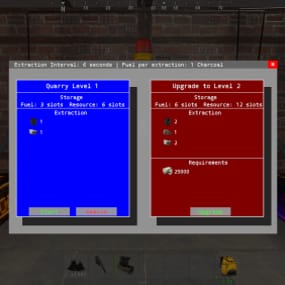
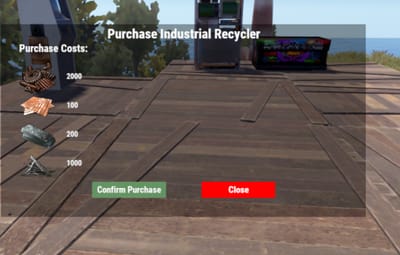
Let players work toward their own recycler through the built-in shop. /buyrecycler opens the standard recycler purchase screen; /buyindustrialrecycler opens the industrial option.
Set a different cost for each type using one or several in-game items. Charge Scrap alone, or combine it with materials such as Metal Fragments, Sheet Metal and High Quality Metal. The menu shows the requirements before the player confirms the purchase.
Purchase permissions are separate, so you can offer one type to everyone and reserve another for a chosen group. Purchase limits count both placed recyclers and matching recycler items in the player's inventory.

The screenshots show example settings and layouts. Purchase costs and storage appearance are configurable.
Build group benefits around features players use
Choose how recycling changes as players gain access to different permission groups:
- Processing speed: four configurable cycle-duration tiers for placed recyclers.
- Recycling efficiency: four configurable efficiency tiers for placed recyclers.
- Virtual recycling settings: dedicated speed and efficiency tiers for virtual use.
- Ownership limits: separate standard and industrial limits for regular players, VIP1 and VIP2.
For example, give a group access to virtual recycling, allow another group to own more industrial recyclers, or assign a shorter recycling cycle. You choose the values and permissions; the plugin applies the recycler owner's settings.
Fit the setup to the base
Choose between two adapter layouts and configure attached storage to be visible or hidden. Players with the layout permission can switch arrangements after disconnecting the pipes.
Inventory navigation buttons let players move between the recycler, input and output containers. You can also adjust the main recycler UI position and configure distinct item skins for standard and industrial recyclers.
For shared bases, restrict access to the owner or allow Rust teammates and friends. Friend access uses the optional Friends plugin. Permitted players with access can pick up a recycler using a hammer.
Keep virtual convenience under control
Virtual recycling has its own permission and checks the player's situation before opening. Use is blocked while swimming, falling or flying, mounted, or in the supported cargo ship, hot air balloon and elevator checks.
With the optional NoEscape integration, you can also block virtual recycling during raid block or combat block.
The virtual recycler is a temporary session: items left inside are dropped at the player when the session closes. Use a placed industrial recycler for an ongoing automated setup.
Before you buy
Are other plugins required?
No additional plugin is required for the core features. Friends and NoEscape are optional integrations. Connecting to an industrial network uses Rust's industrial components.
Can purchases use Economics or ServerRewards?
The built-in shop uses configured in-game item costs. It does not include a balance integration with Economics or ServerRewards.
Does a standard recycler include automation?
The standard version is manually operated. The industrial version adds the attached storage, adapters and automatic transfers. The permission-controlled upgrade command converts an owned standard recycler.
Can I change speed without changing efficiency?
Yes. Speed and efficiency use separate permissions and configuration values. Dedicated virtual permissions let you tune virtual use as well.
What happens when a recycler is picked up or destroyed?
Remaining contents are dropped into the world. Hammer pickup returns a recycler item to the player; dropping a recycler item on destruction is a separate configuration option, disabled by default.
Which languages are included?
Default messages are included in English, Brazilian Portuguese, German and Spanish.
Setup and reference
Getting started on Oxide
-
Place
IndustrialRecycler.csinoxide/pluginsand let it load. -
Review
oxide/config/IndustrialRecycler.json, including purchase costs, ownership limits and access settings. - Grant the permissions for the features you want to offer. To let the default group buy both recycler types, run these commands in the server console:
oxide.grant group default industrialrecycler.buystandard
oxide.grant group default industrialrecycler.buyindustrial
-
Reload the plugin after configuration changes with
oxide.reload IndustrialRecycler. -
Use
/buyindustrialrecyclerto purchase an item, place it on a supported building surface, and connect the input and output adapters to your industrial setup.
For a purchase-only setup, use the purchase permissions. industrialrecycler.give also allows free recycler grants to yourself or another player; it is not required to buy or place a purchased recycler.
Player commands
| Default chat command | Action | Permission |
|---|---|---|
/buyrecycler
|
Open the standard purchase menu |
industrialrecycler.buystandard
|
/buyindustrialrecycler
|
Open the industrial purchase menu |
industrialrecycler.buyindustrial
|
/irec or /virtualrec
|
Open a personal virtual recycler |
industrialrecycler.virtual
|
/upgraderecycler
|
Upgrade an owned standard recycler within reach |
industrialrecycler.give
|
/togglerecycler
|
Switch the viewed industrial recycler's adapter layout; disconnect its pipes first |
industrialrecycler.toggle
|
/industrialrecycler [player]
|
Give an industrial recycler without purchase cost |
industrialrecycler.give
|
/standardrecycler [player]
|
Give a standard recycler without purchase cost |
industrialrecycler.give
|
/giveindustrialrecycler and /givestandardrecycler are additional default chat aliases. Purchase, give and virtual command aliases are configurable. The upgrade command does not charge the industrial purchase cost.
Console and RCON commands
giveindustrialrecycler STEAM_ID
givestandardrecycler STEAM_ID
These commands give a recycler item to an online player without charging a purchase cost. Player-issued console use requires industrialrecycler.admin; server console and RCON can issue them directly.
Permissions and tier settings
| Permission | Purpose |
|---|---|
industrialrecycler.pickup
|
Hammer pickup, subject to access checks |
industrialrecycler.toggle
|
Switch adapter layout |
industrialrecycler.vip
|
Apply VIP1 ownership limits |
industrialrecycler.vip2
|
Apply VIP2 ownership limits |
industrialrecycler.admin
|
Unlimited ownership limit, owner-access bypass and player-console give access; other feature permissions remain separate |
| Tier | Placed speed permission | Virtual speed permission | Default cycle duration |
|---|---|---|---|
| 1 |
industrialrecycler.speed1
|
industrialrecycler.virtualspeed1
|
4 seconds |
| 2 |
industrialrecycler.speed2
|
industrialrecycler.virtualspeed2
|
3 seconds |
| 3 |
industrialrecycler.speed3
|
industrialrecycler.virtualspeed3
|
2 seconds |
| 4 |
industrialrecycler.speed4
|
industrialrecycler.virtualspeed4
|
1 second |
| Tier | Placed efficiency permission | Virtual efficiency permission | Default efficiency setting |
|---|---|---|---|
| 1 |
industrialrecycler.efficiency1
|
industrialrecycler.virtualefficiency1
|
0.50 |
| 2 |
industrialrecycler.efficiency2
|
industrialrecycler.virtualefficiency2
|
0.60 |
| 3 |
industrialrecycler.efficiency3
|
industrialrecycler.virtualefficiency3
|
0.70 |
| 4 |
industrialrecycler.efficiency4
|
industrialrecycler.virtualefficiency4
|
0.80 |
All listed tier values are configurable. Higher-numbered permissions take priority within each family. Virtual speed permissions take precedence; if none is assigned, the plugin checks regular speed permissions and uses the corresponding virtual duration. Virtual efficiency uses its own permission family.
The plugin's efficiency fallback is 0.60 when no matching efficiency permission is assigned. Tier 1's default 0.50 is lower than that fallback, so choose your values deliberately when designing group benefits. Cycle duration describes a recycling cycle, not the time to empty a full input container.
Default ownership limits are 1 standard and 1 industrial recycler for regular players, 2 of each for VIP1 and 3 of each for VIP2. These limits are configurable; VIP2 takes precedence over VIP1.
Optional integrations
| Plugin | Adds |
|---|---|
| Friends | Friend access to owned recyclers when enabled |
| NoEscape | Raid-block and combat-block checks before opening a virtual recycler |
Give your players a base upgrade they can put to work every day. Add automated industrial recycling, convenient personal access and group settings you control with Industrial Recycler.