Jump to content

Complete Build System / Sandbox System 1.1.2

$99.99
   (2 reviews)

11 Screenshots

  • 1.3k
  • 64
  • 3.12 MB

This area is for discussion and questions. Please use the support area for reporting issues or getting help.

Recommended Comments

RoggerRab

Posted

Hello with your plugin do you plan be adding more features to the plugin such as building skins support for removal tool etc? 
 

  • Like 1
N7ws2aseRtohbXXKkG

Posted

You actually think this is worth more then the entire game of Rust itself?

  • Love 1
hionet.com

Posted

On 12/11/2025 at 4:11 AM, RoggerRab said:

Hello with your plugin do you plan be adding more features to the plugin such as building skins support for removal tool etc? 
 

Hello RoggerRab,
For sure I will add more features for this system, for the moment you can remove using `ent kill` like admins if you are inside your building plot.

ent kill

Also don't forget you can test the system live, search in the server list for Build System Demo | by hionet.com 
or connect directly to 46.224.9.69:25015

Kobani

Posted (edited)

I’ve just tested your plugin and noticed that “Upgrade Everything” does not work correctly when different skins are involved.

Example:
One part of the foundation uses the default wood skin, while another part uses the Frontier skin.
When I try to upgrade everything to stone, the following happens:

The default wood parts correctly upgrade to stone

The Frontier parts are instead downgraded to twig, rather than upgrading to stone

This behavior seems to depend on the previously applied skin and results in inconsistent upgrade outcomes.


Edited by Kobani
hionet.com

Posted

Thank you for reporting this, I will have a fix asap

  • Like 1
Kobani

Posted (edited)

I’m considering purchasing it.
Would it be possible to add support for additional buttons, each linked to its own configurable chat command?
Also, could the chat display the player’s name instead of their Steam ID?

Edited by Kobani
hionet.com

Posted

9 hours ago, Kobani said:

I’m considering purchasing it.
Would it be possible to add support for additional buttons, each linked to its own configurable chat command?
Also, could the chat display the player’s name instead of their Steam ID?

What kind of buttons and like where? In the main UI or on the screen? 

Also about the chat steamid I am not aware of this, but I will check to see if it is because of my plugins or some weird glitch, in any case I will fix it 🙂

Kobani

Posted

1 hour ago, hionet.com said:

What kind of buttons and like where? In the main UI or on the screen? 

Also about the chat steamid I am not aware of this, but I will check to see if it is because of my plugins or some weird glitch, in any case I will fix it 🙂


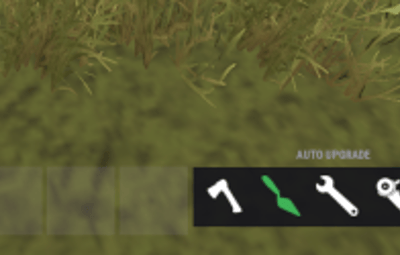
For example, chat commands could be used there to trigger commands from other plugins, such as /remove, /rules, or /help, so players don’t have to constantly type these commands into the chat. This would also solve the ent.kill issue, as admins could integrate the Remove Tool directly. The remove button could then be placed in the tools section as well.

image.png.42d5c8cddcdc7f017d544c7351b15c41.png

hionet.com

Posted

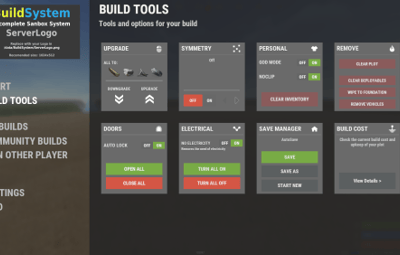
There are some commands already like /fly , /f , /noclip , /god , /g that toggle the noclip and fly.
Also there are default KEYs like F for toggle fly mode, R (with a hammer in hand) to REMOVE an entity, MIDDLE CLICK to open the UI
also admin console commands like "ent kill", "noclip", "god 1", "spawn" through F1 spawn items and vehicles will work just fine

I am not sure what are you trying to achive with theese commands in UI, it will be even harder for players to open the UI, navigate down to the Custom Commads and then click on the UI button since they can just use hammer in hand and press R to remove or press F to fly.

Kobani

Posted

41 minutes ago, hionet.com said:

There are some commands already like /fly , /f , /noclip , /god , /g that toggle the noclip and fly.
Also there are default KEYs like F for toggle fly mode, R (with a hammer in hand) to REMOVE an entity, MIDDLE CLICK to open the UI
also admin console commands like "ent kill", "noclip", "god 1", "spawn" through F1 spawn items and vehicles will work just fine

I am not sure what are you trying to achive with theese commands in UI, it will be even harder for players to open the UI, navigate down to the Custom Commads and then click on the UI button since they can just use hammer in hand and press R to remove or press F to fly.

Thank you for your response. I realize I may have overlooked the key bindings, so I appreciate your clarification.

As I mentioned before, I am considering purchasing your sandbox. However, there are other sandboxes available with more features, so I am still a bit uncertain given the price. What I particularly appreciate about your solution is its clean, calm presentation and well-thought-out functionality.

Before making a decision, I would like to know:
- What features or additions are planned for the future?
- How many individual plugins does your sandbox currently consist of?
- How resource-intensive are these plugins, and what system requirements would you recommend?

I understand these are quite a few questions, and I do not want to be impolite or a bother. It is simply important for me to make an informed decision, as the price is significant and I want to ensure the sandbox will run reliably on my server.

So far, in testing, your plugin has impressed me the most. Excellent work! 
Thank you in advance for your time and information.

  • Love 1
hionet.com

Posted

16 minutes ago, Kobani said:

Thank you for your response. I realize I may have overlooked the key bindings, so I appreciate your clarification.

As I mentioned before, I am considering purchasing your sandbox. However, there are other sandboxes available with more features, so I am still a bit uncertain given the price. What I particularly appreciate about your solution is its clean, calm presentation and well-thought-out functionality.

Before making a decision, I would like to know:
- What features or additions are planned for the future?
- How many individual plugins does your sandbox currently consist of?
- How resource-intensive are these plugins, and what system requirements would you recommend?

I understand these are quite a few questions, and I do not want to be impolite or a bother. It is simply important for me to make an informed decision, as the price is significant and I want to ensure the sandbox will run reliably on my server.

So far, in testing, your plugin has impressed me the most. Excellent work! 
Thank you in advance for your time and information.


Thanks for asking — and no worries at all.

At the moment I don’t have a fixed public roadmap or specific “next features” I can promise. Right now my focus is on polishing and improving the current feature set: stability, performance, usability, and overall quality.


That said, I do actively listen to feedback. If there are strong requests from server owners (and they make sense for the sandbox’s direction), I’m open to adding new functionality later — I just prefer to avoid committing to features or dates until I’m sure they can be delivered properly.

If you tell me what features you feel are “missing” compared to the other sandboxes you’re looking at, I can honestly tell you whether:

  • it’s already possible via configuration / existing tools,
  • it’s something I’m likely to consider,
  • or it’s outside the scope of this project.

The sandbox is modular and currently consists of 9 plugins (same version series), each with a clear role:

  1. BuildConfig – central config provider
  2. BuildLang – centralized localization/messages
  3. BuildPlots – lobby/plots, zones/colliders, domes, markers
  4. BuildCore – player flow (/build, /leave, safe teleport/init)
  5. BuildUI – the in-game UI
  6. BuildOptions – creative privileges + command restrictions + tools
  7. BuildIO – saving/loading/renaming/deleting/share codes (integrates with CopyPaste)
  8. BuildGuests – guest invites/requests/permissions
  9. BuildCosts – build + upkeep cost calculation display

Overall the plugins are pretty light when idle — there’s no heavy background load. The main resource hit is during actions like save/load/paste (or mass tools), and BuildIO is optimized for that (queued operations, per-player locks, fast limit checks) to avoid lag spikes.

For the server itself, I recommend a modern 4–8 core CPU, plus an SSD/NVMe and at least ~12–16GB RAM

  • Love 1

Create an account or sign in to comment

You need to be a member in order to leave a comment

Create an account

Sign up for a new account in our community. It's easy!

Register a new account

Sign in

Already have an account? Sign in here.

Sign In Now

User Feedback

2.1m

Downloads

Total number of downloads.

10k

Customers

Total customers served.

145.5k

Files Sold

Total number of files sold.

3.1m

Payments Processed

Total payments processed.

Ă—
Ă—
  • Create New...

Important Information

We have placed cookies on your device to help make this website better. You can adjust your cookie settings, otherwise we'll assume you're okay to continue.