
About Chat Mod+ | Auto Chat Moderation | Chat Spam Detection
Save time and take the stress out of moderation with this plugin. Your moderators simply select a reason for a mute and the plugin automatically sets the duration based on the player’s history, removing guesswork and arguments. Spam and bad language are caught automatically with configurable warnings or mutes. A sleek, intuitive UI keeps moderation fast and easy, while optional anonymous broadcasts and logging give you full control so your server stays clean and your team stays efficient.

Join my Discord community to stay informed on new plugins and updates. https://discord.com/invite/yz5D3PBXa8


- Empower Your Moderators: Allow your mods to mute players using predefined reasons directly from the configuration.
- Automate Penalties: Mute durations are automatically adjusted based on the player’s infraction history for each reason.
- All-in-One Moderation: Combine manual mutes, player warnings, and automatic chat filtering in a single plugin.
- Smart Spam & Profanity Detection: Automatically detect chat spamming and inappropriate language, applying configurable warnings or mutes to keep your community safe and clean.
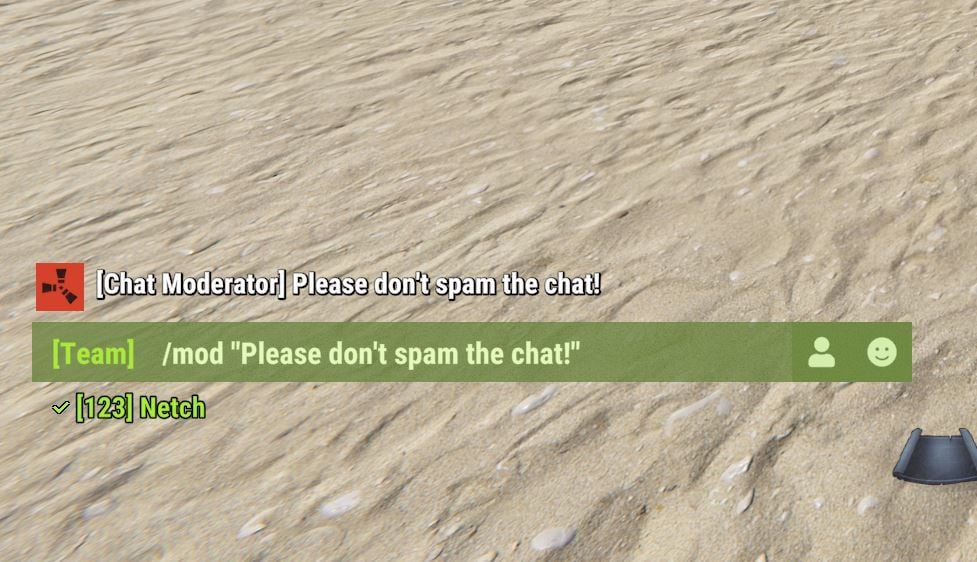
- Anonymous Broadcasts: Your moderators can message the entire chat anonymously as [Chat Moderator]. (See image below)
- Optional Logging: Enable logging of all moderator actions to a file and/or console for review.
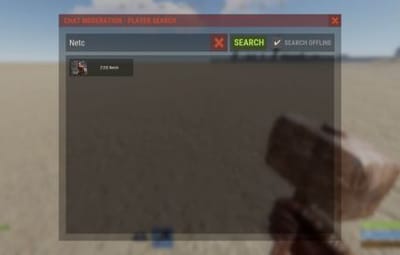
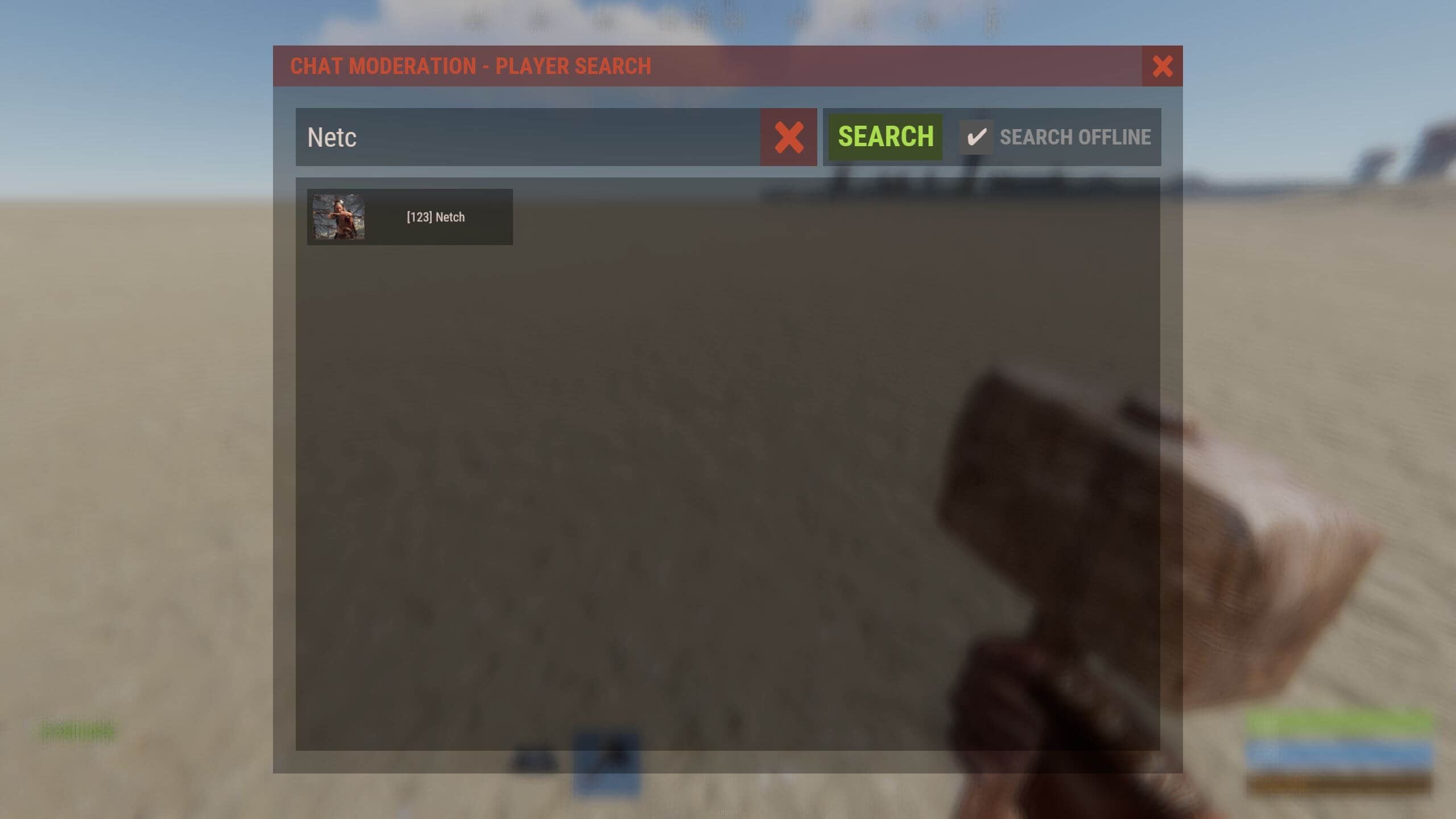
Easy player search with names or Steam IDs:
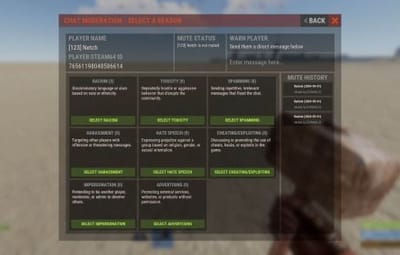
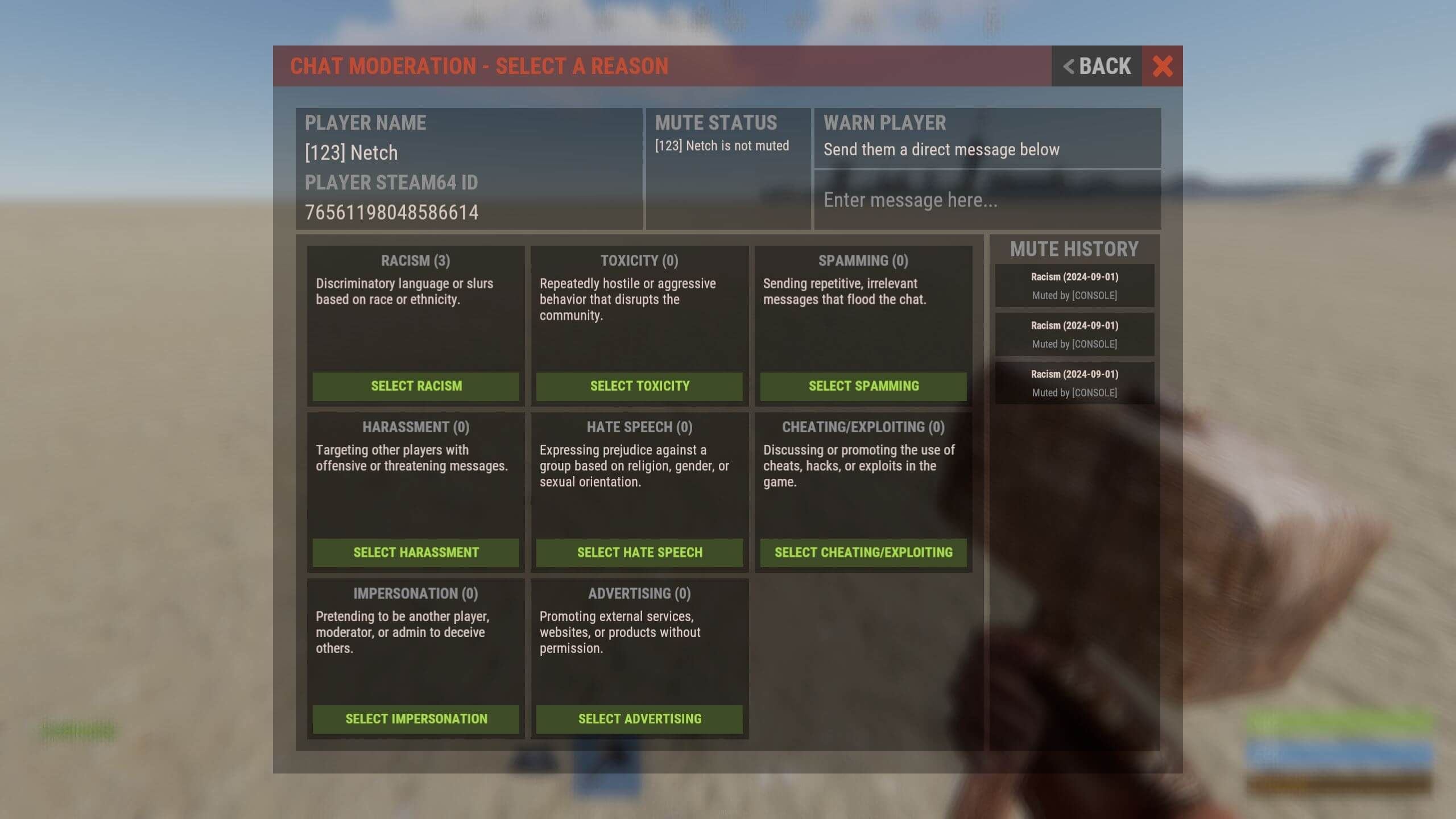
Moderators can choose predefined reasons or warn the player:
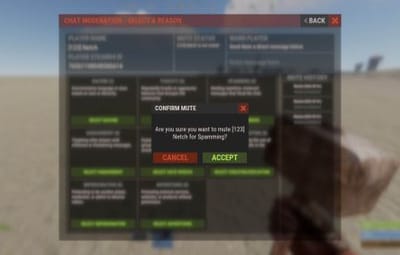
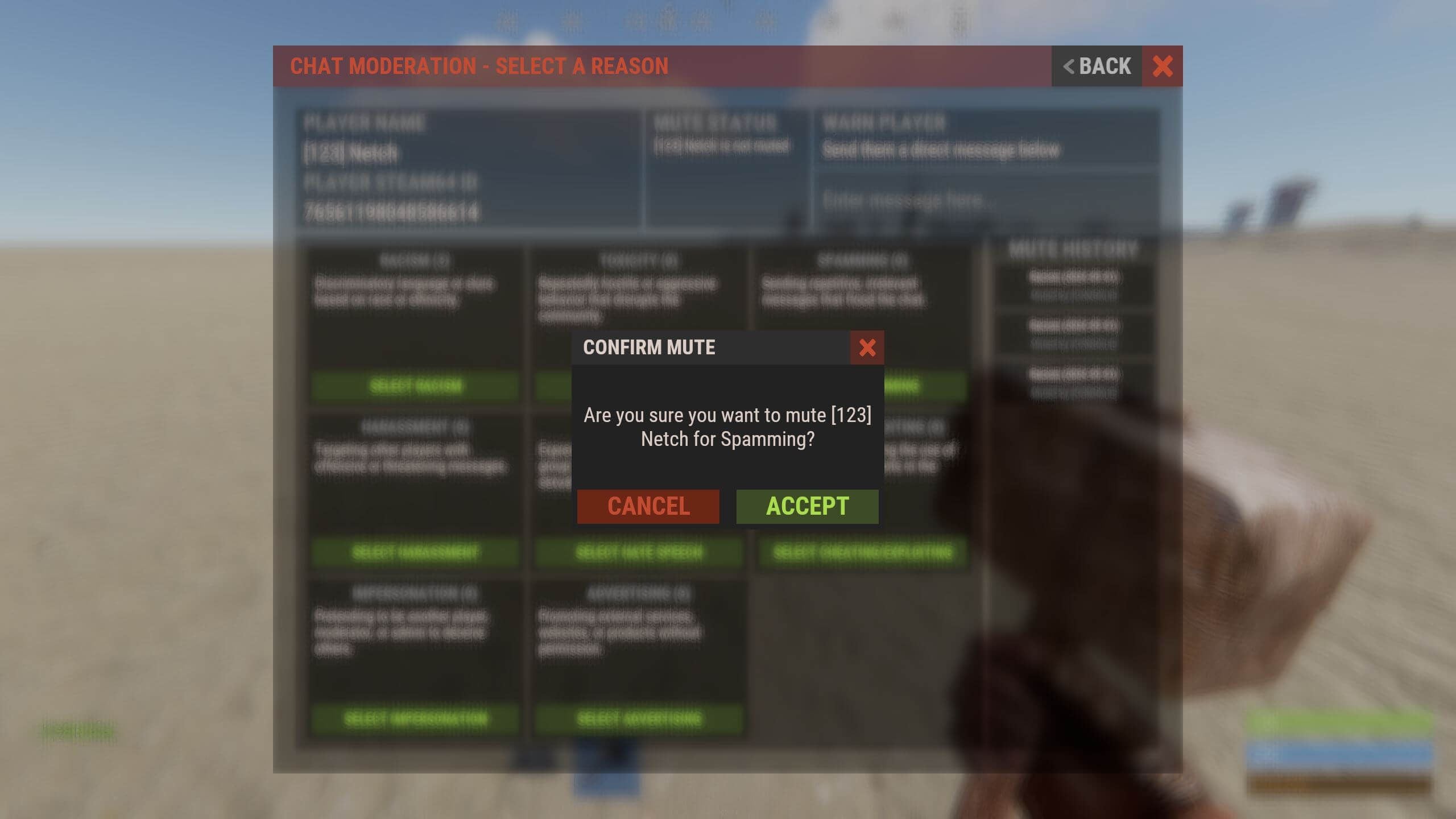
Mute confirmation window:
Anonymous moderator message broadcasts:

(Required) Image Library
(Optional) Better Chat - Better chat is supported.
(Optional) Discord Messages - Send mutes/unmutes to discord via webhook.

/mute – Opens the UI.
/mute "Player name/ID" "Reason" – Directly mute a player with a reason from the config.
/custommute "Player name/ID" "Duration" "Reason" – Directly mute a player with a custom duration and reason.
/unmute "Player name/ID" – Directly unmute a player.
/mod "Message to broadcast" – Broadcasts a message anonymously to chat as [Chat Moderator]. (Configurable)

mute "Player name/ID" "Reason" – Directly mute a player from Console/RCON.
custommute "Player name/ID" "Duration" "Reason" – Directly mute a player with a custom duration and reason from Console/RCON.
unmute "Player name/ID" – Directly unmutes a player from Console/RCON.
mod "Message to broadcast" – Broadcasts a message anonymously to chat as [Chat Moderator]. (Configurable)
chatmodplus.wipe – Wipes all player infraction data.
chatmodplus.clear "Player name/ID" – Wipes a single players infraction data.

chatmodplus.use – Required to use /mute, /unmute "Player name/ID", and /mod "Message to broadcast"
chatmodplus.custommute – Required to use the /custommute "Player name/ID" "Duration" "Reason" command.
chatmodplus.admin – Required to use data wipe and clear commands.
chatmodplus.ignore – Users with this permission cannot be muted.