Jump to content

Building Skins 2.0.10


   (12 reviews)
Message added by Raul-Sorin Sorban,

Originally developed by https://codefling.com/☜марат☞, now maintained by @kaysharp

15 Screenshots

  • 278.5k
  • 20.5k
  • 58.51 kB
  • Update details
    v2.0.10
    Released
    Download size58.51 kB
    Total versions23
    Time between versions 1 day
    Typical update pace About every 25 days
    Freshness 528 days ago

This area is for discussion and questions. Please use the support area for reporting issues or getting help.

Recommended Comments


harland555

Posted

You can remove any foundation with no charge using the skins on a player's foundation. It's a new exploit with this version of the plugin. 

Darth

Posted

need update plz!! 

SunShine ツ

Posted

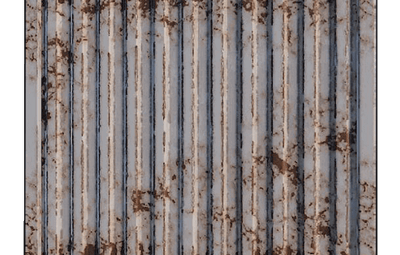
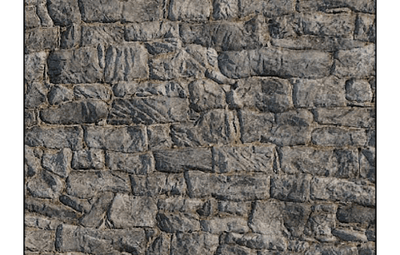
What about the BRICK skin?

PureJaguar

Posted

@SunShine ツ still waiting on an update. you can use the brick skin via WarKings post further up, but you will lose the Adobe skin. Best bet is waiting for Dev to update the plugin

RustMaker

Posted

HERE:  From what I've heard:  "Its not possible to add it to the current code. That's why its not been updated. It doesn't support multiple skins for each grade unfortunately."

Mbesailor

Posted

anyone have the .png for the brick skin


Covfefe

Posted

Can someone write a little tutorial on how to add brick ourselves 

Tezza

Posted

use this brick image its better , IamyyVe.png

XFactorXXL

Posted

Has anyone tried not just changing the stone skin ID, but adding a second line for the brick?  If so did it populate?

Example
The post above is:  


{
            { BuildingGrade.Enum.Wood, 0 },
            { BuildingGrade.Enum.Stone, 10220 },
            { BuildingGrade.Enum.Metal, 10221 },
            { BuildingGrade.Enum.TopTier, 0 }


Has anyone tried something like this and worked?:..

{
            { BuildingGrade.Enum.Wood, 0 },
            { BuildingGrade.Enum.Stone, ID for Adobe },

            { BuildingGrade.Enum.Stone, ID for Brick },
            { BuildingGrade.Enum.Metal, 10221 },
            { BuildingGrade.Enum.TopTier, 0 }


I haven't tried yet myself, just curious.

Mabel

Posted

no that wouldn't work like that as there is already a key for stone  

  • Like 1
Billionaire

Posted (edited)

3 hours ago, XFactorXXL said:

Has anyone tried not just changing the stone skin ID, but adding a second line for the brick?  If so did it populate?

Example
The post above is:  


{
            { BuildingGrade.Enum.Wood, 0 },
            { BuildingGrade.Enum.Stone, 10220 },
            { BuildingGrade.Enum.Metal, 10221 },
            { BuildingGrade.Enum.TopTier, 0 }


Has anyone tried something like this and worked?:..

{
            { BuildingGrade.Enum.Wood, 0 },
            { BuildingGrade.Enum.Stone, ID for Adobe },

            { BuildingGrade.Enum.Stone, ID for Brick },
            { BuildingGrade.Enum.Metal, 10221 },
            { BuildingGrade.Enum.TopTier, 0 }


I haven't tried yet myself, just curious.

It can never work that way. It's not just that that needs to be changed.

There are other lines in the .cs to edit and add so it can take adobe and brick together.

So your idea won't work. It is 100% sure.

Some developing notions are necessary for this to work 🧐

Edited by Gbutome
  • Like 2
XFactorXXL

Posted

2 hours ago, Gbutome said:

It can never work that way. It's not just that that needs to be changed.

There are other lines in the .cs to edit and add so it can take adobe and brick together.

So your idea won't work. It is 100% sure.

Some developing notions are necessary for this to work 🧐

Makes sense, so a lot needs to be written to allow a build block that has multiple skins.  I kinda figured as much.

Thanks for the quick confirmation! 

AltoSaxZeroCubicMetersBruh

Posted

Another plugin author has figured this out, but they are selling it on their website which I wont link here - so we know it is doable - good luck team

  • Like 1
Project Stingz

Posted (edited)

On 8/9/2023 at 3:05 AM, RickJamesBitch said:

i to have a payed one but if its ok i will try to update this one let me no


Edited by Project Stingz
WarKingz

Posted

Use Build Tools - Plugins - Codefling the dev is never AWOL

  • Like 2
TomHud

Posted

3 hours ago, WarKingz said:

Use Build Tools - Plugins - Codefling the dev is never AWOL

this is what im using as i already owned BuildTools

Even better now the skins have been added to it

  • Like 1
Tezza

Posted

over waiting , on this free building skins , bought paid one thats been updated with adobe and brick skins

z.wellman09

Posted

so I have downloaded this plugin and installed on my server. however when I go to set the permission I get this permission doesn't exist. anyone had this issue?

World_Gamerz

Posted

You can normally tell the diffrence between a good Dev and a bad Dev.. A good Dev will say he working on it or even tell the truth that theres and issue and will be a while but at least respond to the people that enjoy his/hers work..

A bad Dev will just ignored the chat and will never respond showing the lack of responsibility to a plugin making anything this person puts up forsale or even out for free in the future wont get the buyers/downloaders attention do to the lack of response if there is an issue or an update needed.

  • Like 1
  • Sad 1
SirApesALot

Posted

49 minutes ago, TwoShoes said:

You can normally tell the diffrence between a good Dev and a bad Dev.. A good Dev will say he working on it or even tell the truth that theres and issue and will be a while but at least respond to the people that enjoy his/hers work..

A bad Dev will just ignored the chat and will never respond showing the lack of responsibility to a plugin making anything this person puts up forsale or even out for free in the future wont get the buyers/downloaders attention do to the lack of response if there is an issue or an update needed.

wow, way to be dramatic and entitled. As you can see he added the metal skin, and last update was just a few weeks ago. It's a free plug in, and some people have jobs and lives. He will get to it.  Go outside for a bit, it's nice out there. Calling someone a bad dev because he didn't jump when you said jump is a terrible way to approach life. Be grateful for the two existing building skins for free, and have patience for the new one.

  • Like 9
World_Gamerz

Posted (edited)

First off entired has nothing to do with it im mentioning that there has been no response so before you get your panties in a bunch like a Karen reread it if you have the ability to read

Edited by TwoShoes
  • Confused 1
SirApesALot

Posted

6 minutes ago, TwoShoes said:

First off entired has nothing to do with it im mentioning that there has been no response so before you get your panties in a bunch like a Karen reread it if you have the ability to read

you basically called a guy a bad dev for not responding to your demands on a free plug in.  It functions exactly as advertised. When he gets to it, he gets to it. Maybe rethink which one of us is the "karen". One is screaming to be listened to, tearing down them as a dev, and demanding to be answered now. 

Does this plug in advertise that it works for brick? Is it not functioning as currently advertised?  If you put in a support request was it ignored?

Have a great day, sorry you need your brick skin so bad

  • Like 4

Create an account or sign in to comment

You need to be a member in order to leave a comment

Create an account

Sign up for a new account in our community. It's easy!

Register a new account

Sign in

Already have an account? Sign in here.

Sign In Now
  • Like 18
  • Love 14

User Feedback

About Us

Codefling is the largest marketplace for plugins, maps, tools, and more, making it easy for customers to discover new content and for creators to monetize their work.

Downloads
2.4m
Total downloads
Customers
10.8k
Customers served
Files Sold
155.7k
Marketplace sales
Payments
3.3m
Processed total
×
×
  • Create New...

Important Information

We have placed cookies on your device to help make this website better. You can adjust your cookie settings, otherwise we'll assume you're okay to continue.