

About Easy Map Voter
Easy Map Voter is a tool for Rust server owners and administrators that makes map voting easy and intuitive.
It stands out by mainly focusing on UI workflow instead of countless lines in a config. This makes the bot easy to use for even the least tech savy.
Everything is saved into a database, so you only have to fill out everything once.
Each poll session starts out by running the command:
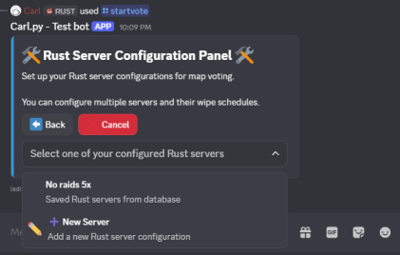
/startvote
Thereafter you will be guided through every step in the UI.
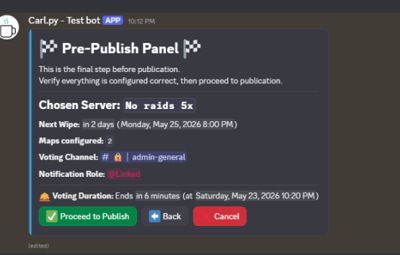
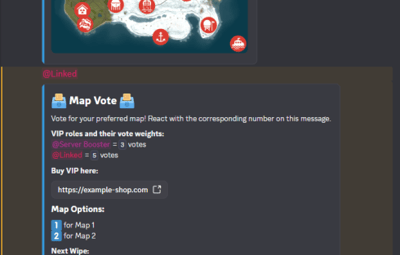
Each map voting poll prepares your community for the next wipe, by showing a countdown and date/time both before and after the voting session is finalized.
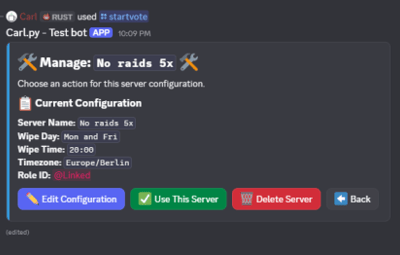
Wipe schedules, Poll notifications and other server information is configured in the Rust Server Configuration Panel (UI).
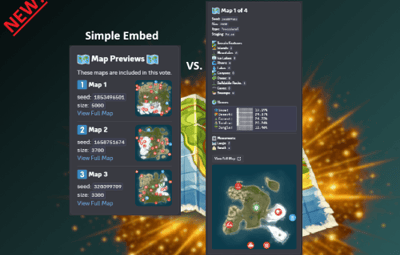
New Feature!:
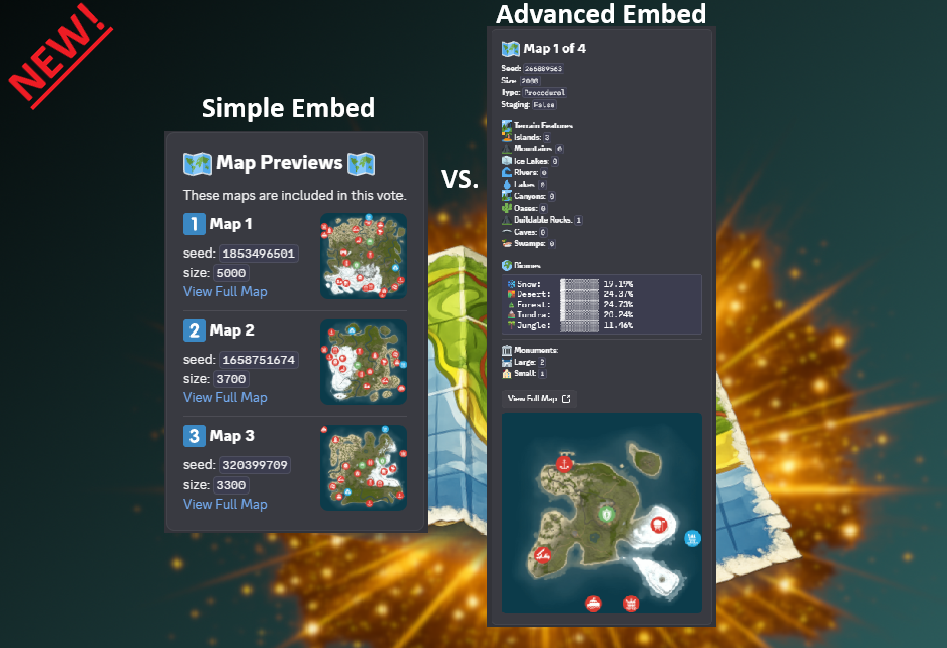
Simple/Advanced Embed
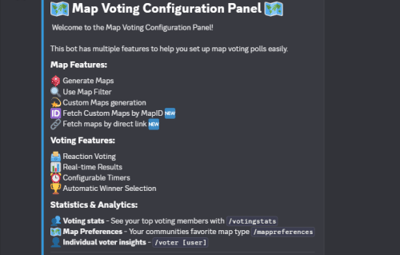
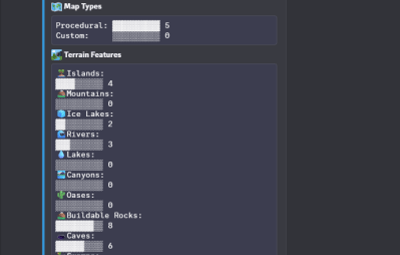
Not only is the bot easy to use, but it also shows statistics from map votes, to help you understand your Rust communities map preferences.
/mappreferences – View community map preferences
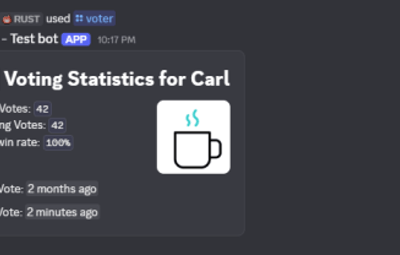
/voter [user] – See individual voting history
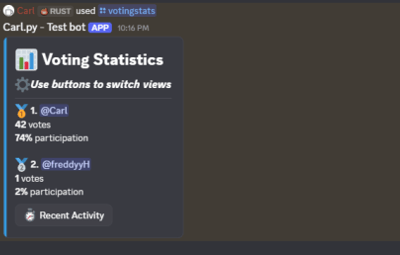
/votingstats – Interactive stats with top voters and recent activity
Great for understanding what your players actually enjoy.
"What type of map sources can be used?"
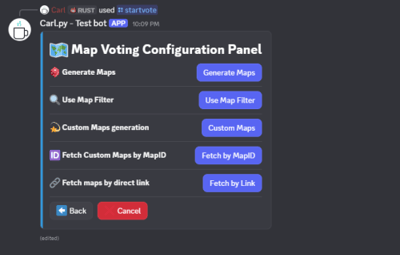
Easy Map Voter lets you fetch maps in any way you would like. All maps are fetched and/or generated from Rustmaps.com:
1. Map Generation
Select number of maps and map size. The bot will then generate new maps.
2. Map Filter
Set a configuration through rustmaps.com and use the Map Filter to fetch already generated maps that fit your liking
3. Custom Maps Generation
Generate your own custom map. Either multiple different map generations, or different versions of the same custom configuration.
4. Fetch Custom Maps by MapID
If you already have a generated custom map, you can use that with the custom map link or MapID.
This can also be used with bought custom maps from sites like Codefling. Upload them to rustmaps.com and use that MapID in the modal.
5. Fetch Maps by Direct Link
If you are the type of dedicated Rust server owner that pre-pick maps before wipe,
you can use the map links to fetch whatever map you would like.
Requirements:
- Python 3.12+ recommended.
- A Discord application and bot token.
- A Rustmaps API key.
Python dependencies are listed in requirements.txt.
Setup
1) Install requirements
- Python 3.12+ installed and available on PATH.
- Install dependencies from the project root:
pip install -r requirements.txt
2) Configure your .env file
DISCORD_TOKEN=your_discord_bot_token

RUSTMAPS_API_KEY=your_rustmaps_api_key

LOGGING_LEVEL=INFO
3) Configure config.json
Open `config.json` and update the IDs and options for your server:
{
  "discord": {
    "guild_id": 1234567890123456789,
    "prefix": "!"
  },
  "roles": {
    "administration_role_id": 1234567890123456789,
    "vote_permission_role_id": null,
    "no_permission_embed": {
      "title": "No Permission",
      "description": "You don't have permission to vote. You need the required role to participate.",
      "image": "https://i.ibb.co/r2nn73fx/free-svg-a-red-circle-with-a-horizontal-white-bar-in-the-mi-th-769-no-entry-c-os-188041.jpg"
    },
    "store": "https://example-shop.com",
    "enable_vip_voting": true,
    "vip_roles": [
      {
        "role_id": 1234567890123456789,
        "vote_weight": 3
      },
      {
        "role_id": 1234567890123456789,
        "vote_weight": 2
      }
    ]
  },
  "appearance": {
    "embed_color_active": false,
    "embed_color": "gold"
  },
  "voting": {
    "simple/advanced": "simple",
    "votes_per_user": 1
  }
}
OBS.
If a user has more than 1 VIP role, the bot auto defaults to the role with the highest weight
4) Discord bot permissions and intents
Enable these gateway intents in the Discord Developer Portal:
- Message Content Intent
- Server Members Intent
Recommended permissions for the bot invite:
- Read Messages / View Channels
- Send Messages
- Embed Links
- Add Reactions
- Read Message History
- Manage Messages
Also include the applications.commands scope for slash commands.
Running the bot:
Run this line in the console or set it as the starting file if using a Host:
python main.py
Logs are written to data/logs/bot.log.
For any help and support you can contact me on Discord #carl7332