
TOOLCUB's Wishlist
-

$9.99
Offline Raid Limiter
By CrypticRedHat in Plugins
Offline Raid Limiter
Stop Unfair Offline Raids in Their Tracks
Tired of seeing your Rust server overrun by offline raid abuse? Offline Raid Limiter steps in to restore balance and fair play. With powerful tracking and immediate damage blocking, your players can enjoy a more authentic Rust experience—and you can enjoy worry-free server management.
Key Benefits
Prevent Offline Raid Abuse
Daily + Per-Wipe raid limits Run daily limits, wipe limits, or both at the same time (fully configurable). Proximity-Based Tracking: Only counts raids when attackers are within range of a Tool Cupboard (TC), ensuring offline raid limits don’t trigger prematurely. Smart Raid Session Management
Team & Additional Raider Tracking: Keeps tabs on individual players as well as entire teams—even if they leave and rejoin. Plus, if additional players jump into the same raid, their involvement is recorded. Edge Case Handling: No more confusion or gaps in coverage if a defender goes offline mid-raid or when multiple attackers are involved. Offline Raid Limiter’s robust logic sorts out these scenarios seamlessly. Instant Damage Blocking
Enforce Fair Play: Once a team or individual hits their daily offline raid quota, further damage is blocked automatically. That means no more sneaky workarounds or unstoppable raids. Modded Server UI
In-Game Control: For modded servers, gain access to a simple in-game UI that displays raid history, player statistics, and real-time session data. Player-Friendly Features: Grant permissions so your players can check their offline raid counts with the /orl.mystats command—helping everyone stay within the rules. Detailed Alerts & Reporting
Discord Integration: Offline Raid Limiter sends comprehensive alerts to Discord, making admin oversight a breeze. Export & Clear Sessions: Use /orl.export to log and share your entire raid history for deeper analysis, then wipe all sessions with a simple console command if you need a fresh start. Designed for Vanilla & Modded Servers
Flexible Configuration: If you set your server to "Vanilla,” the plugin automatically disables UI and direct damage blocks, limiting itself to Discord notifications so admins can monitor raiding behind the scenes. Seamless Integration: Works hand-in-hand with Rust’s existing frameworks and requires only the Simple Status & Image Library for certain UI elements. Why Choose Offline Raid Limiter?
Enhanced Fairness: Players can’t take shortcuts with offline raids for easy loot. Clear Oversight: Admins see exactly who’s raiding and how often, helping you enforce balanced gameplay. Configurable & User-Friendly: Tailor the plugin to your server’s needs in just a few clicks, with plenty of documentation to guide you. If you’re ready to level the playing field and protect your community from unfair offline raids, Offline Raid Limiter has you covered. Bring your Rust server to new heights of balance, transparency, and peace of mind!
Commands & Usage
Player Commands (permission based)
/orl.mystats — Shows your overall stats (daily + wipe, plus active limits).
/orl.mydaily — Shows your daily offline raids and daily limit.
/orl.mywipe — Shows your wipe offline raids and wipe limit.
Admin Commands
/orl.disable <hours> — Temporarily disables enforcement for X hours.
/orl.enable — Re-enables immediately.
/orl.clearall — Clears all stored raid sessions (and fully resets tracking).
/orl.clearplayer <SteamID64 or name> — Clears raids for a specific player/team.
/orl.export — Exports raid sessions to JSON via the debug webhook.
/orl.dailyall [top] — Shows a “top raiders” list for daily scope.
/orl.wipeall [top] — Shows a “top raiders” list for wipe scope.
/orl.dailyplayer <name/id> — Check a player’s daily count.
/orl.wipeplayer <name/id> — Check a player’s wipe count.
Damage / Raid Logic
OfflineRaidLimiter checks incoming damage to building blocks, doors, external walls, and more. If a team or player has exceeded the daily offline raid limit, all further damage to offline bases is blocked—and you can optionally broadcast an alert to Discord. Key Points to Note About Commands
Some commands differ depending on your permissions and server setup. For instance, if a player types /exportraidsessions in chat, it won’t work unless they have OfflineRaidLimiter.admin. For "Vanilla” servers (as set in the config), UI, damage blocking, and certain other features may be disabled—so commands like clearraidsessions and clearraidsforplayer will still work, but may only be visible to server admins via console. When Commands Might Defer
Cleanup Commands: If the plugin detects that some raid sessions are still "cooling down” (meaning the raid window hasn’t fully expired), the system may defer clearing them until the next pass. This prevents conflicts with currently active raids. Blocking Logic: After the daily limit is reached, the blocking triggers immediately and remains in place until the next server reset or cleanup routine (depending on how you configure it).
- #raid
- #protection
- (and 12 more)
-
$9.99
Offline Raid Announcer
OFFLINE RAID ANNOUNCER
══════════════════════
Never miss a raid again. Whether your players are online watching it unfold or logging back in to discover what happened while they were away, Offline Raid Announcer keeps everyone informed, engaged, and coming back for more.
▌ WHY SERVER OWNERS LOVE IT
Offline raids are the most frustrating experience in Rust — and the most common reason players quit. This plugin transforms that frustration into engagement by giving raid victims real-time alerts, detailed statistics, and a clear picture of what happened to their base. Players who feel informed stick around. Players who log in to a silent, looted base often don't.
▌ KEY FEATURES
► SMART OFFLINE RAID DETECTION
Automatically identifies raids on offline and recently offline players, with a configurable grace period so players who just logged off still get their base protected by the alert system.
► INTELLIGENT FILTERING
Twig structures are ignored to eliminate false positives from soft-side bashing. A configurable raid threshold prevents alerts from single-door breaks. If any of the owner's teammates are online, the announcement is suppressed — no spam during active defenses.
► REAL-TIME NOTIFICATIONS
Online players, teammates, and admins get instant alerts the moment a raid kicks off. Two independent cooldowns (standard and MLRS-specific) keep things clean during heavy raid sessions.
► DEDICATED MLRS VOLLEY HANDLING
A separate, configurable cooldown specifically for MLRS rockets prevents notification floods when an entire volley lands on the same base.
► CATCH-UP ALERTS ON RECONNECT
Players who were offline during the attack get a full summary the moment they log back in — including grid, raider name, and a multi-raid summary if they were hit more than once.
► TEAM-AWARE SYSTEM
Notifies the raider's teammates as well, keeping group raids coordinated and giving the raider's crew a heads-up that one of their own is mid-raid.
► LIVE MAP MARKERS
Drops a visible red radius marker at the raid location for the configured duration, so allies can rally to defend or investigate.
► PERSISTENT RAID STATISTICS
Tracks every raid event per player. /raidinfo shows total raids, last raid time and grid, the most frequent raider against you, and the most-destroyed entity type. Admins can look up any player's stats.
► DISCORD INTEGRATION (TWO WAYS)
Works with the popular DiscordMessages plugin if you have it installed, or sends rich, fielded embeds directly via webhook with no dependencies. Color-coded, properly formatted, ready for clan channels or admin logs.
► CARBON & OXIDE COMPATIBLE
Auto-detects the framework on startup and uses the correct data handling for each, with built-in fallbacks. No special build required.
► ZONEMANAGER SUPPORT
Exclude safe zones, event arenas, or PvE regions from raid detection.
► FULL LOCALISATION SUPPORT
Every player-facing message is registered in the language file and ready for translation.
► WIPE-FRIENDLY
Optional automatic data clearing on server wipe keeps stats fresh each cycle.
▌ COMMANDS
/raidinfo
View your own raid statistics
Permission: offlineraidannouncer.stats
/raidinfo [player]
View statistics for another player
Permission: offlineraidannouncer.admin
/raidstats
Alias for /raidinfo
Permission: same as /raidinfo
/ofra.clear
Clear all stored raid data
Permission: offlineraidannouncer.admin
▌ PERMISSIONS
offlineraidannouncer.receive
Receive raid notifications (automatically granted to the default group)
offlineraidannouncer.bypasscooldown
Bypass notification cooldowns
offlineraidannouncer.stats
View raid statistics
offlineraidannouncer.admin
Full administrative access
▌ CONFIGURATION
Every aspect of the plugin is fully configurable. The keys below match what you'll see when you open the config file.
Notification Cooldown (seconds) ............... 600
Cooldown before a player can trigger another raid notification for the same base
Include Owner Name ............................ true
Include the base owner's name in alerts
Include Raider Name ........................... true
Include the raider's name in alerts
Wipe Data On Wipe ............................. false
Clear stored data when the server wipes
Notify Raiders Team ........................... true
Alert the raider's teammates that they're raiding
Save Raid Statistics .......................... true
Track and store per-player raid statistics
Notify Offline On Reconnect ................... true
Send a summary to victims when they log back in
Recently Offline Time (seconds) ............... 300
How long after disconnect a player still counts as "recently offline"
Use Discord Webhook ........................... false
Send raid alerts to a Discord webhook
Discord Webhook URL ........................... (your URL)
Your Discord webhook URL
Excluded Zones ................................ []
Zone names to exclude from detection (requires ZoneManager)
Raid Threshold ................................ 3
Minimum raid events on the same base (within roughly 10 minutes) before triggering an alert
Show Map Marker ............................... true
Display a map marker at the raid location
Map Marker Duration (seconds) ................. 300
How long the map marker stays visible
Admin Only Notifications ...................... false
Restrict in-game notifications to admins only
MLRS Volley Cooldown (seconds) ................ 15
Dedicated cooldown for MLRS rocket impacts on the same base
Monitored Entities ............................ (see below)
Entity types tracked for raid detection
Default monitored entities:
BuildingBlock, Door, StorageContainer, ExternalWall, Lock, Trap, Barricade, SleepingBag, Turret, Furnace, Workbench, ToolCupboard, VendingMachine, SamSite, Embrasure, WindowBars, HighExternalGate
▌ DISCORD SETUP
Get raid alerts pushed straight to your Discord server in three steps:
1. Create a webhook in your Discord server settings
(Server Settings → Integrations → Webhooks)
2. Set "Use Discord Webhook" to true in the plugin config
3. Paste your webhook URL into "Discord Webhook URL"
Every detected offline raid will then appear in your chosen Discord channel as a properly formatted embed with owner, grid, raider, and timestamp fields. If you also have the DiscordMessages plugin installed, the plugin will automatically use it instead.
▌ DEPENDENCIES
Optional:
• ZoneManager — required only for zone-based exclusions
• DiscordMessages — used automatically if installed; otherwise the plugin sends webhooks directly
▌ COMPATIBILITY
Works on both Oxide and Carbon. The plugin auto-detects your framework on load.
▌ SUPPORT
Questions, feedback, or feature requests? Drop a message in the support thread and I'll get back to you quickly.
-

$4.99
Player Reporting
Player Reporting Plugin,
Command Usage: /report (Player Name) (reason)
/adminreports - Gui for seeing players with reports and how many requires "playerreports.admin" permssion
Gui Preview in video below
Permissions:
o.grant group default playerreport.use o.grant group admin playerreport.admin Example Of Messages Sent To Discord Webhook Attached.
When a player is reported, In-Game admins will receive a notification of that person being reported, if they have the permission "playerreport.admin"
Default Config:
{ "Discord Webhook URL": "https://discord.com/api/webhooks/yourwebhookhere", "Ban Notification Webhook URL": "https://discord.com/api/webhooks/yourwebhookhere", "Server Shortname": "5x Duo Max Rustico", "Admin Notification": true, "Ban Appeal Link": "https://discord.gg/JKmGzRf7", "Maximum Reports Before Auto Ban": 10 } Localisation Support:
{ "Usage": "Usage: /report <player name> <reason>", "PlayerNotFound": "Player '{0}' not found. Check the spelling or try a different name.", "DidYouMean": "Did you mean: {0}?", "ReportSubmitted": "Your report against {0} has been submitted.", "ReporterField": "Reporter", "ReportedPlayerField": "Reported Player", "ReasonField": "Reason", "ReportedOn": "Reported on", "DiscordError": "Failed to send report to Discord: {0}", "CooldownMessage": "Please wait {0} seconds before submitting another report.", "AdminNotification": "Player {0} reported {1} for: {2}", "AutoBanMessage": "You have been automatically banned due to multiple reports. Appeal: {0}" }
-
$10.00
F1 Spawn
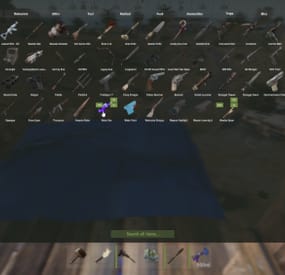
Easily give access to Rusts F1 Spawn Menu! That's permission based with blacklisting support and customizable F1 Spawn button amounts!
Features:
* Ban whole categories or Items using their ShortName or ItemID's * Allow Admins or Developers to bypass F1 spawn * Control the amounts it gives on the 1k button & 100 buttons! * ItemID, Amount, SkinID, Conditions. * Shops & other 3rd party plugins. * DLC items only spawn if you are the Admin or the player has bought the DLC for that item. * TODO: Genetics & BPs.
Perms:
f1spawn.use | needed to use F1 Menu. f1spawn.bypass | needed to bypass blocked Items. f1spawn.dlc | needed to spawn DLC Items that the player does NOT OWN.
Chat & Console Commands:
/give itemID amount skin condition | everything past itemID are optional args /givearm itemID amount skin condition | everything past itemID are optional args give steamID-or-Name itemID amount skin condition | everything past itemID are optional args givearm steamID-or-Name itemID amount skin condition | everything past itemID are optional args
Configuration File:
{ "Change Spawned Tag to supported variants like Crafted & Looted": false, "Ignore: Disabled 0, Admin 2, Developer 3": 0, "Set F1 1000 button spawn amount": 1000, "Set F1 100 button spawn amount": 100, "Set F1 Spawn liquids with max water": true, "Ban Categories: Weapon 0, Construction 1, Items 2, Resources 3, Attire 4, Tool 5, Medical 6, Food 7, Ammunition 8, Traps 9, Misc 10, Component 11, Electrical 12, Fun 13": [ 10 ], "Ban Items using: ShortNames (Easy to Read)": [ "explosive.timed", ], "Ban Items using: ItemIDs (Slightly Faster)": [ 143803535, ] }
-

$14.99
DropBags
By Whispers88 in Plugins
Drop Bags tracks items dropped into the rust world. When there are high-volume drops, they are combined into a single "drop bag.” This method enhances performance by streamlining the handling of item drops and reducing item physics.
Stop server stalls and freezing from item spam Works on craft spam, dropped item spam, gutted shark spam and horse dung! Light weight and easy to use Easy config
DropBags uses one light weight hook to track dropped items. Dependent on how many items are dropped in a given radius those items get placed into a drop bag. This stops mass item spam effecting your server performance.
{ "Area Size - How far away items can be moved into a container": 7, "Max drops before moving items to container": 36, "Time to wait before moving items": 5.0, "Vischeck - checks items are visable before moving to container": true, "Calculate despawntime from drop bag items": true, "Reset dropbag despawn time on loot": false, "Override drop bag despawn time (seconds), 0 = false": 0.0 }
- #dropbags
- #drop bags
- (and 26 more)