
SLATE's Wishlist
-

$19.99
Helicopter Records
Show all Active and past Patrol Helicopter records that track all attacks by players with detailed statistics for each helicopter and player.
Features:
✯ Detailed Statistics for Helicopters, Players, Weapons
✯ Easy to use UI to show all statistics
✯ 5 Theme colors that each player can choose from
✯ Top players for helicopter attacks, total damage, total hits
✯ Search attacker history for players
✯ Quick Helicopter spawn button for admins in the UI
✯ Helicopter Tiers - Create custom tiers to make patrol helicopters easier/harder
Recorded Data:
[Patrol Helicopters]
✯ Status (active/inactive)
✯ Health (current/max)
✯ Start Time
✯ End Time
✯ List of Attackers
[Attackers]
✯ Total Helicopters Attacked
✯ Total Damage (all helicopters / per helicopter)
✯ Total Hits (all helicopters / per helicopter)
✯ List of every Attack
[Attacks]
✯ Weapon
✯ Damage
✯ Type
✯ Distance
✯ Time
[Weapons]
✯ Total Damage (all helicopters / per helicopter)
✯ Total Hits (all helicopters / per helicopter)
✯ List of every Attack with weapon
[Top Players]
✯ Helicopters Attacked
✯ Total Damage
✯ Total Hits
Default Chat Command:
/hr - Opens UI panels (can be changed in admin settings)
NOTES:
* Report all issues or bugs in our discord
Language:
{ "menu_lable": "Menu", "menu_001": "Main", "menu_002": "Active Patrols", "menu_003": "Patrol Records", "menu_004": "Top Players", "menu_005": "Search", "menu_006": "My Stats", "menu_007": "Close", "menu_008": "Admin", "hr_001": "Helicopter Records", "hr_002": "Global Statistics", "hr_003": "Total Helicopters", "hr_004": "Total Hits", "hr_005": "Total Attackers", "hr_006": "Active Patrol Helicopters", "hr_007": "Last Patrol Helicopters", "hr_008": "Helicopter ID", "hr_009": "Patrol Helicopter [#{0}]", "hr_010": "Health", "hr_011": "Started", "hr_012": "Ended", "hr_013": "Status", "hr_014": "Active", "hr_015": "InActive", "hr_016": "Escaped", "hr_017": "Attackers", "hr_018": "︽ Pevious", "hr_019": "Next ︾", "hr_020": "Player", "hr_021": "Damage", "hr_022": "No Attackers", "hr_023": "No Active Patrol Helicopters", "hr_024": "No Inactive Patrol Helicopters", "hr_025": "Helicopters Attacked", "hr_026": "Total Damage", "hr_027": "Attack Record", "hr_028": "Total Attacks", "hr_029": "Timestamp", "hr_030": "Distance", "hr_031": "Type", "hr_032": "Weapon", "hr_033": "Page: {0}", "hr_034": "Total Damage Amount", "hr_035": "Total Damage Percentage", "hr_036": "Top Attackers", "hr_037": "Search Attackers", "hr_038": "..enter player name..", "hr_039": "Search Results", "hr_040": "Total Weapons", "hr_041": "Most Used", "hr_042": "All Weapons", "hr_043": "Total Hits", "hr_044": "Helicopters Hit", "hradmin_001": "Settings", "hradmin_002": "Open UI Panel", "hradmin_003": "Save Settings", "hradmin_004": "Use Local Path", "hradmin_005": "Oxide Folder Path", "hradmin_006": "Reload Images & ImageLibrary", "hradmin_007": "Delete Records", "hradmin_008": "Delete", "hradmin_009": "This will delete all records for this helicopter including attackers and hits. \nAre you sure you want to remove all records for Patrol Helicopter [#{0}]", "hradmin_010": "Spawn New Helicopter" }
Discord
Join our community discord for fast support and future updates. We have several channels where you can get help, offer suggestions, see what's coming in future updates, and more. Our discord is the fastest way to get the help and info you need! http://discord.rustlevels.com/
-

$19.99
TankRecords
Show all Active and past Tank records that track all attacks by players with detailed statistics for each tank and player.
Features:
✯ Detailed Statistics for Tanks, Players, Weapons
✯ Easy to use UI to show all statistics
✯ 5 Theme colors that each player can choose from
✯ Top players for tank attacks, total damage, total hits
✯ Search attacker history for players
✯ Quick Tank spawn button for admins in the UI
Recorded Data:
[APC Tanks]
✯ Status (active/inactive)
✯ Health (current/max)
✯ Start Time
✯ End Time
✯ List of Attackers
[Attackers]
✯ Total Tanks Attacked
✯ Total Damage (all tanks / per tank)
✯ Total Hits (all tanks/ per tank)
✯ List of every Attack
[Attacks]
✯ Weapon
✯ Damage
✯ Type
✯ Distance
✯ Time
[Weapons]
✯ Total Damage (all tanks / per tank)
✯ Total Hits (all tanks / per tank)
✯ List of every Attack with weapon
[Top Players]
✯ Tanks Attacked
✯ Total Damage
✯ Total Hits
Default Chat Command:
/tr - Opens UI panels (can be changed in admin settings)
NOTES:
* Report all issues or bugs in our discord
Language:
{ "menu_lable": "Menu", "menu_001": "Main", "menu_002": "Active APC Tanks", "menu_003": "APC Tank Records", "menu_004": "Top Players", "menu_005": "Search", "menu_006": "My Stats", "menu_007": "Close", "menu_008": "Admin", "menu_009": "『Helicopter Records』", "TR_001": "Tank Records", "TR_002": "Global Statistics", "TR_003": "Total Tanks", "TR_004": "Total Hits", "TR_005": "Total Attackers", "TR_006": "Active APC Tanks", "TR_007": "Last APC Tanks", "TR_008": "Tank ID", "TR_009": "APC Tank [#{0}]", "TR_010": "Health", "TR_011": "Started", "TR_012": "Ended", "TR_013": "Status", "TR_014": "Active", "TR_015": "InActive", "TR_016": "Escaped", "TR_017": "Attackers", "TR_018": "︽ Pevious", "TR_019": "Next ︾", "TR_020": "Player", "TR_021": "Damage", "TR_022": "No Attackers", "TR_023": "No Active APC Tanks", "TR_024": "No Inactive APC Tanks", "TR_025": "Tanks Attacked", "TR_026": "Total Damage", "TR_027": "Attack Record", "TR_028": "Total Attacks", "TR_029": "Timestamp", "TR_030": "Distance", "TR_031": "Type", "TR_032": "Weapon", "TR_033": "Page: {0}", "TR_034": "Total Damage Amount", "TR_035": "Total Damage Percentage", "TR_036": "Top Attackers", "TR_037": "Search Attackers", "TR_038": "..enter player name..", "TR_039": "Search Results", "TR_040": "Total Weapons", "TR_041": "Most Used", "TR_042": "All Weapons", "TR_043": "Total Hits", "TR_044": "Tanks Hit", "TRadmin_001": "Settings", "TRadmin_002": "Open UI Panel", "TRadmin_003": "Save Settings", "TRadmin_004": "Use Local Path", "TRadmin_005": "Oxide Folder Path", "TRadmin_006": "Reload Images & ImageLibrary", "TRadmin_007": "Delete Records", "TRadmin_008": "Delete", "TRadmin_009": "This will delete all records for this Tank including attackers and hits. \nAre you sure you want to remove all records for APC Tank [#{0}]?", "TRadmin_010": "Spawn New Tank", "TRadmin_011": "Clear All Data", "TRadmin_012": "This will delete all records for Tanks, attackers and hits. \nAre you sure you want to completely wipe all records?", "TRadmin_013": "Clear Unattacked Tanks", "TRadmin_014": "This will delete all records for Tanks that have no recorded attackers. \nAre you sure you want to remove all unattacked Tank records?" }
Discord
Join our community discord for fast support and future updates. We have several channels where you can get help, offer suggestions, see what's coming in future updates, and more. Our discord is the fastest way to get the help and info you need! http://discord.rustlevels.com/
-

$14.99
Rocket Guidance System
This plugin was originally created for the XPerience Addon as part of the Demolitionist skill. I have chosen to recreate it as a separate plugin for others to use that don't want the XPerience and Addon plugins.
NOTE: If using the XPerience Addon you must disable the rocket tracking abilities in the Demolitionist skill!
Discord
Join our community discord for fast support and future updates. We have several channels where you can get help, offer suggestions, see what's coming in future updates, and more. Our discord is the fastest way to get the help and info you need! http://discord.rustlevels.com/
Feature:
Select rocket trackable entities Select rocket trackable ammo Adjust rocket lock chance percentage % Adjust rocket lock time Adjust rocket max lock distance Adjust rocket detonation time Adjust rocket speed increase percentage % Adjust rocket base damage Adjust rocket damage per Entity type Adjust target names that appear on the UI Works with BetterNPCNames that shows NPC names on target UI Includes Rocket Launcher UI that shows target name, lock status, distance, and max distance allowed
Permissions
This plugin uses the permission system. To assign a permission, use oxide.grant <user or group> <name or steam id> <permission>. To remove a permission, use oxide.revoke <user or group> <name or steam id> <permission>.
rocketguidancesystem.use -- Gives permission to use the RGS features
Config:
{ "Rocket Targets": { "players": true, "npcs": true, "animals": true, "bradleyapc": true, "patrolheli": true, "ch47": true, "turrets": true, "buildings": true, "minicopter": true, "hotairballoon": true, "drones": true, "boats": true, "vehicles": true, "trains": true, "planes": true, "authbuildings": false, "entityList": { "0": { "entity": "chicken", "name": "Chicken" }, "1": { "entity": "boar", "name": "Boar" }, "2": { "entity": "stag", "name": "Stag" }, "3": { "entity": "wolf", "name": "Wolf" }, "4": { "entity": "bear", "name": "Bear" }, "5": { "entity": "polarbear", "name": "Polar Bear" }, "6": { "entity": "simpleshark", "name": "Shark" }, "7": { "entity": "ridablehorse", "name": "Horse" }, "8": { "entity": "scientistnpc", "name": "Scientist" }, "9": { "entity": "tunneldweller", "name": "Tunnel Dweller" }, "10": { "entity": "underwaterdweller", "name": "Underwater Dweller" }, "11": { "entity": "scarecrownpc", "name": "Scarecrow" }, "12": { "entity": "zombienpc", "name": "Zombie" }, "13": { "entity": "customscientistnpc", "name": "Custom Scientist" }, "14": { "entity": "bradleyapc", "name": "Bradley APC" }, "15": { "entity": "patrolhelicopter", "name": "Patrol Helicopter" }, "16": { "entity": "basehelicopter", "name": "Patrol Helicopter" }, "17": { "entity": "tugboat", "name": "Tug Boat" } } }, "Rocket Ammo": { "basicrocket": true, "smokerocket": true, "hvrocket": true, "incrocket": true }, "Rocket Settings": { "chance": 100, "timetolock": 3, "speed": 0.2, "detonate": 20.0, "basedamage": 100, "distance": 150.0, "playerdamage": 100, "npcdamage": 100, "animaldamage": 100, "bradleyapcdamage": 100, "patrolhelidamage": 100, "ch47damage": 100, "turretdamage": 100, "buildingdamage": 100, "minicopterdamage": 100, "hotairballoondamage": 100, "dronesdamage": 100, "boatdamage": 100, "vehicledamage": 100, "traindamage": 100, "planedamage": 100 }, "Images": { "TargetUI": "https://i.imgur.com/0gnnP2K.png" } } Language:
{ "targetname": "Target", "targetdistance": "Distance", "targetdistancemax": "max", "lockpending": "PENDING (HOLD)", "lockfailed": "FAILED (HOLD)", "locked": "LOCKED (FIRE)", "lock": "Lock" }
-
$24.99
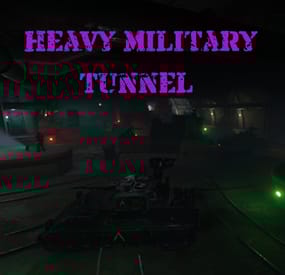
Heavy Military Tunnel Event
Heavy Military Tunnel Event is a configurable plugin that allows for a new type of random event. Randomly a message will appear letting players know that a heavy unit is now guarding Military Tunnel
The Military Tunnel will then be equipped with extra scientists both light and heavy, auto turrets, and Bradleys. Players must try to clear the military tunnel and find the scientist who drops the code to disable the auto turrets OR destroy all the turrets. If the code is found, it can be entered into the code lock hidden in a room to disable the turrets. Once the turrets and scientists are dealt with, players must defeat the Bradleys that guard the hackable crates. Finally, once the Bradleys are defeated, players can collect all the loot. That's if someone else doesn't get to it first!
This is a great event to add to your server to give it a little more variety. It can be a fun PVP zone or a PVE event for non PVP servers.
EASY OPTIONAL SETUP - NO SETUP REQUIRED
You can simply drop the plugin in as-is and it will start the random event every 1 to 2 hours OR you can modify the config to your specific needs.
Configuration
Example - en
Admin Only Commands
/HmtStart
/HmtStop
/HmtPos
Hooks
void HeavyMilitaryTunnelEventStarted()
void HeavyMilitaryTunnelEventStopped()
Customization
Spawn locations as well as the total number turrets, scientists, hackable crates, & APCbradleys can be modified. Simply go to the location in game you want to place the new item and use the command /HmtPos. It will message you the location. You can the add that location to the config in the appropriate section for want you want to modify. Reload the plugin and you're good to go!
Support
Create a support ticket here or message me on discord: cahnu
-

$22.00$19.80Jet Event
Random jets that fly around the map shooting off nukes and crash with some loot.
Permissions
jetevent.admin
Commands
jet - Displays command usage
You can use Custom Loot from here to populate the heli_crates
{ "Jet Settings": { "Chat Command": "jet", "Use Random Timer": false, "Random Timer In Minutes": 60, "Random Timer chance 1-100": 20, "Total Jets To Spawn": 15, "Jet Lifetime In Minutes": 5, "Total Nukes The Jet Can Fire": 3, "Jet Altitude (Recommended 360.0 or above)": 360.0, "Allow nuke damage to BuildingBlocks": true, "Disable Map Marker": false, "Use nuke fog effect on close by players": false }, "Radiation Settings": { "Use Radiation": true, "Radiation Radius": 50.0, "Radiation Amount": 10.0, "The Lifetime Of The Radiation Pocket In Minutes": 5 }, "Crash Settings": { "Use Jet Crashes": true, "Total Plains To Crash": 2, "Spawn Dead Pilot": true, "How Many Loot Crates On Crash": 3, "Crates On Fire For x Seconds": 180, "Crate Loot From CustomLoot Profile Name": [], "Crate Loot Table File Name And Total Item Slots To Use": { "CrateLoot": 5 } }, "TruePVE Settings": { "Create PVP Zone Around Crash Site Using ZoneManager And TruePVE Mapping Name": "", "Create Visual Dome Around Zone": false, "Zone Radius - 0.0 Disables Zone And Dome": 50.0, "LifeTime Of The Zone In Minutes": 60, "Zone Enter Message": "You have Entered A PVP Zone", "Zone Exit Message": "You have Left A PVP Zone" }, "Nuke Player Settings": { "Jet Altitude (Recommended 360.0 or above)": 360.0, "Use Radiation": false, "Radiation Radius": 50.0, "Radiation Amount": 10.0, "The Lifetime Of The Radiation Pocket In Minutes": 5, "Allow nuke damage to BuildingBlocks": true, "Use Explosion effect (Calling in more then 10 planes to one location this may cause fps lag if enabled)": false, "Use nuke fog effect on close by players": false }, "Send In Npc BackUp Settings": { "Total Defenders": 6, "Total Time In Minutes Defender Will Stay": 60, "Crash Site Npc Configs": [ { "Spawn Health Of The Defender": 100.0, "Weapon Damage Scale Default 1.0": 1.0, "Defenders aimConeScale default 2.0": 2.0, "Names To Give The Defenders": [ "Pvt. Harris", "Pvt. Hobbs", "Pvt. Fiske", "Pvt. Carter", "Pvt. Mackenzie", "Pvt. Quinn", "Pvt. Wright", "Pvt. Baird", "Pvt. Marshall", "Pvt. O'Malley", "Pvt. McElroy", "Pvt. Grimes", "Pvt. McGovern", "Pvt. McGinnis", "Pvt. Foley", "Pvt. Morgan", "Pvt. McEvoy", "Pvt. Gunderson", "Pvt. Hammarsten", "Pvt. Jenkins", "SGT. Tosh", "SGT. Waugh", "SGT. Stoughton", "SGT. Cooper", "SGT. Crockett", "SGT. Jackson", "SGT. Hamilton", "SGT. Jefferson", "SGT. Wilson", "SGT. Lane", "SGT. Jameson", "SGT. Nuttall", "SGT. Gentry", "SGT. Gillespie", "SGT. Pike" ], "Defenders Drop Loot": false, "Spawn Kits For The Defenders": [], "Keep Kit Items On Defender Corpse": false, "Remove Kit Weapon On Defender Corpse Spawn": false, "Lock Wear Slots On Defender Corpse Spawn": false, "Loot From CustomLoot Profile Name": [], "Loot Table Data File Name And Total Item Slots To Use": { "Default": 5 } }, { "Spawn Health Of The Defender": 110.0, "Weapon Damage Scale Default 1.0": 1.0, "Defenders aimConeScale default 2.0": 2.0, "Names To Give The Defenders": [ "Pvt. Harris", "Pvt. Hobbs", "Pvt. Fiske", "Pvt. Carter", "Pvt. Mackenzie", "Pvt. Quinn", "Pvt. Wright", "Pvt. Baird", "Pvt. Marshall", "Pvt. O'Malley", "Pvt. McElroy", "Pvt. Grimes", "Pvt. McGovern", "Pvt. McGinnis", "Pvt. Foley", "Pvt. Morgan", "Pvt. McEvoy", "Pvt. Gunderson", "Pvt. Hammarsten", "Pvt. Jenkins", "SGT. Tosh", "SGT. Waugh", "SGT. Stoughton", "SGT. Cooper", "SGT. Crockett", "SGT. Jackson", "SGT. Hamilton", "SGT. Jefferson", "SGT. Wilson", "SGT. Lane", "SGT. Jameson", "SGT. Nuttall", "SGT. Gentry", "SGT. Gillespie", "SGT. Pike" ], "Defenders Drop Loot": false, "Spawn Kits For The Defenders": [], "Keep Kit Items On Defender Corpse": false, "Remove Kit Weapon On Defender Corpse Spawn": false, "Lock Wear Slots On Defender Corpse Spawn": false, "Loot From CustomLoot Profile Name": [], "Loot Table Data File Name And Total Item Slots To Use": { "Default": 5 } } ] }, "Version": { "Major": 1, "Minor": 7, "Patch": 2 } }