
AshCrack's Wishlist
-

Free
UAV: Radar Enemies Detection
By Yac Vaguer in Plugins
UAV: Radar Enemies Detection call a F15 to that will activate a radar during a certain period of time where you can be able to see where are the enemies located.
This enemies can be represented with different colors and symbols that you can change in the configuration.
You have three types of marks
- Team mates
- NPCs
- Other Players (Enemies)
The plugin is fully configurable
Commands
Chat Command
/uav and /uav {steamId} You can send an UAV to you (if you are an admin) or to a player given the Steam Id
Console Command
uav {steamId} You can send an UAV to a player given the Steam Id
Configuration example
{ "UAV Settings": { "Duration (seconds)": 180.0, "Radius": 40.0, "Skin ID": 3248057023, "Warmup Time (seconds)": 5.0, "Item Name": "UAV Signal", "Tracked Icon URL": "https://cdn.rustpluginshub.com/unsafe/50x50/https://rustpluginshub.com/icons/location.png", "Tracked Icon Position (AnchorMin)": "0.006 0.485", "Tracked Icon Position (AnchorMax)": "0.105 0.518", "Panel Color": "0.96 0.31 0.26 0.47", "Text Color": "1 1 1 1" }, "Jet Settings": { "Altitude": 200.0, "Spawn Distance": 500.0, "Duration (seconds)": 15.0 }, "Loot Settings": { "Enable Loot Drops": true, "Loot Containers and Drop Chances": { "crate_normal": 0.0, "crate_normal_2": 0.0, "crate_elite": 2.0, "heli_crate": 5.0, "bradley_crate": 5.0 } }, "Debug Mode": true }
Ideas on how to make the UAV Spawn in your server
1. Add The UAV in the Market if you have one
2. Add as a part of the Loot in the Raidable Bases or Custom loot
3. Add as a Skill in the Skill Tree Plugin More here
4. Make the UAV part of the /kits
5. Add the UAV in vending machines
Skins from the community that you are free to use
@Dead Nasty https://steamcommunity.com/sharedfiles/filedetails/?id=3248306153
@Mabel https://steamcommunity.com/sharedfiles/filedetails/?id=3233756487
@Mr.Wild https://steamcommunity.com/sharedfiles/filedetails/?id=3247990388
-
$14.99
Furnace Upgrades
By Iftebinjan in Plugins
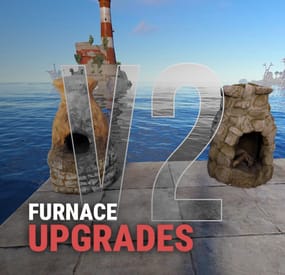
Upgrades your furnaces, ovens, refinery, mixing table & etc to beyond.
⭐ Key Features
Upgrade each attribute of your furnace; Supports different oven types; It is possible to define default attributes for all ovens on the server; You can set a default value for all base ovens (replacing quicksmelt); You can enable/disable any features you want; Option to keep attributes when removing the furnace; Option to auto split ores; Automatic fuel calc based on the upraded oven attributes; Now BBQ and Campfire can also be improved; Option so that only the furnace owner can upgrade it; Option so that only owner's teammates can upgrade it; A new completely redesigned UI; NEW Supports Mixing Table 🎬 Video Showcase
📜 Permissions
furnaceupgrades.use - This is the unique permission. required for all players to upgrade furnaces ⚙️ Configuration
💬 Support
-
$15.00
Sortify
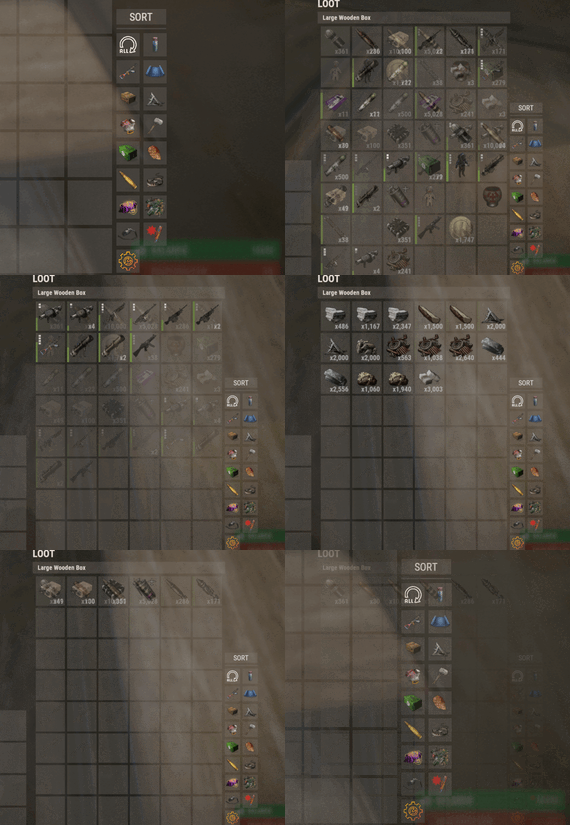
Introducing Sortify, the best plugin for making it easy to sort and filter boxes and containers from various plugins, all without the need for complex integrations. Sortify offers an intuitive solution to easily categorize your items, all within an elegant and efficient Rust-style user interface.
Key Features:
Custom Categories: With Sortify, you can create and customize your own categories to suit your unique needs. Rust style user interface: The plugin has a minimalistic and aesthetic Rust style user interface. Ease of Use: Sortify is designed with ease of use in mind. Whether you're a beginner or an experienced user, you'll find Sortify incredibly easy to use. It does not require complex training or any action on the part of the player, which allows the player to immediately begin organizing elements effectively.
Permissions:
sortify.allow - permission to use the plugin
Video at moment version 1.0.0 (after the sorting scheme was changed, see gif):
- #sorting
- #filtering
- (and 6 more)
-
$20.00
Trade
Trade with other players using shopfront interface
Features:
Smooth rust interface (shopfront) Moving items with right-click Rust trade logic (that means no bugs) Permission support (size, cooldown, etc) Items blacklist Config:
{ "Command": [ "trade", "t" ], "Extra accept command": [ "ta", "taccept" ], "Extra decline command": [ "td", "tcancel" ], "Effect on completing trade": "assets/prefabs/building/wall.frame.shopfront/effects/metal_transaction_complete.prefab", "Effect on pending request": "assets/bundled/prefabs/fx/invite_notice.prefab", "Log trades": false, "Block trade in raidblock": true, "Block in building privilege": true, "Start cooldown after accepting trade": false, "Effects volume": 1.0, "Chat sender id": 0, "Permissions": [ { "Permission": "trade.default", "Priority": 1, "Size": 2, "Cooldown": 600 }, { "Permission": "trade.vip", "Priority": 2, "Size": 6, "Cooldown": 300 }, { "Permission": "trade.top", "Priority": 3, "Size": 12, "Cooldown": 60 } ], "Items black list": [ "rifle.ak", "stones" ] } Language:
{ "Usage": "Usage:\n/trade playerName\n/trade yes\n/trade no", "NoPending": "There are no pending trades!", "RequestAlreadyPending": "That player already have pending requests!", "TradeBegins": "Trade between {name1} and {name2} begins!", "RequestSent": "You sent trade request to {name}", "RequestReceived": "You received trade request from {name}", "TradeCancelled": "Trade was cancelled", "CantRightNow": "You can't do that right now", "Cooldown": "Cooldown for {seconds}", "Permission": "You don't have permission to do that!", "NoPlayers": "There are no players with that 'Name' or 'Steam ID' ({name})", "MultiplePlayers": "There are multiple players with that 'Name' :\n{list}" } Commands:
trade <name or steamID> - request trade trade accept/+/yes/y/a - accept trade from player trade cancel/-/no/n/c - decline trade from player Video:
Contacts:
Need help or custom plugin for your server?
Contact me using Discord: metangerine
----------------------------------------------------------------------
-
$5.99
KeyCrates
The Key Crates plugin introduces a captivating gameplay feature centered around locked loot crates and colored keys. Players must gather these keys to access the valuable rewards hidden within the crates. Each key color corresponds to a unique crate type, offering different levels of rarity and rewards
Keys
The keys spawn in world loot containers listed in the config. Each container has a probability field that can be customized to set the probabilities for each key type to spawn in the container. Normal cards CANNOT be used at the loot crates and loot keys cannot be used in monuments. Upon collection 10 Green loot keys they will be upgraded to one Blue key. The same for Blue to Red
Loot Crates
The three loot crates all have their own configurable reward lists that even allows you to specify skinID and names to allow custom rewards to be given when the key is claimed. Each item added must be given a probability %. This will determine how likely a player is to receive the item.
Admin Commands
There are a few admin commands:
/addcustomloc - This will allow you to set the coords for a custom set of crates to spawn at. You MAY need to alter the coords to best fit your needs in the config. Just stand where you want them to spawn, face the way you want the readers to face, and run the command. Within 5 seconds a set of crates will spawn and be ready for use.
/gk - This will give you, the admin, one of each key. This can be used for testing rewards and handing out randomly.
/givekey <color> - This is a console command. It can be used to give keys through shops, rewards, or anything that allows commands as a reward.
/givekey <player> <color> <qty> - This admin command allows you to give a specific color and quantity of key to a specific player.
Monument Spawning
The three loot crates will spawn in default positions. These can be changed by altering the config position and rotation values for the crates at a specific monument OR by using the /addcustomloc command mentioned above.
Example Config:
{ "Custom Crate Location": [ { "enabled": true, "pos": { "x": -1785.229, "y": 3.521712, "z": 1480.33313 }, "rot": { "x": 0.0, "y": 150.63768, "z": 0.0 } } ], "Crates that Keys will spawn in": [ { "crateName": "heli_crate", "enabled": true, "gKeyChance": 0, "bKeyChance": 0, "rKeyChance": 5 }, { "crateName": "bradley_crate", "enabled": true, "gKeyChance": 0, "bKeyChance": 0, "rKeyChance": 5 }, { "crateName": "codelockedhackablecrate_oilrig", "enabled": true, "gKeyChance": 0, "bKeyChance": 0, "rKeyChance": 5 }, { "crateName": "codelockedhackablecrate", "enabled": true, "gKeyChance": 0, "bKeyChance": 0, "rKeyChance": 5 }, { "crateName": "wagon_crate_normal_2", "enabled": true, "gKeyChance": 5, "bKeyChance": 1, "rKeyChance": 0 }, { "crateName": "wagon_crate_normal", "enabled": true, "gKeyChance": 0, "bKeyChance": 5, "rKeyChance": 0 }, { "crateName": "crate_tools", "enabled": true, "gKeyChance": 5, "bKeyChance": 1, "rKeyChance": 0 }, { "crateName": "crate_underwater_advanced", "enabled": true, "gKeyChance": 0, "bKeyChance": 5, "rKeyChance": 0 }, { "crateName": "crate_normal_2", "enabled": true, "gKeyChance": 5, "bKeyChance": 1, "rKeyChance": 0 }, { "crateName": "crate_normal", "enabled": true, "gKeyChance": 0, "bKeyChance": 5, "rKeyChance": 0 }, { "crateName": "supply_drop", "enabled": true, "gKeyChance": 0, "bKeyChance": 0, "rKeyChance": 5 }, { "crateName": "crate_elite", "enabled": true, "gKeyChance": 0, "bKeyChance": 5, "rKeyChance": 0 } ], "Green Loot Rewards": [ { "itemShortname": "wood", "skin": 0, "itemName": "", "minQuantity": 500, "maxQuantity": 500, "probability": 100 }, { "itemShortname": "stones", "skin": 0, "itemName": "", "minQuantity": 500, "maxQuantity": 500, "probability": 100 }, { "itemShortname": "lowgradefuel", "skin": 0, "itemName": "", "minQuantity": 250, "maxQuantity": 250, "probability": 100 }, { "itemShortname": "metal.fragments", "skin": 0, "itemName": "", "minQuantity": 250, "maxQuantity": 250, "probability": 100 }, { "itemShortname": "metal.refined", "skin": 0, "itemName": "", "minQuantity": 50, "maxQuantity": 50, "probability": 100 }, { "itemShortname": "scrap", "skin": 0, "itemName": "", "minQuantity": 100, "maxQuantity": 100, "probability": 100 }, { "itemShortname": "ammo.pistol", "skin": 0, "itemName": "", "minQuantity": 50, "maxQuantity": 50, "probability": 100 }, { "itemShortname": "wood", "skin": 0, "itemName": "", "minQuantity": 500, "maxQuantity": 500, "probability": 100 }, { "itemShortname": "stones", "skin": 0, "itemName": "", "minQuantity": 500, "maxQuantity": 500, "probability": 100 }, { "itemShortname": "lowgradefuel", "skin": 0, "itemName": "", "minQuantity": 250, "maxQuantity": 250, "probability": 100 }, { "itemShortname": "metal.fragments", "skin": 0, "itemName": "", "minQuantity": 250, "maxQuantity": 250, "probability": 100 }, { "itemShortname": "metal.refined", "skin": 0, "itemName": "", "minQuantity": 50, "maxQuantity": 50, "probability": 100 }, { "itemShortname": "scrap", "skin": 0, "itemName": "", "minQuantity": 100, "maxQuantity": 100, "probability": 100 }, { "itemShortname": "ammo.pistol", "skin": 0, "itemName": "", "minQuantity": 50, "maxQuantity": 50, "probability": 100 } ], "Give Green rewards through commands?": true, "Green Command (use %steamid% where player ID would be)": [ { "Command": "givekey %steamid% blue", "Command Chat Message": "", "Enabled": true } ], "Blue Loot Rewards": [ { "itemShortname": "rifle.ak", "skin": 0, "itemName": "", "minQuantity": 1, "maxQuantity": 1, "probability": 100 }, { "itemShortname": "explosive.satchel", "skin": 0, "itemName": "", "minQuantity": 2, "maxQuantity": 2, "probability": 100 }, { "itemShortname": "largebackpack", "skin": 0, "itemName": "", "minQuantity": 1, "maxQuantity": 1, "probability": 100 }, { "itemShortname": "grenade.f1", "skin": 0, "itemName": "", "minQuantity": 10, "maxQuantity": 10, "probability": 100 }, { "itemShortname": "rifle.lr300", "skin": 0, "itemName": "", "minQuantity": 1, "maxQuantity": 1, "probability": 100 }, { "itemShortname": "metal.facemask", "skin": 0, "itemName": "", "minQuantity": 1, "maxQuantity": 1, "probability": 100 }, { "itemShortname": "metal.plate.torso", "skin": 0, "itemName": "", "minQuantity": 1, "maxQuantity": 1, "probability": 100 }, { "itemShortname": "electric.generator.small", "skin": 0, "itemName": "", "minQuantity": 1, "maxQuantity": 1, "probability": 100 }, { "itemShortname": "black.raspberries", "skin": 0, "itemName": "", "minQuantity": 10, "maxQuantity": 10, "probability": 100 }, { "itemShortname": "rifle.ak", "skin": 0, "itemName": "", "minQuantity": 1, "maxQuantity": 1, "probability": 100 }, { "itemShortname": "explosive.satchel", "skin": 0, "itemName": "", "minQuantity": 2, "maxQuantity": 2, "probability": 100 }, { "itemShortname": "grenade.f1", "skin": 0, "itemName": "", "minQuantity": 10, "maxQuantity": 10, "probability": 100 }, { "itemShortname": "rifle.lr300", "skin": 0, "itemName": "", "minQuantity": 1, "maxQuantity": 1, "probability": 100 }, { "itemShortname": "metal.facemask", "skin": 0, "itemName": "", "minQuantity": 1, "maxQuantity": 1, "probability": 100 }, { "itemShortname": "metal.plate.torso", "skin": 0, "itemName": "", "minQuantity": 1, "maxQuantity": 1, "probability": 100 }, { "itemShortname": "electric.generator.small", "skin": 0, "itemName": "", "minQuantity": 1, "maxQuantity": 1, "probability": 100 }, { "itemShortname": "black.raspberries", "skin": 0, "itemName": "", "minQuantity": 10, "maxQuantity": 10, "probability": 100 } ], "Give Blue rewards through commands?": false, "Blue Command (use %steamid% where player ID would be)": [ { "Command": "givekey %steamid% red", "Command Chat Message": "", "Enabled": true } ], "Red Loot Rewards": [], "Give Red rewards through commands?": true, "Red Command (use %steamid% where player ID would be)": [ { "Command": "sr add %steamid% 3", "Command Chat Message": "<color=white>%steamid%</color> <color=red> received <color=white>3 RP</color> from the Red Key Crate!</color>", "Enabled": true }, { "Command": "opl %steamid%", "Command Chat Message": "<color=white>%steamid%</color> <color=red> received a <color=white>RP Rocket Launcher</color> from the Red Key Crate!</color>", "Enabled": true }, { "Command": "inventory.giveto %steamid% supply.signal 3", "Command Chat Message": "<color=white>%steamid%</color> <color=red> received <color=white>3 Supply Signals</color> from the Red Key Crate!</color>", "Enabled": true }, { "Command": "recycler.give %steamid%", "Command Chat Message": "<color=white>%steamid%</color> <color=red> received a <color=white>Recycler</color> from the Red Key Crate!</color>", "Enabled": true }, { "Command": "inventory.giveto %steamid% blood 3", "Command Chat Message": "<color=white>%steamid%</color> <color=red> received <color=white>3 Blood</color> from the Red Key Crate!</color>", "Enabled": true }, { "Command": "addrolls %steamid% free 3", "Command Chat Message": "<color=white>%steamid%</color> <color=red> received <color=white>3 Free Rerolls for today</color> from the Red Key Crate!</color>", "Enabled": true } ], "Broadcast when Red Key used?": true, "Monument Info": [ { "name": "assets/bundled/prefabs/autospawn/monument/medium/bandit_town.prefab", "enabled": false, "pos": { "x": 9.0, "y": 2.8, "z": 0.7 }, "rot": { "x": 0.0, "y": -90.0, "z": 0.0 } }, { "name": "assets/bundled/prefabs/autospawn/monument/medium/compound.prefab", "enabled": false, "pos": { "x": -24.1, "y": 0.2, "z": 12.1 }, "rot": { "x": 0.0, "y": 90.0, "z": 0.0 } } ] }