
AlaEddineYahia's Wishlist
-

$30.00
Extra Plants V2
By NINJA WORKS in Plugins
Extra Plants V2
Expand your farming with 20 unique cultivatable plants !
ExtraPlants introduces a brand-new farming system that goes beyond vanilla crops. Grow mushrooms, harvest resources from grubs, cultivate fruits, vegetables, herbs, and more.
By default, all custom items are based on apples, etc.
These seeds can be obtained from wild trees, ores, and plants.
Using a shovel, you can cultivate fields in various locations. This item is a default item in Rust, but it is not used in the game; however, it can be given to the player using a special command.
This also includes data that allows you to configure ingredients and cooking recipes added by ExtraPlants, which are compatible with the Cooking plugin.
You can add over 40 cooking recipes using the included files.
This plugin has a trial version. If you are considering purchasing it, please download it here.
Harvestable Plants
Aloe - Produces Aloe Vera Cactus - Low water requirement, yields cactus flesh Sugarcane - Produces sugar cane Wood Tree - Grow your own wood supply Fruits Tree - 15 fruit varieties: Apple, Apricot, Strawberry, Fig, Orange, Kiwi, Plum, Cherry, Pomegranate, Loquat, Grape, Lemon, Persimmon, Peach, and Pear. Tropical Fruits Tree - 11 exotic fruits: Avocado, Guava, Star Fruit, Dragon Fruit, Pineapple, Passion Fruit, Banana, Papaya, Mango, Mangosteen, and Lychee. Nuts Tree - 10 nut varieties: Almond, Cashew, Walnuts, Peanuts, Brazil Nuts, Hazelnuts, Chestnut, Pistachio, Pine Nuts, and Coconut. Sulfur Grub - Harvestable grub that yields sulfur ore — explodes when attacked! You need to raise the larvae without being detected by enemies. Zombie Soul - Mysterious Soul that yields bones. Emits a scream sound when grown. Mushroom - 9 mushroom varieties including Enoki, King Oyster, Maitake, Shiitake, Shimeji, and rare drops like Truffles and Matsutake. Metal Grub - Harvestable grub that yields metal ore Rice - Produces rice (high water requirement) Narcotic Herb - 4 herb varieties: Marijuana leaf, Tobacco leaves, Damiana leaves, and Coca leaves. Potato Plants - 6 tuber varieties: Potato, Sweet Potato, Konjac taro, Nagaimo, Taro, and Yacon. Yellow Plants - 5 varieties: Onion, Burdock, Carrots, Zucchini, and Hop. Green Plants - 5 varieties: Broccoli, Cucumber, Green pepper, Parsley, and Spinach. Black Plants - 3 varieties: Black Raspberries, Coffee Beans, and Black pepper. Blue Plants - 8 varieties: Blueberries, Eggplant, Purple cabbage, Lettuce, Chinese cabbage, Cabbage, Beets, and Asparagus. White Plants - 6 varieties: Radish, Turnip, Lotus root, Green onion, Bamboo shoots, and Garlic. Red Plants - 4 varieties: Tomato, Paprika, Swiss chard, and Chili peppers.
By default, all custom items are based on apples, etc.
Added a shovel that can be used to cultivate fields.
Using a shovel, you can cultivate fields in various locations. This item is a default item in Rust, but it is not used in the game; however, it can be given to the player using a special command. When you pick up a field you've cultivated, it disappears and returns to normal land. It cannot be used in areas where construction is prohibited or on hard terrain.
How to obtain seeds
Wood Sapling, Tropical Fruits Tree Sapling, Fruits Tree Sapling, Nuts Tree Sapling, Sugarcane Sapling
Gather Wood
Mushroom mycelium
Collect Wild Mushrooms
Sulfur Grub
Collecting and mining sulfur ore
Metal Grub
Collecting and mining metal ore
Zombie Soul
Collect bone fragments
Narcotic Herb Seedlings, Rice Seedlings, Seed Tuber, Yellow Plants Seed, Green Plants Seed, Black Plants Seed, Blue Plants Seed, White Plants Seed, Red Plants Seed
Gathering wild hemp
Cactus Sapling, Aloe Sapling
Gathering wild cactus
Custom Seeds System
• Seeds use the fertilizer item with custom skins
• Place seeds in any planter box to start growing
• Each plant type has unique growth requirements
Fully Configurable
Every plant type can be customized:
• Growth time intervals
• Growth success chance
• Water requirements
• Drop items and quantities
• Custom item names and skins
• Death/consume probability for grubs
• Setting the method for obtaining seeds.
Cultivation method
1. Obtain Seeds - Obtaining Seeds - Players can obtain seeds by gathering wood or mining ore. Alternatively, they can be purchased in the shop, or administrators can distribute seeds using the giveseed command.
2.Plant the seeds - Place the seeds (fertilizer with custom skin) in the storage box for fertilizer in any planter.
3. Water Plants - Ensure adequate water level for growth
4. Wait for Growth - Plants grow based on configured intervals
5. Harvest - grown plants to collect resources
Special Mechanics
• Sulfur Grub - Explodes when attacked
Explosion Conditions
The player attacks the sulfurous body with an axe or gun.
The planter box containing the sulfurous is destroyed by the player or NPC, or is destroyed by weathering.
(Pickup collection does not cause an explosion.)
How to use a shovel
You use a shovel to strike the ground, which is not in a building-restricted area and is not hard terrain. You then cultivate the field at the spot where you struck. This process consumes condition points. The maximum water volume is 3000 by default. When you pick up a field you've cultivated, it disappears and returns to normal land. It cannot be used in areas where construction is prohibited or on hard terrain.
Chat Commands (Admin Only)
/seed Obtain 100 seeds of each type.
ServerConsole Commands
giveseed <steamID> <skinID> <amount> - Give special seeds to a player. Entering only "giveseed" will show the names of all plants.
giveshovel <SteamID> - Give the player a shovel.
Seed Skin IDs
Aloe Sapling 3601726840 Cactus Sapling 3601727134 Tropical Fruits Tree Sapling 3601727963 Fruits Tree Sapling 3601727819 Wood Sapling 3601729292 Sulfur Grub 3601729483 Metal Grub 3601729552 Zombie Soul 3601727291 Sugarcane Sapling 3601727002 Nuts Tree Sapling 3601727388 Mushroom mycelium 3675820909 Rice Seedlings 3675814595 Narcotic Herb Seedlings 3675814321 Seed Tuber 3675814757 Yellow Plants Seed 3675815517 Green Plants Seed 3675815146 Black Plants Seed 3675814927 Blue Plants Seed 3675815024 White Plants Seed 3675815400 Red Plants Seed 3675815276
Give Seed Example:
giveseed 76561198000000000 3601726840 10
(Give 10 Aloe Sapling to 76561198000000000)
Shop Settings
Shortname "fertilizer" + SkinID
Option Settings
"Condition Loss When Using Shovel": 5.0, "Shovel Pot Max Water": 3000, "Batch Harvest Special Plants": false, "Enable Dispenser Gather Seed Drops": true, ///This setting determines whether to enable the feature that drops seeds when harvesting wild plants.
Plant Settings
{ "Mushroom Settings": { "Enabled": true, "Seed Name": "Mushroom mycelium", "Seed Skin ID": 3675820909, "Growth Time (seconds)": 900.0, "Growth Chance (0.0-1.0)": 1.0, "Water Required": 300.0, "Max Drop Types Per Harvest": 1, "Guarantee At Least One Drop": true, ///When all Drop Chance rolls fail, one item is granted instead of an empty harvest. "Seed Return On Harvest Settings": { "Enabled": true, "Return Chance (0.0-1.0)": 0.05, "Min Amount": 2, "Max Amount": 3 }, "Drop Items": [ { "Item Short Name": "mushroom", "Custom Item Name": null, "Skin ID": 0, "Min Amount": 1, "Max Amount": 3, "Drop Chance (0.0-1.0)": 1.0 }, ...
Seed Drop Settings
Set the species that can be obtained by triggering items (short names) that can be acquired through activities such as cutting down trees, gathering wild hemp, and mining ore.
"Dispenser Gather Seed Drops": { "wood": { ///Trigger Item "Max Drop Types": 1, "Guarantee At Least One Drop": false, ///new Guarantee At Least One Drop option per trigger item, for a per-hit guarantee. "Guarantee At Least One Drop On Bonus": false, ///When all Drop Chance rolls fail, one item is granted instead of an empty harvest. This feature is not available for items such as hemp or mushrooms. "Seeds": [ { "Seed Name": "Wood Sapling", "Drop Chance (0.0-1.0)": 0.08, "Min Amount": 1, "Max Amount": 3 },
Configuration Options
Condition Loss When Using Shovel :
This setting determines the amount of condition consumed when tilling the ground with a shovel. Shovel Pot Max Water :
This setting determines the maximum water volume for areas tilled with a shovel. Batch Harvest Special Plants :
Setting this to True allows you to harvest all special plants in a planter at once. Dispenser Gather Seed Drops :
You can configure the item triggers and the seeds that players can obtain when they collect or gather items. For All Plants :
Growth Time (seconds) - Time between growth checks Growth Chance (0.0-1.0) - Probability of successful growth Water Required - Minimum water level needed Seed Skin ID - Custom skin ID for the seed item Max Drop Types Per Harvest - Number of different items dropped Drop Items - List of items with amounts and drop chances For Grubs (Sulfur Grub, Metal Grub, Zombie Soul) :
Probability Of Death (0.0-1.0) - Chance the seed is consumed after a growth cycle For Sulfur Grub :
Enable Explosion (true/false) - Whether the grub explodes when attacked For Zombie Soul :
Enable Sound (true/false) - Whether a scream sound plays when grown
How to set harvested custom items and new cooking recipes into the cooking plugin.
This includes data for configuring ingredients and cooking recipes added by ExtraPlants, which are compatible with the Cooking plugin.
You can add 40+ cooking recipes using the included files.
1. Open Cooking.json and add all items listed in ExtraPlants_Ingredients.txt (included with your ExtraPlants download) to the "ingredients" section. Rice, tomatoes, and pineapples are duplicates in the default Cooking.json settings, so replace the original entries.
2. Add all cooking recipes listed in ExtraPlants_Meals.txt to the "Meals" section. This will add cooking recipes that use ExtraPlants items.
Q: How do players obtain seeds?
A: Seeds can only be given by server admins using the console command:
giveseed <steamID> <skinID> <amount>
You can integrate this with your server's shop plugin or reward system.
Q: Do plants survive server restarts?
A: Yes! All plant data is automatically saved and restored when the server restarts. The plugin uses persistent data files to track all planted seeds and their growth states.
Q: Can I customize the drop items and amounts?
A: Absolutely. Every plant type has fully configurable drop settings in the config file. You can change item types, quantities, drop chances, custom names, and skin IDs.
Q: What happens if I attack the Sulfur Grub?
A: The Sulfur Grub will explode, dealing 500 damage within a 12-meter radius. This is intentional — harvest it normally by interacting with it instead of attacking.
Q: Why aren't my plants growing?
A: Check the following:
• Ensure the planter has enough water (each plant type has different requirements)
• Verify the growth chance in config is set properly (0.0-1.0)
• Wait for the configured growth interval to pass
Q: I can't till the ground with a shovel.
A: It's not permitted on hard terrain, in areas where construction is prohibited, etc.
Q: Can I add my own custom plants?
A: The current version supports 20 pre-configured plant types. Each plant type's drops, growth times, and requirements are fully customizable through the config file.
Q: Do the fruit trees drop all fruits at once?
A: No. The "Max Drop Types Per Harvest" setting controls how many different fruit types drop each harvest. For example, if set to 3, players will receive 3 random fruit types from the configured list.
Q: What's the difference between Grubs and other plants?
A: Grubs (Sulfur Grub, Metal Grub, Zombie Soul) have a "Probability Of Death" setting. After each growth cycle, there's a chance the grub will die and need to be replanted. Regular plants like trees continue producing indefinitely.
Q: Which planters are supported?
A: All vanilla planter types are supported:
• Large Planter Box
• Small Planter Box
• Bathtub Planter
• Minecart Planter
• Railroad Planter
• Triangle Planter
• Single Plant Pot
Q: Can players craft the seeds?
A: No, seeds cannot be crafted by default. They must be distributed by admins. This gives you full control over your server's economy and progression.
Q: Are the custom skins included?
A: Yes, all skin IDs are pre-configured and included. The skins are applied automatically when seeds and harvested items are created.
Q: Item skin images aren't displayed in the UI.
A: Please install the Image Library.
Q: Can I change the seed item from fertilizer to something else?
A: The current version uses fertilizer items with custom skins as seeds. Changing the base item would require code modification.
Q: How do I give seeds to offline players?
A: The giveseed command works with sleeping players too. As long as the player has logged in at least once, you can give them seeds using their Steam ID.
Q: What happens if a player's inventory is full when receiving seeds?
A: The seeds will be dropped on the ground near the player's position.
Q: How to set harvested custom items and new cooking recipes into the cooking plugin.
A:
1. Open Cooking.json and add all items listed in ExtraPlants_Ingredients.txt (included with your ExtraPlants download) to the "ingredients" section. Rice, tomatoes, and pineapples are duplicates in the default Cooking.json settings, so replace the original entries.
2. Add all cooking recipes listed in ExtraPlants_Meals.txt to the "Meals" section. This will add cooking recipes that use ExtraPlants items.
VOID / NINJA WORKS
DISCORD : https://discord.gg/U8uxePjSyA
MADE IN JAPAN
- #rust
- #facepunch
- (and 12 more)
-
$3.99
Computer Access — Ruster.NET Addon
By Ruster.NET Addons in Plugins
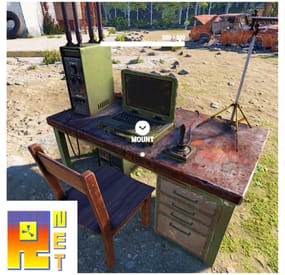
Addon for Ruster.NET which opens up Ruster.NET when mounting on Computer Station, only if having the Ruster.NET item in their hotbar. Upon browser close, it'll dismount the player from the Computer Station.
- #rusternet-addon
- #rusternet
- (and 3 more)
-
.thumb.png.a167af6d204c8731865ddb8c7651fe66.png)
$12.69
Static Lootables
By Raul-Sorin Sorban in Plugins
Ever wondered why Rust has so many desks, toilets, boxes and even washing machines but you've never been able to see the hidden secrets inside? Now you can!
With Static Lootables you can turn those boring props into loot containers filled with all sorts of goodies. Loot containers that aren't normally supposed to be looted. For best experience, have the UI scale set to 1.
Lootables are being refilled based on each individual configuration set.
Compatible with Static Lootables:
Lootables.Ext
$5.26
Prefab creator that directly works with Static Lootables in order to create custom lootable definitions for your servers!
This plugin provides more than there already is.
See it in action here.
or get it as a bundle! ->
Editor
This plugin now has an integrated editor that allows anyone with the permission to customize the loot that can be found in-game in defined static lootables.
Scroll to the bottom of this page to see it in action.
Modify lootables using all the tools in-game. Update global settings to your liking on the fly.
Dependencies
ImageLibrary (Required) QuickSort ZoneManager
Permissions
StaticLootables.admin: Use the MMB when not holding any item to privately print the name of the object in front of you to chat. StaticLootables.editor: Allows players with the permission to use the /sledit command, which gives them the power to create/update/delete lootables using the editor.
Features
Highly customizable and intuitive system. ZoneManager inclusion / exclusion (per lootable prefab OR global settings). Parented filtering. Locked container system. Hacking system. Interaction icons (with template), customized text and opening container effects. Individual lootable container refilling rates. Consistent support & open to suggestions. Very user-friendly editor for server owners to modify or customize lootables. Unique System: create lootables that only apply on one or more prefabs. Integrated API for manipulating lootable definitions.
Get the default loot-tables
They will be updated in the future. Add StaticLootables.json to your oxide/config folder.
Updated on 23th of October, 2021 #13 (OLD): StaticLootables.json
Updated on 9th of July, 2023 (NEW): StaticLootables.json
To create your own custom icons, you can use this template: staticlootables_template.zip
Please make sure you maintain the margins as weird artifacts will show up if the icons are touching the edges of the icon, in-game.
Lootable Objects
Supermarket Cash Register (locked, 500 HP) Toilets Cardboard Boxes Lockers (closed models are locked, 50 HP) File Cabinets (locked, 50 HP) Desks (locked, 250 HP) Kitchen Fridges Electrical Boxes Washing Machine Trash Bag Gas Pumps Toolboxes (locked, 100 HP) Plant Pots Type-writers Kitchen Cooker (Underwater Labs) Pickup Truck (Rusty), Sedan A (Junkyard), Compact Car C (all locked, 75 HP), can be accessed anywhere but Junkyard Barge Coal Metal Crate (B) (locked, 500 HP; hackable, 120s, code resets every 300m) NEW Pallet Stacks (A-through-C) NEW Bin NEW Vodka Bottle Your suggestions are welcome!
If there are any ideas in regards to prefabs or possible loot to find in them, use the Discussion tab to let me know about it so I add it for everyone to use.
Hacking
This is how Hackable containers work and why they're an OP mini-game:
Hacking one will give you the PIN which will allow you to use with the container for a couple of hours 'till it becomes obsolete and resets. If one has hacked a container, the next hack will double in the amount of time taken. X3 for the third hack, and so on. The PIN can be shared within the team so they can come back every a couple a minutes and loot the hacked box. Press R when looking at an unlocked hacked container to pull up the PIN dialog.
API
Be creative!
Information
Here's to clarify how config properties work and what they mean.
General Settings
Distance: The maximum distance between the player and container. ItemAmountMultiplier: The multiplier for the amount of the items found in containers. LootableHealthMultiplier: The multiplier of the (maximum) health of locked lootable containers. ShadowOpacity: The white glow behind the text which highlights the text more in the dark. ShowLockedLootableApproximateCount: Shows the amount next to the health bar of containers. (e.g ~2 ITEMS APPX.) DamageMultiplierMinimum: The minimum damage dealt to the locked containers by melee weapons. Maximum does the same but for maximum. DamageCUIRefreshRate: The refresh rate for the CUI when containers are being hit at a high rate (with a jackhammer for example). Recommended 0.5. EnforcedFilters: It disallows all definitions from being lootable if their path contain the parent names in this array. EnforcedInZone: It only allows definitions to be lootable only within the zone(s) defined in this array. EnforcedNotInZone: It only allows definitions to be lootable when they're out of the zone(s) defined in this array. Interaction Settings
Icon: The icon of the interaction definition. Text: The text of the interaction definition. OpenEffect: The (usually sound) effect of the interaction definition. Definition Settings
PrefabFilter: The prefab name used by the definition to set this definition as lootable. InteractionIndex: The index of the interaction defined in the Interactions array. It starts at 0. ContainerSize: The slot count of the container non-relative to the contents defined in the contents array. AllowStack: Can items in the container stacked. Mainly used if you have 2 or more slots that have the same kind of item. Liquid: Marks the container as liquid. If this is set to true, no matter the contents defined, only liquid objects (water, salt water, blood?) can get in. Lock: Health: The maximum health of a container. Set to null if you wanna disable it. (e.g "Lock": null) Hack: Wait Time: The time in seconds! players have to wait for the initial hacking attempt. Code Resetting Rate: The time in minutes! until the hack resets the PIN and goes down an increment for how many times has been hacked used for the Wait Time multiplier. Rule: Refill Rate: The rate in minutes! until the container gets wiped from the server & memory is being freed for server resource reasons. OnlyIfParentFilter: It allows all definitions to be lootable if their path contain the parent names in this array. OnlyIfNotParentFilter: It disallows all definitions from being lootable if their path contain the parent names in this array. OnlyIfInZone: It only allows definitions to be lootable only within the zone(s) defined in this array. OnlyIfNotInZone: It only allows definitions to be lootable when they're out of the zone(s) defined in this array. Contents: ShortName: The short name of the item definition. CustomName: The in-game name of the item. SkinId: The skin of the ID. UseRandomSkins: Use the RandomSkins array to create more variety on what skinned items are used. SkinId: The skin of the ID. RandomSkins: The skin ID array used in replacement of SkinID when UseRandomSkins is true. MinimumAmount: The minimum range used for the item amount randomisation. MaximumAmount: The maximum range used for the item amount randomisation. ConditionMinimumAmount: The minimum range used for the item condition / durability randomisation. ConditionMaximumAmount: The maximum range used for the item condition / durability randomisation. SpawnChanceTimes: How many times in the SpawnChanceScale will it be likely for the item to be spawned. SpawnChanceScale: The scale of the odds for the item to be spawned. Contents: It's recursive, has the exact same content structure as this property.
Installation
Download the config which can be found above on this page. Put it in the oxide/config folder. Put StaticLootables.cs file in oxide/plugins. You're good to go! FOR BEST ENTERTAINMENT, USE THE DEFAULT SETTINGS OF THE PLUGIN.
Screenshots
Videos
* The annoying flicker has been fixed in the live version, this was recorded while testing.
-
$5.26
Lootables.Ext
By Raul-Sorin Sorban in Plugins
Prefab creator that directly works with Static Lootables in order to create custom lootable definitions for your servers! This plugin provides more than there already is.
[!] Known Issue
When placing points that are (almost) perfectly vertical in all points (bottom points align with the top ones), the prefab gets applied flipped in the horizontal axis.
Currently investigating this.
Watch the tutorial down below to get an insight of how this works!
It's simple, follow the instructions in chat designed to quickly help you integrate it in your server.
Open the editor; Press [Reload] while looking at an object; If Lootables.Ext is loaded, the [PRO] section will show up, click on "Create Prefab"; Follow the instructions in chat & go wild; Press [Use] while looking at your newly created prefab; Set it up as a regular prefab; Voila!
-
$20.00
Customizable Protection
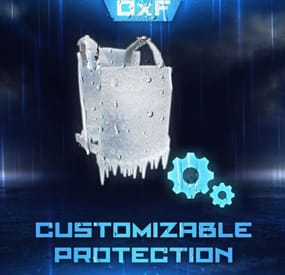
This is a powerful tool that allows you to customize the protection of wearable items in the game. With this plugin, admins can create their own items with their own protection values and customize the protection of existing items. This means that players can adjust the protection to their playing style, which gives them an advantage in combat.
One of the distinguishing features of the plugin is its ability to allow players to take damage from NPCs on PVE servers depending on the equipment worn. This adds a new level of realism to the game, as players must carefully consider their defense when interacting with NPCs. It also encourages players to invest time and resources into building better gear, as better gear means better protection.
The ability to customize protection values, create custom items, and enable NPC damage on PVE servers makes it an indispensable tool for any Rust server.
Features
Appearance of item protection for players on PVE servers from NPC damage
Detailed adjustment of protection for any wearable item
Item setup files are all separately in their own file and folder, making it easy to customize items
Setting up a defense for a player without everything
The ability to create your own items, with their own protection, name and skinid
Permissions
customizableprotection.give for give command customizableprotection.icon.show customizableprotection.icon.hide
Console Commands
cp.give <custom item name> - Give yourself a custom item cp.give <steamid> <custom item name> - Give the player a custom item cp.create - Add a custom item based on the image of another item cp.reload - Quick reloading of items File hierarhy:
• CustomizableProtection ↳ • Custom ↳ example1.json ↳ example1.json ↳ • Default ↳ attire.banditguard.json ↳ attire.bunny.onesie.json ↳ attire.bunnyears.json ↳ attire.egg.suit.json ↳ attire.hide.boots.json ↳ attire.hide.helterneck.json ↳ attire.hide.pants.json ↳ attire.hide.poncho.json ↳ attire.hide.skirt.json ↳ ... etc.
Custom item settings:
{ "Shortname": "partyhat", "Unique SkinId": 111, "Name": "Cap of Fortune", "Description": "Even though it looks silly, it can save!", "UI Settings": { "Name Color (or use <color></color> in name)": "1 1 1 1", "Frame Color": "0.94 0.75 0.15 1" }, "Protection": { "Hunger": 0.0, "Thirst": 0.0, "Cold": 0.0, "Drowned": 100.0, "Heat": 0.0, "Bleeding": 0.0, "Poison": 0.0, "Suicide": 0.0, "Bullet": 0.0, "Slash": 0.0, "Blunt": 0.0, "Fall": 100.0, "Radiation": 0.0, "Bite": 0.0, "Stab": 0.0, "Explosion": 0.0, "RadiationExposure": 100.0, "ColdExposure": 100.0, "ElectricShock": 0.0, "Arrow": 0.0, "OxygenExposure": 100.0 } }
Default item settings:
{ "Hunger": 0.0, "Thirst": 0.0, "Cold": 0.0, "Drowned": 0.0, "Heat": 0.0, "Bleeding": 0.0, "Poison": 0.0, "Suicide": 0.0, "Bullet": 10.0, "Slash": 15.0, "Blunt": 15.0, "Fall": 0.0, "Radiation": 0.0, "Bite": 45.0, "Stab": 10.0, "Explosion": 0.0, "RadiationExposure": 2.0, "ColdExposure": 25.0, "ElectricShock": 0.0, "Arrow": 10.0, "OxygenExposure": 0.0 }
Default Config:
{ "Icon Position (0 - Off | -1 - left by 1 slot, 1 - right by 1 slot | ..)": -1, "Lock values at normal values": true, "Protection Multipliers": { "Common": 1.0, "Types": { "Hunger": 1.0, "Thirst": 1.0, "Cold": 1.0, "Drowned": 1.0, "Heat": 1.0, "Bleeding": 1.0, "Poison": 1.0, "Suicide": 1.0, "Bullet": 1.0, "Slash": 1.0, "Blunt": 1.0, "Fall": 1.0, "Radiation": 1.0, "Bite": 1.0, "Stab": 1.0, "Explosion": 1.0, "RadiationExposure": 1.0, "ColdExposure": 1.0, "ElectricShock": 1.0, "Arrow": 1.0, "OxygenExposure": 1.0 } }, "Default Protection": { "Hunger": 0.0, "Thirst": 0.0, "Cold": 0.0, "Drowned": 0.0, "Heat": 0.0, "Bleeding": 0.0, "Poison": 0.0, "Suicide": 0.0, "Bullet": 0.0, "Slash": 0.0, "Blunt": 0.0, "Fall": 0.0, "Radiation": 0.0, "Bite": 0.0, "Stab": 0.0, "Explosion": 0.0, "RadiationExposure": 0.0, "ColdExposure": 0.0, "ElectricShock": 0.0, "Arrow": 0.0, "OxygenExposure": 0.0 } }- #custom
- #protection
- (and 6 more)