Jump to content

crash

Creator
  • Posts

    331
  • Joined

  • Last visited

  • Days Won

    2

Everything posted by crash

  1. Hey! Theres currently some hardcoded images (containing texts) in the plugin, however. Since i did the project mockup in figma ill provide a figma link so you can change the images/texts if thats helpful for you.
  2. Version 2.6.0

    95 downloads

    BattlePass completely reimagines player progression in Rust, delivering a triple-A game experience directly to your server. It features a gorgeous, animated user interface that feels native to the game, ensuring smooth performance without compromising visual fidelity. Players earn XP through every in-game activity, unlocking rewards across two distinct tracks. With a built-in season system, daily challenges, and deep integration with popular event plugins, it provides endless goals for your community to chase. The plugin features a robust Web-Based Configurator, allowing you to visually design your season, rewards, and challenges without ever touching a line of code a first-of-its-kind feature for a plugin of this scale. [ VIDEO PREVIEW HERE ] Main Features Web-Based Configurator : Effortlessly design your seasons using a modern, drag-and-drop web interface. Export ready-to-use config files in seconds, saving you hours of manual coding. Dual Progression Tracks : Offer both Free and Premium paths. Server owners can monetize the Premium track by allowing players to purchase access using Economics, Server Rewards (RP), or in-game items like Scrap. Stunning Visuals & Animations : Features a highly polished UI with smooth entry/exit effects, satisfying claim animations, and dynamic progress bars that look like a native game feature. Advanced Reward System : Supports full Console Command integration. Instantly grant Kits, VIP Ranks, Permissions, or virtual currencies the moment a player claims their reward. Daily Challenge System : Keep your players coming back every day with fresh, rotating objectives (e.g., "Kill 5 Bears") and a countdown timer for the next reset. Comprehensive XP Actions : Players earn XP through a massive variety of activities including Combat (Player/NPC kills), Raiding (destroying structures), Gambling, Survival (eating/healing), and Gathering. Massive Event Integration : Automatically rewards XP for participating in over 25+ popular server events, including Raidable Bases, Convoy, Space Event, Boss Monsters, and many more. Integrated Activities Massive Plugin Support & Event Integrations The Rust Battle Pass works seamlessly out-of-the-box with a wide range of custom plugins, ensuring your unique server events contribute directly to player progression. Every major event is tracked, allowing players to level up their pass by simply playing the game: Chat Commands Permissions Configuration Files Frequently Asked Questions (Q&A) Web Based Configurator
    $41.95
  3. crash

    AutoRestart

    Hello @R0gerR0geri wasnt able to recreate your issue, did you pass the value with enter & saved?
  4. crash

    AutoRestart

    Initial version of the plugin haded this feature, however, i removed it because some server panels dont allow other timezones. Ill do a website so its easier for everyone
  5. crash

    AutoRestart

    Hey, fixed it in the version im working right now, i dont get notifications in here so thats why i took long!
  6. crash

    BikeBunnyhop

    Version 2.0.0

    98 downloads

    Tired of the default bike bunnyhop cooldowns and jump heights? This plugin lets you tweak every little detail of how bikes jump in Rust. Want players to spam bunnyhops with no cooldown? Done. Want massive super jumps that launch bikes into orbit? Easy. Prefer realistic, energy-draining hops that require skill? You got it. This is the ultimate bike bunnyhop customization plugin - change everything from how often players can jump to how high they go, and everything in between. What Can You Change? Jump Cooldowns: Set how long players wait between jumps. Go from instant spam-jumping (0 seconds) to long strategic waits (10+ seconds), or anywhere in between. Energy Costs: Decide how much stamina each jump takes. Make it free, keep it at 10% like vanilla, or crank it up to 50% for hardcore survival vibes. Jump Height: Crank up the base jump force for massive air time, or tone it down for subtle little hops. Your server, your rules. Speed Bonuses: Control how much a bike's speed affects jump height. Fast bikes = higher jumps, or disable it completely for consistent hops no matter the speed. Bike Condition: Toggle whether damaged bikes and tired riders get weaker jumps, or let everyone jump at max height regardless of condition. Jump While Wet: Let bikes bunnyhop while waterlogged for underwater shenanigans, or keep the realistic restriction. Permission bikebunnyhop.use - Players need this to use your custom bunnyhop settings. Config: { "CooldownSeconds": 0.0, - Seconds between each bunnyhop. Set to 0 for no cooldown. "EnergyCostPercent": 0.1, - Energy consumed per bunnyhop (0.1 = 10%). "MinimumEnergyRequired": 0.1, - Minimum energy needed to bunnyhop (0.1 = 10%). "BaseForce": 50.0, - Base upward force of the bunnyhop. Higher = higher jumps. "SpeedMultiplier": 3.0, - How much your current speed adds to bunnyhop height. Does NOT affect bike speed. "MaxAdditionalForce": 10.0, - Cap on the speed bonus added to jumps. Prevents infinite jump height at high speeds. "UseCustomEnergy": true, - Enable/disable the energy system. If false, bunnyhop only uses cooldown. "TopSpeedMultiplier": 50.0, - Multiplies bike top speed. 1.0 = vanilla, 2.0 = double, 3.0 = triple. "AirTurnSpeed": 0.3 - Yaw rotation speed while airborne (A/D keys). 0 = disabled. Higher = faster 360 spins. }
    Free
  7. crash

    Mega Bunny Hop

    waiting on approval
  8. crash

    Mines

    Version 2.0.0

    11 downloads

    Mines is a classic, high-stakes gambling game brought to life in Rust with a sleek, modern, and fully interactive UI. Players bet their chosen currency on a 5x5 grid, aiming to uncover as many gems as possible while avoiding hidden mines. With each gem found, the potential winnings multiply, creating a thrilling risk-versus-reward experience. Cash out at any time to secure your profits, or push your luck for a chance at massive payouts! The plugin features both a manual mode for casual play and a highly advanced autobet system for seasoned gamblers, ensuring an engaging experience for everyone. VIDEO PREVIEW HERE Main Features Fully Interactive UI: A beautifully designed and intuitive user interface that is highly responsive and includes smooth, satisfying animations for revealing tiles, winning, and losing. Multiple Currency Support: Seamlessly integrates with Scrap, Economics, and ServerRewards, allowing players to bet with their preferred currency. Manual & Auto Modes: Choose between placing bets manually one tile at a time or configuring the advanced autobet system for automated, high-speed gameplay. Advanced Autobet System: Tailor your strategy with detailed settings: Set the number of bets or run infinitely. Automatically increase the bet amount on a win or loss by a specific percentage. Configure it to reset the bet amount after a win or loss. Set stop-limits based on total profit or loss. Select a specific pattern of tiles to be revealed automatically. Customizable Gameplay: Players can adjust their bet amount with quick-select buttons (½, 2×, MAX) and set the number of mines on the grid (from 1 to 24) to control the risk and potential multiplier. Dynamic Multipliers: The payout multiplier increases with every safe tile revealed, with the rate of increase influenced by the number of mines in play. Highly Configurable UI: Nearly every color in the UI can be customized via the configuration file, allowing server owners to match the plugin's aesthetic to their server's branding. Sound Effects: Optional sound effects provide auditory feedback for key in-game actions, enhancing player immersion. Random Pick: In an active game, players can use the "Random Pick" button to have the plugin select a tile for them. Permissions mines.use - Required to open the Mines UI with the chat command. Chat Commands /mines - Opens or closes the main Mines game UI.
    $12.99
  9. crash

    CrashAlertSystem

    Yes no problem!
  10. crash

    AutoRestart

    Hello, ill look!
  11. crash

    Lottery

    Hello! Not currently, theres no way of farming tickets. However its a great idea!
  12. crash

    AutoBackpacks

    Hello, ill have a test version ready, if you want to try it out add me in discord: craaaash
  13. Hello! Good suggestion, ill take a look on adding it
  14. crash

    AutoRestart

    Ill take a look anyways sir
  15. Version 2.0.2

    103 downloads

    SmartAntiTeam is an advanced anti-teaming detection and automatic moderation system for Rust servers. It employs multiple sophisticated detection methods, automated ban capabilities, and real-time Discord integration to maintain fair gameplay by preventing team limit violations.
    $19.99
  16. crash

    Lottery

    Version 2.0.0

    14 downloads

    LotteryUI is a comprehensive lottery system plugin that provides an immersive gambling experience with a fully customized user interface. Players can test their luck daily through an interactive 9-slot lottery system, winning various rewards ranging from common resources to ultra-rare items and exclusive permissions. Main Features Interactive Lottery Interface: Features a beautifully designed custom UI with 9 clickable slots, each containing randomized rewards with different rarity levels and drop chances. Multi-Tier Reward System: Supports 5 rarity tiers (Common, Rare, Epic, Legendary, Ultra Rare) with configurable drop chances from 80% down to 5%, ensuring balanced gameplay. Personal Inventory System: Players collect winnings in a personal lottery inventory with pagination support, allowing them to claim rewards when convenient. Advanced Cooldown Management: Implements both general usage cooldowns and individual slot cooldowns to prevent abuse, with different timers for VIP tiers and administrators. VIP Tier System: Configurable VIP levels with custom permissions, reduced cooldowns, increased daily limits, and priority-based benefits. Daily Usage Limits: Prevents excessive gambling with configurable daily limits per user tier, promoting healthy gameplay balance. Post-Wipe Protection: Optional lockdown period after server wipes to maintain economy balance during fresh start periods. Immersive Sound System: Customizable sound effects for wins, losses, claims, and interactions to enhance player experience. Command Rewards: Supports special rewards that execute console commands, perfect for granting permissions, currencies, or triggering other plugin actions. Smooth Animations: Features animated button selections and visual feedback for an engaging user experience. Permissions lotteryui.admin: Grants administrative access to reset lottery data and bypass most restrictions. Chat Commands /lottery: Opens the main lottery interface where players can view rewards and make selections. /lottery.reset confirm: (Admin only) Completely resets all lottery data including inventories, cooldowns, and statistics. Console Commands lottery.resetdata confirm: (Admin/Console) Resets all lottery data with confirmation required. Config { "Data Management": { "Clear Data On Wipe": true, "Auto Save Interval (seconds)": 300.0, "Save On Player Disconnect": true }, "Rarity System": { "Common Drop Chance (%)": 80.0, "Rare Drop Chance (%)": 60.0, "Epic Drop Chance (%)": 40.0, "Legendary Drop Chance (%)": 20.0, "Ultra Rare Drop Chance (%)": 5.0 }, "Cooldown Settings": { "Enable Post-Wipe Cooldown": true, "Post-Wipe Cooldown Hours": 24.0, "General Usage Cooldown Seconds": 3600.0, "Per-Slot Cooldown Seconds": 300.0, "Admin General Cooldown Seconds": 1800.0, "Admin Per-Slot Cooldown Seconds": 150.0 }, "Usage Limits": { "Enable Usage Limits": true, "Default User Daily Limit": 3, "Admin Daily Limit": -1, "Admin Permission": "lotteryui.admin", "VIP Tiers": [ { "Tier Name": "VIP", "Permission": "lotteryui.vip", "Daily Limit": 10, "Priority": 1, "General Cooldown Seconds": 2700.0, "Per-Slot Cooldown Seconds": 240.0 }, { "Tier Name": "VIP+", "Permission": "lotteryui.vip.plus", "Daily Limit": 15, "Priority": 2, "General Cooldown Seconds": 2400.0, "Per-Slot Cooldown Seconds": 210.0 }, { "Tier Name": "VIP++", "Permission": "lotteryui.vip.premium", "Daily Limit": 25, "Priority": 3, "General Cooldown Seconds": 2100.0, "Per-Slot Cooldown Seconds": 180.0 }, { "Tier Name": "MVIP", "Permission": "lotteryui.mvip", "Daily Limit": 50, "Priority": 4, "General Cooldown Seconds": 1800.0, "Per-Slot Cooldown Seconds": 150.0 } ] }, "Sound Settings": { "Enable Sounds": true, "Claim Item Sound": "assets/bundled/prefabs/fx/invite_notice.prefab", "Win Reward Sound": "assets/bundled/prefabs/fx/item_unlock.prefab", "Lose Sound": "assets/prefabs/locks/keypad/effects/lock.code.denied.prefab", "Click Sound": "assets/bundled/prefabs/fx/notice/item.select.fx.prefab", "Success Sound": "assets/bundled/prefabs/fx/gestures/thumbsup.prefab" }, "Lottery Rewards": [ { "Item ID": -151838493, "Amount": 1000, "Skin ID": 0, "Rarity Color (RGBA)": "0.7 0.7 0.7 1", "Rarity Type": "Common", "Drop Chance (%)": 80.0, "Is Command Reward": false, "Console Commands": [], "Custom Image URL": "", "Display Name": "", "Description": "" }, { "Item ID": -2099697608, "Amount": 500, "Skin ID": 0, "Rarity Color (RGBA)": "0.7 0.7 0.7 1", "Rarity Type": "Common", "Drop Chance (%)": 80.0, "Is Command Reward": false, "Console Commands": [], "Custom Image URL": "", "Display Name": "", "Description": "" }, { "Item ID": 69511070, "Amount": 300, "Skin ID": 0, "Rarity Color (RGBA)": "0.7 0.7 0.7 1", "Rarity Type": "Common", "Drop Chance (%)": 80.0, "Is Command Reward": false, "Console Commands": [], "Custom Image URL": "", "Display Name": "", "Description": "" }, { "Item ID": -804769727, "Amount": 200, "Skin ID": 0, "Rarity Color (RGBA)": "0.7 0.7 0.7 1", "Rarity Type": "Common", "Drop Chance (%)": 80.0, "Is Command Reward": false, "Console Commands": [], "Custom Image URL": "", "Display Name": "", "Description": "" }, { "Item ID": 1719978075, "Amount": 100, "Skin ID": 0, "Rarity Color (RGBA)": "0.7 0.7 0.7 1", "Rarity Type": "Common", "Drop Chance (%)": 80.0, "Is Command Reward": false, "Console Commands": [], "Custom Image URL": "", "Display Name": "", "Description": "" }, { "Item ID": 1545779598, "Amount": 1, "Skin ID": 0, "Rarity Color (RGBA)": "0.2 0.6 1 1", "Rarity Type": "Rare", "Drop Chance (%)": 60.0, "Is Command Reward": false, "Console Commands": [], "Custom Image URL": "", "Display Name": "", "Description": "" }, { "Item ID": 1588298435, "Amount": 1, "Skin ID": 0, "Rarity Color (RGBA)": "0.2 0.6 1 1", "Rarity Type": "Rare", "Drop Chance (%)": 60.0, "Is Command Reward": false, "Console Commands": [], "Custom Image URL": "", "Display Name": "", "Description": "" }, { "Item ID": 818877484, "Amount": 1, "Skin ID": 0, "Rarity Color (RGBA)": "0.2 0.6 1 1", "Rarity Type": "Rare", "Drop Chance (%)": 60.0, "Is Command Reward": false, "Console Commands": [], "Custom Image URL": "", "Display Name": "", "Description": "" }, { "Item ID": -592016202, "Amount": 10, "Skin ID": 0, "Rarity Color (RGBA)": "0.2 0.6 1 1", "Rarity Type": "Rare", "Drop Chance (%)": 60.0, "Is Command Reward": false, "Console Commands": [], "Custom Image URL": "", "Display Name": "", "Description": "" }, { "Item ID": -1211166256, "Amount": 128, "Skin ID": 0, "Rarity Color (RGBA)": "0.2 0.6 1 1", "Rarity Type": "Rare", "Drop Chance (%)": 60.0, "Is Command Reward": false, "Console Commands": [], "Custom Image URL": "", "Display Name": "", "Description": "" }, { "Item ID": 442886268, "Amount": 1, "Skin ID": 0, "Rarity Color (RGBA)": "0.7 0.3 1 1", "Rarity Type": "Epic", "Drop Chance (%)": 40.0, "Is Command Reward": false, "Console Commands": [], "Custom Image URL": "", "Display Name": "", "Description": "" }, { "Item ID": -1812555177, "Amount": 1, "Skin ID": 0, "Rarity Color (RGBA)": "0.7 0.3 1 1", "Rarity Type": "Epic", "Drop Chance (%)": 40.0, "Is Command Reward": false, "Console Commands": [], "Custom Image URL": "", "Display Name": "", "Description": "" }, { "Item ID": -2069578888, "Amount": 1, "Skin ID": 0, "Rarity Color (RGBA)": "0.7 0.3 1 1", "Rarity Type": "Epic", "Drop Chance (%)": 40.0, "Is Command Reward": false, "Console Commands": [], "Custom Image URL": "", "Display Name": "", "Description": "" }, { "Item ID": -932201673, "Amount": 1000, "Skin ID": 0, "Rarity Color (RGBA)": "0.7 0.3 1 1", "Rarity Type": "Epic", "Drop Chance (%)": 40.0, "Is Command Reward": false, "Console Commands": [], "Custom Image URL": "", "Display Name": "", "Description": "" }, { "Item ID": 1318558775, "Amount": 1, "Skin ID": 0, "Rarity Color (RGBA)": "0.7 0.3 1 1", "Rarity Type": "Epic", "Drop Chance (%)": 40.0, "Is Command Reward": false, "Console Commands": [], "Custom Image URL": "", "Display Name": "", "Description": "" }, { "Item ID": 1110385766, "Amount": 1, "Skin ID": 0, "Rarity Color (RGBA)": "1 0.8 0 1", "Rarity Type": "Legendary", "Drop Chance (%)": 20.0, "Is Command Reward": false, "Console Commands": [], "Custom Image URL": "", "Display Name": "", "Description": "" }, { "Item ID": -194953424, "Amount": 1, "Skin ID": 0, "Rarity Color (RGBA)": "1 0.8 0 1", "Rarity Type": "Legendary", "Drop Chance (%)": 20.0, "Is Command Reward": false, "Console Commands": [], "Custom Image URL": "", "Display Name": "", "Description": "" }, { "Item ID": 1248356124, "Amount": 3, "Skin ID": 0, "Rarity Color (RGBA)": "1 0.8 0 1", "Rarity Type": "Legendary", "Drop Chance (%)": 20.0, "Is Command Reward": false, "Console Commands": [], "Custom Image URL": "", "Display Name": "", "Description": "" }, { "Item ID": 317398316, "Amount": 200, "Skin ID": 0, "Rarity Color (RGBA)": "1 0.8 0 1", "Rarity Type": "Legendary", "Drop Chance (%)": 20.0, "Is Command Reward": false, "Console Commands": [], "Custom Image URL": "", "Display Name": "", "Description": "" }, { "Item ID": -1581843485, "Amount": 1000, "Skin ID": 0, "Rarity Color (RGBA)": "1 0.8 0 1", "Rarity Type": "Legendary", "Drop Chance (%)": 20.0, "Is Command Reward": false, "Console Commands": [], "Custom Image URL": "", "Display Name": "", "Description": "" }, { "Item ID": 1545779598, "Amount": 1, "Skin ID": 1309470544, "Rarity Color (RGBA)": "1 0.2 0.2 1", "Rarity Type": "UltraRare", "Drop Chance (%)": 5.0, "Is Command Reward": false, "Console Commands": [], "Custom Image URL": "", "Display Name": "", "Description": "" }, { "Item ID": 442886268, "Amount": 1, "Skin ID": 1926503780, "Rarity Color (RGBA)": "1 0.2 0.2 1", "Rarity Type": "UltraRare", "Drop Chance (%)": 5.0, "Is Command Reward": false, "Console Commands": [], "Custom Image URL": "", "Display Name": "", "Description": "" }, { "Item ID": -932201673, "Amount": 5000, "Skin ID": 0, "Rarity Color (RGBA)": "1 0.2 0.2 1", "Rarity Type": "UltraRare", "Drop Chance (%)": 5.0, "Is Command Reward": false, "Console Commands": [], "Custom Image URL": "", "Display Name": "", "Description": "" }, { "Item ID": 0, "Amount": 1, "Skin ID": 0, "Rarity Color (RGBA)": "1 0.8 0 1", "Rarity Type": "Legendary", "Drop Chance (%)": 15.0, "Is Command Reward": true, "Console Commands": [ "grant user {steamid} lotteryui.vip", "note.add {steamid} \"¡Congratulations! You won VIP on the LotteryUI\"" ], "Custom Image URL": "https://i.ibb.co/vip-icon.png", "Display Name": "VIP Access", "Description": "Permanent VIP Access" }, { "Item ID": 0, "Amount": 1, "Skin ID": 0, "Rarity Color (RGBA)": "1 0.2 0.2 1", "Rarity Type": "UltraRare", "Drop Chance (%)": 3.0, "Is Command Reward": true, "Console Commands": [ "inventory.giveto {steamid} scrap 1000", "say {username} won 1000 scrap from the LotteryUI!" ], "Custom Image URL": "https://i.ibb.co/money-icon.png", "Display Name": "1000 Scrap", "Description": "Instant scrap reward" } ] } Lang { "UI.Title": "LOTTERY", "UI.Subtitle": "Open the lottery daily to win amazing rewards!", "UI.PossibleRewards": "POSSIBLE REWARDS", "UI.ButtonInventory": "INVENTORY", "UI.ButtonInformation": "INFORMATION", "UI.ButtonClose": "CLOSE", "UI.ButtonClaimAll": "CLAIM ALL", "UI.ButtonLottery": "LOTTERY", "UI.InventoryTitle": "INVENTORY", "UI.InventorySubtitle": "Your lottery winnings collection", "UI.YourWinnings": "YOUR WINNINGS", "UI.LotteryStatus": "LOTTERY STATUS", "Status.Locked": "<size=11><color=#ff6b6b>LOCKED</color></size>\n<size=9><color=#DBE2E9>{0}h {1}m left</color></size>", "Status.Cooldown": "<size=11><color=#ffd43b>COOLDOWN</color></size>\n<size=9><color=#DBE2E9>{0}</color></size>", "Status.Ready": "<size=12><color=#4ade80>READY!</color></size>\n<size=8><color=#9AA297>Click to play</color></size>", "Status.DailyUses": "<size=11><color=#74c0fc>DAILY USES</color></size>\n<size=10><color=#DBE2E9>{0}</color><color=#9AA297>/</color><color=#4ade80>{1}</color></size>", "Status.DailyUsesUnlimited": "<size=11><color=#4ade80>DAILY USES</color></size>\n<size=9><color=#DBE2E9>Unlimited</color></size>", "Status.DailyUsesNoLimits": "<size=11><color=#4ade80>DAILY USES</color></size>\n<size=9><color=#DBE2E9>No Limits</color></size>", "Status.AdminTier": "<size=11><color=#ff6b6b>ADMIN</color></size>\n<size=8><color=#F3E7B3>{0}</color><color=#9AA297>/</color><color=#F3E7B3>{1}</color></size>", "Status.VipTier": "<size=11><color={0}>{1}</color></size>\n<size=8><color=#F3E7B3>{2}</color><color=#9AA297>/</color><color=#F3E7B3>{3}</color></size>", "Status.NormalTier": "<size=11><color=#74c0fc>NORMAL</color></size>\n<size=8><color=#F3E7B3>{0}</color><color=#9AA297>/</color><color=#F3E7B3>{1}</color></size>", "Chat.NoItemsToClaim": "<size=14><color=#fbbf24>LOTTERY INVENTORY</color></size>\n<size=12><color=#DBE2E9>No items available to claim at this time</color></size>\n<size=10><color=#9AA297>Visit the lottery to win rewards first!</color></size>", "Chat.AllItemsClaimed": "<size=14><color=#4ade80>REWARDS CLAIMED</color></size>\n<size=12><color=#DBE2E9>Successfully claimed all lottery rewards!</color></size>\n<size=10><color=#9AA297>Total items received: </color><color=#4ade80>{0}</color></size>", "Chat.ItemClaimed": "<size=13><color=#4ade80>ITEM CLAIMED</color></size>\n<size=11><color=#F3E7B3>Received: </color><color=#DBE2E9>{0}x {1}</color></size>", "Chat.SlotAlreadySelected": "<size=13><color=#fbbf24>SLOT UNAVAILABLE</color></size>\n<size=11><color=#DBE2E9>You have already selected this lottery slot</color></size>\n<size=9><color=#9AA297>Choose a different number to continue</color></size>", "Chat.BetterLuckNextTime": "<size=14><color=#ef4444>NO LUCK THIS TIME</color></size>\n<size=12><color=#DBE2E9>Better luck next time! The odds weren't in your favor</color></size>\n<size=10><color=#9AA297>Try another slot or come back later</color></size>", "Chat.Congratulations": "<size=16><color=#FFD700>JACKPOT WINNER!</color></size>\n<size=13><color=#4ade80>Congratulations on your lottery win!</color></size>\n<size=12><color=#F3E7B3>Prize: </color><color=#DBE2E9>{0}x {1}</color></size>\n<size=10><color=#9AA297>Check your inventory to claim this reward</color></size>", "Chat.LotteryReset": "<size=13><color=#74c0fc>LOTTERY RESET</color></size>\n<size=11><color=#DBE2E9>Your lottery session has been reset successfully</color></size>\n<size=9><color=#9AA297>Reopen the lottery to get fresh rewards</color></size>", "Chat.WipeCooldown": "<size=14><color=#ff6b6b>POST-WIPE LOCKDOWN</color></size>\n<size=12><color=#DBE2E9>Lottery is temporarily locked after server wipe</color></size>\n<size=11><color=#F3E7B3>Time remaining: </color><color=#ff6b6b>{0}h {1}m</color></size>\n<size=9><color=#9AA297>Please wait for the cooldown to expire</color></size>", "Chat.GeneralCooldown": "<size=13><color=#ffd43b>LOTTERY COOLDOWN</color></size>\n<size=11><color=#DBE2E9>You must wait before using the lottery again</color></size>\n<size=10><color=#F3E7B3>Time remaining: </color><color=#ffd43b>{0}</color></size>", "Chat.DailyLimitReached": "<size=14><color=#ff6b6b>DAILY LIMIT REACHED</color></size>\n<size=12><color=#DBE2E9>You've used all your daily lottery attempts</color></size>\n<size=11><color=#F3E7B3>Daily limit: </color><color=#ff6b6b>{0} uses</color></size>\n<size=9><color=#9AA297>Come back tomorrow for more chances!</color></size>", "Chat.SlotCooldown": "<size=13><color=#ffd43b>SLOT COOLDOWN</color></size>\n<size=11><color=#DBE2E9>This lottery slot is temporarily unavailable</color></size>\n<size=10><color=#F3E7B3>Available in: </color><color=#ffd43b>{0}</color></size>\n<size=9><color=#9AA297>Try a different slot or wait</color></size>", "Chat.LotteryInfo": "<size=16><color=#FFD700>LOTTERY SYSTEM INFORMATION</color></size>\n<size=7><color=#9AA297>\n</color></size><size=11>\n</size><size=14><color=#4ade80>HOW IT WORKS </color><color=#9AA297>· </color><color=#DBE2E9>GAMEPLAY GUIDE</color></size>\n<size=12>· <color=#F3E7B3>Select a slot: </color><color=#DBE2E9>Choose from 9 available positions</color></size>\n<size=12>· <color=#F3E7B3>Win rewards: </color><color=#DBE2E9>Each slot has different rarities & drop chances</color></size>\n<size=12>· <color=#F3E7B3>Claim prizes: </color><color=#DBE2E9>Visit inventory to collect your winnings</color></size>\n\n<size=14><color=#4ade80>YOUR STATUS </color><color=#9AA297>· </color><color=#DBE2E9>CURRENT INFORMATION</color></size>\n<size=12>· <color=#F3E7B3>Daily uses: </color><color=#E45858>{0}/{1}</color> <color=#9AA297>| </color><color=#F3E7B3>Tier: </color><color=#DBE2E9>{2}</color></size>\n<size=12>· <color=#F3E7B3>Status: </color><color=#E45858>{3}</color> <color=#9AA297>| </color><color=#F3E7B3>Inventory: </color><color=#DBE2E9>{4} items</color></size>\n\n<size=14><color=#4ade80>RARITY SYSTEM </color><color=#9AA297>· </color><color=#DBE2E9>DROP CHANCES</color></size>\n<size=12>· <color=#9AA297>Common: </color><color=#DBE2E9>80%</color> <color=#9AA297>| </color><color=#4ade80>Rare: </color><color=#DBE2E9>60%</color> <color=#9AA297>| </color><color=#e599f7>Epic: </color><color=#DBE2E9>40%</color></size>\n<size=12>· <color=#FFD700>Legendary: </color><color=#DBE2E9>20%</color> <color=#9AA297>| </color><color=#ff6b6b>Ultra Rare: </color><color=#DBE2E9>5%</color></size>\n<size=7><color=#9AA297>\n</color></size><size=11><color=#DBE2E9>Try your luck with </color><color=#FFD700>/lottery</color><color=#DBE2E9> command!</color></size>", "Chat.CommandClaimed": "<size=13><color=#4ade80>REWARD CLAIMED</color></size>\n<size=11><color=#F3E7B3>Executed: </color><color=#DBE2E9>{0}</color></size>", "Chat.CommandExecuted": "<size=16><color=#FFD700>COMMAND REWARD!</color></size>\n<size=13><color=#4ade80>Congratulations! Your reward has been processed!</color></size>\n<size=12><color=#F3E7B3>Reward: </color><color=#DBE2E9>{0}</color></size>\n<size=10><color=#9AA297>Commands executed automatically</color></size>", "Generic.UnknownItem": "Unknown Item" }
    $12.99
  17. crash

    AutoRestart

    Sure ill take a look on adding it sir
  18. crash

    AutoRestart

    A vote to postpone the restart for another hour, for example?
  19. crash

    NCP

    Not "stolen" but yes, the idea is the same as Notify, but it has been entirely rewritten for improved functionality and simpler setup. Also adding UI configuration soon!
  20. crash

    AutoBackpacks

    Hello! Is something that i haded in mind! Ill look forward on adding a similar feature to it!
  21. crash

    NCP

    No problem sir!
  22. crash

    NCP

    Version 1.3.0

    341 downloads

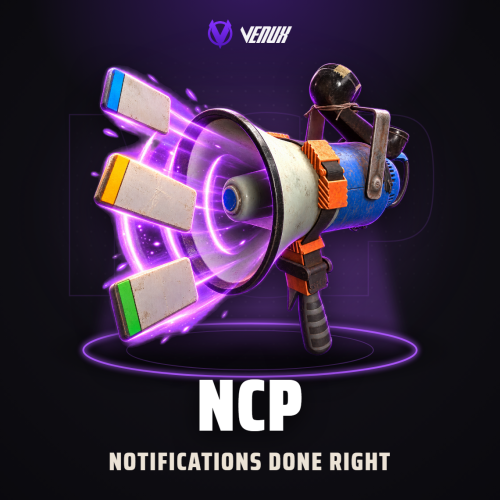
    NCP is a highly optimized and professional notification system designed specifically for Rust servers. Built with performance in mind, it provides server administrators with a powerful yet lightweight solution for displaying custom notifications to players using authentic Rust UI elements and color schemes. The plugin features extensive customization options, multiple positioning presets, and seamless integration with other plugins through a comprehensive API system. All notifications use genuine Rust game assets and follow the official UI design patterns for a native gaming experience. Main Features Authentic Rust UI: Uses genuine Rust game assets, icons, and color palette for native look and feel High Performance: Optimized for minimal server impact Fully Customizable: Configure colors, gradients, materials, sprites, icons, and positioning for each notification type Flexible Positioning: Support for TopLeft, TopRight, BottomLeft and BottomRight screen positioning Easy Integration: Comprehensive API for seamless integration with other plugins Smart Management: Automatic notification queuing, duration control, and fade effects Sound Effects: Optional sound effects for each notification type Multiple Types: Pre-configured Info, Warning, Error, and Success notifications with unlimited custom types Visual Effects: Gradient overlays, borders, shadows, and material effects using Rust's UI system Lightweight: Minimal memory footprint with automatic cleanup and resource management Permissions ncp.see: Allows players to see notifications (required for visibility) ncp.notify: Grants permission to use the show command for testing ncp.player: Allows sending notifications to specific players ncp.allplayers: Permits broadcasting notifications to all online players Chat Commands /ncp.show <type> <message>: Display notification to yourself (testing purposes) /ncp.player <player> <type> <message>: Send notification to specific player /ncp.allplayers <type> <message>: Broadcast notification to all online players /ncp.edit <type>: Opens the configurator UI Console Commands ncp.show <type> <message>: Display notification from server console ncp.player <player> <type> <message>: Send notification to player from console ncp.allplayers <type> <message>: Broadcast to all players from console Notification Types: 0 (Info), 1 (Warning), 2 (Error), 3 (Success), or any custom type configured Note: Most commands require appropriate permissions except for viewing notifications API Methods SendNotify(BasePlayer player, int type, string message) SendNotify(string userId, int type, string message) SendNotify(ulong userId, int type, string message) SendNotifyAllPlayers(int type, string message) Usage Examples // Send notification to specific player NCP?.Call("SendNotify", player, type, message); // BasePlayer NCP?.Call("SendNotify", "76561198000000000", type, message); // String UserID NCP?.Call("SendNotify", 76561198000000000L, type, message); // uLong UserID // Send notification to all online players NCP?.Call("SendNotifyAllPlayers", type, message); Example Integration [PluginReference] private Plugin NCP; private void ShowPlayerNotification(BasePlayer player) { NCP?.Call("SendNotify", player, 0, "Welcome to our server!"); // Info NCP?.Call("SendNotify", player, 1, "Low health detected!"); // Warning NCP?.Call("SendNotify", player, 2, "Access denied!"); // Error NCP?.Call("SendNotify", player, 3, "Item crafted successfully!"); // Success // Global broadcast NCP?.Call("SendNotifyAllPlayers", 1, "Server event starting in 5 minutes!"); } Config { "Permission (empty = no permission required)": "", "UI Settings": { "Anchor Position (TopLeft, TopRight, BottomLeft, BottomRight)": "TopRight", "Width": 240.0, "Height": 50.0, "X Offset": -15.0, "Y Offset": -15.0, "Spacing": 5.0, "Max Visible": 5 }, "Notification Types": { "0": { "Enabled": true, "Title": "Information", "Icon Asset": "assets/icons/info.png", "Background Color": { "HEX": "#1a1a1a", "Opacity (0 - 100)": 92.0 }, "Enable Gradient": true, "Gradient Color": { "HEX": "#4A90E2", "Opacity (0 - 100)": 20.0 }, "Sprite": "assets/content/ui/ui.background.transparent.linearltr.tga", "Material": "Assets/Icons/IconMaterial.mat", "Icon Background Color": { "HEX": "#4A90E2", "Opacity (0 - 100)": 80.0 }, "Border Color": { "HEX": "#4A90E2", "Opacity (0 - 100)": 50.0 }, "Title Color": { "HEX": "#FFFFFF", "Opacity (0 - 100)": 80.0 }, "Text Color": { "HEX": "#CCCCCC", "Opacity (0 - 100)": 85.0 }, "Title Font Size": 12, "Message Font Size": 8, "Duration": 5.0, "Fade In": 0.3, "Fade Out": 1.2, "Sound Effect": "assets/bundled/prefabs/fx/notice/item.select.fx.prefab" }, "1": { "Enabled": true, "Title": "Warning", "Icon Asset": "assets/icons/warning.png", "Background Color": { "HEX": "#1a1a1a", "Opacity (0 - 100)": 92.0 }, "Enable Gradient": true, "Gradient Color": { "HEX": "#E2A04A", "Opacity (0 - 100)": 20.0 }, "Sprite": "assets/content/ui/ui.background.transparent.linearltr.tga", "Material": "Assets/Icons/IconMaterial.mat", "Icon Background Color": { "HEX": "#E2A04A", "Opacity (0 - 100)": 80.0 }, "Border Color": { "HEX": "#E2A04A", "Opacity (0 - 100)": 50.0 }, "Title Color": { "HEX": "#FFFFFF", "Opacity (0 - 100)": 80.0 }, "Text Color": { "HEX": "#CCCCCC", "Opacity (0 - 100)": 85.0 }, "Title Font Size": 12, "Message Font Size": 8, "Duration": 7.0, "Fade In": 0.3, "Fade Out": 1.2, "Sound Effect": "assets/bundled/prefabs/fx/notice/item.select.fx.prefab" }, "2": { "Enabled": true, "Title": "Error", "Icon Asset": "assets/icons/close.png", "Background Color": { "HEX": "#1a1a1a", "Opacity (0 - 100)": 92.0 }, "Enable Gradient": true, "Gradient Color": { "HEX": "#CE422B", "Opacity (0 - 100)": 25.0 }, "Sprite": "assets/content/ui/ui.background.transparent.linearltr.tga", "Material": "Assets/Icons/IconMaterial.mat", "Icon Background Color": { "HEX": "#CE422B", "Opacity (0 - 100)": 85.0 }, "Border Color": { "HEX": "#CE422B", "Opacity (0 - 100)": 60.0 }, "Title Color": { "HEX": "#FFFFFF", "Opacity (0 - 100)": 80.0 }, "Text Color": { "HEX": "#CCCCCC", "Opacity (0 - 100)": 85.0 }, "Title Font Size": 12, "Message Font Size": 8, "Duration": 8.0, "Fade In": 0.3, "Fade Out": 1.2, "Sound Effect": "assets/bundled/prefabs/fx/notice/item.select.fx.prefab" }, "3": { "Enabled": true, "Title": "Success", "Icon Asset": "assets/icons/thumbsup.png", "Background Color": { "HEX": "#1a1a1a", "Opacity (0 - 100)": 92.0 }, "Enable Gradient": true, "Gradient Color": { "HEX": "#7ED321", "Opacity (0 - 100)": 20.0 }, "Sprite": "assets/content/ui/ui.background.transparent.linearltr.tga", "Material": "Assets/Icons/IconMaterial.mat", "Icon Background Color": { "HEX": "#7ED321", "Opacity (0 - 100)": 80.0 }, "Border Color": { "HEX": "#7ED321", "Opacity (0 - 100)": 50.0 }, "Title Color": { "HEX": "#FFFFFF", "Opacity (0 - 100)": 80.0 }, "Text Color": { "HEX": "#CCCCCC", "Opacity (0 - 100)": 85.0 }, "Title Font Size": 12, "Message Font Size": 8, "Duration": 5.0, "Fade In": 0.3, "Fade Out": 1.2, "Sound Effect": "assets/bundled/prefabs/fx/notice/item.select.fx.prefab" } } }
    Free
  23. crash

    AutoBackpacks

    Pushed new version. adding capacity to change backpack spaces between permission tiers

About Us

Codefling is the largest marketplace for plugins, maps, tools, and more, making it easy for customers to discover new content and for creators to monetize their work.

Downloads
2.4m
Total downloads
Customers
10.8k
Customers served
Files Sold
155.3k
Marketplace sales
Payments
3.3m
Processed total
×
×
  • Create New...

Important Information

We have placed cookies on your device to help make this website better. You can adjust your cookie settings, otherwise we'll assume you're okay to continue.