.jpg.f4639631c5e71a0190fb04067dbf31e2.jpg)
cengizhanbucak
-
Posts
64 -
Joined
-
Last visited
Content Type
Profiles
Warranty Claims
Downloads
Forums
Store
Services
Downloads Plus Support
DOWNLOADS EXTRA
Reels
Everything posted by cengizhanbucak
-
.thumb.jpg.7a35071bd372a1c2c6329cfd476cab3f.jpg)
Version 2.0.0
32 downloads
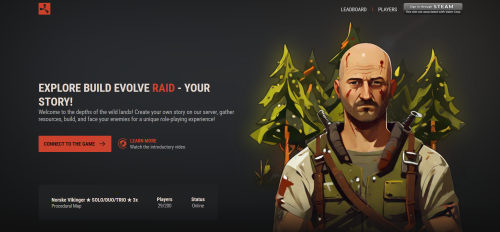
Rustplus+ - Easily Manage and Customize Your Game Server Welcome to Rustplus+, where game server owners can transform their servers into a dynamic and engaging world for their players. Designed with the cutting-edge technology of PHP, HTML, CSS, and JS, Rustplus+ offers a comprehensive platform that not only tracks player statistics but also elevates your server's branding and player experience. Embrace the power of Steam integration for easy sign-in and registration, ensuring a seamless and user-friendly interface for your gaming community. With Rustplus+, you're not just running a game server; you're creating a distinct and immersive brand that captivates and retains players. Join the ranks of elite server owners who choose Rustplus+ for an unparalleled gaming journey. Rustplus+ is now on sale! Contact us today to start your project and step into a new era of game server management. In addition, the php script contains only html + js + css theme design template in version 1.0.0. Our users who do not want to use PHP script can use their own themes directly Features and Structures: Easy Setup: Quickly and easily install the Rustplus+ script. Unzip the file and follow the steps to get your server up and running in minutes. Advanced Server Monitoring: Monitor your server's status, player count, and activity in real-time. Automatically update server information with Rust-Servers.Net API integration. Dynamic Player Leaderboard: A dynamic leaderboard showing your players' performance and statistics. Easily customizable structure with 'playerranksdb_1.sql'. Flexible Configuration: Easily customize your server settings via the config/config.php and config/configGlobal.php files. User-Friendly Interface: Clean and understandable user interface for both administrators and players. Community and Support: Community support and custom software services via Discord. Security and Performance: Enhance your server's performance with a secure and optimized PHP code structure. Modern and Stylish Design: The website reflects the dynamic and exciting atmosphere of the Rust game with a custom design. Players will feel like they've stepped directly into the gaming world as soon as they enter the site. Advanced Animations: Animations enriched with page transitions and special effects make the user experience even more captivating. Steam Auth How It Works: Upload the script to your server and configure your MySQL database. Access the site through your web browser and complete the necessary setup. Monitor player statistics and server status in real-time. .zip instal.txt Purchase and Showcase Your Game Server! Grab this Rust game server web design now to create an impressive online presence for your gaming community. Influence your players with an unforgettable website experience and expand your community!$34.99 -
Hello, I've crafted a plugin with a straightforward structure exclusively for you. The plugin operates with a specialized permission system (vehiclelocator.us). When users or groups you authorize input the /vl command in-game after mounting a vehicle or horse, it displays the location in the chat. If they are nearby, it produces an effect to assist you in pinpointing its position in the dark. VehicleLocator.cs

-
 Hi, would you like to be bound by the permission structure on how to use it? or users who don't have permission can't be included in top15
 -
Version 1.0.0
317 downloads
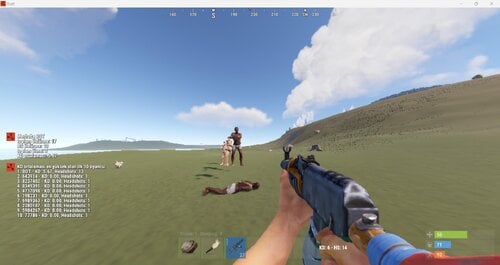
This add-on allows players to track in-game kill and death statistics in real time. The KD (Kill/Death) ratio allows players to track their achievements and performance. Also, players can be ranked according to their achievements within the game and view their achievement rate. This plugin helps them better understand KD stats for the Rust community and improve their competitive gaming experience. Properties KD Display: The instant KD rate of players is displayed in real time on the game screen. Kill and Die Stats: Tracks how many kills and dies players have. Headshot Statistics: Tracks how many headshots players take. Player Info: The player's in-game name is saved and used for rankings. Top 10 KD Player List: Players can see the list of top 10 players, sorted by KD odds. Chat Commands: With the command "/mystats" players can see their own stats, while with the "/top15" command they can see the KV stats of the top 10 players.Free -
 3500
3500 -
Version 1.0.1
502 downloads
Announcement.cs About The Announcement plugin is now even more powerful! With the /ann command in the game, you can make announcements to all players in 2 different types as chat or gui, you can assign variables to your announcements (showing the number of players) or you can change the colors and sizes of the fonts. In the Gui display, you will be determining how long the player stays on their screen. Instant announcements can be activated in the external config file and you can activate automatic message announcements at certain time intervals by activating automatic messages! Commands /ann <message> <chat> - Announce is done chatten. /ann <message> <time> <gui> - Announce the GUI done Permissions To use the announcement command, you must define authorization for yourself. announcement.announce Configuration you can set the values to be added per kill from the configuration file { "AutoAnnouncementDelay": 60.0, "AutoAnnouncementEnabled": false, "AutoAnnouncementTexts": [ { "autoMessage": "Players playing on the server: {playerstats}", "Tip": "chat" }, { "autoMessage": "Players playing on the server: {playerstats}", "Tip": "gui", "visibilityTime": 10.0 } ], "chatIcon": 0, "messageColor": "white", "tagColor": "#43ACFF", "tagPrefix": "Announcement", "tagSize": 15 } Lang { "NoPermission": "You are not authorized to use this command.", "InvalidArgs": "Valid uses are:\n/ann <message> <chat> - Announce is done chatten.\n/ann <message> <time> <gui> - Announce the GUI done", "InvalidTime": "You entered an invalid impression duration.", "InvalidDisplayType": "You have entered an invalid notation type. Please enter 'chat' or 'gui'." }Free -
Changed Status from Pending to No Response
-
Hİ @SIDA, After typing oxide.grant group orelocations.show <examplegroup> from within the game, you can use the /ol command from within the game.
-
Version 0.0.3
37 downloads
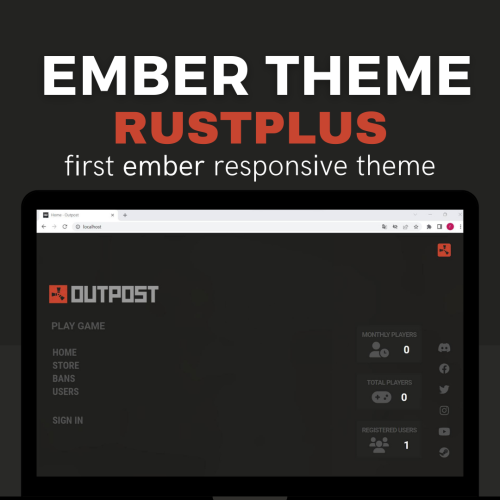
Ember is a theme specifically designed for game CMS websites. This theme has all the features necessary to give your gaming site a modern and professional look. The Ember theme is completely responsive. This means that visitors to your site will have a seamless experience on different devices and screen sizes. Additionally, with specially designed gaming icons, a clean interface, and an attractive color palette, your site will have a unique look. The Ember theme also offers features that will capture the attention of your gaming site's users. For example, the theme comes with features such as animated pop-ups, floating headers, and an internal search function. These features ensure that your site is user-friendly and has a modern look. The Ember theme has all the features necessary to effectively promote your game CMS website. A modern and user-friendly site will attract more visitors and provide a better user experience. By using the Ember theme, you can differentiate your gaming site and get ahead of your competitors. Demo Web Showroom Rust Roesty Ember Theme Functions Theme Ember Versiyon: 2.13.0 The Ember theme will be adapted to the current version every 2 months with no guarantee landing Page: Ember's existing all-use page has been replaced with the new theme. In this way, you will be more in demand by the players. Play Game Screen: Users will be able to access the server address you specify directly. Logout Screen: Integrated output structure concept design to make users feel like they are in the game menu Installation After purchasing the theme, install the file on your computer. Open the folder structure within the RustPlus+_Ember_Theme.zip file ( RustPlus+_Ember_Theme.zip > folder ) Select the resources and public files that appear in front of you and then drag and drop them into the ember home directory you have. The installation is complete, but do not pass without reading the parts that need to be considered and changed, otherwise you may have problems. From the ember admin panel, go to the general section. ( example.com/admin/general ) the following are adjustments in this area that should never be changed. The parts drawn in yellow should be exactly the same as the contents in the picture. Manual Customizations The 2 different modules available on the theme need to be fixed manually for a short time. those changes include the following: Social Media Accounts: You can change the links to your game server's social media accounts by opening the resources\views\landing.twig file. <!-- social link --> <!-- EDIT HERE --> <!-- EDIT HERE --> <div class="middletwo"> <a href=''><i class="fa-brands fa-discord fa-fw me-1 fasmiddle"></i></a> <!-- link <a href=''> --> <a href=''><i class="fa-brands fa-facebook fa-fw me-1 fasmiddle"></i></a> <a href=''><i class="fa-brands fa-twitter fa-fw me-1 fasmiddle"></i></a> <a href=''><i class="fa-brands fa-instagram fa-fw me-1 fasmiddle"></i></a> <a href=''><i class="fa-brands fa-youtube fa-fw me-1 fasmiddle"></i></a> <a href=''><i class="fa-brands fa-steam fa-fw me-1 fasmiddle"></i></a> </div> <!-- EDIT HERE --> <!-- EDIT HERE --> <!-- social link --> You need to write your ip address to redirect players to an ip you choose on the play game module and you can write the domain where your own ember site is installed in the website link section just below. (see: example.com ) public\js\app.js if (textArray[index] === "RECEIVING DATA") { window.location.href = "steam://connect/208.52.153.131:28014"; // Your server IP window.location.href = "landing"; // } Manual Customizations In any trouble you will experience on the theme, you can reach me 7/24 through the site or discord address. Errors will be fixed instantly. The supported ember version is specified, please note this. Before installing the RustPlus Ember theme, please back up your default ember files. You can contact me for personalized themes.$60.00-
- 1
-

-
- #ember themes
- #ember rust
- (and 1 more)
-
31.03.2023 - #devblog Before a special infrastructure work, we integrate the Rust CMS theme into the ember structure. In the specified version, you will be able to easily install it and offer your players a unique pleasure.
-

Version 0.1.0
18 downloads
Don’t ban cheaters… Troll them. Entertain your server. Control the chaos. TrollCengo is the most advanced moderation/punishment plugin that unifies discipline, trolling, and humor mechanics for your Rust server under one professional package. You can give unique troll penalties to players who misbehave, defend cheaters, start arguments, or ignore server rules—while ensuring they stay entertained instead of quitting the game. Unlike the old Oxide version, it has been completely redesigned from scratch for Carbon: modular, lightweight, and fully extensible. Features All troll punishment systems below are permission-based, meaning you have full control over which troll effect applies to which player. 1. DropWeapon — Forced Weapon Drop Mode When a player with this permission attacks any player, NPC, or animal: ✔ Their weapon is instantly dropped to the ground ✔ All damage becomes 100% ineffective (0 damage) ✔ The weapon cannot be picked up for a set duration (only by the attacker or by everyone — configurable) ✔ Cooldown, chance %, whitelist/blacklist options ✔ Visual effects & custom message support In short: “Think twice before you swing.” 2. YouKill — ‘If You Kill, You Die’ Mode If enabled, the player dies immediately after killing any NPC or player. ✔ PvP troublemakers ✔ Preventing base campers ✔ Anti-toxic behavior training ✔ Perfect punishment tool for roleplay servers 3. NoRaid — Raid Blocking Mode Players with this permission: ✔ Can never deal structural damage ✔ Explosives deal zero damage ✔ All raid attempts are instantly cancelled ✔ Works silently — no error messages, no warnings Ideal for admins who want to say, “You’re temporarily raid-banned.” 4. ChickenWeapon — Chicken Bullet System (Next-Gen Troll) When the player fires a gun, a chicken spawns instead of a bullet. Chickens: ✔ Survive for 5 seconds ✔ Take no damage ✔ Create hilarious visual chaos on targets ✔ Can be limited per player ✔ Cooldown and chance % are fully configurable The first fully featured chicken-bullet troll system ever seen in Rust. 5. NoApproach — Proximity-Block Zone When active, other players and all NPCs cannot come within a certain radius. ✔ 20-meter exclusion zone ✔ Anything approaching is pushed back automatically ✔ Server–client synchronized physics ✔ Anti-shake cooldown to prevent bugs Players receiving this punishment will scream: “Why can’t anyone come near me??” Pure chaos. 6. ShuffleInventory — Inventory Scrambler Automatically shuffles all items in the player’s inventory at intervals. ✔ Belt + main bag supported ✔ Fisher–Yates algorithm (smooth shuffling) ✔ Pure client-side confusion ✔ A troll punishment that mentally disorients PvP players 7. FakeCraft — Fake Crafting System (Unique) When a player starts crafting: ✔ 70% chance the craft bar slows down by 1.5×–3× ✔ 25% chance the craft completes as the wrong item (e.g., stone) ✔ Remaining cases: the craft simply disappears with no output ✔ Fully automatic penalty logic ✔ Optional funny messages when crafting fails Perfect for watching players send tickets saying, “Bro, the game is broken.” 8. FireChair — Flaming Punishment Chair (New) When the player respawns or connects, they are forced into a locked punishment chair. ✔ Cannot stand up for 10 seconds ✔ Upon timeout, they are blasted upward with fire effects ✔ Chair deletes itself automatically ✔ Even on disconnect, cleanup is safely handled ✔ Both hilarious and extremely effective A premium system never before seen in Rust, adding personality and chaos to any server. Permissions trollcengo.dropweapon The player automatically drops their weapon when attacking and cannot deal damage. trollcengo.youkill If the player kills someone, they instantly die. trollcengo.noraid The player cannot deal building damage or perform any raid actions. trollcengo.chickenweapon When shooting, bullets are replaced with chickens (0 damage). trollcengo.noapproach Other players/NPCs cannot approach them; anything that gets close is pushed back. trollcengo.shuffleinventory The player’s entire inventory is periodically shuffled. trollcengo.fakecraft Crafting actions are sabotaged—slowed down or produce incorrect items. trollcengo.firechair When the player connects or respawns, they are forced into a punishment chair.$15.00 -
.thumb.png.a3d3e339fba405c49dc8ac0ef3ac6446.png)
Version 1.0.0
34 downloads
Plugin shows the locations of mines in the Rust game to players on leave for a certain period of time. This helps players pool resources around them more quickly and efficiently. Properties Players can see the mines for a certain period of time. Marking of mines with different colors according to their location (Sulfur, Metal and Stone). The configuration file allows server owners to customize the plugin's features. Players will not be able to reuse the command during the specified cool-down period. Multilingual support of the plug-in and availability of language files. Permissions orelocations.show - authorization to use the plugin Configuration you can set the the configuration file { "CooldownTime": 300.0, "DisplayDuration": 30.0, "MaxDistance": 500.0 }$2.00 -
RustPlus CMS Construction Phase INFO RustPlus CMS is a web application specially designed for server owners. With this application, server owners can easily provide their members with various structures such as information sharing, store sales, and leadership rankings. This application is a php-based internet management website software and provides all the necessary tools to increase interaction on the server, strengthen the community, and manage the server VIP economy. Server owners can track events on their servers, provide competition and rewards among members, and manage server store operations through RustPlus Web. RustPlus Web has a user-friendly interface, making it easily accessible to server owners and members without requiring any technical knowledge. Additionally, the application's fast and reliable operation facilitates community building by increasing interaction on the server. In conclusion, RustPlus Web is a php-based web application that provides a useful and practical tool for server owners and members. It is an ideal tool for managing server economy, tracking leadership rankings, and facilitating store sales. Showroom * The sales version is still under development and improvements, and it will be completed and released as soon as possible. * or ember theme
-

Version 1.0.0
10 downloads
When NPC and players are killed, restore health and quench thirst and hunger Properties Health is added when a different player or NPC is killed Hunger and thirst, health will begin to increase entirely equal to 100 per kill. Permissions pluspvp.use - authorization to use the plugin Configuration you can set the values to be added per kill from the configuration file { "Calorie Increase": 50.0, "Health Increase": 10.0, "Hydration Increase": 50.0 }$2.00 -
.thumb.jpg.7a2bf57e1f409170e10dd394db68942e.jpg) Thank you for your valuable comments, I will work on the mentioned authorization types and provide you with the necessary notification.
Thank you for your valuable comments, I will work on the mentioned authorization types and provide you with the necessary notification. -
Version 1.0.6
413 downloads
About This plugin kills animals or npc instantly when attacked by a player. Permissions you will be able to assign the player the authority to kill the animal you want quickly, or you will be able to have the player you want kill all the animals / npc quickly. instantanimalkill.bear - Permission for bear instantanimalkill.wolf- Permission for wolf instantanimalkill.horse- Permission for horse instantanimalkill.chicken- Permission for chicken instantanimalkill.all- Permission for all animals Configuration you can set the values to be added per kill from the configuration file EnableMessages: This setting determines whether messages are enabled for the killed animal. If set to true, the player receives a message every time they kill an animal. If set to false, the player will not receive any messages. KilledAnimalMessage: This setting determines the message that the player receives. In the message, "%animal%" will be replaced with the name of the killed animal. { "EnableMessages": true, "KilledAnimalMessage": "You killed %animal%!" }Free- 3 comments
-
- 1
-
-
- #animal
- #animal death
- (and 2 more)
-
![More information about "[RolePlay] Clock System"](https://codefling.com/uploads/monthly_2023_01/hakanbey_clock_game_0_f8e3a1ce-60a9-4cc4-9b73-b5ef17dd4ff6.thumb.png.decde4829f693eed26e83f8198e6403c.png)
Version 1.0.0
287 downloads
This is a simple plugin that helps players see the in-game time of day in real time while role playing on Role Play based servers. It has no other function. You can see the game time by typing /Clock in the game, and it will notify you from the chat section. Please note, this shows the real time passed since wiped. Not game or server time.Free -
Version List: The bandit area was removed and details such as the market were moved to the police station area and integrated. Added airwolf vendor to the outpost area. Added casino to outpost area. Added +2 additional converters to the Outpost area. Added airwolf vendor to safe areas like fisherman and barn, now you can buy minicopters. Train tunnels on the map have been completely removed. Made minor optimizations on the map.
-
Happy Birthday Codefling
-
hello, we bought your plugin, but when we installed it, it was available for use on the whole server. How can we open this up to the groups we want? We want to do it like this so that only the administrators can assign the effect we want in the group we want.
-
The problems we are experiencing
cengizhanbucak replied to cengizhanbucak's Support Report in Support
It really made us and the publishers happy to receive this return, thank you. In addition, they can easily enter the event area with the minicopter. there is a lamp in the lobby while the elevators are waiting, when you go under that lamp, the players fall when the elevator goes up, we would be grateful if you could add an imaginary wall there I dont understand what would cause the loot spawn on the ocean. Does the loot container hunger games related items only, or is it general loot? We were using the alphaloot plugin on our 10x server, in general, 3-4 of the big boxes started to appear. There is no loot problem in the hunger games area all over the map, only there is a problem outside when installing the plugin -
Hello, we have installed the plugin on our server, we are very satisfied, it is a very good system, but there are certain problems we are experiencing. When a game starts and ends, when we start a default game again, the loot on the ground is not deleted. Players take loot directly from dead players from the other match. we installed the plugin on our 10x server then the loots on our 10x server started to spawn 4 by 4 big boxes all around and over the ocean. Players get on the elevators in the lobby and wait, but when the elevator starts to go up, they drop it to the ground.
-
yes i want to enlarge the map, if i enlarge it does the box loot break?
-
How can we enlarge our own map, is there a guide?
-
Version 1.0.0
27 downloads
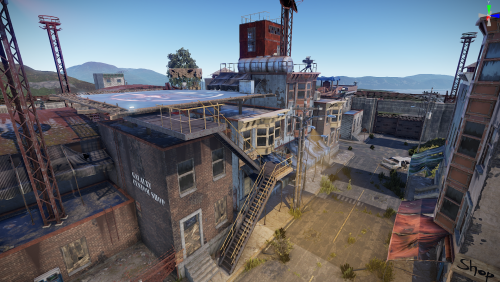
Made here on the map and more optimized. A noticeable +fps difference for all users who are not small system or high system users. Version List:: The bandit area was removed and details such as the market were moved to the police station area and integrated. Added airwolf vendor to the outpost area. Added casino to outpost area. Added +2 additional converters to the Outpost area. Added airwolf vendor to safe areas like fisherman and barn, now you can buy minicopters. Train tunnels on the map have been completely removed. Made minor optimizations on the map.$15.00