
-
Posts
92 -
Joined
-
Last visited
-
Days Won
4
Content Type
Profiles
Warranty Claims
Downloads
Forums
Store
Services
Downloads Plus Support
DOWNLOADS EXTRA
Reels
Support Center
Everything posted by Cannabis
-
Changed Status from Pending to Not a Bug
-
 Forgot to add that in, thanks for pointing that out. Patch will be here shortly.
 -
Current progress update: Restructured the data to be more compact and easier to follow if you decide to look inside of it. Also expanded it to support even more customization options for a player to fine tune as they please. Restructured how the permissions work, and now no longer create a permission for every individual rocket you're allowing to go up to. You are now able to create your own permissions each with their own rocket limit. Adding functionality to optionally remove old player data from the data file to keep storage size down and easier to navigate if this plugin is used on big servers with lots of people being added to the data file. Still working on: The ability to automatically have a players data be initialized with default settings defined in the config file. The ability for players to pick and choose which rockets types they would like to have enabled. An early form of (optional) CUI to move away from chat based commands, which will be further refined as I learn more about CUI creation. A blacklisting for any defined rocket type. Something I may look into in the future is support for the homing rocket, however I do feel it is currently really powerful on it's own and does not need TDK to modify it to make it even more powerful, so please do not ask for this feature. Maybe further down the line I will add support. If I'm forgetting something or you would like to suggest more please feel free to reply to this comment, or shoot me a pm. I cannot promise new requested features will be in the next update as I do not want to succumb to feature creep.
-
Hey there, happy to report that version 1.4.0 is currently in the works. Will see if I can squeeze your feature requests in by release. Glad you like it!
-
Changed Status from Pending to Closed Changed Fixed In to 1.2.3
-
 Was currently working on it. It's mostly "done" just gotta clean up a few things.
 -
It's based on the player model's eyes. Since we can't get the center of someone's screen, the best we can do.
-
Oh I didn't know they added a dot for binoculars now. I'll remove it asap when I get home
-
 Did speak with Raul, there is a far easier way to support both at the same time. Will work on a universal compatible version soonTM. Got some other projects and irl stuff on my plate, might get to it this weekend might not. Would like to update my other plugins first before rolling around to this one. They've been neglected since release.
 -
Maybe, but I really don't feel like switching back and forth between projects to upkeep the same plugin. Perhaps when it's fully done and I have nothing left to add I'll create an Oxide version, but for now this will remain on Carbon. It can be switched to Oxide manually as I don't believe I am currently using any Carbon exclusive features. (For some reason I no longer get email notifications, didn't see this until now)
-
Version 1.0.1
40,288 downloads
Turns the currently useless smoke rockets into fun javelin rockets! Requires permission `javelin.use` to function Very basic and barebones. To do: Customization of settings Acceptable skin ID's of the smoke rocket for compatibility of other plugins More accurateFree -
Changed Status from Pending to Closed
-
Due to the customizable nature of the maximum amount of rockets (which I will be overhauling soonTM) I won't be adding the rocket count UI. Can you elaborate what you mean by "Rocket switch between different rockets"? As for other UI elements, I can add them and have them configurable. However I just do not want to take away valuable screen space used by other, far more important plugins. Namely: Info, Backpacks, KDR, etc. I do believe there is an ammo counter plugin currently available that can add the functionality of the rocket left countdown, and to prevent any conflicts with said plugin I do not have plans of integrating that feature into this plugin at that time and would suggest looking into that plugin instead. My knowledge of UI, with Rust, is limited at the moment. Especially when it comes to aesthetically pleasing UI that doesn't look right out of the early 90's. So please, if/when I do add UI know that it will be very basic and solely functional. Other than that, thank you very much for the suggestions!
-
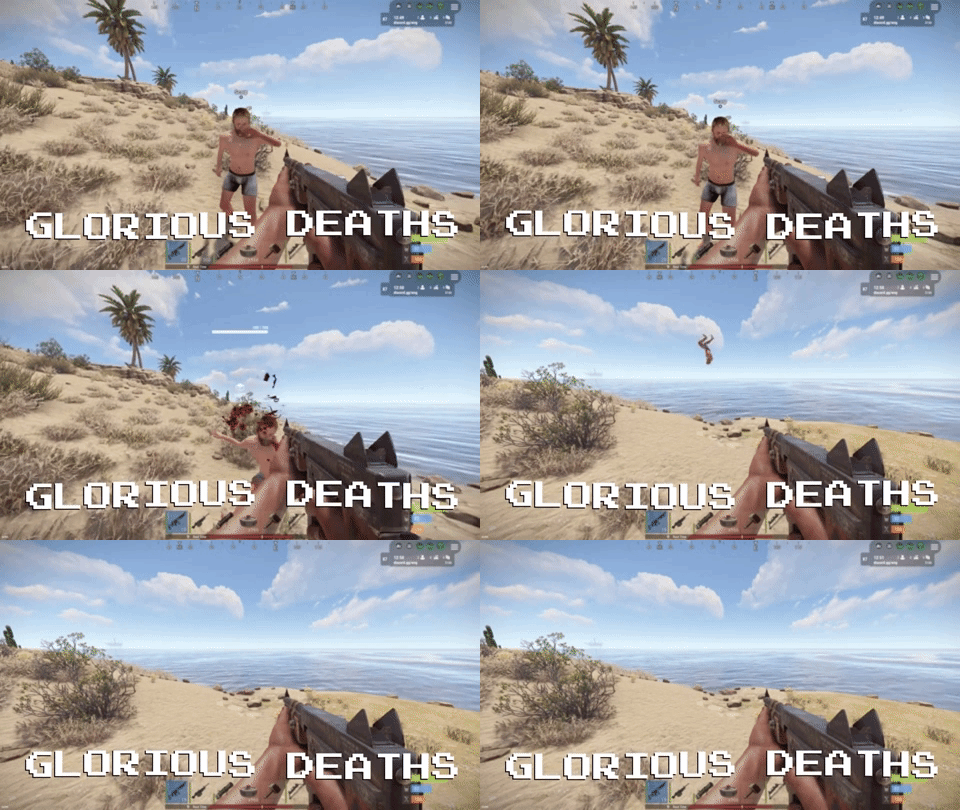 Currently have some real life obligations I have to attend to before I can fully delve back into plugins. The method I use currently works really well for player deaths, but fails in many regards when you add animals and NPC's to the mix. Causing a ~0.25sec delay from death to when force is applied to the corpse. Due to the way I have to store the HitInfo of that entity when it dies, compare the corpse's creator entity with the HitInfo tied to it, to then get all the information about the killer player. I had a rough early build with this working, but it just wasn't satisfactory enough to ship out an update for, since player deaths had essentially no delay, whilst for animals and NPC's that ~0.25sec delay was present due to how the hooks I used work. I'll likely have to start the main plugin logic from the ground up and think outside of the box to make an attempt at removing that delay. TL;DR There's a delay between killing an animal/NPC and the body doing funny things, and I am not happy with that for a paid plugin.
 -
You are required to have the use permission, and an amount permission, from there you use the chat commands to configure it as you like for yourself. What you were thinking the plugin does is not in any way the intended functionality, I apologize I didn't make a plugin with your specific thoughts in mind. If it did not work I would have a lot more support threads than just you. I'm not in this for the money, so please, do not buy any of my plugins. I do not feel like explaining the smallest things for those who cannot read.
-
Changed Status from Not a Bug to Closed
-
Still not an issue with the plugin but rather an issue with the user. Please read all documentation. The plugin is thoroughly tested on a private server before anything is published live, if it didn't work I'd be the first to know and the first to fix it.
-
This plugin allows to simultaneously launch rockets, rather shoot one at a time. If you would like to simply increase the magazine size of the rocket launcher, there are several basic plugins that can do that.
-
That is not the functionality of the plugin.
-
Changed Status from Pending to Not a Bug
-
Of course mate, enjoy!
-
Please do read the patch notes, I added a configuration option for you to change the command the plugin uses so it doesn't have to be /tdk If you update the plugin without clearing the config or manually adding the configuration option it'll toss an error since the variable isn't there. All ya need to do is either clear the config and let the plugin generate a new one or manually add in the new configuration option, which is noted in the description.
-
Did you update to the new version without deleting your config?
-
Just finishing up the update to toggle on/off the plugin as well as dynamically change the amount of rockets you can shoot out and I am still not seeing this behaviour in testing. Just to clarify, the plugin will only take rockets out of the inventory based on the amount set (well now the players can set it themselves), it does not take into account the rocket in the launcher as that is separate from the inventory amount. So think of it as "extra amount + 1 (1 being the rocket inside)" so setting extra to 7 will shoot a total of 8, but only take 7 from the inventory if the player has that amount of rockets present, otherwise it will take however many rockets they have left and fire them. With the 1 rocket inside the launcher not being accounted for as that is being fired regardless of rockets in the inventory since it is loaded in the launcher itself.
-
Oh that's a good idea! I'll toss it up on the list. Might be a little slow, I work 12 hours a day and have just a few hours at home to do whatever in my leisure time.