
-
Posts
75 -
Joined
-
Last visited
Content Type
Profiles
Warranty Claims
Downloads
Forums
Store
Services
Downloads Plus Support
DOWNLOADS EXTRA
Reels
Everything posted by Fantasma
-
same thing with gatherlootmultiplier.default
-
no
-
1... i try on 5x server and same 1
-
{ "Auto reload [If you change the config and save the file the plugin will reload itself]": true, "Setup UI command": "rs", "Premission for setup UI": "gatherlootmultiplier.setup", "Custom Rates": [ { "Permission": "gatherlootmultiplier.default", "[LOOT] Gobal rate": 2.0, "[GATHER] Gobal rate": 2.0, "[GATHER] Increase production": { "Querry": true, "PumpJack": true, "Chainsaw": true, "Excavator": true, "Jackhammer": true }, "[LOOT] Categories rates [global rate * category rate]": { "Weapon": 1.0, "Construction": 1.0, "Items": 1.0, "Resources": 1.0, "Attire": 1.0, "Tool": 1.0, "Medical": 1.0, "Food": 1.0, "Ammunition": 1.0, "Traps": 1.0, "Misc": 1.0, "Component": 1.0, "Electrical": 1.0, "Fun": 1.0 }, "Personal rates for items [shortname + modifier]": {} }, { "Permission": "gatherlootmultiplier.vip", "[LOOT] Gobal rate": 3.0, "[GATHER] Gobal rate": 5.0, "[GATHER] Increase production": { "Querry": true, "PumpJack": true, "Chainsaw": true, "Excavator": true, "Jackhammer": true }, "[LOOT] Categories rates [global rate * category rate]": { "Weapon": 1.0, "Construction": 1.0, "Items": 1.0, "Resources": 1.0, "Attire": 1.0, "Tool": 1.0, "Medical": 1.0, "Food": 1.0, "Ammunition": 1.0, "Traps": 1.0, "Misc": 1.0, "Component": 1.0, "Electrical": 1.0, "Fun": 1.0 }, "Personal rates for items [shortname + modifier]": {} } ], "[LOOT] Ignore loot containers [prefabs]": [ "" ] }
-
yes
-
There must be a misunderstanding due to my bad English and I apologize for that... the signs I'm referring to are the ones that can be caught destroying them in the streets, not the ones that come out in boxes or barrels
-
street signs are not multiplied, items remain vanilla
-
if it were possible to add a colour behind this information panel it would be very good for me as I use another plugin that when in use has a panel in exactly the same place... I tried to move this one but to be honest you chose the best place to be used with all the furnaces and I think it only looks good there haha with one background colour the other panel will be covered when the furnaces are used
-
Thank you very much for your help
-
when a player places a furnace level 1 is automatically inserted into the furnace and the player doesn't have to pay for level 1, when the player tries to upgrade he upgrades to level 2 without wasting money on level 1, when placing the furnace it has to show level zero at the beginning no? and the player has to buy level 1 and level 2 and so on... but level 1 is ignored by the looks of it... should furnaces work vanilla when placed and only get extra multipliers after level 1 is purchased by the player? or am I doing something wrong?
-
yes have rustedit dll installed .. i use rustmaps.com to make my maps with that outpost
-
I always use custom maps to be able to use this merged outpost It's not urgent for me to run both the addons I have, the NPC alone makes me very happy with the farm and everything else... I wish it were possible to use it, but it would have to be on a custom map... I'll wait for it to work one day, thanks for your help
-
I just made the new updates and everything is still the same
-
I have all the plugins updated, the minicopter I never tried again after buying it... I can try it again but last time it only went up and there was nothing else
-
Now the message doesn't appear in the chat, but it seems to be getting worse ... I've never been able to use the minicopter plugin either... yesterday I bought this one in the hope that it would work and it didn't either 0906(1).zip
-
Hey there, it seems like we've an error with our bot's navigation. The message 'couldn't find path to provided point!' keeps popping up, and unfortunately, the bot is currently unable to navigate anywhere on the map.
-
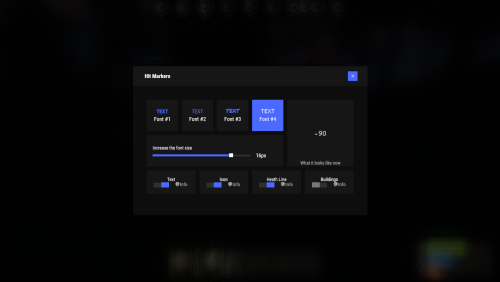 The ability for players to choose their own marker is a game changer. It allows the hit marker to be customised to the player's preferences, ensuring that it is not only visually appealing but also convenient for players during intense battles. The flexibility of customisation truly reflects the developer's attention to detail and commitment to player satisfaction.
 -
i'm not good understanding inglish so i buy that thinking that is other thing haha... now i have that one