

-
Posts
972 -
Joined
-
Last visited
-
Days Won
12
Content Type
Profiles
Warranty Claims
Downloads
Forums
Store
Services
Downloads Plus Support
DOWNLOADS EXTRA
Reels
Everything posted by Martian
-
Changed Status from Closed to Work in Progress
-
I will finish this change today and will upload it soon after testing!
-
Changed Status from Pending to Closed
-
Hi! I appreciate the suggestion, and it’s a great idea! For now, I'm holding off on implementing this due to the scope of the changes—it’s quite a big update. But it's definitely something I could consider for a future, major update. Thanks for the input!
-
Changed Status from Work in Progress to Closed
-
Select Item on the type, shortname electric.generator.small, skin 3341430953
-
Changed Status from Pending to Work in Progress
-
You can add a test generator to the shop with the skinid 3341430953, which should help to address item recognition issues. Additionally, swapping the item's image to that of the recycler should visually align it with the intended function.
-
Changed Status from Work in Progress to Closed Changed Fixed In to 1.1.1
-
I’ve just made some updates that might resolve this issue. Could you test this version and let me know if it works as expected? Will send on a PM.
-
Changed Status from Pending to Work in Progress
-
Thank you for your kind words! The issue seems to be with the Personal Recycler plugin itself. While I can't change the plugin, I'll try to find a workaround to prevent the problem today. I appreciate your patience and support!
-
Changed Status from Work in Progress to Not a Bug
-
It was just a configuration issue that we resolved through Discord.
-
Changed Status from Pending to Work in Progress
-
I'm looking at this now and will post a solution shortly.
-
Version 1.9.2
4,237 downloads
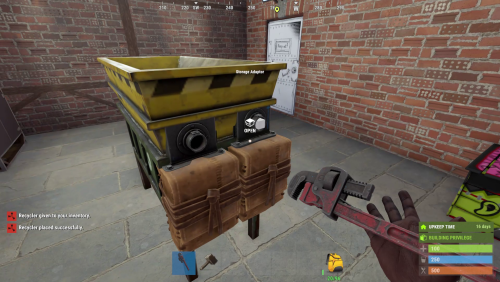
Industrial Recycler — Automated Recycling, Virtual Recyclers & VIP Upgrades Bring automated recycling directly into your players' Rust bases. Industrial Recycler turns recycling into a configurable part of your server's progression. Let players build an automated recycling setup using Rust's industrial system, place a traditional recycler at home, or open a personal virtual recycler with a command. Give every player a useful quality-of-life feature while offering VIP groups faster recycling, adjustable efficiency, and increased ownership limits. You control who can access each option, what it costs, and how it fits your server's economy. Industrial automation · Standard and industrial recyclers · Virtual recycling · VIP speed and efficiency tiers · In-game purchase UI Watch Industrial Recycler in Action Why Industrial Recycler? Players shouldn't need to visit a monument every time they want to recycle a few items. Industrial Recycler gives them practical recycling options at their base and lets server owners turn those conveniences into meaningful progression and VIP perks. Less repetitive inventory management: Connect an industrial recycler to input and output storage to automate item movement and recycling. More ways to play: Choose a standard placed recycler, a connected industrial setup, or a permission-based virtual recycler. Better player progression: Set purchase costs and give higher permission groups additional recyclers, faster processing, or better recycling efficiency. Full administrative control: Customize access, item skins, storage visibility, placement behavior, and optional raid/combat restrictions. Main Features Automated Industrial Recycling Industrial storage adapters: Industrial recyclers come with dedicated input and output containers and adapters that can be connected to Rust's industrial piping system. Automatic item handling: Items placed into input storage are transferred to the recycler, and recycled materials are directed into output storage. 48-slot input and output containers: Each attached storage container can hold up to 48 item slots. Integrated recycling flow: Build a setup that sends items in and routes the resulting materials to your chosen storage network. Alternative layouts: Switch between two adapter/container arrangements using a permission-controlled command, after disconnecting attached pipes. Clean appearance: Configure attached storage containers to be hidden or visible. Standard, Industrial & Virtual Recyclers Standard Recycler: Give players a familiar, manually operated recycler they can place at their base. Standard recyclers also support tugboat placement. Industrial Recycler: Provide a placeable recycler with attached input/output containers and industrial adapters for automation. Upgrade path: Convert an owned standard recycler to an industrial recycler using /upgraderecycler. Virtual Recycler: Allow permitted players to open a personal recycler using /irec or /virtualrec, without placing a recycler entity at their base. Virtual use restrictions: Prevent use while swimming, falling, mounted, or in other restricted situations. Optional NoEscape integration can also deny use during combat or raid blocking. VIP Speed, Efficiency & Ownership Tiers Four recycling speed tiers: Assign permissions to adjust recycling cycle duration for placed recyclers. Four efficiency tiers: Control recycling yield through configurable permission-based efficiency values. Separate virtual tiers: Set independent speed and efficiency permissions for virtual recyclers. Multiple ownership levels: Configure separate standard and industrial recycler limits for regular players, VIP1, and VIP2. Admin privileges: Players with the admin permission can have unlimited placed recyclers and bypass normal owner-only access restrictions. Use these options to build server progression or add controlled quality-of-life benefits for VIP groups. In-Game Shop & Custom Purchase Costs Purchase interface: Players can open a dedicated in-game purchase UI for standard or industrial recyclers. Custom resource costs: Set different purchase requirements for each type using one or multiple in-game items, such as scrap, metal fragments, or high-quality metal. Separate permissions: Decide which groups can buy standard and industrial recyclers. Ownership checks: Purchases respect the configured recycler limit, including placed recyclers and matching items in the player's inventory. Give commands: Grant recyclers to players through configurable chat commands or targeted console commands. Access, Pickup & Customization Owner access control: Restrict use to the owner, or optionally allow teammates and players recognized by the Friends plugin. Hammer pickup: Permitted players can recover placed recyclers with a hammer. Item handling on removal: Remaining recycler, input, and output contents are dropped into the world when the recycler is removed or destroyed. Optionally drop the recycler item when destroyed. Custom deployable item: Configure the base item used to place recyclers. Distinct skins: Set separate skin IDs for standard and industrial recycler items. Adjustable UI: Change interface positioning and navigate between the recycler, input, and output inventories. Optional sound effects: Enable or disable effects for virtual recycler use. How Industrial Automation Works Give or sell a player an Industrial Recycler and have them place it on a supported construction foundation. Connect the recycler's input and output industrial adapters to the desired storage setup. Supply recyclable items to the input container. The plugin transfers items into the recycler and routes recycled materials to output storage. Adjust the adapter layout and storage visibility to suit the base design and configuration. Note: A standard recycler does not include the industrial input/output storage system. Use an industrial recycler or upgrade a standard one to automate recycling. Player & Admin Commands Default chat commands can be configured in the plugin settings where supported. Command Purpose Permission /buyindustrialrecycler Open the industrial recycler purchase UI. industrialrecycler.buyindustrial /buyrecycler Open the standard recycler purchase UI. industrialrecycler.buystandard /irec or /virtualrec Open a personal virtual recycler. industrialrecycler.virtual /upgraderecycler Upgrade your placed standard recycler to industrial. industrialrecycler.give /togglerecycler Change an industrial recycler's adapter layout. industrialrecycler.toggle /industrialrecycler [player] Give an industrial recycler to yourself or another player. industrialrecycler.give /standardrecycler [player] Give a standard recycler to yourself or another player. industrialrecycler.give Additional default aliases: /giveindustrialrecycler and /givestandardrecycler are also registered as chat commands. Console / RCON commands: giveindustrialrecycler <playerID> givestandardrecycler <playerID> Permissions General permissions industrialrecycler.give industrialrecycler.buystandard industrialrecycler.buyindustrial industrialrecycler.virtual industrialrecycler.pickup industrialrecycler.toggle industrialrecycler.vip industrialrecycler.vip2 industrialrecycler.admin Placed recycler speed tiers industrialrecycler.speed1 industrialrecycler.speed2 industrialrecycler.speed3 industrialrecycler.speed4 Placed recycler efficiency tiers industrialrecycler.efficiency1 industrialrecycler.efficiency2 industrialrecycler.efficiency3 industrialrecycler.efficiency4 Virtual recycler speed and efficiency tiers industrialrecycler.virtualspeed1 industrialrecycler.virtualspeed2 industrialrecycler.virtualspeed3 industrialrecycler.virtualspeed4 industrialrecycler.virtualefficiency1 industrialrecycler.virtualefficiency2 industrialrecycler.virtualefficiency3 industrialrecycler.virtualefficiency4 Higher-numbered tiers take priority when multiple permissions of the same type are assigned. Configure the values for each tier to match your server's balance. Optional Plugin Integrations Friends: Optionally allow friends to use a player's recycler. NoEscape: Optionally restrict the virtual recycler during raid block or combat block. Available Languages English · Portuguese (Brazil) · German · Spanish Chat messages and UI text are localized for these languages. Make recycling part of your server's progression, not a repeated chore. With automated industrial recycling, placeable standard recyclers, personal virtual recycling, and customizable VIP benefits, Industrial Recycler gives players more convenience while keeping server owners in control.$25.00- 73 comments
- 11 reviews
-
- 8
-

-

-
- #recycler
- #industrial
- (and 2 more)
-
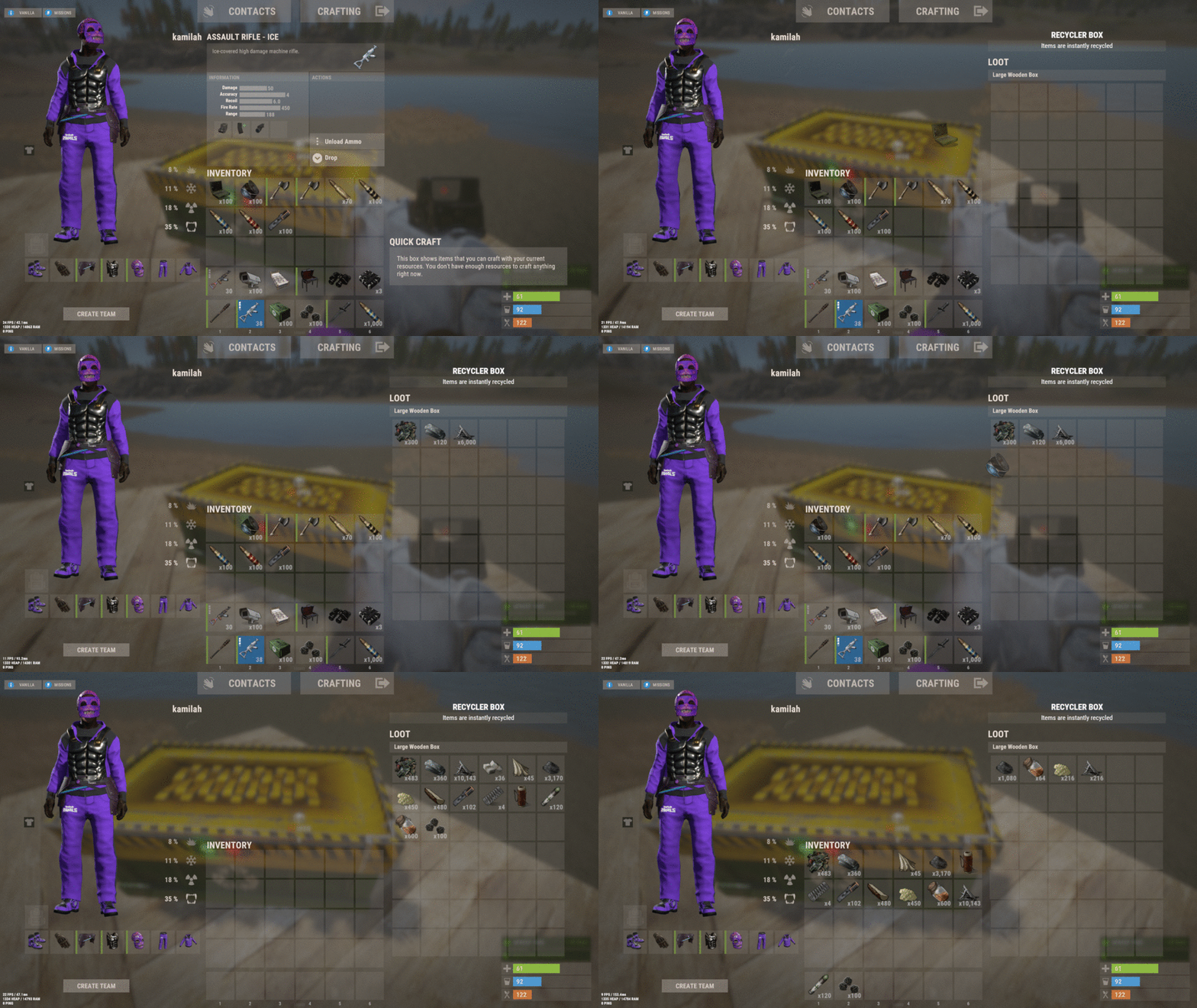 Hey there! Great minds think alike! I just uploaded an update with the small box option. It's like we were on the same wavelength! Thanks for the link, and keep those awesome ideas coming. Who knows what we'll cook up next?
 -
It’s not difficult, and I'll take a look at it tomorrow. I think I might add more box options as well.
-
Fixed RecycleDropped!
-
I've just finished making the changes you requested: Added an option for a skin blacklist. Added an option to send items from the virtual recycler directly to the inventory. Added German translation. Let me know if everything works as expected!
-
That's a great idea! I’ll try to implement that in the new version within the next few days as well
-
In the current version, when you close the virtual box with items inside, they drop directly to the ground. So, it's always a good idea to grab the items before closing it. However, in the next version, there will be an option to send the items to your inventory before they fall to the ground. If your inventory is full, only then will the items drop.
-
It would be great if plugin descriptions supported HTML formatting. This would allow developers to use headings, lists, links, and other elements to make descriptions more structured and easier to read. It would also improve user experience by making key information more accessible and visually organized.
-
Hi! Just uploaded new version with this feature!