-
Posts
67 -
Joined
-
Last visited
Content Type
Profiles
Warranty Claims
Downloads
Forums
Store
Services
Downloads Plus Support
DOWNLOADS EXTRA
Reels
Everything posted by MrMokka
-
I think i found out why, seems the water well trades load after plugins load. So when it enables the markers, the traders dont exists yet in the world. I have a fix for it, uploading in a sec
-
Plugin not loading, or markers not showing after server reload? Any errors in console? Can you use command to enable without reloading the plugin?
-
Changed Status from Pending to Work in Progress Changed Fixed In to 1.0.1
-
I have not been able to recreate what i think is your error, but i have added some more debugging text to help find it, if it happens again. I have also added more checks for object reference errors to avoid the plugin getting stuck. I did find an object reference error case when trying to disable markers when they are disabled (idk if this might be something that happened to you) New version is uploaded, would be great if you respond in this support thread if you don't have any issues with this anymore, or still have similar issues
-
Thank you for the extra info, I will look into it and get it fixed as soon as possible
-
Do you have any more information on when this happened? Did it happen when one of the command was run? Might one of the water well npcs been dead? Can it be because of another plugin? Which one can it be? Was there any more info in console than just "Object reference not set to an instance of an object"?
-
Changed Status from Pending to Not a Bug
-
 In future, please make a support ticket when things like this happens. Fixed in version 1.0.1. Config has changed a little bit, so take a backup
 -

Version 1.0.4
66 downloads
Want to see Water Well trader's stock, without visiting him first? With this plugin you can! Simply adds a vending machine marker on the map showing the current stock. Features: Automatically creates markers when plugin loads, and removes them when plugin unloads Marker is automatically updated when the trader stock changes Admin command to enable/disable markers without plugin reload Commands: (Require admin/moderator) /wwenable - Enables markers /wwdisable - Disables markers$3.00- 1 review
-
- 1
-

-
- #water well
- #marker
- (and 3 more)
-
Version 1.0.3
82 downloads
Gives the ability to shoot rockets in burst mode. With customizable permissions to limit how many rockets you can burst. Will remove rockets from inventory or hotbar to allow multiple rockets to fire. If you don't have enough rockets, then the spawned rockets will be limited (matching how many rockets you have) Commands: /delay - Admin only command to edit the burst delay from chat. /burst {number} - Set the burst to {number} rockets. Amount of rockets is limited by permission Permissions: burstrocket.inf - Can set burst to any number of rockets, only limited by the "max possible burst" config setting burstrocket.free - Using burst do not cost any rockets, except the rocket in the launcher (amount of rockets used is set to 1) burstrocket.admin - Allows the use of the Delay command Default config: { "Rockets allowed to use burst mode": [ "rocket_basic", "rocket_fire", "rocket_hv", "rocket_smoke" ], "Burst permissions": [ "burstrocket.3", "burstrocket.6", "burstrocket.9" ], "Delay between rockets": 0.1, "Max possible burst (limits infinite permission)": 20, "Config Version": "1" } Rockets allowed to use burst mode: Array of rocket prefab shortname for rockets that can be used in burst mode Burst permissions: List of permissions with number of max amount of rockets per burst. Important: Permissions has to have this structure: "burstrocket.x" where you can change x for any positive whole number Delay between rockets: Amount of seconds between rockets, making this too low can have some funky physics result. 0.1 works great. Max possible burst: The max amount the burst can be set to, this overrides any permission (including the infinite permission)$7.00 -
 That is a great idea, however it's outside the scope of the plugin. I can get a new plugin made for this and bundle it with this one
 -
Version 1.0.1
35 downloads
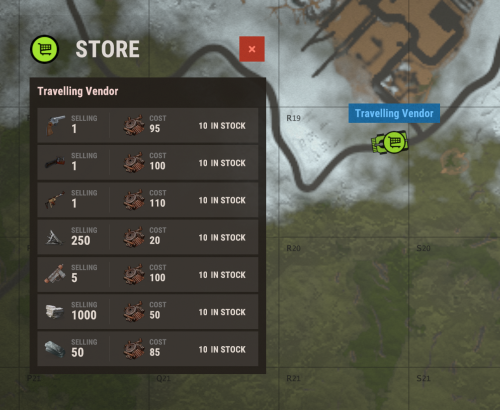
Ever wanted to see what the travelling vendor has for sale, without walking up to it? Now you can! This plugin adds a small vending machine icon on the travelling vendor for you to see it's stock from anywhere. Config: Refreshtime for marker - How often the marker should update, lower value makes it move smoother with the travelling vendor icon Default config: { "Refreshtime for marker": 10.0 }$5.00- 3 comments
-
- 1
-
-
- #vendor
- #travelvendor
- (and 3 more)
-
 Currently no
 -
Changed Status from Not a Bug to Closed
-
No problem, i'm always happy to help. It was nice to actually get some proper testing done to back up my idea that the first diesel is not 100% and that is a vanilla feature, so thankyou for bringing up any possible issues they can be fixed
-
Changed Status from Work in Progress to Not a Bug
-
I did some more testing myself and this is what i got. You can use this and see if we get the same results Red square - Vanilla settings, no QuarryController or GatherManager plugin Green square - QuarryController and GatherManager, but both with default config Yellow square - Used 1 diesel (the other is 2 diesel) The HQM in yellow square - Selected mining resource 60sec after i clicked the on button I have increased stack size Everything is in pairs, because i didn't combine the outputs in one stack. So each of the 25 HQM is from each of the outputs, but from the same diesel (if that makes sense)
-
Changed Status from Pending to Work in Progress
-
Hi, I will take a look at this when i have time after work today. But something i have noticed is that the giant excavator starts using diesel once you start the excavator, not when you select the resource. I will have a friend over for testing this properly tho, so will get this fixed For the format part, it's not that easy. The excavator works verry differently than the other quarries, has a different setup, different functions and different basically everything ;). I can take a look at it while fixing the other issue, but i won't promise any changes to the quarry config
-
Version 1.0.3
22 downloads
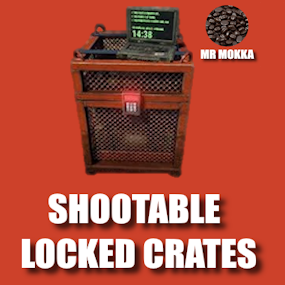
Want the locked crate timer to go faster but not for free? Trade bullets for time and shoot your timer down! Powerful and easy config to give you full control. Chat commands (only enabled with config): /slcspawn - Spawn a locked crate at your location /slcremove - Remove looked at crate Permissions Need permission to use commands: shootablelockedcrates.admin Config Default config includes most weapons, but it's highly recommended to at least look over and tweak it as needed. Note that DLC weapons count as a unique item and has to be added separately (look at rifle.ak as example) Default weapon damage - How many seconds to remove from timer when weapon not specified Weapon damage - {"weapon.short.name": seconds} How many seconds to remove from timer with specified weapon, overrides default weapon damage for this weapon Default bullet damage - How many seconds to remove from timer when bullet is not specified Bullet damage - {"bullet.short.name": seconds} How many seconds to remove from timer with specified bullet, overrides default bullet damage for this bullet Time removed from weapons and bullets are added together before the crate timer is changed, this gives some interesting options. Examples using default config: Using a rifle.ak (3.0) with ammo.rifle (1.0) will remove 4 (3.0 + 1.0) seconds from the timer each shot Using a rifle.ak (3.0) with ammo.rifle.hv (2.0) will remove 5 (3.0 + 2.0) seconds from the timer each shot Using a rifle.bolt (10.0) with ammo.rifle.hv (2.0) will remove 12 (10.0 + 2.0) seconds from the timer each shot Negative numbers also work. Using a pistol.nailgun (0.0 because of default weapon damage) with ammo.nailgun.nails (-1.0) will add 1 (0.0 - 1.0) second to the timer each shot { "Default weapon damage": 0.0, "Weapon damage": { "rifle.ak": 2.0, "rifle.ak.diver": 2.0, "rifle.ak.ice": 2.0, "rifle.lr300": 4.0, "rifle.m39": 7.0, "rifle.bolt": 10.0, "rifle.l96": 20.0, "rifle.semiauto": 3.0, "rifle.sks": 3.0, "shotgun.double": 0.5, "blunderbuss": 0.5, "shotgun.m4": 0.5, "shotgun.pump": 0.5, "shotgun.spas12": 0.5, "smg.2": 2.0, "smg.mp5": 0.5, "smg.thompson": 0.5, "pistol.m92": 2.0, "pistol.prototype17": 4.0, "pistol.python": 5.0, "pistol.revolver": 2.5, "pistol.semiauto": 2.0, "minigun": 0.5, "hmlmg": 1.0, "lmg.m249": 1.5 }, "Default bullet damage": 0.0, "Bullet damage": { "ammo.rifle": 1.0, "ammo.rifle.hv": 2.0, "ammo.rifle.explosive": 3.0, "ammo.pistol": 1.0, "ammo.pistol.hv": 2.0, "ammo.pistol.incendiary": 3.0, "ammo.shotgun": 0.2, "ammo.shotgun.fire": 0.3, "ammo.nailgun.nails": -1.0 } }$5.99-
- 1
-
-
- #locked
- #locked crate
- (and 3 more)
-
This was not done because of a conflict with GatherManager, but is now fixed in version 1.0.3
-
Changed Status from Work in Progress to Closed
-
Update is out, note that the config is changed and will create a new default.