

NooBlet
-
Posts
1,572 -
Joined
-
Last visited
-
Days Won
14
Content Type
Profiles
Warranty Claims
Downloads
Forums
Store
Services
Downloads Plus Support
DOWNLOADS EXTRA
Reels
Everything posted by NooBlet
-
 @dylanstar12 added config to disable corpses on oilrig for you . default is set to true . so just update for it to work
 -
Changed Status from Pending to Not a Bug
-
TRAIN speeds is clamped by facepunch . as soon as you get past that the trains behave weird and glitch on tracks so you only able to speed up a tiny bit . not really noticeable .
-
 "SimpleRangeFinder (1.0.2) (588 KB), Total Hook Time = 0.111091", how long has your server been running before restart . remember all hooks from all plugin accumulate mem while active . simple range finder has one hook . and due to the nature of the use of a range finder you cant turn off hook or it will disable the function to detect if player is scoping. so its always a good idea to restart your server atleast one per day , my hook timke is low . and my server restarted 10 hours ago (every morning at 4am).
 -
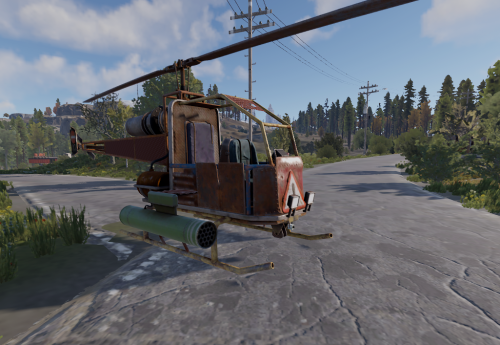 hard to say with just that info . did the plyer mount a attackheli when this happened or other mountable?
 -
So for this weekend im planning the release of the hardmode feature . that will add 3 events on 3 time stamps to make it harder. timing is on 50% , 25% and 10% time left on main crate and the 3 events (more to be added later for more randomness) 1. inbound patrol helicopter . 2. Extra chinook bringing in heavy's . and a f15 to drop radiation on oil for 20sec .. Radiation is in gradient so if you in middle center of rig you will get the most rad's and top at side the least so at moment i just want to get my players to play a event to record a new video to explain the whole event after our wipe today then im ready to release over weekend . if there is any thoughts on this please let me hear it ... and see if i can make the adjustments.
-
just to add . its not always 29 days ... that was just once in my case . ive had some that was done in few days . just trust the team is working hard
-
updating now for truepve
-
Like i said with all the ai generated code it takes them time ti weed out the stuff . Just thank openai and lazy idiots thinking they can code
-
Longest . Ive waited was 29 days . But it could be longer . You have no idea how huge the list is
-
True pve has a api to prevent this . but need for the deployablecore plugin
-
DeployableCore . where is this from
-
so the list extremely long best way to tell if its close . if you see 1 download . that would be a curator thats looking at it,,,, stay strong . it can some time take a long time
-
Changed Status from Pending to Closed
-
that still dont happen with this plugin code .
-
this plugin dont spawn random items . and dont persist spawn of current items on restart . only spawn is player spawn . and when deleted dont return
-
Changed Status from Pending to Closed Changed Fixed In to 1.1.9
-
 no problem sir
 -
Does it work now?
-
i dont know about iq chat , but it should as it uses facepunch method of communicating , and the with or without betterchat it works . so i can asume that it should work with IQchat
-
please check update 1.1.9 . and see if that works for you . bc i cant find the issue that you having , so ive changed the searched method to something n bit more robust . im hoping this works for you this is the test my side before this change . so . im hoping new update works for you
-
ok using oxide or carbon ?
-
 right now it only supports monument portals for persistence .... i dont think i will do anywhere at any time portals