CrazyRust
-
Posts
649 -
Joined
-
Last visited
-
Days Won
2
Content Type
Profiles
Warranty Claims
Downloads
Forums
Store
Services
Downloads Plus Support
DOWNLOADS EXTRA
Everything posted by CrazyRust
-
Version 1.0.3
114 downloads
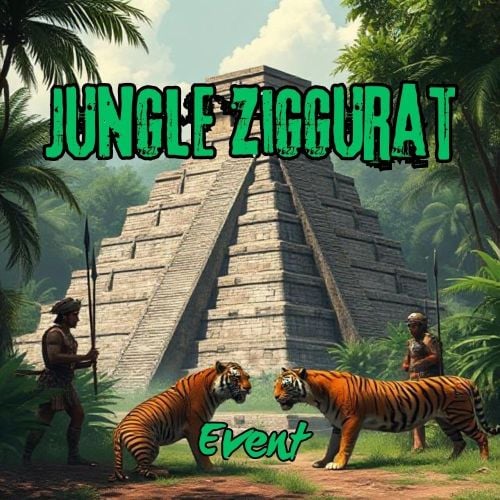
The Jungle Ziggurat event is an exciting event where NPCs respawn and finding the code for the ladder hatch built into the ceiling gives players a unique experience. No permissions Server console commands: jzestart jzestop Hook: void OnJungleZigguratEventStart() void OnJungleZigguratEventStop() Contact: Additional free plugins created by me are available on Discord: https://discord.gg/C5CehdJMdK Config: { "Version": { "Major": 1, "Minor": 0, "Patch": 0 }, "Automatic event start": true, "Minimum time for event start": 3600.0, "Maximum time for event start": 7200.0, "Duration of the event": 2800.0, "Warning messages before event start": 300.0, "Warning messages before event end": 300.0, "Chat icon": 0, "Locked crate hack time": 900.0, "Disable BetterNpc plugin npc's for the duration of the event?": false, "Spawn NpcSpawn Scientist?(Required: NpcSpawn plugin!)": true, "Spawn BotReSpawn Scientist?(Required: BotReSpawn plugin!)": false, "BotReSpawn profil name:": "", "BotReSpawn Npc's number": 10, "Do you use a sphere around the code note?": true, "Garage doors SkinID": 3472105038, "Armored door SkinID": 3481083092, "Messages setting": { "Message before the event starts.": "Everyone be careful, the <color=#ff0000>Jungle Ziggurat Event</color> is about to start.", "Warning message before the event stop.": "The Jungle Ziggurat event will end soon!!", "Message when someone event owner": "has become the owner of <color=#ff0000>Jungle Ziggurat Event</color>!", "Send a message when someone damages the ladder hatch": "Find the code!", "Send a message when someone enterned the code into the ladder hatch": "Opened the ladder hatch at the <color=#ff0000>Jungle Ziggurat Event</color>", "Start message": "<color=#ff0000>Jungle Ziggurat Event</color> has started!!", "Stop message": "<color=#ff0000>Jungle Ziggurat Event</color> end!", "Map marker name": "Jungle Ziggurat Event", "Map marker radius": 0.6, "Color": { "r": 1.0, "g": 0.0, "b": 0.0 } }, "AutoTurret setting": { "Health": 300.0, "Weapon ShortName": "rifle.ak", "Ammo ShortName": "ammo.rifle", "Number of ammo": 5000 }, "List of lootable crates": [ { "Prefab": "assets/bundled/prefabs/radtown/crate_elite.prefab", "Position": "(-0.950, 0.025, 7.651)", "Rotation": "(0, 0, 0)", "Are you deleting the original loot from the crate?": false, "Use custom loot?": false, "CustomLoot": { "Minimum items": 1, "Maximum items": 1, "Use minimum - maxium?": false, "List of items": [ { "ShortName": "xmas.present.small", "Minimum": 3, "Maximum": 6, "Chance": 100.0, "Give blueprint?": false, "SkinID": 0, "Displayname": "" } ] } }, { "Prefab": "assets/bundled/prefabs/radtown/crate_elite.prefab", "Position": "(2.175, 0.025, 7.651)", "Rotation": "(0, 0, 0)", "Are you deleting the original loot from the crate?": false, "Use custom loot?": false, "CustomLoot": { "Minimum items": 1, "Maximum items": 1, "Use minimum - maxium?": false, "List of items": [ { "ShortName": "xmas.present.small", "Minimum": 3, "Maximum": 6, "Chance": 100.0, "Give blueprint?": false, "SkinID": 0, "Displayname": "" } ] } }, { "Prefab": "assets/prefabs/npc/patrol helicopter/heli_crate.prefab", "Position": "(0.217, 12.227, 1.822)", "Rotation": "(0, 0, 0)", "Are you deleting the original loot from the crate?": false, "Use custom loot?": false, "CustomLoot": { "Minimum items": 1, "Maximum items": 1, "Use minimum - maxium?": false, "List of items": [ { "ShortName": "xmas.present.small", "Minimum": 3, "Maximum": 6, "Chance": 100.0, "Give blueprint?": false, "SkinID": 0, "Displayname": "" } ] } }, { "Prefab": "assets/prefabs/deployable/chinooklockedcrate/codelockedhackablecrate.prefab", "Position": "(-1.868, 12.219, -1.658)", "Rotation": "(0, 0, 0)", "Are you deleting the original loot from the crate?": false, "Use custom loot?": false, "CustomLoot": { "Minimum items": 1, "Maximum items": 1, "Use minimum - maxium?": false, "List of items": [ { "ShortName": "xmas.present.small", "Minimum": 3, "Maximum": 6, "Chance": 100.0, "Give blueprint?": false, "SkinID": 0, "Displayname": "" } ] } }, { "Prefab": "assets/prefabs/deployable/chinooklockedcrate/codelockedhackablecrate.prefab", "Position": "(-1.868, 12.219, -0.102)", "Rotation": "(0, 0, 0)", "Are you deleting the original loot from the crate?": false, "Use custom loot?": false, "CustomLoot": { "Minimum items": 1, "Maximum items": 1, "Use minimum - maxium?": false, "List of items": [ { "ShortName": "xmas.present.small", "Minimum": 3, "Maximum": 6, "Chance": 100.0, "Give blueprint?": false, "SkinID": 0, "Displayname": "" } ] } } ], "Npcs settings": { "Minimum": 5, "Maximum": 6, "List of position": [ "(3.464, 0, -20.125)", "(22.754, 0, -10.366)", "(10.214, 0, 20.393)", "(-17.770, 0, 13.808)", "(-19.324, 0, -20.945)", "(1.784, 0.025, -7.372)", "(7.526, 0.025, 5.557)", "(7.203, 0.025, -0.254)" ], "NPCs setting": { "Name": "Jungle Guard", "Health": 150.0, "Roam Range": 30.0, "Chase Range": 30.0, "Attack Range Multiplier": 2.0, "Sense Range": 40.0, "Target Memory Duration [sec.]": 60.0, "Scale damage": 0.6, "Aim Cone Scale": 1.5, "Detect the target only in the NPC's viewing vision cone? [true/false]": false, "Vision Cone": 135.0, "Speed": 7.5, "Disable radio effects? [true/false]": false, "Is this a stationary NPC? [true/false]": false, "Use custom loot?": false, "CustomLoot": { "Minimum items": 1, "Maximum items": 1, "Use minimum - maxium?": false, "List of items": [ { "ShortName": "xmas.present.small", "Minimum": 3, "Maximum": 6, "Chance": 100.0, "Give blueprint?": false, "SkinID": 0, "Displayname": "" } ] }, "Wear items": [ { "ShortName": "hat.tigermask", "SkinID (0 - default)": 0 }, { "ShortName": "pants", "SkinID (0 - default)": 3468431914 }, { "ShortName": "hoodie", "SkinID (0 - default)": 3468432155 }, { "ShortName": "roadsign.jacket", "SkinID (0 - default)": 3472579116 }, { "ShortName": "roadsign.kilt", "SkinID (0 - default)": 3472577950 }, { "ShortName": "shoes.boots", "SkinID (0 - default)": 916448999 } ], "Belt items": [ { "ShortName": "blowpipe", "Amount": 1, "SkinID (0 - default)": 0, "Mods": [], "Ammo": "" }, { "ShortName": "syringe.medical", "Amount": 2, "SkinID (0 - default)": 0, "Mods": [], "Ammo": "" }, { "ShortName": "grenade.bee", "Amount": 2, "SkinID (0 - default)": 0, "Mods": [], "Ammo": "" } ] } }, "PVE Mode Setting (only for users PveMode plugin)": { "Use PveMode plugin?": false, "Required damage to the event owner": 500.0, "The event is a right of ownership, to obtain it you need damage multiplier.": { "Npc": 1.0 }, "Non owner can loot the crates?": false, "Non owner can loot the Npc's?": false, "Non owner can damage Npc's?": false, "Non owner can be attacked by Npc's?": false, "Non owner, can you enter the event zone?": false, "Allow a player who has an active cooldown of the Event Owner to enter the event zone?": true, "The time that the Event Owner may not be inside the event zone.": 300, "The time until the event owner can return to the event zone.": 60, "Block the RestoreUponDeath plugin in the event zone.": true, "After all this time, an event owner can be an event owner again.": 86400.0, "Darkening the sphere.": 15 } }$20.00 -
 Yes
Yes -
Hi. The cooldown time is the same as the normal cooldown time.
-
Version 1.0.2
28 downloads
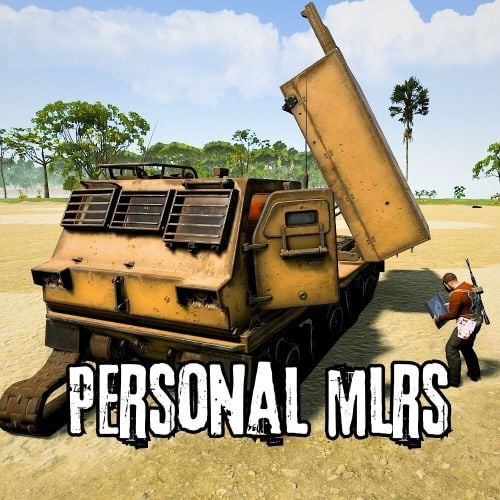
With this plugin, anyone can have their own customized MLRS launcher. The owner can pick up the MLRS with a hammer if the MLRS rocket container is empty and the MLRS is not broken. In the config file, you can set that only the owner can use the MLRS, and you can also set the number of rockets that can be fired and the damage multiplier. No Permission! Only Admin chatcommand: /givemlrs Contact: Discord: https://discord.gg/C5CehdJMdK Test Rust server: 212.73.137.3:27195 Config: { "Version": { "Major": 1, "Minor": 0, "Patch": 2 }, "Use MLRS only owner player": true, "MLRS item skinID": 3442989910, "MLRS item ShortName": "abovegroundpool", "Total missile capacity of the MLRS": 48, "MLRS Damag scale": 1.0, "MLRS Broken time (sec)": 600.0, "Messages setting": { "No owner message": "You are not the owner of this <color=#ff0000>MLRS</color>.", "Message if MLRS is broken": "<color=#ff0000>MRLS is broken!</color>", "Message when MLRS rocketcontainer no empty": "<color=#ff0000>MRLS Rocketcontainer is not empty!</color>", "Message when player inventory is full": "You are inventory is full!!" }, "Discord Webhook URL": "https://support.discordapp.com/hc/en-us/articles/228383668-Intro-to-Webhooks", "Discord message when using MLRS": false } Video:$9.00 -
 Hi! I'll look into it.
 -
.thumb.jpg.abf1fd59843548e9432884c628646fc5.jpg) These are just prefabs. You can add them to the map in the Rustedit.
These are just prefabs. You can add them to the map in the Rustedit. -
 Hi. https://umod.org/plugins/object-remover or The prefab name: "assets/prefabs/io/electric/other/alarmsound.prefab"
 -
 You can use a custom name.
 -
-
 Ready
Ready -
Please do not confuse the two plugins. This is an event where a horde spawns.
-
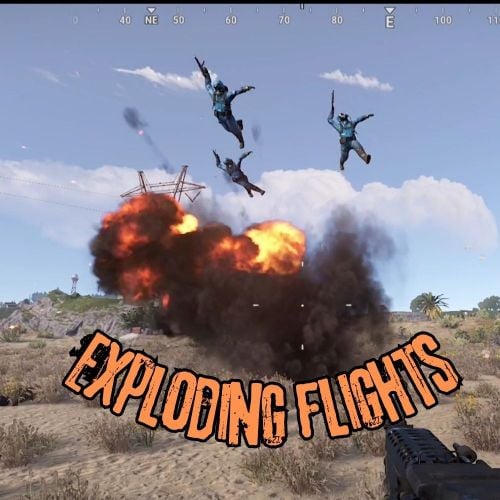
Version 1.0.3
10 downloads
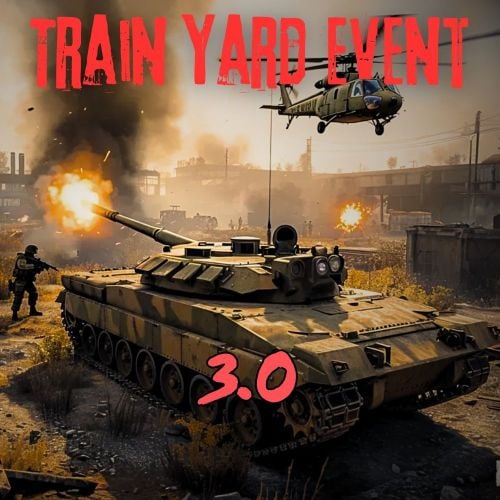
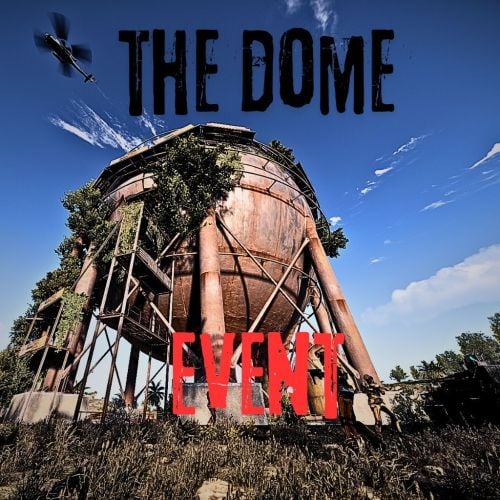
This plugin will send a shockwave of explosion to fly away nearby Players or NPCs. The plugin has an extra feature that allows NPCs to be wounded. These NPCs can be handcuffed or even fired. This can be set in the config file. The plugin supports the event plugins I have created. Supported weapons: - Basic Rocket - Timed Explosive Charge - Propane Explosive Bomb - Landmine No command and permission. Contact: Discord: https://discord.gg/C5CehdJMdK Config: "Do you use the npc wounded function for other damage?": true (If the NPC's Health is 10 or less, the next hit will cause the NPC to be wounded. For example, if the NPC's Health is 11 and the next hit deals 12 damage, the NPC dies.) "Clear belt items from npc's": true (When the NPC is wounded or blown away by the explosion, his weapons disappear from his belt. This setting is recommended for NPCs in Botrespawn.) "Can you loot the NPC when wounded?": false (Is it possible to loot NPCs in wounded state) "Players ignored?": true (Make the players fly away from the explosion) "Players instant death?": false (After landing, the player dies) "Npc instant death?": false (After landing, the NPC dies - If set to false, the NPC will be wounded after landing) "Boss monster NPCs ignored?": true (Bossmonster NPCs are exceptions) "Use Propane Explosive Bomb on the MiningOutpost event?": true ( ) "Use Propane Explosive Bomb on the Train Yard event?": true ( ) "Use Propane Explosive Bomb on the Missile Silo event?": true ( When the event starts, propane gas cylinders spawn in the event area. ) "Use Propane Explosive Bomb on the The Dome event?": true ( ) "Use Propane Explosive Bomb on the The Zombie Horde event?": true ( ) "Proban Explosive Bomb minimum fuse time": 0.1, ( Explosion time of propane bombs spawning at events ) "Proban Explosive Bomb maximum fuse time": 0.2 Video:$15.00- 1 comment
-
- 2
-

-
- #exploding
- #explosive
- (and 2 more)
-
Version 1.0.1
92 downloads
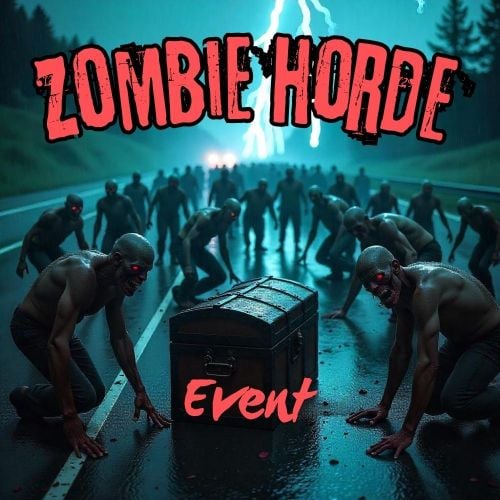
The event is started automatically or by console command. A chinook crate spawns in a random position on a road on the map and is guarded by Zombies. The event is made difficult by the fact that you can only damaged Zombies from a distance set in the config file. In the config file, you can set the Horde to always spawn to the same custo spawn position. Console command: - hordestart - hordestop Hook: void OnZombieHordeEventStart() void OnZombieHordeEventStop() Contact: Discord: https://discord.gg/C5CehdJMdK Test Rust server: 213.181.206.21:27194 Video: Config: { "Version": { "Major": 1, "Minor": 0, "Patch": 0 }, "Automatic event start": true, "Minimum time for event start": 3600.0, "Maximum time for event start": 7200.0, "Duration of the event": 2800.0, "Warning messages before event start": 300.0, "Warning messages before event end": 300.0, "Spawn the event at a custom spawn point?": false, "Custom spawn position:": "(0, 0, 0)", "Chat icon": 0, "Number of zombies in the horde": 20, "The distance of the Zombies' damage": 50.0, "Zombies setting": { "Name": "Zombie", "Health": 150.0, "Wear items": [ { "ShortName": "frankensteins.monster.01.head", "SkinID (0 - default)": 0 }, { "ShortName": "frankensteins.monster.01.legs", "SkinID (0 - default)": 0 }, { "ShortName": "frankensteins.monster.01.torso", "SkinID (0 - default)": 0 } ], "Use custom loot?": false, "CustomLoot": { "Minimum items": 1, "Maximum items": 1, "Use minimum - maxium?": false, "List of items": [ { "ShortName": "halloween.lootbag.small", "Minimum": 3, "Maximum": 6, "Chance": 100.0, "Give blueprint?": false, "SkinID": 0, "Displayname": "" } ] } }, "Locked crate hack time": 120.0, "Use only custom loot?": false, "The loot in the locked crate": { "Minimum items": 1, "Maximum items": 1, "Use minimum - maxium?": false, "List of items": [ { "ShortName": "xmas.present.small", "Minimum": 3, "Maximum": 6, "Chance": 100.0, "Give blueprint?": false, "SkinID": 0, "Displayname": "" } ] }, "Messages setting": { "Message before the event starts.": "<color=#ff0000>Zombie Horde</color> will spawn soon", "Message before the event stop.": "<color=#ff0000>Zombie Horde</color> will end soon!!", "Start message": "<color=#ff0000>Zombie Horde</color> spawn on:", "Stop message": "<color=#ff0000>Zombie Horde</color> Event stop!!", "Map marker name": "Zombie Horde", "Map marker radius": 0.6, "Distance warning": "Zombies are too far away, get closer", "Color": { "r": 1.0, "g": 0.0, "b": 0.0 } } }$20.00 -
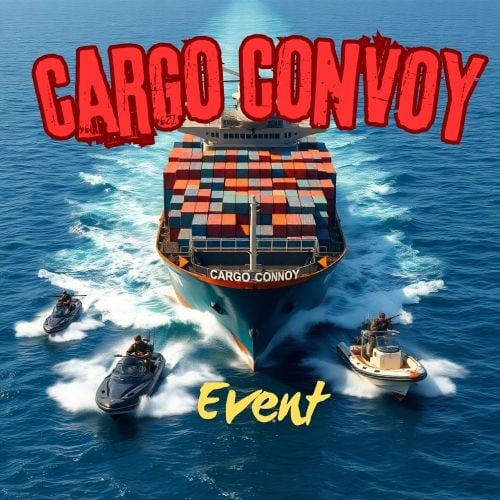 Hi. I'm working on it
 -
Hi. I can also put some spawn points inside the sphere.
-
Please enter it in the webadmin console of the server, not in the F1 console.
-
.thumb.jpg.213670c5f4c988c282867d0bb06583e5.jpg) Hi I will add this option in a future update. In the meantime, I suggest to lower the ammo quantity in the turret setting to 1, or put a trumpet in the turret.
Hi I will add this option in a future update. In the meantime, I suggest to lower the ammo quantity in the turret setting to 1, or put a trumpet in the turret. -
Hi, I can recommend the EventManager plugin
-
.thumb.gif.c307d70618c13c911fe1d652a2c179f1.gif) Where to buy?
Where to buy? -
Hi, is it possible to make it work with BBq? And give the animals individual meats that can be cooked?
-
Hi the event will end when the event time expires. Since the event is based on the normal cargo event, it is not possible for the event to end after the crates have been fired because not all crates are crates for the event.
-
I do not understand this.
-
Hi. You can disable the normal facepunch event in the config file. This is highly recommended because you can stop the cargo convoy. And if the normal cargo comes afterwards, the two cargoes will go through each other, and because of ac NPC spawns it's not good to have both events at the same time. With the harbor event it works there it's just important that the two events don't run at the same time. This can be solved with an event manager.
-
Le problème était probablement que les deux événements se déroulaient en même temps. Veuillez essayer de régler les deux événements de manière à ce qu'ils ne soient pas simultanés.
-
Hi. Are you using the harbor event? Or is the normal facepunch cargo event turned on?