
Monster
-
Posts
1,201 -
Joined
-
Last visited
-
Days Won
10
Content Type
Profiles
Warranty Claims
Downloads
Forums
Store
Services
Downloads Plus Support
DOWNLOADS EXTRA
Reels
Everything posted by Monster
-
 In a few days.
 -
 oxide/lang
 -
I'll add this in an update so I don't have to switch from container to regular metal and back to container.
-
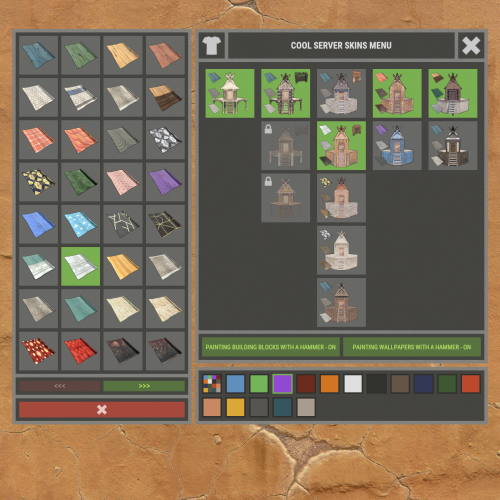
AutoBaseUpgrade actually has the wrong UI. You need to make some changes in its configuration. "AnchorMax": "0.5 0.0", "AnchorMin": "0.5 0.0", "OffsetMax": "516 595.5", "OffsetMin": "516 595.5" Also change a little bit the location of buttons in XBuildingSkinMenu. "OffsetMin - button 1": "395 607.5", "OffsetMax - button 1": "572.5 627.5", "OffsetMin - button 2": "395 630", "OffsetMax - button 2": "572.5 650" @Elloco @ChristopherS
-
Do you have the AutoBaseUpgrade plugin installed? Perhaps something else that draws the UI when the cupboard is open? @Elloco@ChristopherS
-
I had one person write to me about it. I tested for 24 hours on my local server, i can't get this bug. Maybe it's because of some other plugin or a bug after the update.
-
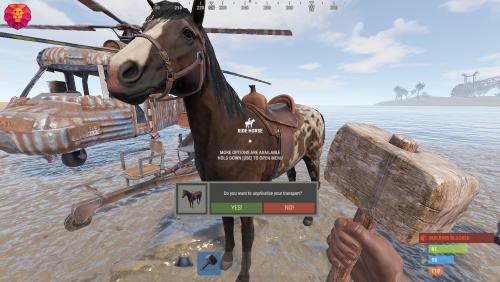 You and the transport must be within the coverage area of someone else's cupboard. This can be changed in the config.
 -
Changed Status from Pending to Closed Changed Fixed In to 1.0.7
-
All right, I'll check it out.
-
Settings in the configuration. "AnchorMin - button 1": "0.5 0", "AnchorMax - button 1": "0.5 0", "OffsetMin - button 1": "395 585", "OffsetMax - button 1": "572.5 605",
-
Changed Status from Pending to Not a Bug Changed Fixed In to 1.3.0
-
 Yes, I'll make some minor edits in the update. Then it will be compatible with all plugins, with Raid, Stats, Limit, Restrictions, etc functions.
 -
Version 1.0.3
112 downloads
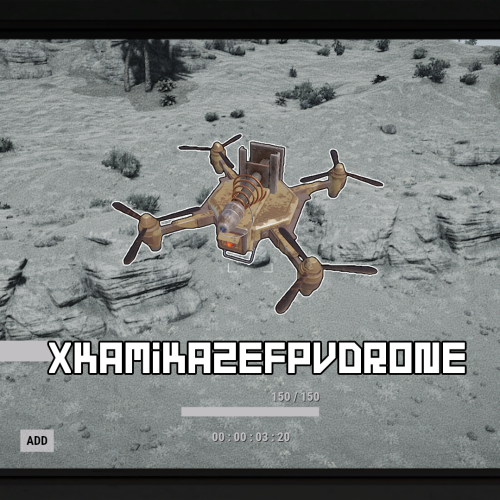
XKamikazeFPVDrone - kamikaze drone for your server. - Optimization of the interface for different monitor resolutions. - There is a lang ru/en/uk/es. - Sound effects when interacting with the menu. - The ability to craft a drone. - The ability to give away a drone by command. [ Shop and other things. ] - The ability to change the drone's camera speed. - The ability to change the speed and manoeuvrability of the drone. - The ability to customise the radius and scale of damage. - The creator of the explosives is the player controlling the drone. [ Settings in the config. ] - Instant drone detonation if the explosives took damage. [ Settings in the config. ] - Automatically add the player drones ID to the computer station they are sitting at. [ Radius: 15 meters ] Permissions xkamikazefpvdrone.usecraft - access to the drone crafting. Commands /craft.d - to open the crafting menu. give_drone steamID amount - to give the player a drone. API bool API_IsFPVDrone(Drone drone) - returns True/False if it's a kamikaze drone. Hooks void OnDroneExplode(Drone drone, Vector3 position) - is called when a kamikaze drone explodes. Config { "Drone settings": { "Drone skin": 0, "The speed at which the drone camera moves left and right. [ Default: 2.0 ]": 5.0, "The speed at which the drone camera moves up and down. [ Default: 2.0 ]": 5.0, "The speed of the drone moving left, right, forward and backward. [ Default: 10.0 ]": 50.0, "The speed of the drone moving up and down. [ Default: 10.0 ]": 50.0, "Automatically add the player drones ID to the computer station they are sitting at. [ Radius: 15 meters ]": false }, "Explosive settings": { "Explosion radius. [ Default: 3.8 ]": 5.0, "Damage scale. [ Default: 1.0 - 137 HP ]": 2.5, "The creator of the explosives is the player controlling the drone. [ Useful for killing players on your own behalf. Blocks damage in a safe zone. Supports many plugins - TruePVE, RaidProtection, etc. ]": true, "Instant drone detonation if the explosives took damage.": false }, "Craft settings": { "Crafting workbench level. [ 0 - workbench is not required ]": 2, "List of crafting resources": { "ammo.rocket.basic": 1, "techparts": 1, "battery.small": 1, "ducttape": 2, "wiretool": 1, "gunpowder": 25, "cloth": 10, "lowgradefuel": 5 } } }$10.99 -
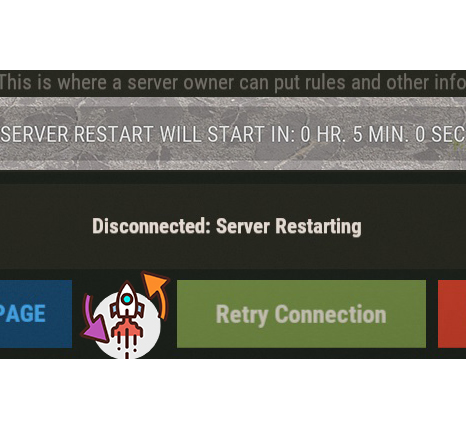
The last value is what you need. "Setting warnings N minutes before restart": [ 60, 45, 30, 15, 10, 5 ]
-
By default, the plugin warns 60, 45, 30, 15, 10 and 5 minutes in advance and then the countdown will start. You can change this in the config and set it to only 3 (3 minutes before the countdown).