

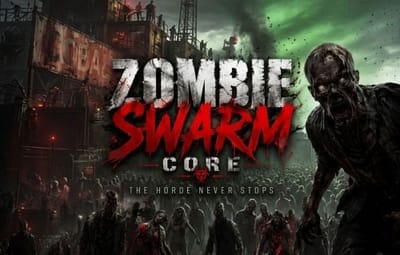
About Zombie Swarm Core
Turn your Rust server's nights into a survival challenge.
Stop spawning random NPCs. Start orchestrating a coordinated apocalypse.
Zombie Swarm Core is a high-performance, squad-based system that transforms how NPCs interact with your players. This plugin doesn't scatter individual zombies across the map; instead, it creates connected squads that patrol, hunt, and move as a single, intimidating unit.
 Version Features
- Zombie Swarm gives you complete control over the threat cycle:
- Classic Terror: Hordes appear only at nightfall.
- Daytime Scourge: Keep players on edge even in broad daylight.
- 24/7 Survival: Configure the swarm to be a constant and relentless threat.
- Custom Time Windows: Define the exact start and end times for horde activity.
- Nighttime Visual Effects: Optional glowing eyes effect for terrifying nighttime encounters.
- Auto-Cleanup: Automatically removes NPCs and corpses when the event ends.
 Advanced squadron intelligence
Coordinated movement: NPCs move as a unified swarm, maintaining formation.
- Dynamic states:
- Patrol mode: Monitors areas when no players are nearby.
- Pursuit mode: Aggressively pursues players upon detection.
- Hive mind system: Damage one zombie... and the entire squad instantly becomes aggressive.
- Adaptive behavior: Zombies dynamically change their actions at configurable intervals.
 Server performance and optimization
- No map scanning: Uses intelligent radio-based player generation.
- Optimized physics: Cached environmental checks.
- High-speed data handling: Uses HashSets for fast feature management.
- Automatic cleanup system: Prevents feature buildup and lag.
 Intelligent spawning system
- Efficient, immersive, and fully customizable:
- Player-based generation: Hordes dynamically spawn around players.
- Distance control: Configure the minimum and maximum spawn range.
- Horde limits:
- Maximum number of zombies worldwide
- Hors per player
- Zombies per horde
 Automatic recharge: Maintains constant pressure by replenishing hordes over time.
 Patrol movement and behavior
- Bring your zombies to life (and scare them):
- Sprint probability: The chance that zombies will sprint while on patrol.
- Behavior intervals: Control how often zombies change their actions.
- Formation spacing: Adjust how close together teams move.
 Commands and Permissions
Permission: zombieswarm.admin (or server administrator)
/swarms - Displays the current status of active hordes and the overall entity count.
 Configuration file
{
"1. General Settings": {
"Hordes Always (24/7)": true,
"Start Hour (0-24)": 10.0,
"End Hour (0-24)": 7.0,
"Clear Corpses On End": true,
"Enable Status Message": true,
"Status Message Interval (Minutes)": 1.0
},
"2. Horde Management": {
"Zombies Per Horde (Max 6)": 6,
"Max Global Zombies (Max 60)": 100,
"Hordes Per Player (Max 2)": 2,
"Refill Hordes": false,
"Drop Loot": true
},
"3. Combat Settings": {
"Detection Range (m)": 20.0,
"Target Lost Range (m)": 80.0,
"Hive-Mind (Aggro whole squad on damage)": true,
"Zombie Health (HP)": 150.0
},
"4. Spawning Logic": {
"Spawn Min Distance (m)": 50.0,
"Spawn Max Distance (m)": 80.0
},
"5. Movement & Formations": {
"Zombie Speed Multiplier (0.1 - 1.0)": 0.6,
"Squad Formation Spacing (m)": 2.0
},
"6. Patrol Behavior": {
"Patrol Sprint Probability (%)": 40,
"Behavior Change Interval (Seconds)": 12.0
},
"7. Visuals Settings": {
"Enable Glowing Eyes": true,
"Death Sound Prefab": "assets/bundled/prefabs/fx/player/gutshot_scream.prefab"
}
}
 Installation
Drag the ZombieSwarm.cs file to your oxide/plugins folder.
The plugin will start automatically at sunset (default: 7:00 PM).
(Optional) Adjust the nighttime hours in the configuration file to match your server's day/night cycle.