

Works with
Optional integrations and compatible files.


About Dungeon Events
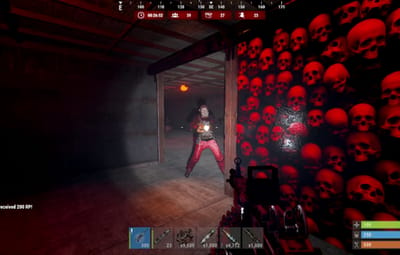
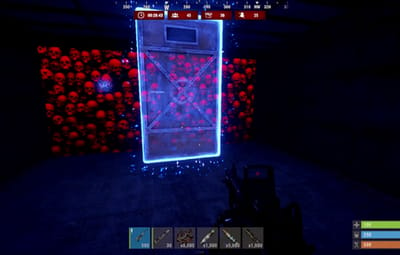
Create PvE dungeons which have randomly generated rooms, hallways, NPCs, bosses, animals, automatic turrets and loot with the help of in-game portals. Give your players a new reason to gear up and fight strong enemies for great rewards when they run through our procedurally generated dungeons.
Create a dungeon event, have players buy a private dungeon or generate specific difficulty levels for your dungeons. Control how challenging, available, rewarding and visually appealing your dungeons are.
Procedural layouts, 6 set difficulty levels, custom bosses, player purchased private dungeons and configurable loot!
Why Dungeon Events?
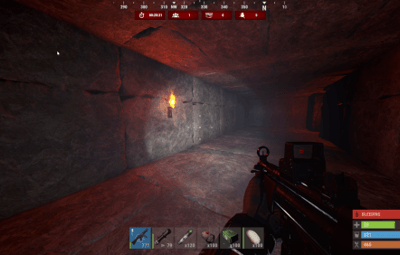
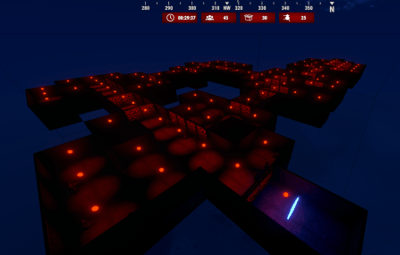
Unlike static dungeons that can be learned by players, Dungeon Events provide a brand new layout every time you enter. Through the portal you will explore a series of interconnected rooms and corridors whilst dealing with a variety of hostiles. You will aim to clear the dungeon to gain loot and completion rewards. As a server owner this provides a flexible PvE activity that can be used multiple times within a wipe.
Main Features
Procedural Dungeons & Difficulty
- Randomized dungeon generation: Dynamically created room layouts and connecting corridors make each run different.
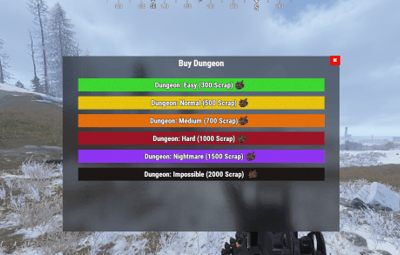
- Six predefined tiers: Easy, Normal, Medium, Hard, Nightmare, and Impossible. Rename, edit, disable, or create tiers to suit your server.
- Custom difficulty per tier: Configure room count and size, enemy and loot limits, purchase cost, cooldowns, lifetime, and unlock timing after a wipe.
- Flexible event delivery: Enable automatic dungeon spawns, create dungeons by admin command, or trigger them from console/RCON.
NPCs, Bosses, Animals & Turrets
- Custom NPCs and bosses: Configure names, health, damage multipliers, weapons, attachments, clothing, skins, and loot.
- Distinct boss encounters: Give tougher tiers more or stronger bosses, including configurable damage taken from explosions.
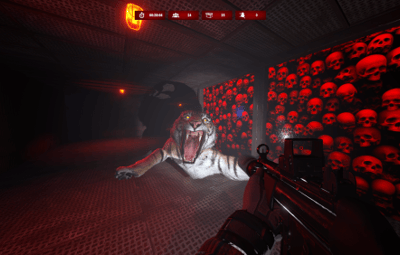
- Dungeon animals: Add enemies such as wolves, panthers, tigers, crocodiles, and other supported animal prefabs. Configure health, damage, movement speed, detection range, and spawn chances.
- Auto turrets: Configure turret counts, health, and weapons for additional threats.
- Per-tier enemy limits: Build different combat experiences for introductory and high-difficulty dungeons.
Loot, Rewards & Progression
- Separate loot tables for every tier: Independently configure NPC loot, boss loot, and loot container contents.
- Loot control: Adjust item chances, minimum/maximum quantities, skins, custom names, and the maximum number of item types.
- Combat rewards: Award Economics currency or ServerRewards points for defeating dungeon NPCs/animals, destroying turrets, and destroying loot containers.
- Dungeon-clear rewards: Give additional Economics currency, ServerRewards points, or SkillTree XP when a dungeon is cleared.
- SkillTree team rewards: Optionally share clear XP with eligible team members, either splitting the reward or granting the full amount to each.
Private Dungeons & Player Access
-
In-game purchase interface: Players can browse available dungeon tiers and purchase a run using
/buydungeon. - Flexible payment options: Use Economics, ServerRewards, or a configured in-game item such as scrap.
- Private access: Optionally lock entry to the dungeon owner or first entrant, while allowing teammates and friends when configured.
- Tier-specific permissions: Reserve higher difficulty dungeons for selected groups or permission-based progression.
- Purchase controls: Configure costs, cooldowns, active dungeon limits, and whether each tier can be purchased.
Visuals, Portals & World Integration
- Custom visual themes: Select building styles, door skins, container colors, lighting, loot-container skins, and dungeon time-of-day settings.
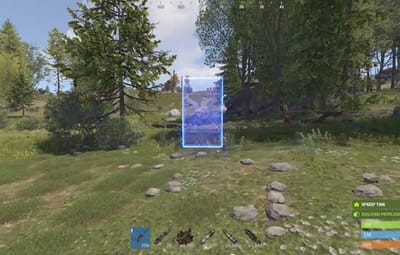
- Portal access: Players travel into and out of dungeons through linked portals.
- Custom portal locations: Save locations for automatic-event portals and purchased-dungeon portals, or use supported random location selection.
- Portal protection bubble: Configure protection radius, building/deployment restrictions, damage rules, and vehicle protection around portal areas.
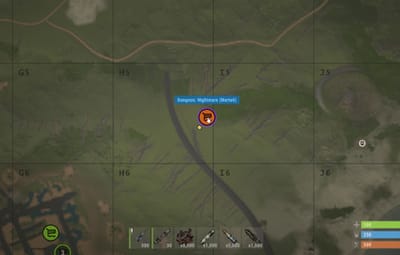
- Map markers and live UI: Display active dungeon locations, remaining time, and encounter progress.
Administration, Performance & Cleanup
- Spawn validation: Apply checks for terrain, nearby entities, rocks, safe zones, monuments, and supported plugin-managed areas.
- Configurable dungeon placement: Adjust dungeon height and portal placement according to your server setup.
- Performance controls: Configure batched construction, entity spawning, location searches, and cleanup instead of processing everything at once.
- Automated lifecycle: Remove dungeons after their configured lifetime or clear conditions; control how long abandoned or unentered dungeons remain active.
- Anti-abuse rules: Block selected commands, building, deployment, and entity pickup inside dungeons; configure death handling and backpack protection.
- Reset behavior: Optionally reset remaining enemies when the last player leaves or dies.
Ways to Use Dungeon Events on Your Server
- Recurring world PvE events: Automatically introduce dungeons for players to discover and challenge.
- Private solo or group raids: Let players spend earned currency or scrap on their own dungeon runs.
- Endgame progression: Offer increasingly difficult tiers with separate enemies, reward pools, and access permissions.
- PvP/PvE hybrid servers: Add challenging PvE content with configurable protections around dungeon portals.
Player Commands
| Command | Description |
|---|---|
/buydungeon
|
Open the dungeon purchase interface. |
/buydungeon <tierName>
|
Purchase a specific dungeon tier. |
/removedungeon
|
Remove your own active dungeon. |
Administrator Commands
| Command | Description |
|---|---|
/createdungeon <tierName>
|
Create a dungeon of a selected tier. |
/removeinactivedungeons
|
Remove inactive dungeons. |
/removealldungeons
|
Remove all active dungeons. |
/forceremovealldungeons
|
Force cleanup of plugin-created entities. |
/de.removenearest
|
Remove the nearest dungeon. |
/de.reloadconfig
|
Reload plugin configuration. |
/de.toggle
|
Toggle dungeon purchases. |
/de.addautospawn
|
Save your current location for automatic-event portals. |
/de.addbuyspawn
|
Save your current location for purchased-dungeon portals. |
/de.removespawn <auto|buy> [radius]
|
Remove a nearby saved portal position. |
/de.listspawns
|
List custom portal positions. |
/dungeons
|
List active dungeons. |
Console / RCON
buydungeon <tierName> <playerID>
spawnrandomdungeon
spawnfixeddungeon <tierName>
spawnfixeddungeon <tierName> <playerID>
de.reloadconfig
dungeons
All default chat and console command names can be changed in the configuration.
Permissions
dungeonevents.admin
dungeonevents.buy
dungeonevents.enter
Optional tier permissions: Enable Require Permission in a tier to use its dynamically generated permission, such as dungeonevents.nightmare.
Important: When dungeon owner-locking is enabled, regular players also need dungeonevents.enter to enter permitted dungeons.
Per-Tier Loot Configuration
Each tier has separate data files, letting you create completely different reward pools for different difficulty levels.
oxide/data/DungeonEvents/<TierName>/
  npc_loot.json
  boss_loot.json
  lootbox.json
-
npc_loot.json— regular NPC drops. -
boss_loot.json— boss drops. -
lootbox.json— dungeon loot containers.
When a tier-specific file has no loot entries, the plugin uses the default loot configuration:
oxide/data/DungeonEvents/Default_Loot.json
Integrations
Economics · ServerRewards · SkillTree · Friends · Notify · NightVision · ZoneManager · Duelist · RaidableBases · AbandonedBases · RestoreUponDeath
Integrations are used for features such as payments, rewards, friend access, notifications, time-of-day handling, and spawn/territory compatibility. Configure the integrations relevant to your server.
Developer Hooks
void OnDungeonSpawn(ulong ownerID, Vector3 position, string grid, string tierName)
void OnDungeonDespawn(ulong ownerID, Vector3 position, string grid, string tierName)
void OnDungeonWin(ulong playerID, string mapName)
Note: OnDungeonWin currently passes the tier's configured Map Name as its second argument.
Available Languages
English · Portuguese (Brazil) · German · Spanish · Russian
Bring replayable, configurable PvE raids to your Rust server with Dungeon Events. Give players new layouts to explore, tougher encounters to overcome, and reasons to keep coming back for another dungeon run.