

About CheckPlayers
Advanced Player Verification and On-Screen Notification System for Rust Servers
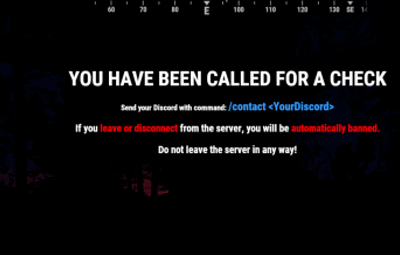
CheckPlayers allows administrators to send on-screen notifications instructing players to join your Discord and complete a verification process. It helps ensure players respond to verification requests in real time, improving server security and moderation efficiency.
 Discord Integration
- Log all verification start/end events directly to a Discord channel.
- Simply add your Discord webhook URLs to the config file, then run:
oxide.reload CheckPlayers
- All player check events will now be logged automatically.
 Data & Behavior
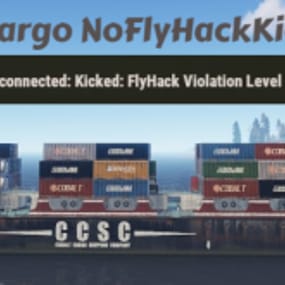
If a player disconnects during an active PC Check, the plugin can automatically ban them, send notifications, and log the event to Discord (fully configurable).
 Commands Section
Chat & Console Commands:
1. check <name/steamid> → Starts a PC Check for the player.
2. checkok <name/steamid> → Ends the PC Check.
3. cancelcheck <name/steamid> → Cancels an ongoing PC Check.
Chat Command:
4. /contact MyDiscord#5125 → The player sends their Discord contact directly to admins/mods via the configured webhook.
 Permissions
Oxide Permissions:
oxide.grant group admin checkplayers.use
oxide.grant group CustomGroup checkplayers.use
Cabron Permissions:
c.grant group admin checkplayers.use
c.grant group CustomGroup checkplayers.use
Default Configuration
{
  "Send logs if one pc check starts? (Requires DiscordApi plugin!)": true,
  "Discord WeebHook to log: Calls player to check": "",
  "Discord WeebHook to receive the player discord contact": "",
  "Send logs if ends pc check?": true,
  "Discord WeebHook to log: end checks": "",
  "Ban the player if he disconnects from the server during a pc check?": true,
  "Ban reason if player leave during PC Check": "Disconnected during PC Check",
  "Send Messages if player disconnects from the server during the PC Check?": true,
  "Discord WeebHook to log: leaves from the server when called the player to check": ""
}
 Kick/Ban Message
Default disconnect-ban message:
You are banned from this server (Disconnected during PC Check) → This can be fully customized in the configuration file.