

AdminESP - Lightweight Admin ESP for Rust Servers
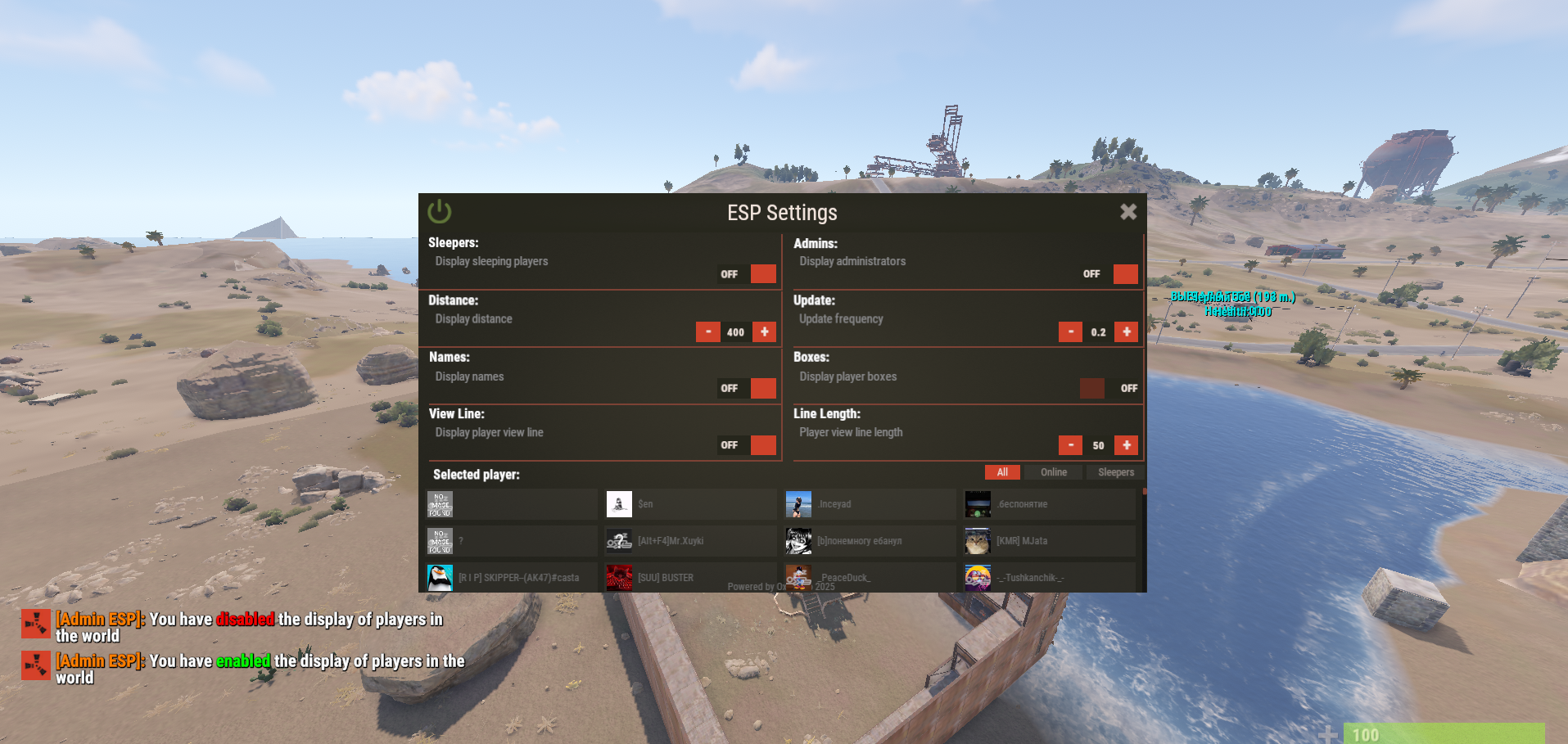
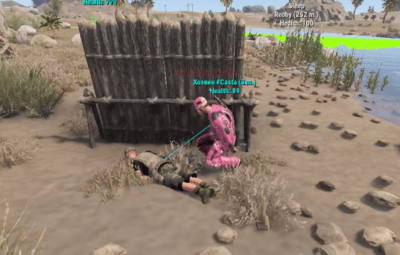
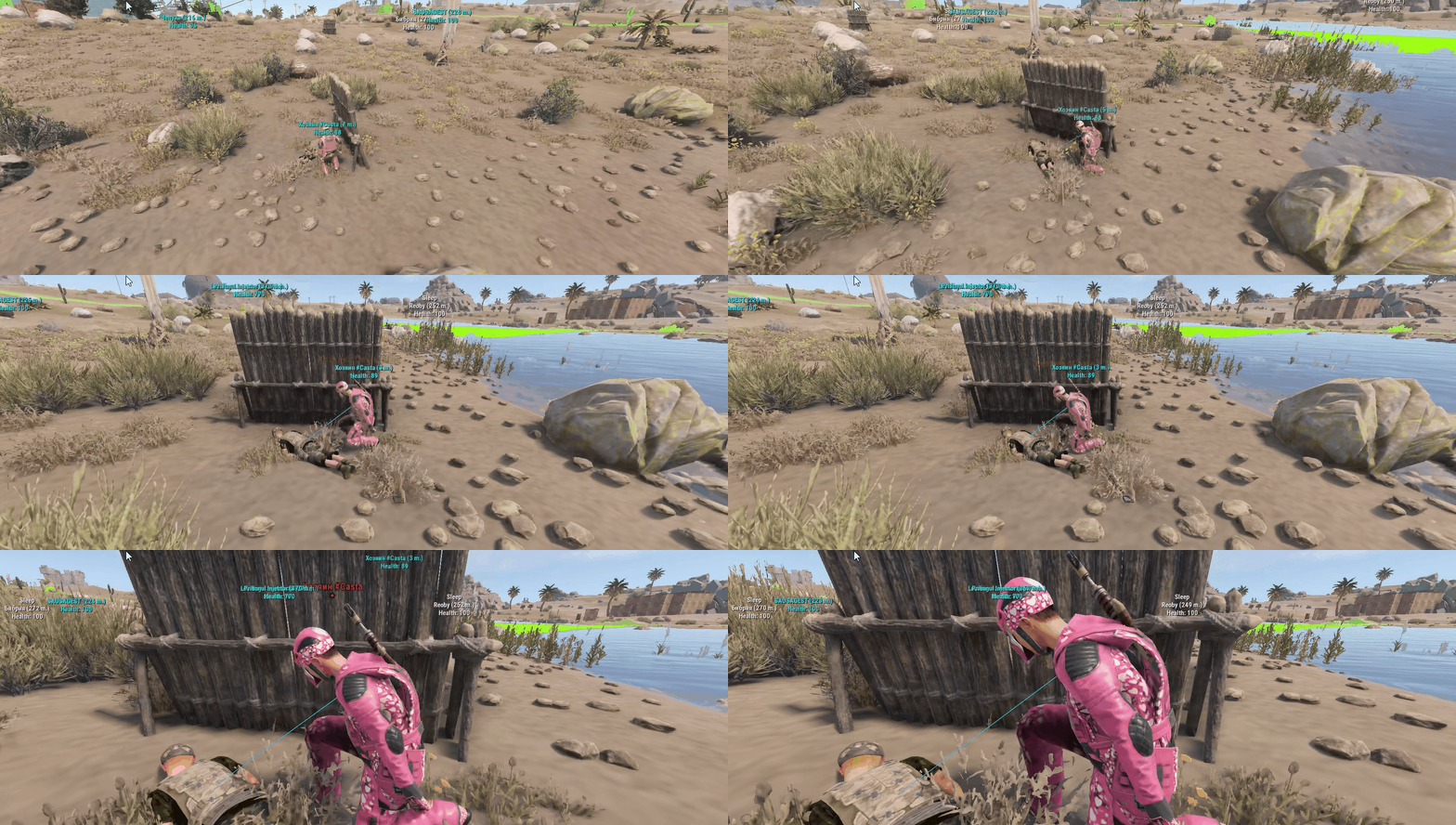
AdminESP gives server administrators a powerful real-time player tracking tool with minimal impact on server performance. See player positions, health, names, sleep status, and view direction - all rendered through the game's built-in DDraw system with a fully customizable settings menu
Key Features
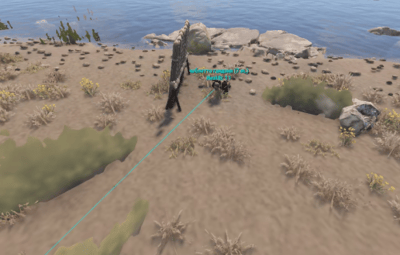
- Real-time player ESP with names, health bars, bounding boxes, and view direction lines
- Track specific players by selecting them from the built-in player list with avatar display
- Filter players by status: All, Online, or Sleepers
- Fully customizable settings through an intuitive in-game UI panel
- Editable numeric fields - type values directly or adjust with +/- buttons
- Complete English and Russian localization out of the box
- Per-player settings saved between sessions
- Permission-based access control
- Developer API for integration with other plugins
Performance
AdminESP is built with server performance as a top priority. Unlike traditional ESP plugins, it uses direct JSON generation instead of standard CUI classes, eliminating unnecessary memory allocations. The ESP rendering engine only runs when active, produces minimal network traffic, and leverages object pooling and string caching throughout. Designed to run smoothly on high-population servers with 300+ players.
# Configuration:
{
  "Privilege of using the ESP": "adminesp.use",
  "UI customization": {
    "Enable display of UI for the player": true,
    "AnchorMin Position": "0 0.025",
    "AnchorMax Position": "0.05 0.053"
  },
  "Display player avatars": true,
  "Enable prefix in messages": true,
  "Configuration version": {
    "Major": 2,
    "Minor": 0,
    "Patch": 0
  }
}
Privilages:
Quoteadminesp.use
# Chat and console commands:
Quote/ae - Open menu settings
/ae help - help
# API:
private bool API_HasActive(ulong userID) - Does the player have ESP enabled return true/false
private void API_EspActivate(BasePlayer player) - Force ESP to turn on
private void API_EspDeactivate(BasePlayer player) - Force Disable ESP

#HOOKS

object CanChangedESP(BasePlayer player, bool activated) - Called before ESP is enabled/disabled, returning any value other than null will prevent the player from activating/deactivating ESP
void OnEspActivated(BasePlayer player) -Notification about player's ESP enabled
void OnEspDeactivated(BasePlayer player) - Notification about player's ESP being disabled
# LANG:
{
  "UI.ESP.Title": "ESP Settings",
  "UI.Button.Title": "ESP",
  "UI.Sleepers.Title": "Sleepers:",
  "UI.Sleepers.Description": "Display sleeping players",
  "UI.Distance.Title": "Distance:",
  "UI.Distance.Description": "Display distance",
  "UI.Update.Title": "Update:",
  "UI.Update.Description": "Update frequency",
  "UI.Admins.Title": "Admins:",
  "UI.Admins.Description": "Display administrators",
  "UI.Names.Title": "Names:",
  "UI.Names.Description": "Display names",
  "UI.Boxes.Title": "Boxes:",
  "UI.Boxes.Description": "Display player boxes",
  "UI.ViewLine.Title": "View Line:",
  "UI.ViewLine.Description": "Display player view line",
  "UI.LineLength.Title": "Line Length:",
  "UI.LineLength.Description": "Player view line length",
  "UI.Button.Off": "OFF",
  "UI.Button.On": "ON",
  "MSG.OFF": "ESP has been disabled",
  "MSG.ON": "ESP has been enabled",
  "MSG.Prefix": "<color=orange>[Admin ESP]:</color> ",
  "MSG.Permission": "You do not have access to this command",
  "UI.Msg.Help": "ESP Settings:\n/ae settings UpdateTime {0} - data update frequency (0.15 sec)\n/ae settings PlayerDistance {1} - max display distance (200 meters)\n/ae settings ShowAdmins {2} - display admins (true/false)\n/ae settings DrawNames {3} - display player names (true/false)\n/ae settings DrawBoxes {4} - display player boxes (true/false)\n/ae settings DrawEyeLine {5} - display player view line (true/false)\n/ae settings Sleeping {6} - display sleeping players (true/false)\n/ae settings EyeLineDistance {7} - player view line length (20 meters)",
  "DDRAW.Sleep": "Sleep",
  "DDRAW.Health": "Health:",
  "UI.Description.Bottom": "Powered by OxideBro 2025",
  "UI.SelectedPlayer.Title": "Selected player:",
  "UI.Buttons.All": "All",
  "UI.Buttons.Online": "Online",
  "UI.Buttons.Sleep": "Sleepers",
  "UI.Buttons.Enabled": "You have <color=green>enabled</color> the display of players in the world",
  "UI.Buttons.Disabled": "You have <color=red>disabled</color> the display of players in the world"
}