Leaderboard




Popular Content
Showing content with the highest reputation on 04/05/2026 in all areas
-
Version 1.0.0
3 downloads
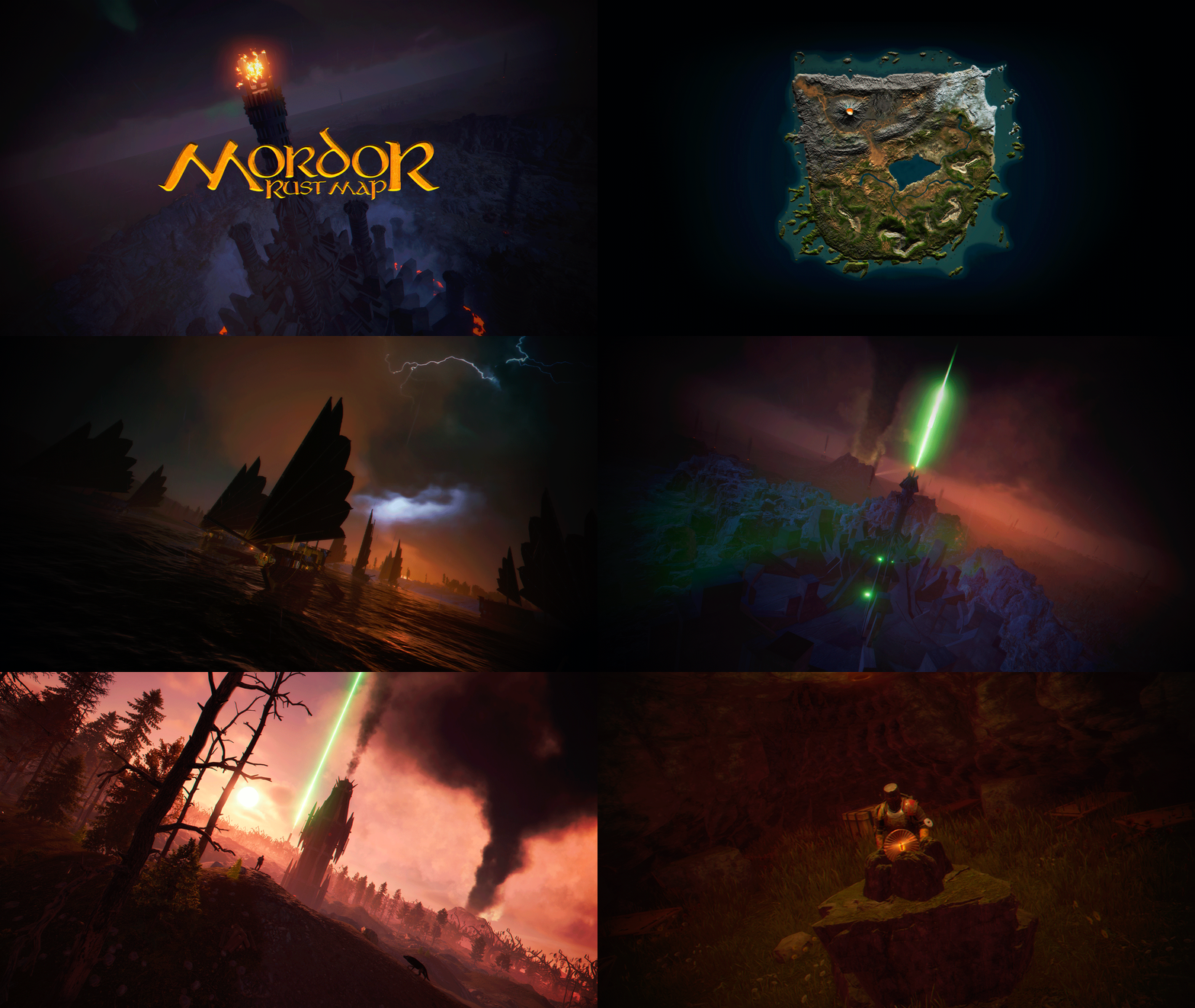
MORDOR is a medieval world designed and based on The Lord of the Rings saga. It features rocky and volcanic terrain, as well as flat areas for building. The Mordor map contains large custom-built construction zones, including a massive fortress with a vast flat area. This fortress is situated atop a cliff, which is guarded and surrounded by multiple flat construction zones for players. Two enormous flat areas have been provided for the Raidable Bases plugin; construction in these areas is blocked for players. FEATURES Size: 4000. Objects: 107076. Map protection plugin included. The map can be edited: Yes. PLAYER RESPAWN Players spawn in towers; these towers are scattered throughout the map and contain custom recyclers, workbenches, furnaces, a refinery, and a chimney. If you want players to spawn in the classic beach areas, you can edit the Mordor map using Rustedit by removing the “Spawn Point” volume. THE LOOT On the Mordor map, we’ve decided to set up the loot system a bit differently. We’ve created two loot tables: one is based on all the primitive-medieval items provided by Rust, while the second table contains resources and weapons. These chests feature a wooden design, and we’ve also included the classic medicine and food chests. The Loot table files have been provided so you can edit them to suit your needs. ELECTRICITY AND PUZZLES Mordor is a map for players seeking a medieval style; there is no electricity on this map, nor does it include any puzzles involving electricity or security cards (Green Card, Blue Card, Red Card). This map contains location-based puzzles and parkour-style puzzles with traps and drops into the void. In Mordor, there are no markers for monument locations; Mordor is designed so that players explore and discover on their own places that will remind them of The Lord of the Rings saga. THE NPCS The NPC spawning system consists of two free plugins. One plugin spawns the NPCs, while the other plugin provides them with clothing, loot, and weapons. You can edit or modify the appearance or content of the NPCs to suit your needs. THE MONUMENTS Players must explore the map to find each Monument; Monuments are located both on the surface and beneath the map. List of Monuments: Towers. Dock. Black Ships. Lumberjack Huts. Orc Fortresses. Allied Fortress with a construction zone. Multiple construction zones. Orc Camps. Orc Villages. Caves. Caves with construction zones. Maze. Giant Arena Zone: This zone is designed for two events: “Death Match” and “Last Man Standing”. It is fully configured and ready for use; the Mordor map contains the configuration files for all necessary plugins. Torrech Ungol, the lair of the spider Shelob. Morgul Mines, stronghold of the Witch-King. The Black Gate. Barad-dûr, the great tower of the Eye of Sauron. Orodruin, Mount Doom, the volcano where Sauron’s Ring was destroyed. Secret locations. OFFICIAL MONUMENTS - Does not contain any Official Monuments. IMAGES FOR FLAGS • Flags of Gondor and Mordor included. TIPS • Set your server to Primitive mode. • Use a plugin to control the weather and create a spooky atmosphere with clouds, thunder, and a dark sky. • Have fun SUPPORT: https://discord.badgyver.com$49.905 points -
Version 1.0.0
4 downloads
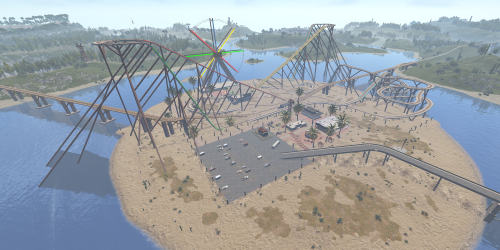
Welcome to ThemePark Island An expansive and meticulously crafted custom map for Rust, brought to you by the combined efforts of Silent Creations and Explosive Shart. This map blends high-octane thrill-seeking with gritty, urban survival. Whether you’re riding a functional coaster or navigating the trap-filled halls of a medical center, ThemePark Island offers a fresh gameplay loop for PVP and PVE servers alike. Featured Custom Monuments The Theme Park The crown jewel of the island. This isn't just a static monument—it features a fully functional, custom-coded rollercoaster. Scale the heights for a view of the island before diving into the chaos below. Loot: High-density loot spawns throughout the park. Puzzles: Includes both Green and Blue keycard puzzle rooms. The 2 Gorges Dam A massive, custom-built architectural marvel. The dam dominates the landscape, offering scenic vistas and deep, dark secrets. Underground Puzzles: Navigate multiple puzzle rooms hidden deep within the structure. Tactical Depth: Perfect for long-range engagements or sneaky subterranean looting. Black Rock City A sprawling urban center that feels like a lived-in wasteland. Black Rock Medical Center: Enter at your own risk. This landmark is rigged with traps, multiple puzzles, and enough loot to supply an entire clan. Custom Car Dealership: A unique urban addition for those looking to secure high-tier parts. Pine Bluff A smaller, dense city center for quick skirmishes and essential supplies. Interiors: Explore a replica McDonald’s and a completely custom Supermarket. Puzzles: Features multiple puzzles and heavy loot concentrations. Mills Trailer Park An eerie, abandoned residential area. Puzzles: Features 2x Green Card puzzles and 1x Blue Card puzzle, making it a high-value stop for progression. Additional Points of Interest 7-Eleven: That’s right—a faithful replica of the iconic convenience store for all your raiding snack needs. Fuel Depot: An abandoned facility located in the snow biome, featuring a working Pumpjack and a Green Card puzzle. Rose Hill Development: An unfinished construction site offering unique verticality and parkour opportunities. Green Houses: Small botanical structures perfect for picking up plants and quick loot. Map Size 4500 Prefab Count #39057 Facepunch Monuments ThemePark Island includes a full suite of classic monuments to ensure a balanced Rust experience: Tier 3: Launch Site, Arctic Research, Large Oil Rig, Small Oil Rig, Military Tunnel, Giant Excavator. Tier 2: Airfield, Trainyard, Ferry Terminal, Rad Town, Jungle Ziggurat, Large/Small Harbor. Tier 1: & Utilities: Bandit Camp, 3x Mining Outpost, 3x Oxums, Lighthouse, Supermarket, Large Barn, Ranch, Abandoned Cabins, Fishing Villages, 3x Water Well. Resources: Stone, HQM, and Sulfur Quarries. Acknowledgements A massive thank you to those who helped bring this project to life: Substrata: For the incredible work on the custom rollercoaster plugin. Milky: For the stellar work on the promotional video. MrLiquid & the Luffy Map Testing Team: For their dedication to polishing and balancing the map. For any Assistance or questions Please contact me on Discord @ https://discord.gg/HNhPTPZVmd$49.902 points -
Version 1.0.0
8 downloads
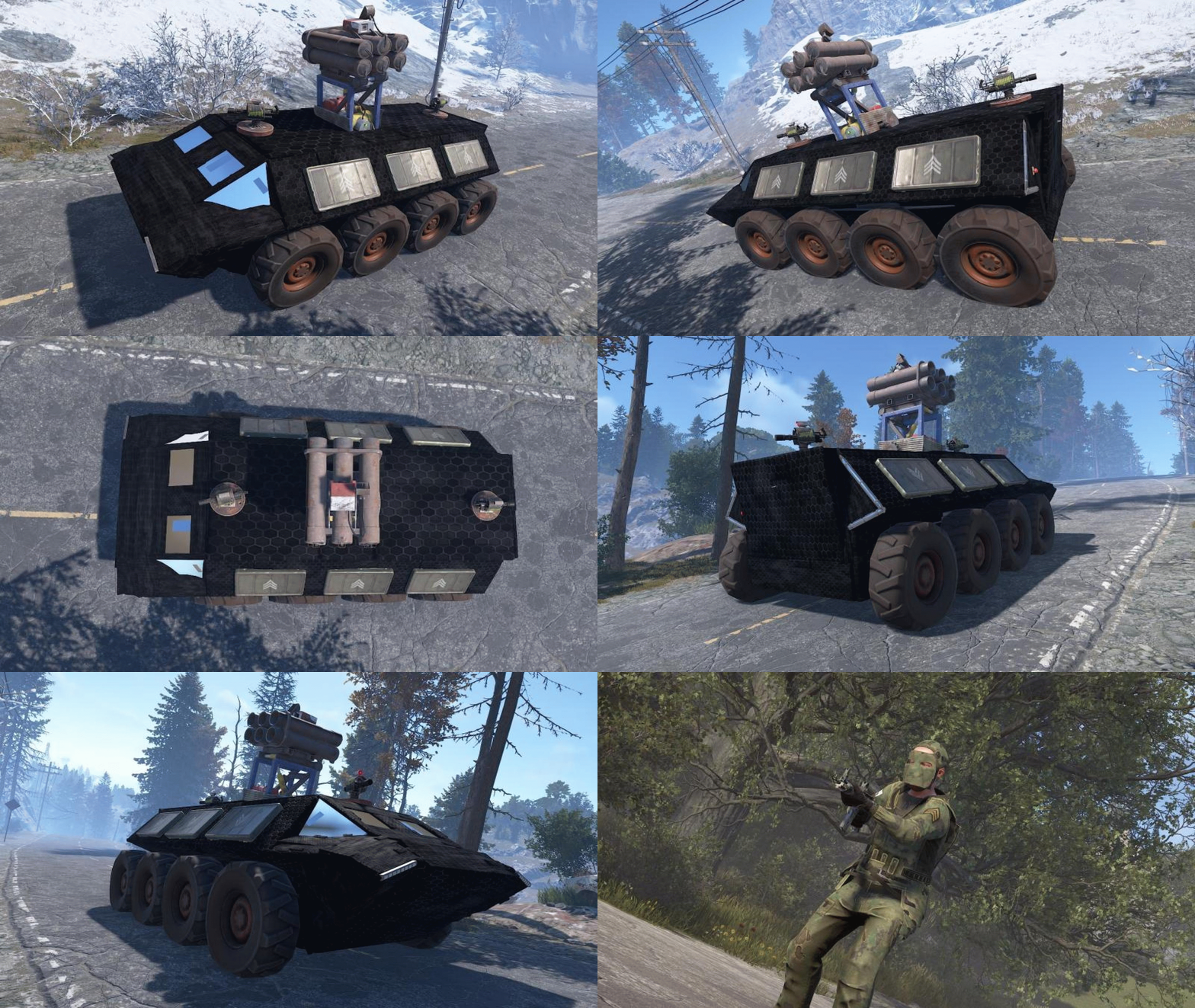
First off all, thank you for getting to this page. I wanted to create some cool configs for convoy using the Karuza Vehicles, so i did. If you dont have the Karuza part of things you can still enjoy my NPC and Crate Presets! And now to the important part What's included: Custom Sam Site config Custom Turret config Custom NPC config Custom Crate presets Vehicle settings you need to adjust on your Dashboard Vehicle implementation for convoy Config for the Ares T comes with 2 Turrets, 1 Sam Site, 6 Elite Crates and 12 NPC's. Installation instructions are included in the ZIP file.Free2 points -
 Fantastic! The update is finally here! I hope it will make my players even happier. Players already loved the previous version.1 point
 -
 I reloaded the plugin. The configuration was added.1 point
 -
 Привет, понимаю фрустрацию и ценю честный фидбек. Обновление 2.0 было большим переписыванием. С тех пор вышло много фиксов, сейчас актуальная версия 2.1.12. Но чтобы реально помочь мне нужно видеть твой конфиг, файлы данных, список плагинов и детали сервера. Комментарии тут это публичный чат, который видят все, поэтому шарить такие вещи сюда не очень хорошо. Я перенаправляю в тикеты не чтобы отмахнуться, а потому что это единственный способ нормально продебажить что происходит. Можешь создать тикет прямо тут на Codefling, написать в MeventSupport или через Discord. Все три варианта работают. Как откроешь тикет, смогу посмотреть конкретно твой сетап и пофиксить что сломано.1 point
 -
The convoy will follow the path you took.1 point
-
hello. correct1 point
-
omg it's the fortnight map1 point
-
Wow! Thanks for doing this, Much better than my sloppy sample config1 point
-
When you leave a comment, you'll see the option to follow the file to get notifications when someone replies. You can unfollow the file to stop receiving these notifications Working on an update now.1 point
-
WIP, tommorow will be updated with fix&new features
 1 point
 -
Update tomorrow.1 point
-
thx it works again1 point
-
Thank you! It worked great and solved some other issues too. Thanks!!1 point
-
Changed Status from Pending to Fixed Changed Fixed In to 1.2.71 point
-
Changed Status from Pending to Not a Bug1 point
-
Those flags are internal Rust / Facepunch flags used for certain types of gameplay, for example, on chicken coops when they are hatching or not. For the wall.doorway it could mean that the construction can be rotated and can be demolished. You can change the flags just via a custom plugin, but before changing the flags, you need to understand what each flag does for each type of entity. For example, 'Reserved1' can mean something for a buildingblock and can be something totally different for a decayentity or autoturret.1 point
-
Hi @MrLiquid Sorry for the late response, I am getting this fixed right now.1 point
-
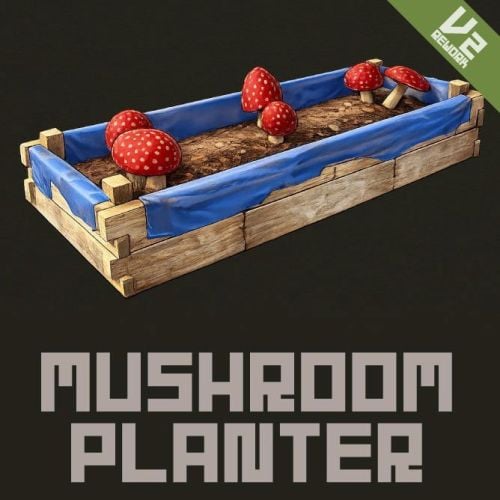 UPDATED [Fix] - Fixed a bug in OnItemUse. [Add] - Mushroom seeds (Mushroom Mycelium) can now be obtained from wild mushrooms.1 point
 -

Version 2.0.0
2 downloads
Restricts looting of player corpses to teammates only. Permissions teamloot.bypass Configuration { "Show warning message" : true, "Warning popup time (seconds)": 5 } Localization { "WarningMessage" = "You do not have permission to loot this player!" }$2.501 point -
.thumb.png.144bf0e8de79ab4c3f2404ebe745437b.png) I use this plugin for years, and it works all fine I do suggest you buy the bundle to setup custom loot spawns.1 point
I use this plugin for years, and it works all fine I do suggest you buy the bundle to setup custom loot spawns.1 point -
Version 1.1.0
22 downloads
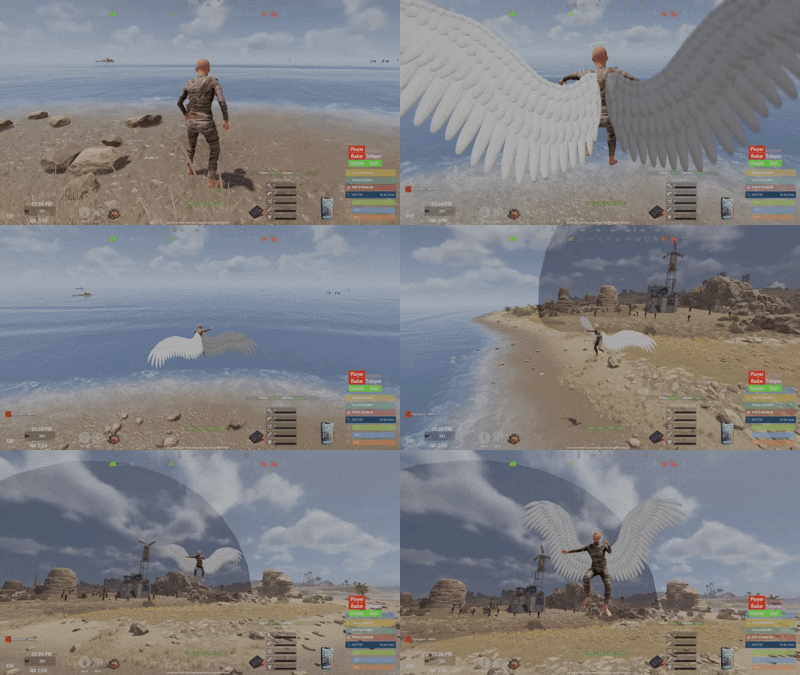
DISCLAIMER THIS PLUGIN HAVE BEEN MADE USING BOTH THE KNOWLEDGE OF A DEVOLOPER AND IA ASSITANCE/GENERATION. in respect of CODEFLING AI plugins filteration and clients protection, the purshase option has been removed . the plugin will still be maintained and updated as long as it exists on the platform. thank you for understanding. Say goodbye to the boring /noclip command. Wings NoClip reimagines the classic noclip experience into something visual, immersive, and fun, built specifically for server admins. Put on your wings, lift off, and touch the clouds. This is noclip —> evolved. Features Automatic NoClip Activation Equipping wings automatically enables noclip Removing wings automatically disables noclip No extra commands, no confusion Smooth flapping animations with optional sound effects Designed to feel powerful, not clunky 🪽 Available Wings (More Coming Soon) Currently included wings (sourced from the free Workshop): White Wings Black Wings Fairy Wings This is only the beginning Many more exclusive, custom-made wings will be added in future updates . How It Works Make sure you are NOT already in noclip Equip wings → noclip activates automatically Remove wings → noclip disables automatically To avoid conflicts, do not toggle if you are already noclipping. Keybind Support (Recommended) You can bind wing activation to a key for instant use: bind F4 chat.say "/wings white" Press F4 to toggle your wings on/off. Forget /noclip — fly instead. Permissions wings.use — Allows admins to use wings Commands /wings — Open the wings GUI Direct equip (no GUI): /wings white /wings black /wings fairy Configuration (Performance Tuned) Adjust these values based on your server’s CPU & FPS "FlapTickSeconds": 0.0007, // Tick rate for wing flapping (lower = smoother, more CPU usage) "FlapSpeed": 200, // Flapping speed (balance with tick rate for smooth visuals) "EnableFlapping": true, // Enable or disable wing flapping "EnableFlapSound": true, // Enable or disable flap sound "FlapSoundInterval": 1.0 // Number of flap sounds per second while flying.$15.001 point -
 Well, that's interesting... This product is very expensive, and the developer doesn't really communicate with customers. I'm not surprised it isn't selling very well... even though it could be a really good plugin...1 point
 -
Is this going to get updated? I have still not been able to use this since I bought it...1 point
-
Nothing new yet ... ?1 point
-
 Excellent quest system that adds a ton of depth to any Rust server. The wide variety of mission types and flexible rewards make it easy to create engaging progression for players. A must-have plugin if you want quests and long-term player retention.1 point
 -
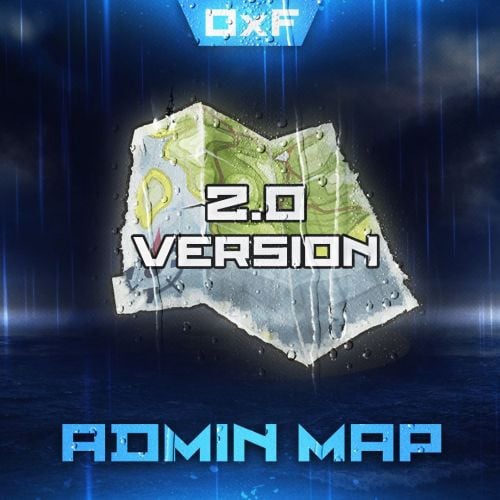 Hello, I saw a player with such special characters (𝒫𝓊𝓇𝓅𝓁𝟣𝓈(). Their online location isn't shown anywhere on the Admin Map. They're also not listed in the Admin Menu. Rust detects their name as “?????” in RCON, even though they’re online, but they can’t be tracked on the map.1 point
 -
 Very good plugin, easy to use and gives a nice visual effect in game.1 point
 -
great plugin by a great developer. everything works, he constantly adds improvements and is very active in discord despite working a full time job. this plugin is the core of my server and you can add any quests you can think of wish any items you wish. 2 wishes; To have multiple hand-ins for quests The option to just place an NPC alone wherever u want and not just the quest house without editing.1 point
-
Works great, looks good, easy to setup and integrate with everything. Have the plugin running on a server with TeleportUI and SimplePVE, integrated smoothly and haven't had any issues with it.1 point
-
Great plugin, with some fantastic features and simple GUI. The plugin itself was easy to setup, there was not much setup needed as the plugin is ready to use right after install. Instructions supplied by the dev are spot on and updates are frequent and useful. Thanks for this great plugin!1 point