



About Simple Embed Builder Bot
Simple Embed Builder
A Discord bot that lets your staff build and send beautiful Discord Components V2 messages directly to channels or through webhooks and broadcast in-game news to your Rust server via RCON , powered by the NewsBroadcaster.
Features:
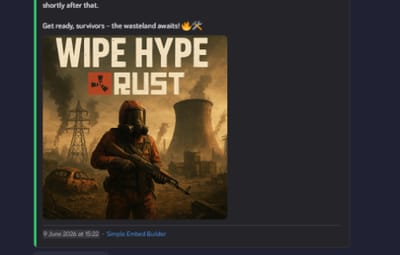
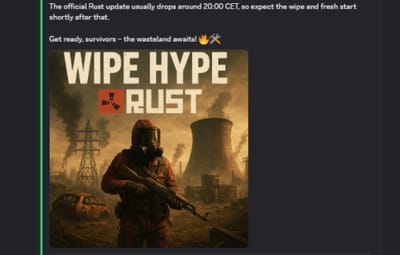
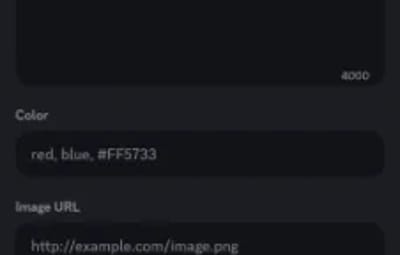
- Components V2 message builder — heading, body text (Markdown), accent color, multiple images, and up to 25 link buttons, all previewed before sending
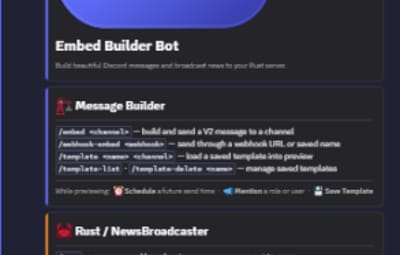
- Send to channel or webhook — /embed targets a channel directly; /webhook-embed delivers through any valid Discord webhook URL or a saved webhook name
- Scheduled sending — pick a send time in the preview (relative like 2h30m or absolute UTC) and the bot delivers it for you later
- Mention pings — attach an @role, @user, @everyone or @here ping that goes out alongside the V2 card
- Saved templates — store a built message with one button (Save Template) and reload it any time with /template
- Saved webhooks — give webhook URLs short names with /webhook-save so staff never paste raw URLs
- In-game broadcast toggle — when using /embed, a single button mirrors the message as a Rust news post in-game via RCON
- Rust news commands — /news opens a modal to compose and broadcast a typed announcement (Info, Warning, Alert, Event, Update) to the server; /news-list and /news-delete manage stored announcements
- Audit logging — point the bot at a channel with /set-log-channel and every send and broadcast is recorded
- Role-based access — grant a role access to the commands with /set-access-role, on top of the built-in Discord permissions
- RCON master switch — /rcon-toggle enables or disables all server communication without restarting the bot; state persists across restarts
- Fully ephemeral UI — all previews and confirmations are only visible to the staff member who ran the command
Requirements:
- Python 3.10+
- Py-cord ≥ 2.7 (Components V2 support)
- A Discord bot token with the applications.commands scope and bot scope
- (Optional) A Rust server running the NewsBroadcaster plugin with WebRcon enabled
Installation:
- Download main.py, requirements.txt, and example.env into a folder.
-
Install dependencies:
pip install -r requirements.txt
-
Create your .env file (copy example.env and fill in your values):
DISCORD_TOKEN=your_discord_bot_token

RCON_HOST=127.0.0.1
RCON_PORT=28016
RCON_PASSWORD=your_rcon_password
The RCON variables are only needed if you use the /news commands or the in-game broadcast toggle.
-
Invite the bot to your server with the bot and applications.commands scopes. No extra permissions beyond what the slash commands themselves check are required.
-
Run the bot:
python main.py
Notes:
- The bot uses Discord Components V2 exclusively — classic embeds are not used anywhere. Py-cord 2.7+ is required; earlier versions will not work.
- All in-game broadcasts use the news.show console command provided by the NewsBroadcaster Oxide/uMod plugin. Install and configure that plugin on your Rust server before using the RCON features.
- Persistent state — the RCON switch, saved templates, saved webhooks, and per-server log channel / access role — lives in settings.json next to main.py. The file is created automatically; see settings.example.json for the structure (do not commit your real settings.json, it's gitignored).
- Scheduled sends are held in memory and will not survive a bot restart; for long lead times, keep the bot running.
- Command access is enforced in-code, so the access role works even for members who don't have the underlying Discord permission.
- Previews time out after 10 minutes of inactivity.


.thumb.webp.79329c8220f41c4c008e33ef2cc9d733.webp)