

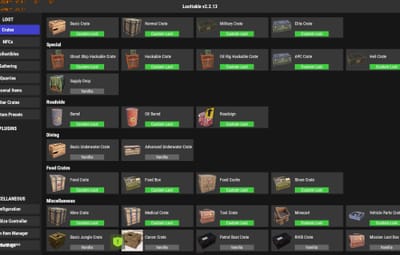
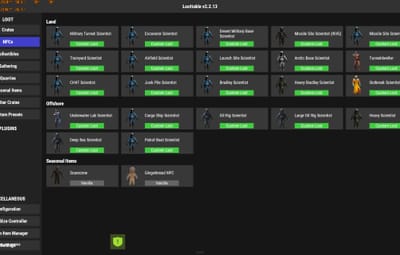

About The Ultimate 2x Preset for LootTable & Stacksize GUI
The Ultimate 2x Preset for LootTable & Stacksize GUI
Are you tired of spending hours manually configuring loot tables and stack sizes for your 2x Rust server? Look no further! This is the ultimate, plug-and-play preset built specifically for the Loot Table & Stacksize GUI plugin by The_Kiiiing.
Designed to provide the perfect balance between classic Vanilla gameplay and fast-paced modded progression, this preset eliminates "inventory clutter" and keeps your players engaged.
--------------------------------------------------------------------------------------------------------------------------------------------------
Key Features:
Zero Trash Loot (Optimized Tables): Drop rates for low-value primitive items, decorative clothing, basic electronics, and farming clutter have been significantly reduced.
Double High-Tier Drops: Drop chances for high-value items (components, military-grade weapons, high-quality armor, and building essentials) have been doubled.
Double Scrap (2x): The min/max quantities of Scrap in all crates and barrels have been doubled so your players can progress smoothly.
Optimized Stack Sizes: Comes with pre-configured 2x stack limits for resources, components, and consumables to prevent players' inventories from overflowing instantly.
Fully Balanced Progression: Carefully scaled from simple roadside barrels to high-tier monuments (Launch Site, Military Tunnels, Oil Rig, and Cargo Ship).
--------------------------------------------------------------------------------------------------------------------------------------------------
How to Install:
1. Locate the Data Folder:
- Oxide: Navigate to oxide > data on your server.
- Carbon: Navigate to carbon > data on your server.
2. Remove Old Settings: Delete the existing Loottable folder from the data directory to ensure there are no file conflicts.
3. Upload the Files: Upload the unzipped Loottable folder (and its contents) into the data directory.
4. Reload the Plugin: In your server console, type the command to load the new settings:
- Oxide Users: o.reload Loottable
- Carbon Users: c.reload Loottable
Requirements:
Loot Table & Stacksize GUI by The_Kiiiing (Premium plugin available on Codefling).
Oxide, Carbon, or uMod framework.
Support is available! If you have questions or need minor adjustments to this preset for your specific server setup, feel free to open a support ticket on this page.