Depends on
Required for this file to work correctly.

About Plumbus Abyss — Animated Underwater Rust Server Theme for Azuriom
Short description (one line)
Deep-sea, fully animated Rust theme for Azuriom with a video hero, rising bubbles, a live "Server Sonar" panel and one-click connect.
Full description
Take your players on a dive before they even join the server.
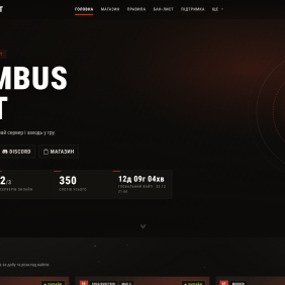
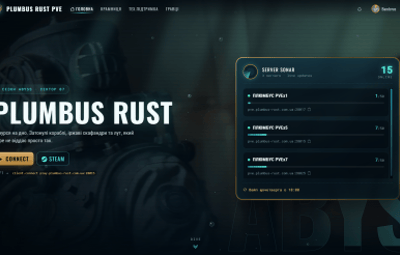
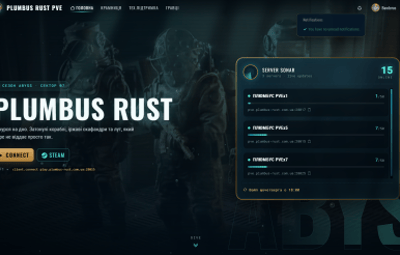
Plumbus Abyss is a dark, underwater theme for Azuriom inspired by the Rust Abyss look — brass portholes, rusted diving gear and bioluminescent light. The home page opens with a looping video under a deep-blue water tint, light rays from the surface and bubbles rising through the screen. Live server population and a one-click Connect button are right there in the first screen, on any device.
Highlights
-
 Animated hero — looping background video, light rays, canvas bubbles and drifting particles, a letter-by-letter title reveal and soft mouse parallax.
-
 Server Sonar — a brass-framed panel with a rotating radar: every server with status, online / max players, an animated fill bar and one-click copy of
client.connect. -
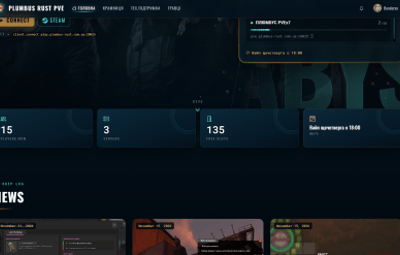
 Stats strip — players online, number of servers, free slots and wipe schedule with animated counters.
-
 Depth gauge — a side gauge on desktop that shows depth and pressure as the visitor scrolls.
-
▶ Connect / Steam / Discord buttons — copy
client.connector opensteam://connectin one click. -
 News cards — post image, date and excerpt, with a themed fallback image.
-
 Fully responsive — phones, tablets, laptops and 2K / 4K monitors.
-
 Light on resources — video and bubbles pause when off screen or when the tab is hidden;
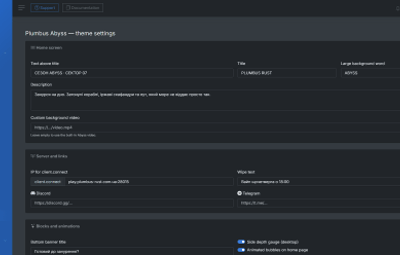
prefers-reduced-motionand Save-Data are respected. - 🎛 Settings in the admin panel — hero texts, background word, custom video URL, connect IP, wipe text, Discord and Telegram links, depth gauge and bubbles switches. No code editing needed.
-
 Admin labels and site texts follow the Azuriom locale — English, Ukrainian, Russian included; add a language by copying one file.
-
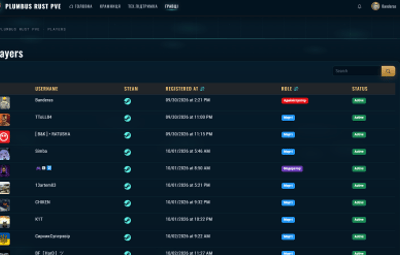
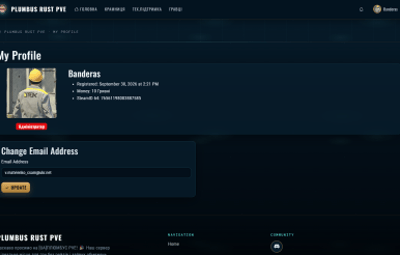
 Plugin friendly — standard Azuriom layouts and Bootstrap 5.3 dark mode, so Shop, Vote, Support and other plugin pages pick up the theme style. Shop item windows open correctly above the backdrop.
-
 Clean code — no tracking, no obfuscation.
What's included
-
The theme folder
plumbus-abyss, ready forresources/themes/ - Background video and poster image
- English documentation (README)
-
Language files:
en,uk,ru
Requirements
- Azuriom 1.2.x (tested on 1.2.13)
- Servers added in Azuriom → Servers with "Display on home page" enabled
- Visitors' browsers load Bootstrap 5.3, Bootstrap Icons and Google Fonts from public CDNs
Installation
-
Unzip the archive and upload the
plumbus-abyssfolder toresources/themes/, so you getresources/themes/plumbus-abyss/theme.json. Do not rename the folder. - Admin panel → Themes → Plumbus Abyss → Enable.
- Click Configure: set your connect IP, wipe text, Discord / Telegram links and hero texts, then click Save.
SSH install (user with sudo):
sudo cp -r ~/plumbus-abyss /var/www/azuriom/resources/themes/
sudo chown -R www-data:www-data /var/www/azuriom/resources/themes/plumbus-abyss
cd /var/www/azuriom && sudo -u www-data php artisan view:clear
Notes
- The theme ships without preset settings: until you save them, the hero shows your site name as the title and the connect buttons stay hidden.
- Server data comes from the servers created in the Azuriom admin panel.
- The Shop and other plugin pages use their own layouts; the theme only styles them.
- Rust is a trademark of Facepunch Studios Ltd. This product is not affiliated with Facepunch.