Depends on
Required for this file to work correctly.

About Rust Server Theme for Azuriom
Short description (one line)
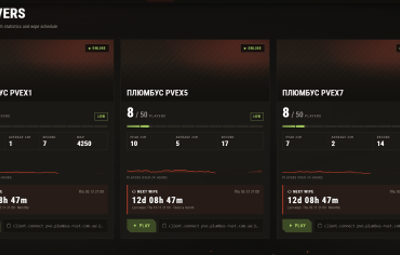
Dark, animated and fully responsive Rust-style theme for Azuriom with live server cards, 24h online charts and automatic wipe countdowns.
Full description
Make your Rust community website look like it belongs in the game.
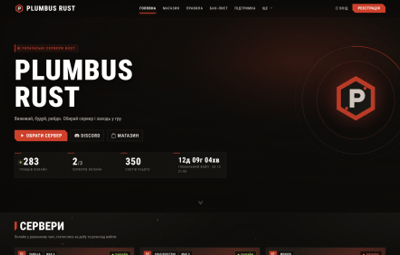
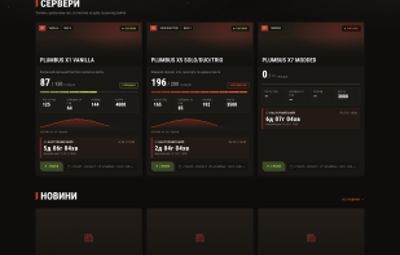
Plumbus Rust is a modern, dark, industrial-style theme for Azuriom 1.1+ built specifically for Rust server owners. Your players see live population, the next wipe and a one-click Play button the moment they open the site — on any device.
Highlights
-
 Live server cards — status, players online, load indicator, 24h peak / average, record, map size and an online chart for the last 24 hours.
- ⏱ Automatic wipe countdowns — weekly (chosen days), monthly (first Thursday) or twice a month (first Thursday + 2 weeks). Set it once, never edit dates again.
- 🗓 Forced wipe timer on the home page (first Thursday, 19:00 London time, shown in your timezone).
-
▶ Play button (
steam://connect) and copyclient.connectin one click. -
 Animations — embers, fog, grain, reveal-on-scroll and animated counters. Switch them off in one click;
prefers-reduced-motionis respected. -
 Fully responsive — slide-in mobile menu, tuned for phones, tablets, desktops and ultra-wide screens.
-
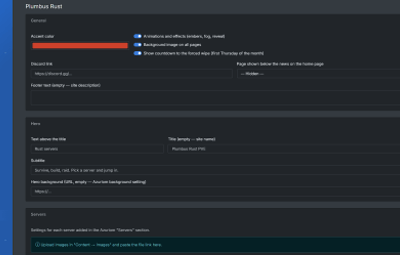
 Easy customisation from the admin panel — accent colour, hero texts and image, Discord link, footer text, per-server images and tags. No code editing needed.
-
 Languages: Ukrainian, Russian, English (easy to add more).
-
 Clean and private — no tracking, no external scripts, no obfuscated code. Font is self-hosted (no Google Fonts requests).
-
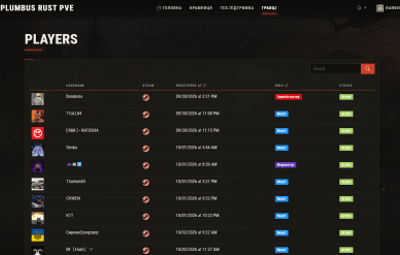
 Plugin friendly — uses the standard Azuriom layouts, so Shop, Support, Players, Ban list and other plugins keep working.
What's included
-
The theme folder (
plumbus) ready forresources/themes/ - English documentation (README) and changelog
- Self-hosted Roboto Condensed font (OFL)
Requirements
- Azuriom 1.1.0+ (tested on 1.2.x), PHP 8.1+
- Servers added in Azuriom → Servers
- Azuriom cron job enabled (needed for the 24h online charts)
Installation
-
Upload the
plumbusfolder toresources/themes/so you getresources/themes/plumbus/theme.json. - Admin panel → Appearance → Themes → Plumbus Rust → Enable.
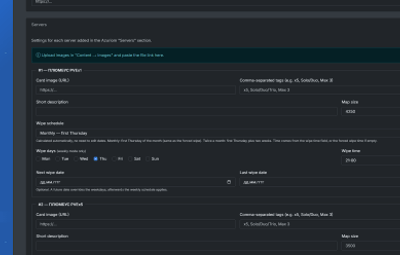
- Click Configure: set your colour, Discord link and the settings of each server (image, tags, map, wipe mode).
Tip: upload images via Content → Images and paste the file URL into the server settings.
Notes
- Server cards show data for servers created in the Azuriom admin panel; the charts need a few minutes of collected statistics.
- The Shop plugin pages are not part of this theme.
- Rust is a trademark of Facepunch Studios Ltd. This product is not affiliated with Facepunch.