
Ahmed Alkaabi
-
Posts
26 -
Joined
-
Last visited
Content Type
Profiles
Warranty Claims
Downloads
Forums
Store
Services
Downloads Plus Support
DOWNLOADS EXTRA
Everything posted by Ahmed Alkaabi
-
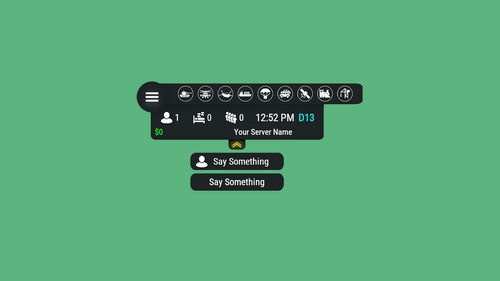 This plugin is essential for any modded server. Customization is infinite and creativity is endless. Thanks for the developer for the constant support and updates.
 -
 Mercury is one of the TOP events code writer. He has a creative innovation and dedicated hardwork. I can proudly announce I will have all his events hosted on my servers.
 -
Finally it has worked. I beleive that map was broken. I tried with another map and worked perfectly. This is the server parameters I have used: ## Server Parameters | https://docs.linuxgsm.com/configuration/start-parameters#additional-parameters startparameters="-batchmode +app.listenip ${ip} +app.port ${appport} +server.ip ${ip} +server.port ${port} +server.tickrate ${tickrate} +server.hostname \"${servername}\" +server.identity \"${selfname}\" +server.gamemode ${gamemode} +levelurl "https://www.dropbox.com/s/0nkidtknykf20a7/TFCNorthAmerica.map?dl=1" +server.maxplayers ${maxplayers} +server.saveinterval ${saveinterval} +rcon.web ${rconweb} +rcon.ip ${ip} +rcon.port ${rconport} +rcon.password \"${rconpassword}\" -logfile" I have used the following parameter [ +levelurl ] instead of [ +server.levelurl ] and included the link followed by that as you said thanks to you. I am not sure though if this was the issue from the first place or the map. However, the map definitely has an issue.
- 5 replies
-
- 2
-

-
- #custom map
- #lgsm
- (and 3 more)
-
Thanks for replying. I tried to do as following in server paramaeters, still didn't load the map. +server.levelurl "https://www.dropbox.com/s/uxvfqfv0g2fvnqe/sicko.1grid.v9.map?dl=1"
-
Hi, I am hosting Rust server by LGSM on Ubuntu. I would like to host a custom map on my server but I couldn't. Here is my LGSM rustserver.cfg #### Game Server Settings #### ## Predefined Parameters | https://docs.linuxgsm.com/configuration/start-parameters ip="0.0.0.0" port="20006" rconport="20007" appport=28083 rconpassword="123456" rconweb="1" # Value is: 1 for the Facepunch web panel, Rustadmin desktop and Rustadmin Online; 0 for RCON tools like Rusty. servername="CUSTOM MAP TEST SERVER" gamemode="vanilla" # Values: vanilla, softcore ( Doc: https://wiki.facepunch.com/rust/server-gamemodes ) customlevelurl="https://www.dropbox.com/s/uxvfqfv0g2fvnqe/sicko.1grid.v9.map?dl=1" maxplayers="100" saveinterval="300" # Auto-save in seconds. tickrate="30" # default: 30, range: 15-100. ## Server Parameters | https://docs.linuxgsm.com/configuration/start-parameters#additional-parameters startparameters="-batchmode +app.listenip ${ip} +app.port ${appport} +server.ip ${ip} +server.port ${port} +server.tickrate ${tickrate} +server.hostname \"${servername}\" +server.identity \"${selfname}\" +server.gamemode ${gamemode} +server.levelurl \"${customlevelurl}\" +server.maxplayers ${maxplayers} +server.saveinterval ${saveinterval} +rcon.web ${rconweb} +rcon.ip ${ip} +rcon.port ${rconport} +rcon.password \"${rconpassword}\" -logfile" When I start the server, it will generate a normal procedual map.