

ChipShopMan
-
Posts
34 -
Joined
-
Last visited
Content Type
Profiles
Warranty Claims
Downloads
Forums
Store
Services
Downloads Plus Support
DOWNLOADS EXTRA
Reels
Everything posted by ChipShopMan
-
 I’ll look into it and post an update [Edit] Updated as per your request. Thank you for your suggestion!
 -

Version 2.0
17 downloads
Loot Control: Choose exactly what items or entities are lootable by adding them to the configuration file. Easy Setup: Add prefab paths with a simple true/false setting to allow or block looting. Detailed Logs: Built-in console logging will show you the asset path of the entity so you can easily add it as lootable Customizable: Works with any prefab in Rust, including containers, workbenches, and more. Installation: Place the RFLoot plugin file into your Rust server's plugins folder. Restart or reload your Rust server for the plugin to take effect RFLoot.json { "LootableEntities": { "assets/prefabs/deployable/large wood storage/box.wooden.large.prefab": true, "assets/prefabs/deployable/vendingmachine/npc/vendingmachine_npc.prefab": true, "assets/prefabs/misc/casino/bigwheel/bigwheelbettingterminal.prefab": true, "assets/prefabs/deployable/pokertable/pokertable.deployed.prefab": true, "assets/prefabs/deployable/card table/subents/cardgameplayerstorage.prefab": true, "assets/prefabs/deployable/wood storage/woodbox.prefab": false, "assets/prefabs/deployable/small stash/small_stash_deployed.prefab": false, "assets/prefabs/deployable/repair bench/repairbench_deployed.prefab": false, "assets/prefabs/misc/casino/slotmachine/slotmachinestorage.prefab": true, "assets/prefabs/deployable/recycler/recycler.prefab": false, "assets/prefabs/deployable/locker/locker.deployed.prefab": false, "assets/prefabs/deployable/furnace.large/furnace.large.prefab": false, "assets/prefabs/deployable/furnace.small/furnace.prefab": false, "assets/prefabs/deployable/research table/researchtable_deployed.prefab": false, "assets/prefabs/deployable/campfire/campfire.prefab": false, "assets/prefabs/deployable/water barrel/water_catcher_large.prefab": false, "assets/prefabs/deployable/water catcher/small_water_catcher.prefab": false, "assets/prefabs/deployable/wood storage/woodbox_deployed.prefab": false } }$3.00 -
Version 1.4.2
216 downloads
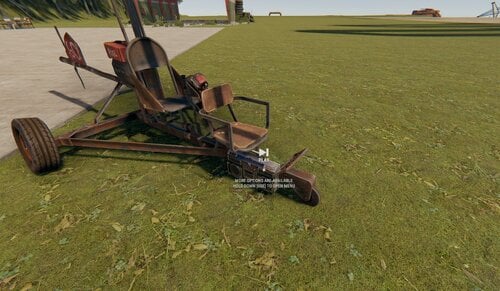
RFRadio allows players to toggle radios on and off when they are mounted on a vehicle. Features: Minicopter Radio: RFRadio introduces the ability for players to spawn and despawn radios on minicopters, scrap transport helicopters, attack helicopters and many others when they are mounted on them. Easy Integration: The plugin is seamlessly integrated into your server and requires no complex setup. Simply add the plugin to your server's plugins folder, and it's ready to go. Command-Based: The plugin provides a simple and intuitive command, /radio, that allows players to toggle the radio on and off while they are riding a minicopter,scrap helicopter ot attack helicopter. This command ensures that players can easily interact with the radio functionality. Customization: While the default configuration spawns radios on minicopters at a specific position and rotation, the code can be easily changed to customize the radio's placement. This flexibility allows you to fine-tune the player experience on your server. Permissions: No special permissions required: RFRadio operates as a server-wide enhancement without the need for players to have specific permissions. Commands: /radio: This command allows players to toggle the radio on and off while they are riding a minicopter. Player must be mounted for the command to work Installation: Place the RFRadio plugin file into your Rust server's plugins folder. Restart or reload your server for the plugin to take effect. RFRadio.json$1.99 -
Version 1.0.3
16 downloads
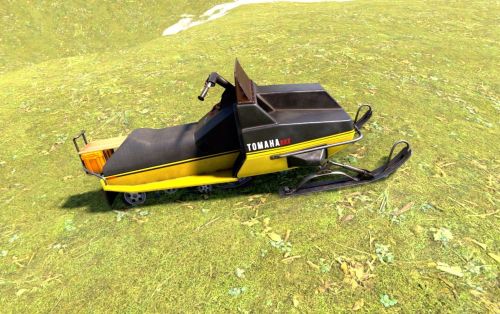
Permissions: rfsnowmobile.spawn: Players with this permission can spawn snowmobiles using the /sm chat command. Commands: /sm: This command allows players with the appropriate permission to spawn a snowmobile. The player is automatically mounted on the snowmobile. /nosm: Players with the appropriate permission can use this command to despawn their currently spawned snowmobile. Installation: Place the RFSnowmobile plugin file into your Rust server's plugins folder. Restart or reload your Rust server for the plugin to take effect.$1.99 -
Version 1.0.2
25 downloads
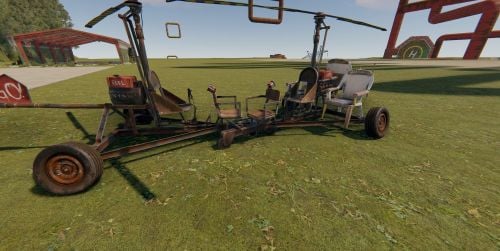
Vehicle NoClip lets players with permission toggle a mode where their vehicles pass through other vehicles! Once enabled, all vehicles you mount—including new spawns—ignore collisions until turned off. Commands /nocollision - Turn vehicle no-clip on/off (must be in a vehicle) Permissions vehiclenoclip.use - Allows use of the no-clip command Installation Drop VehicleNoClip.cs in your Oxide plugins folder Reload with oxide.reload VehicleNoClip Grant permission: oxide.grant user <player> vehiclenoclip.use Compatible with both Oxide and Carbon$5.00 -
Version 0.9.4
39 downloads
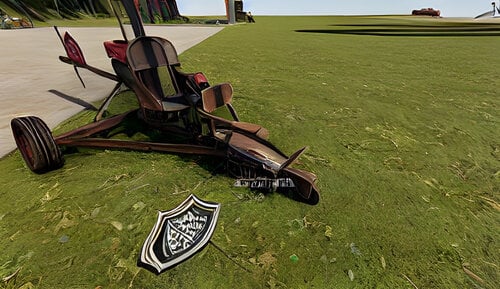
MiniCopter Invincibility: Nodamage allows players to toggle invincibility for their MiniCopter or Scrap Helicopter. Automatic Initialization: The plugin automatically initializes when the server starts, ensuring that it's ready to use as soon as players log in. Permissions: nodamage.nodamage: Players or groups with this permission can use the /nodamage chat command to toggle MiniCopter invincibility. Commands: /nodamage: This command allows players with the appropriate permission to toggle MiniCopter invincibility on and off.$4.25 -
.thumb.png.35bf8cdafd3583b859faf87cd9e4dd49.png)
Version 1.0.0
42 downloads
Allows players to spawn a car using a chat command. Spawn - /mycar Despawn - /nocar Permissions: rfcar.spawn - Provides access to the "/mycar" command.$1.99 -
hi, can you help me with this cfg? i gave it the api key but it's not doing anything on the server