
-
Posts
6 -
Joined
-
Last visited
Content Type
Profiles
Warranty Claims
Downloads
Forums
Store
Services
Downloads Plus Support
DOWNLOADS EXTRA
Reels
Everything posted by Spike25
-
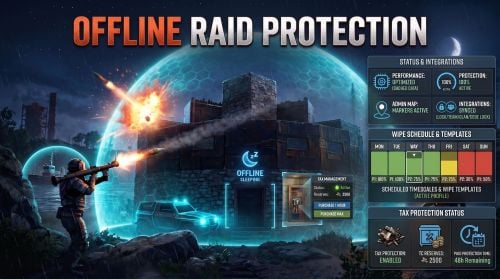 I have another question. I have a base on my server that has no TC. The TC was destroyed when the base was raided for an offline player that was offline for more than the time I have protection enabled so no problems there. The issue I'm having is that this base has not decayed and I'm wondering if the plugin might be the culprit? This is the only plugin that cares about bases. All other plugins are special events. I have another situation where my friend removed his TC from a base to decay faster, since he no longer needed the base, but the base still stands after a couple of days.
 -
 It looks like the method changed. I think all you need to do is to delete the argument in the method. Instead of "vending.SendNetworkUpdateImmediate(true);" set it to "vending.SendNetworkUpdateImmediate();". Then the plugin compiles successfully.
 -
It works. I thought that the premissions are automatically assigned to "default" group. But it looks like that on LGSM server using oxide is not. When I granted the permissions to default group everything works as it should. Thank you for your insight.
-
Ok, thank you, I will look into that. Till now I only use plugins that I guess don't need permissions or have some things by default. I'm currently doing everything through terminal (not that I hate GUIs but didn't need them by now XD) I'll get back at you with the results
-
"I gave the default player group the protect permission instead" I don't think I'm setting permisisons anywhere, where do I set the "default player group"? I also dont think that command does anything. I cant see anything happening in console logs. "What kind of damage are you doing, and how do you know it's damaging the base?" I'm using jackhammer or rifle shots on stone/metal wall, doors and foundations and see the health is dropping. "Do the server logs show any hook conflict warnings?" I will check that this afternoon. I haven't noticed anything in console logs, will check the oxide logs as well. Do I need to run "orp.fill.onlinetimes" periodically or is that done automatically?
-
I'm currently having issues when it where the player has 100% protection, but I can still damage the base. I'm on 1.3.1. Are there issues with Hardcore mode? do I need to run orp.update.permission? I tried running this command and I get nothing? I'm also appending my config file if anybody sees something I missed? OfflineRaidProtection.json