

-
Posts
84 -
Joined
-
Last visited
Content Type
Profiles
Warranty Claims
Downloads
Forums
Store
Services
Downloads Plus Support
DOWNLOADS EXTRA
Reels
Everything posted by Netch
-
Great work! Really happy with the designs. Easy to work with and delivered exactly what I was looking for. Definitely recommend!
-
Changed Status from Pending to Work in Progress
- 1 reply
-
- 1
-

-
 Hello @Airpex, good question. It cannot lock cars or custom cars.
 -
Hello @jtausch, thanks for creating a support ticket. I will check it out as soon as I can and get back to you with the results.
-
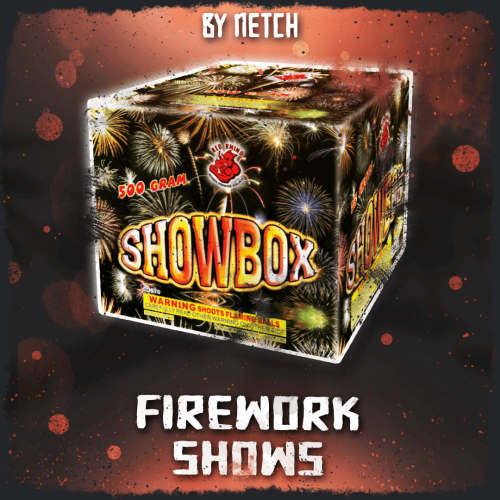 Hello @NEXT, no there isn't a command for that. You or a player has to place down the box for it to start a show.
 -
Hello again, I have updated the plugin for you. /randomitem.myitems – Lists items in your inventory to chat. /randomitem.spawncustom – Spawns all of the custom items to your inventory.
-
Those white squares look like the shortname or skin id could be invalid. Next wednesday I'll publish an update that makes working with custom items easier.
-
You might need to change box.wooden.large to whatever item the custom item is using. https://www.corrosionhour.com/rust-item-list/
-
{ "Display name": "Recycler", "Stack limit": 1, "Shortname": "box.wooden.large", "Skin ID": 3036111302 },
-
Sure, then you need to setup the custom item config data properly. "Custom item data": [
-
If you don't want to use custom items you can change this to false in your Random items config. "Using custom items (true/false)": false,
-
That is just how custom items work. They are a regular item with a skin and in this case it's a box with a skin. You need another plugin to detect these custom items and spawn the vehicle
-
@xlr8tednergyif you have any questions about this feel free to ask. I'm here to help
-
Changed Status from Pending to Not a Bug
-
You would need another plugin to add the vehicles functionality. That is why nothing happens when you place those boxes. The random items plugin only gives out the items. Here's a free one you can try. https://umod.org/plugins/portable-vehicles
-
Hello @xlr8tednergy, could you send me your config file here for testing.
-
Thanks for the suggestion, but I don't think I'll be adding this. You can already set all of the auto-lock options to be enabled by default, so players have to manually turn them off if they don't want to use them. If they choose to disable them and then forget to lock something later, that's really on them. I appreciate you taking the time to suggest it though.
-
Changed Status from Pending to Not a Bug
-
 I understand, @Chill Roleplay. At the moment, the plugin only displays the material names, not their icons, as shown in the screenshot you shared. In the next update, I'll add an option to customize the display name of each required material. This will be useful if you're using the same base item with different icon skins, allowing you to distinguish between them more easily.
 -
Hey @Wizz, support for the Pilot codelock skin was added in Version v1.9.0 - October 10, 2025.
-
Hey @__doomsday__1, yes there is a config option to give free codelocks. Hello @MichuX, thanks for your suggestion. I have added this to my todo list.
-
Hello Chill Roleplay, thanks for your message! I will add more images and GIFs to give you a better idea.
-
Version 1.2.0
11 downloads
Allows players to stack chests and other deployables vertically with ease. Supports manual placement and automated stacking based on configurable limits and permission tiers. Join my Discord community to stay informed on new plugins and updates. https://discord.com/invite/yz5D3PBXa8 Stacks most deployables: Chests, furnaces, and more. Perfect alignment every time: Players pick the size, and the plugin stacks deployables flawlessly. Two stacking modes: Automatic after placement and manual with right click. Enable one or both! Mode #1 - Automatic stacking: You can change the max stack height for each item in the config. With permission tiers so VIP members can stack more. Mode #2 - Manual stacking with right click: Most if not all items are supported, each with their own config settings: DLC storage can be stacked with regular storage: (Optional) Auto Lock - Automatically lock stacked deployables. /autostack – Sets the automatic stack height for the held item. /stack – Toggles the manual stacking feature. (Optional) cheststacker.wipe – Wipes all player preferences. cheststacker.updateitems – Updates your config with any new stackable items. cheststacker.auto – Grants access to the automatic stacking feature. cheststacker.manual – Grants access to the manual stacking feature. cheststacker.admin – Grants access to the console commands.$14.99 -
Version 1.5.1
14 downloads
Take full control over crafting in Rust with a fully customizable system. Change crafting materials, recipes, and categories to fit your server however you want. You can also add custom requirements like needing a workbench nearby or being inside Outpost before players can craft certain items. Join my Discord community to stay informed on new plugins and updates. https://discord.com/invite/yz5D3PBXa8 Craft Without Limits: Customize the crafting materials and create any item in the game. Complete Customization: Fully customize the system with your own items, categories, and ingredients. Custom Item Support: Supports custom items created by other plugins or mods. Ready Out of the Box: The default config includes most DLC and normally uncraftable items. Advanced Recipe Requirements: Set optional crafting requirements per recipe, such as workbench proximity or being at the outpost/bandit camp. Info UI Integration: Open the crafting menu directly from the Info UI menu by Netch for added convenience. (Required) Image Library (Optional) Player DLC API - Checks player ownership of DLC items and skins. /craft – Opens the custom crafting UI. customcrafting.use – Grants access to the /craft chat command.$14.99 -
Version 2.9.2
8 downloads
Save time and take the stress out of moderation with this plugin. Your moderators simply select a reason for a mute and the plugin automatically sets the duration based on the player’s history, removing guesswork and arguments. Spam and bad language are caught automatically with configurable warnings or mutes. A sleek, intuitive UI keeps moderation fast and easy, while optional anonymous broadcasts and logging give you full control so your server stays clean and your team stays efficient. Join my Discord community to stay informed on new plugins and updates. https://discord.com/invite/yz5D3PBXa8 Empower Your Moderators: Allow your mods to mute players using predefined reasons directly from the configuration. Automate Penalties: Mute durations are automatically adjusted based on the player’s infraction history for each reason. All-in-One Moderation: Combine manual mutes, player warnings, and automatic chat filtering in a single plugin. Smart Spam & Profanity Detection: Automatically detect chat spamming and inappropriate language, applying configurable warnings or mutes to keep your community safe and clean. Anonymous Broadcasts: Your moderators can message the entire chat anonymously as [Chat Moderator]. (See image below) Optional Logging: Enable logging of all moderator actions to a file and/or console for review. Easy player search with names or Steam IDs: Moderators can choose predefined reasons or warn the player: Mute confirmation window: Anonymous moderator message broadcasts: (Required) Image Library (Optional) Better Chat - Better chat is supported. (Optional) Discord Messages - Send mutes/unmutes to discord via webhook. /mute – Opens the UI. /mute "Player name/ID" "Reason" – Directly mute a player with a reason from the config. /custommute "Player name/ID" "Duration" "Reason" – Directly mute a player with a custom duration and reason. /unmute "Player name/ID" – Directly unmute a player. /mod "Message to broadcast" – Broadcasts a message anonymously to chat as [Chat Moderator]. (Configurable) mute "Player name/ID" "Reason" – Directly mute a player from Console/RCON. custommute "Player name/ID" "Duration" "Reason" – Directly mute a player with a custom duration and reason from Console/RCON. unmute "Player name/ID" – Directly unmutes a player from Console/RCON. mod "Message to broadcast" – Broadcasts a message anonymously to chat as [Chat Moderator]. (Configurable) chatmodplus.wipe – Wipes all player infraction data. chatmodplus.clear "Player name/ID" – Wipes a single players infraction data. chatmodplus.use – Required to use /mute, /unmute "Player name/ID", and /mod "Message to broadcast" chatmodplus.custommute – Required to use the /custommute "Player name/ID" "Duration" "Reason" command. chatmodplus.admin – Required to use data wipe and clear commands. chatmodplus.ignore – Users with this permission cannot be muted.$14.99