-
Posts
50 -
Joined
-
Last visited
Content Type
Profiles
Warranty Claims
Downloads
Forums
Store
Services
Downloads Plus Support
DOWNLOADS EXTRA
Everything posted by spunK
-
Hi, did you download the Discord V14 Template that i released on my profile? If so, please drag and drop the modules folder into that.
-
 Hello. I've just added support for my new free AutoEvents plugin, as you guys wished.
 -
 You can add a tugboat just like this: "tugboat": { "Display Name": "Tugboat", "Entity Prefab": "assets/content/vehicles/boats/tugboat/tugboat.prefab", "Spawn With Fuel": false, "Fuel Amount": 100, "Cooldown (seconds)": 600.0, "Costs (payment type: amount)": { "scrap": 500, "economics": 2500, "serverrewards": 1250 } },
 -
Version 1.0.0
11 downloads
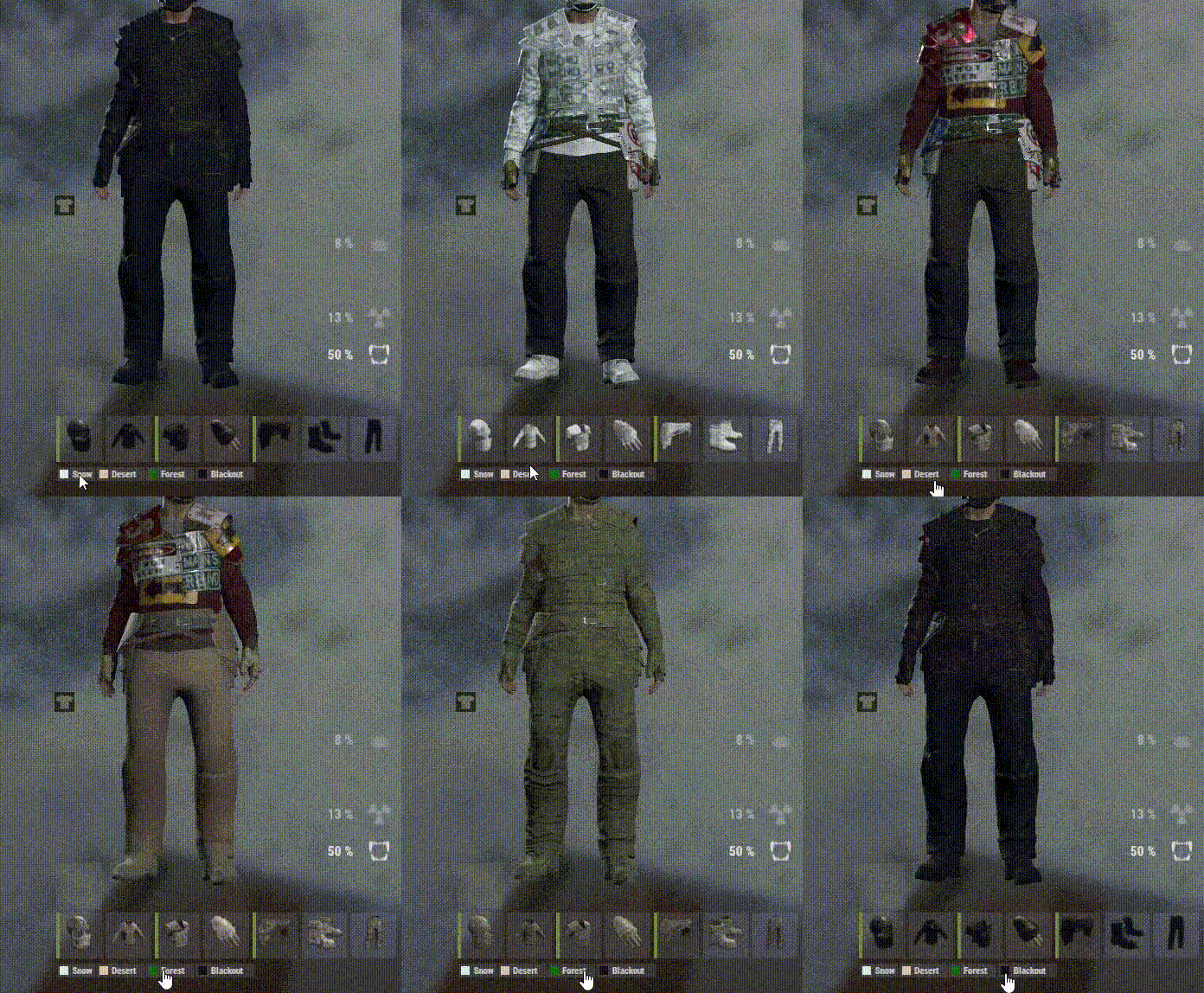
Overview QuickSkins is a quality-of-life plugin for Rust servers that lets players instantly reskin all their equipped wearables with a single click. Designed for convenience and style, QuickSkins features a customizable UI with curated skinsets for different biomes or themes (Snow, Desert, Forest, Blackout, and more). With permission-based access, real-time UI, and admin tools, QuickSkins makes it easy for players to look their best—no manual skin swapping required. Important: To comply with Rust’s Terms of Service, it is strongly recommended to use only custom skins that you own or have the rights to. Avoid distributing or applying paid or restricted skins to players who do not own them. Players simply open their inventory to see the QuickSkins panel, then click a button to instantly apply a full set of matching skins to their gear. Admins can configure skinsets, permissions, and UI appearance to fit any server’s needs. Key Features One-Click Skin Application: Instantly reskin all equipped wearables to a curated set with a single button press. Customizable Skinsets: Easily configure skinsets for different biomes, playstyles, or server themes. Permission-Based Access: Restrict specific skinsets to VIPs, donators, or groups using Oxide/Carbon permissions. Sleek UI Integration: Modern, minimal UI panel appears in the inventory. Admin Tools: Fetch equipped skin IDs for easy configuration and troubleshooting. Feedback Options: Toast notifications or chat messages for user feedback. Localization Ready: All messages and UI text are fully configurable. Example Configuration { "UI": { "ButtonHeight": 16.0, "ButtonSpacing": 2.0, "ButtonTopMargin": 6.0, "MinButtonWidth": 42.0, "MaxButtonWidth": 100.0, "ButtonTextPadding": 14.0, "ButtonFontSize": 11, "FigureWidthPx": 10.0, "FigureLeftPaddingPx": 3.0, "BackgroundColor": "0.6 0.6 0.6 0.10", "TextColor": "0.9 0.9 0.9 0.75", "ButtonMaterial": "assets/content/ui/uibackgroundblur.mat" }, "Messages": { "UseToasts": true, "NoPermission": "You do not have permission to use this skinset.", "SkinsetNotFound": "Skinset '{0}' is not configured.", "Applied": "Applied skinset: {0}", "NothingToApply": "No matching wearable items found to reskin.", "AdminOnly": "You do not have permission to use this command.", "NoWearablesEquipped": "You have no wearable items equipped." }, "Buttons": [ { "Label": "Snow", "FigureColor": "0.88 0.97 0.98 0.95", "SkinsetKey": "snow", "Permission": "quickskins.use.snow", "Command": "quickskins.apply snow" }, { "Label": "Desert", "FigureColor": "0.93 0.79 0.69 0.95", "SkinsetKey": "desert", "Permission": "quickskins.use.desert", "Command": "quickskins.apply desert" }, { "Label": "Forest", "FigureColor": "0.00 0.39 0.00 0.95", "SkinsetKey": "forest", "Permission": "quickskins.use.forest", "Command": "quickskins.apply forest" }, { "Label": "Blackout", "FigureColor": "0.00 0.00 0.00 0.95", "SkinsetKey": "blackout", "Permission": "quickskins.use.blackout", "Command": "quickskins.apply blackout" } ], "Skinsets": { "blackout": { "coffeecan.helmet": 2120618167, "hoodie": 2080975449, "jacket": 2137516645, "metal.facemask": 2105454370, "metal.plate.torso": 2105505757, "pants": 2080977144, "roadsign.gloves": 2530894213, "roadsign.jacket": 2120615642, "roadsign.kilt": 2120628865, "shoes.boots": 2090776132 }, "desert": { "coffeecan.helmet": 2496517898, "hoodie": 2503910428, "jacket": 10012, "metal.facemask": 2475428991, "metal.plate.torso": 2475407123, "pants": 2503903214, "roadsign.gloves": 2510097681, "roadsign.jacket": 2496520042, "roadsign.kilt": 2496523983, "shoes.boots": 2510093391 }, "forest": { "coffeecan.helmet": 2570227850, "hoodie": 2563940111, "jacket": 10009, "metal.facemask": 2551475709, "metal.plate.torso": 2551474093, "pants": 2563935722, "roadsign.gloves": 2575539874, "roadsign.jacket": 2570233552, "roadsign.kilt": 2570237224, "shoes.boots": 2575506021 }, "snow": { "coffeecan.helmet": 2696378175, "hoodie": 2674836342, "jacket": 2661903671, "metal.facemask": 2668165249, "metal.plate.torso": 2668149001, "pants": 2674838261, "roadsign.gloves": 2706128764, "roadsign.jacket": 2696375601, "roadsign.kilt": 2696358587, "shoes.boots": 2752873720 } } } Commands /getskinids — Lists all equipped wearables and their skin IDs for easy configuration. Permissions quickskins.use.<skinset> — Grants access to use a specific skinset (e.g., quickskins.use.snow). quickskins.admin — (Optional) For admin-only features. Support & Customization For support, feature requests, or custom modifications, contact the plugin author via private message.$4.99 -
Version 1.0.0
141 downloads
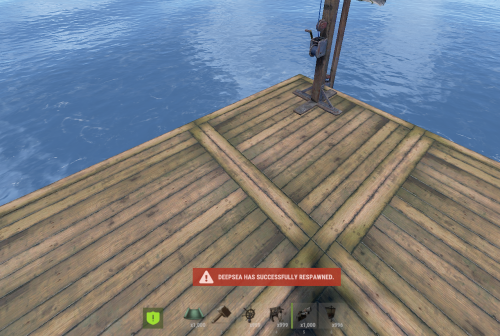
DeepSea is a lightweight Rust plugin that notifies all connected players when the DeepSea event has respawned. Instantly alerts your server with a customizable toast message, ensuring everyone knows when DeepSea is open for action.Free -
Fixed. - Download the new version
- 20 comments
-
- 1
-

-
- #capture the flag
- #pvp
- (and 1 more)
-
Seems to be working completely fine for me. I've just pushed an update, and made it so it should work always now. - Please try that and let me know weather it works or not
-
Fixed now, it use ctf.start, and ctf.stop in the console. Also the interrupted message, theres a cooldown, on 10 seconds now. Please download the newest update.
- 20 comments
-
- 1
-
-
- #capture the flag
- #pvp
- (and 1 more)
-
Fixed the 2x item amount. - Download the newest. - Im currently making an free plugin called "EventController", that will be running events every 30 minutes or so. With a voting menu, making it possible for the players to vote for what the next event should be etc. - So auto-running will come soon
-
Will take a look at this with the crate-system on saturday, thanks for the suggestions
-
I'll definitely take a look at the crate spawning as a reward on saturday, as i wont be home tomorrow
-
Download the newest version. Fixed the 2x clan names. > Will only say clan name now, instead of showing the specific player. (unless no clan plugin is loaded) Remove languages from config, and made it language based now. - oxide/lang Added an option for Block mount, when having the flag. (Helicopters etc.) Added the UI text, to the language
- 20 comments
-
- 1
-

-
- #capture the flag
- #pvp
- (and 1 more)
-
You can fully customize the locations in the config. Currently, there are around six monuments set up by default, and you can add as many more as you like. Each monument has a predefined offset, which determines a specific location somewhere inside the monument. To change this offset, go to the desired location in-game and use the command /ctf offset. This will generate and save a new offset based on your current position. When the event starts, a random monument is automatically selected, and the flag is spawned somewhere within 30% of the map’s radius from that monument. This ensures that the event does not always take place in the same area, but instead rotates between different monuments. The extraction point inside the monument will always remain the same unless you manually change the offset. Hope this makes sense
-
Version 1.0.4
39 downloads
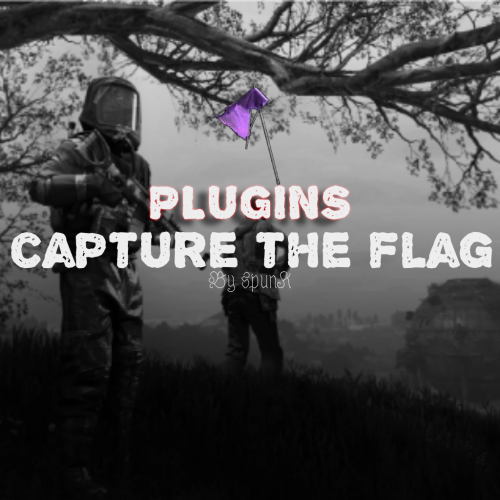
Overview Capture The Flag is a competitive event plugin for Rust servers that transforms team-based gameplay into an intense, objective-driven experience. The plugin features randomly spawned flags that must be captured and extracted to a designated monument-based extraction zone. With full clan integration, real-time progress tracking, and customizable rewards, CTF creates high-stakes moments where every second counts and teamwork determines victory. When a flag is successfully extracted to the capture zone and held for the required time, the carrying clan claims victory and receives substantial rewards. The dynamic capture mechanic includes contested zone penalties, ally-based capture rate bonuses, and real-time progress UI to keep players engaged throughout the event. Preview: https://youtu.be/etyPaY0AKP0 Key Features Flag & Extraction System: Flags spawn at random locations far from extraction zones, requiring teams to transport them across the map while defending against enemies Monument-Based Extraction Zones: Dynamically created extraction zones at configurable Rust monuments with radius-based detection Dynamic Capture Mechanics: Configurable capture time requirements (default: 300 seconds) Base capture rate with bonuses for team size (up to configurable maximum) Contested zone detection - capture progress decays when enemies are present Real-time capture progress tracking and UI display Clan Integration: Full support for the Clans plugin with clan-based capture completion and win detection Comprehensive Reward System: Item-based rewards Economics plugin integration for currency rewards ServerRewards points distribution Multiple reward types can be enabled Visual & Audio Feedback: Live tracking map markers for flag and extraction zone locations Visual sphere indicators for extraction zone boundaries Real-time capture progress UI with percentage and time remaining Customizable colored markers with configurable alpha and radius Gameplay Restrictions: Block specific commands (teleport, home, shop) while flag is being carried to prevent exploit usage Admin Controls: Commands to start/stop events, retrieve monument offsets, and manage active sessions Example Configuration { "Gameplay Settings": { "Use Clans Plugin": true, "Blocked Commands While Carrying Flag": [ "home", "tp", "tpr", "clanhome", "outpost", "trade", "shop" ], "Mark Flag Carrier as hostile (Prevents walking into Safe Zones)": true, "Drop Flag On Disconnect": true, "Drop Flag On Death": true, "Block Mounting While Carrying Flag": true }, "Capture Settings": { "Capture Check Interval (seconds)": 1.0, "Required Capture Time (seconds)": 300.0, "Base Capture Rate Per Second": 1.0, "Additional Rate Per Extra Team Member": 0.5, "Maximum Capture Rate Multiplier": 3.0, "Decay Rate When Contested (per second)": 2.0, "Show Progress UI": true, "Progress UI Update Interval (seconds)": 2.0 }, "Flag Settings": { "Display Name": "Capture The Flag", "Item Shortname": "twitchrivalsflag", "Skin ID": 0, "Use Custom Flag Spots": false, "Custom Flag Spots": [ { "x": 106.16, "y": 9.12, "z": -46.94 } ] }, "Extraction Zone Settings": { "Zone Radius": 25.0, "Use Custom Extraction Spots": false, "Custom Extraction Spots": [ { "x": 157.48, "y": 13.42, "z": 46.42 } ], "Allowed Monuments": [ "xlarge/launch_site_1.prefab", "medium/nuclear_missile_silo.prefab", "large/military_tunnel_1.prefab", "large/airfield_1.prefab", "small/sphere_tank.prefab", "assets/bundled/prefabs/autospawn/monument/military_bases/desert_military_base_d.prefab", "assets/bundled/prefabs/autospawn/monument/small/satellite_dish.prefab" ], "Show Zone Marker": true, "Show Visual Sphere": true, "Monument Spawn Offsets": { "xlarge/launch_site_1.prefab": { "x": 86.53, "y": 3.03, "z": 0.07 }, "medium/nuclear_missile_silo.prefab": { "x": 53.3, "y": -13.2, "z": 1.1 }, "large/military_tunnel_1.prefab": { "x": -0.5, "y": 18.35, "z": 25.0 }, "large/airfield_1.prefab": { "x": 20.0, "y": 0.5, "z": -27.5 }, "small/sphere_tank.prefab": { "x": 0.18, "y": 71.8, "z": -0.39 }, "assets/bundled/prefabs/autospawn/monument/military_bases/desert_military_base_d.prefab": { "x": -44.77, "y": 0.64, "z": 25.46 }, "assets/bundled/prefabs/autospawn/monument/small/satellite_dish.prefab": { "x": -30.53, "y": 0.15, "z": 16.04 } } }, "Marker Settings": { "Update Interval (seconds)": 5.0, "Flag Marker": { "Alpha": 0.85, "Color1": "#00FFFF", "Color2": "#0000FF", "Radius": 0.4 }, "Extraction Zone Marker": { "Alpha": 0.75, "Color1": "#00FF00", "Color2": "#FFFF00", "Radius": 0.3 } }, "Reward Settings": { "Enable Rewards": true, "Use Items": true, "Use Economics": false, "Use ServerRewards": false, "Item Rewards": [ { "Shortname": "ammo.rocket.hv", "Amount": 1, "SkinID": 0 }, { "Shortname": "explosive.timed", "Amount": 1, "SkinID": 0 }, { "Shortname": "explosive.satchel", "Amount": 1, "SkinID": 0 } ], "Economics Amount": 5000.0, "ServerRewards Points": 1000 }, "Announcement Settings": { "Message Prefix": "<color=#00FFFF>[CTF]</color>", "Global progress announcements every (percent) % (0 to disable)": 10 } } Commands Admin Commands /ctf start - Launch a new Capture The Flag event with random flag spawn and extraction zone /ctf stop or /ctf end - Immediately end the active event /ctf offset - Get the monument offset at your current position (useful for configuration) Requirements Clans Plugin (Optional) - Recommended for clan-based gameplay; plugin will say player names instead of clans if not loaded. Economics Plugin (Optional) - Required only if using economics-based rewards ServerRewards Plugin (Optional) - Required only if using ServerRewards points Permissions ctf.admin - Required to execute admin commands and manage events Support & Customization For support, feature requests, custom modifications, or help with advanced setup, feel free to contact via private message.$20.00 -
 I would indeed, i will have to take a look at it when im home from work today. Already made Markers Heli & Bradley points.
 -
They dont earn points from looting crates etc, they earn points from killing and raiding people. They lose points for dying yes. Do you wish for those features?
-
Version 2.0.0
5 downloads
Overview Clan Warfare is a clan tracking and leaderboard system for Rust servers that transforms clan warfare into a competitive, point-based experience. The plugin tracks kills, deaths, and TC raids across all clans, featuring a registration system where clans protect their Tool Cupboards, a dynamic GUI leaderboard, and an engaging points economy that rewards PvP dominance and successful raids. When a clan's registered TC is destroyed, they lose all points, and the raiding clan claims those points plus a raid bonus. This creates high-stakes territorial warfare where every TC matters and every raid can dramatically shift the leaderboard rankings. Key Features TC Registration System: Each clan can register one Tool Cupboard as their "core" - their most valuable asset Comprehensive Stat Tracking: Automatically tracks kills, deaths, and successful TC raids for every clan Dynamic Points Economy: Earn points for kills (configurable, default: 100 points) Earn points for destroying key prefabs (configurable, e.g., helicopters: 2000 points) Earn massive points for raids (configurable base: 1000 points + all points from raided clan) Lose ALL points when your registered TC is destroyed Place map markers on registered TCs for easy identification Beautiful GUI Leaderboard: Interactive in-game leaderboard with real-time updates, color-coded rankings, and TC registration indicators Smart Caching System: High-performance caching for leaderboards and clan lookups reduces server load Discord Integration: Optional webhook notifications for major events (kills, raids) with rich embeds Admin Tools: Comprehensive admin commands for managing clans, points, and TC registrations Auto-Save: Configurable auto-save system with dirty flag tracking ensures data integrity Clan Detection: Full integration with the Clans plugin for automatic clan identification Config Example PointsPerKill: Points awarded for killing enemy clan members PointsPerRaid: Points awarded for successfully raiding an enemy clan's base PointsPerDestroyedPrefab: Points awarded for destroying specific prefabs (e.g., helicopters, barrels) HelicopterUseLastHit: If true, points for helicopter kills are awarded to the last player who damaged it AwardPointsOnPlayerKill: Toggle to enable/disable points for player kills LoseAllPointsOnRaid: Toggle to enable/disable losing all points upon being raided LeaderboardMaxEntries: Maximum number of entries to display on the leaderboard LeaderboardCacheTimeMinutes: Duration in minutes to cache the leaderboard data AutoSaveIntervalMinutes: Interval in minutes for auto-saving clan data TCDetectionRadius: Radius around tool cupboards to detect raids EnableDebugLogging: Toggle to enable/disable debug logging NotifyPlayersOnKills: Toggle to notify players when they earn points from kills NotifyPlayersOnRaids: Toggle to notify players when they earn points from raids EnableTCMapMarkers: Toggle to enable/disable map markers for registered tool-cupboards UseDiscordWebhooks: Toggle to enable/disable Discord webhook notifications DiscordWebhookURL: URL for the Discord webhook to send notifications to { "HelicopterUseLastHit": true, "PointsPerKill": 100, "PointsPerRaid": 1000, "PointsPerDestroyedPrefab": { "patrolhelicopter": 2000, "bradleyapc": 3000, "loot_barrel_2": 3, "loot_barrel_1": 2, "oil_barrel": 1 }, "AwardPointsOnPlayerKill": true, "LoseAllPointsOnRaid": true, "LeaderboardMaxEntries": 15, "LeaderboardCacheTimeMinutes": 5, "AutoSaveIntervalMinutes": 10.0, "TCDetectionRadius": 10.0, "EnableDebugLogging": false, "NotifyPlayersOnKills": true, "NotifyPlayersOnRaids": true, "EnableTCMapMarkers": true, "UseDiscordWebhooks": false, "DiscordWebhookURL": "WEBHOOK_URL_HERE" } Commands Player Commands /cw - Display help and available commands /cw register - Register the TC you're looking at (must be authorized) /cw stats [clan] - View detailed stats for your clan or specified clan /cw top - View top 5 clans in chat /cw leaderboard - Open the interactive GUI leaderboard Admin Commands (Requires clancores.admin permission) /cwadmin save - Force save all data immediately /cwadmin reload - Reload configuration from file /cwadmin resetcache - Clear leaderboard and clan caches /cwadmin resetclan <clan> - Completely reset a clan's stats and TC registration /cwadmin addpoints <clan> <amount> - Add or remove points from a clan /cwadmin removetc <clan> - Remove a clan's TC registration Requirements Clans Plugin: Required for clan detection and integration Rust Server: with Oxide/uMod framework Permissions clanwarfare.use - Allows players to use basic commands (granted by default) clanwarfare.admin - Required for admin commands and data management Support & Customization For support, feature requests, custom modifications, or help with advanced setup, feel free to contact me via private message.$20.00 -
Version 1.0.0
6 downloads
Clan Module The Clan Module adds a full clan management system to your This module is designed to fit seamlessly into the template’s modular structure — just drop it into the `modules` folder and it’ll register automatically. --- Features - Create and manage clans with unique names and colors - Invite users with accept/decline buttons - Promote, demote, transfer ownership, and manage roles - Built-in help command with usage info --- Commands /clan create <name> Creates a new clan. The name must be unique and follow the configured length limits. /clan info <name> Displays detailed information about a clan — including its name, leader, members, role color, and member count. /clan invite <user> Sends an invite message to the selected user with **Accept** and **Decline** buttons. Invites expire automatically after a set time. /clan accept (button) Accepts a pending clan invite. The user is added to the clan and their role is updated automatically. /clan decline (button) Declines a pending invite and removes the invite entry. /clan promote <user> Promotes a clan member (member → co-leader → leader). Promotion permissions depend on role hierarchy. /clan demote <user> Demotes a clan member one step down in the hierarchy. /clan transfer <user> Transfers clan ownership to another member. *Leader-only command.* /clan kick <user> Removes a member from the clan. *Leader and co-leader permissions required.* /clan leave Leaves the current clan. Leaders must transfer ownership or disband the clan before leaving. /clan setcolor <hex> Changes the clan’s role color. *Leader-only command.* /clan rename <new_name> Renames the clan. *Leader-only; name must be unique.* /clan help Displays an embedded help menu with command descriptions and usage examples. --- Installation 1. Download or clone the --- Notes - Make sure your bot has the **Manage Roles** permission for color and role updates. - Customize settings (like name length or invite expiry) in the module’s config file. - You can easily modify this module to fit other systems, such as guilds, factions, or teams. --- *Made for the TypeScript Discord Bot Template — modular, simple, and extendable.*$7.00 -
Version 1.0.0
73 downloads
TypeScript Discord Bot Template A simple Discord bot template written in TypeScript. I’ll be using this for some of my future releases, but figured I’d share it in case it helps someone else out. Modules Inside the modules folder, you can create your own modules with commands, select menus, buttons, and events. This setup makes it easy to build or sell different bots, just make a new module for each one. Installation Open config.ts, and replace "BOT_TOKEN_HERE", with your discord bot token. Run install.cmd Run start.cmdFree