-
Posts
1,211 -
Joined
-
Last visited
-
Days Won
18
Content Type
Profiles
Warranty Claims
Downloads
Forums
Store
Services
Downloads Plus Support
DOWNLOADS EXTRA
Everything posted by AhigaO
-
You got it right. There is a timer by which it is considered that the player has gone offline, so that the players do not abuse it. Standard time is 1 hour. You can only change it manually in the configuration file (I still can’t get around to rewriting the plugin properly and fitting all the settings into the UI)
- 215 comments
-
- 1
-
-
- 607 comments
-
- 1
-
-
- #hud
- #interface
-
(and 6 more)
Tagged with:
-
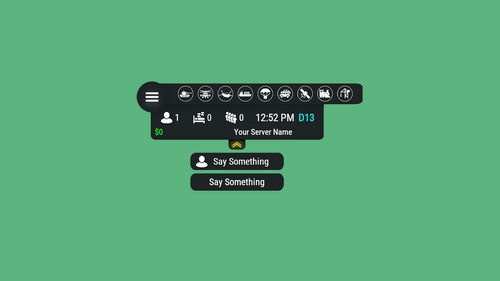
I can not say exactly. If we speak in the order of my To-Do list, then the queue is as follows: Release of a new plugin (almost ready and will be released in the coming days) Server Hud Update Release of another plugin RTM rework. Regarding the UI, I’m not sure yet about the menu for players (I mean Hud rtm, that is, where the time and current status are shown). The plugin's main menu with the schedule will be completely changed, as will the plugin's capabilities. The plugin will have many times more functionality and will not stop only at raids, so the price of the plugin will be increased after the update
- 215 comments
-
- 1
-
-
-
- 29 comments
-
- #paid
- #foundation
- (and 6 more)
-
- 29 comments
-
- #paid
- #foundation
- (and 6 more)
-
- 607 comments
-
- 1
-
-
- #hud
- #interface
-
(and 6 more)
Tagged with:
-
- 215 comments
-
- 607 comments
-
- #hud
- #interface
-
(and 6 more)
Tagged with:
-
- 607 comments
-
- #hud
- #interface
-
(and 6 more)
Tagged with:
-
- 215 comments
-
- 607 comments
-
- #hud
- #interface
-
(and 6 more)
Tagged with:
-
1)Download photoshop 2)Download my basic icon 3)Find some icon for your event (Vector3png) for example Helicopter 4)Combine you downloaded icon with my basic icon in photoshop (Easyly can find guide on youtube) 5)Drop your new picture in DM in discord 6)Click RMB and copy image url 7)Paste your url in Icon property in /h setup
- 607 comments
-
- 1
-
-
- #hud
- #interface
-
(and 6 more)
Tagged with:
-
Sorry, but from a design point of view I don't see a place where this can be displayed in a collapsed version. Added The size changes with the Hud scale parameter Supports any plugin as long as you have a Hook name At the very bottom of the plugin description you can find the original blank image. Now full support for any hooks has been added. Yes. Example: <size=25>Here size will have 25 size</size> <color=red>Here color of text will red</color> You can make an icon yourself in 2 clicks and use it in the plugin Fixed Create a Support Request with more information Updated You can customize it use <color> tag
- 607 comments
-
- #hud
- #interface
-
(and 6 more)
Tagged with:
-
- 607 comments
-
- #hud
- #interface
-
(and 6 more)
Tagged with:
-
- 607 comments
-
- 1
-
-
- #hud
- #interface
-
(and 6 more)
Tagged with:
-
- 607 comments
-
- 1
-
-
- #hud
- #interface
-
(and 6 more)
Tagged with:
-
- 607 comments
-
- #hud
- #interface
-
(and 6 more)
Tagged with:
-
- 607 comments
-
- #hud
- #interface
-
(and 6 more)
Tagged with:
-
- 607 comments
-
- #hud
- #interface
-
(and 6 more)
Tagged with:
-
- 607 comments
-
- 1
-
-
- #hud
- #interface
-
(and 6 more)
Tagged with:
-
- 607 comments
-
- #hud
- #interface
-
(and 6 more)
Tagged with:
-
- 607 comments
-
- #hud
- #interface
-
(and 6 more)
Tagged with: