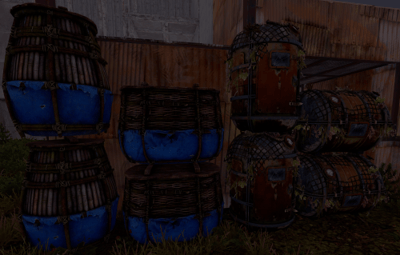
About Container Stacker Pro
Advanced, lightweight container stacking with support for multiple container families (small/large/medieval chests + vertical/horizontal barrels, including DLC variants). Smart matching, tiered limits by permission, obstruction checks, and vehicle support.
 Features
- Multi-type stacking: Small chest, Large chest, Medieval large chest, Vertical barrels, Horizontal barrels — includes Bamboo/Wicker + Abyss DLC.
-
Smart matching:
- Strict mode = exact prefab only.
- Category mode = mix within a family.
- Tiered limits by permission (default + VIP).
- Build privilege aware (optional).
- Obstruction checks (ceiling/occupant above).
- Vehicle-friendly (Tugboats supported).
- Skin controls (block listed IDs).
🕹 How It Works
- Look at the container you want to stack on (within ~3m).
- Hold the matching item in your hands.
- Right-click (Alt-Fire) to place the next container.
- Plugin checks authorization, matching rules, skin blocks, obstructions, and limits.
Supported shortnames:
box.wooden,
box.wooden.large,
medieval.box.wooden.large,
storage_barrel_b,
storage_barrel_c,
bamboo.barrel,
wicker.barrel (+ Abyss variants).
 Permissions
containerstackerpro.use — baseline use.
containerstackerpro.vip — higher tier limits (example).
 Configuration
{
  "Require Building Authorization": true,
  "Strict Container Matching (exact types only)": true,
  "Blocked Skin IDs": [2618923347],
  "Stack Tiers": {
    "containerstackerpro.use": {
      "Limits": {
        "SmallChest": 3,
        "LargeChest": 5,
        "MedievalChest": 5,
        "VerticalBarrel": 3,
        "HorizontalBarrel": 3
      }
    },
    "containerstackerpro.vip": {
      "Limits": {
        "SmallChest": 5,
        "LargeChest": 10,
        "MedievalChest": 10,
        "VerticalBarrel": 5,
        "HorizontalBarrel": 5
      }
    }
  }
}
Container Categories: SmallChest, LargeChest, MedievalChest, VerticalBarrel, HorizontalBarrel.
Tip: set "Strict Container Matching": false to mix within a family.
 Installation
- Place ContainerStackerPro.cs into oxide/plugins/.
- Reload server to generate config.
-
Grant base permission:
-
oxide.grant group default containerstackerpro.use
-
-
(Optional) Grant VIP:
-
oxide.grant user <steamid> containerstackerpro.vip
-
-
Adjust config and reload.
 Known Issues
-
Pilot Hazmat container does not stack yet.
- Workarounds: disable strict matching OR check skin IDs.
- Fix planned in a future update.
🗺 Roadmap
- Fix for Pilot Hazmat case.
- Per-type offsets for spacing.
- Optional chat/console admin commands.
- Optional GUI hints.