About Cargo Ship Radiation
Make the Cargo Ship a real challenge.
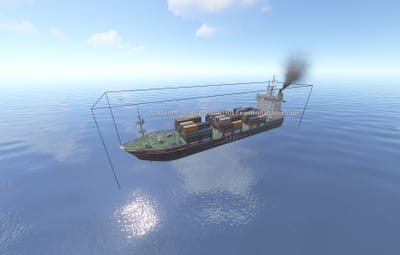
Cargo Ship Radiation adds a configurable radiation zone directly to the Cargo Ship. The zone follows the ship as it moves, exposing players on board to the radiation intensity you choose.
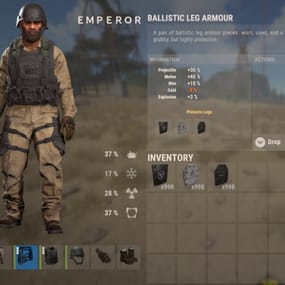
Set any non-negative numeric radiation value in the configuration, from mild exposure to a serious hazard. Players will need suitable radiation protection before attempting to secure the cargo.
WHY RADIATION?
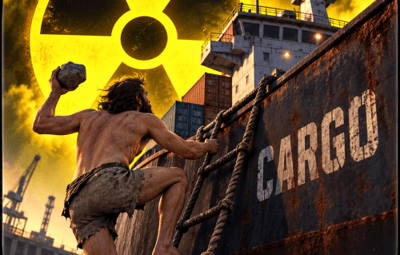
The idea comes from the Cargo Ship’s radioactive cargo.
With containers carrying radioactive barrels, radiation adds another reason to prepare before boarding. This plugin makes the event more challenging and gives radiation protection a practical role during Cargo Ship runs.
FEATURES
Fully configurable numeric radiation intensity.
Supports whole numbers and decimals, such as 10, 25, 40, or 40.5.
Automatically creates a radiation zone when a Cargo Ship spawns.
Supports Cargo Ships already present when the plugin loads.
Radiation zone follows the ship’s movement and rotation.
Automatic cleanup when the ship despawns or the plugin unloads.
Preserves vanilla Cargo Ship departure radiation.
Lightweight operation without plugin timers or polling loops.
No gameplay commands or permissions required.
CONFIGURATION
{

  "Radiation Level": 50.0

}
Radiation Level controls the custom zone’s radiation intensity.
Example values: 0, 2, 10, 25, 40, 51, 75.
Default: 20.0
Accepted values: finite, non-negative numbers.
Zero: produces no custom radiation; vanilla departure radiation remains active.
Change the value, then reload the plugin or restart the server.
HOW IT WORKS
The plugin attaches a native radiation trigger and a box collider directly to the Cargo Ship. The zone moves with the ship automatically.
Exposure follows Rust’s normal radiation protection and edge falloff behavior. The configured value controls the zone’s intensity; actual player exposure depends on protection and position within the zone.
The custom zone operates separately from the ship’s vanilla departure radiation. Where radiation zones overlap, Rust uses the strongest exposure rather than adding their values together.
No more naked Cargo runs.
Bring proper gear—or a very good reason to get irradiated.