
Vinni_TV_'s Wishlist
-
$79.99$69.99Raidable Bases Mega Pack & Loot Tables (Easy to Nightmare 210 Bases)
This is a custom package designed by us, featuring 210 unique bases and a specialized loot setup for five different difficulty levels, ranging from Easy to Nightmare.
Note: The building skins in the package showcase images may differ from the spawned bases or use the default building skin.
This MEGA PACK is an upgraded version of the FullWiped-110 Bases + Loot Pack we previously offered. If you've already purchased the FullWiped-110 Bases + Loot Pack, you only need to buy the expansion pack, which includes 100 new bases ranging from Easy to Hard. Get it here: https://codefling.com/bases/raidable-bases-pack-100-bases-expanded-package-from-easy-to-hard
Warning: The Raidable Bases plugin requires the Copy Paste plugin to function. You must install both for this bases pack to work.
🔗Raidable Bases (Paid): https://codefling.com/plugins/raidable-bases
🔗Copy Paste (Free): https://umod.org/plugins/copy-paste
This Raidable Bases Pack & Loot Tables package includes:
🏡70 Easy Bases +🗡️Base_Loot Tables (Easy "Vanilla" and "Enhanced" tables included)
🏡60 Medium Bases +🗡️Base_Loot Tables (Medium "Vanilla" and "Enhanced" tables included)
🏡60 Hard Bases +🗡️Base_Loot Tables (Hard "Vanilla" and "Enhanced" tables included)
🏡10 Expert Bases +🗡️Base_Loot Tables (Expert "Vanilla" and "Enhanced" tables included)
🏡10 Nightmare Bases +🗡️Base_Loot Tables (Nightmare "Vanilla" and "Enhanced" tables included)
Beware: Our loot table package includes only the 5-tier loot tables within the Base_loot folder, ranging from easy to nightmare.
It does not include the loot tables from the Difficulty_Loot or Weekday_Loot folders.
VANILLA AND ENHANCED LOOT TABLES FOR RAIDABLE BASES
This package includes 10 different base loot table files, ensuring a well-structured and advanced configuration for every difficulty level, from Easy to Nightmare.
- 5 loot files for the Vanilla setup (Easy, Medium, Hard, Expert, Nightmare), offering a balanced loot experience with some junk items, staying close to a 1x rate.
- 5 loot files for the Enhanced setup (Easy, Medium, Hard, Expert, Nightmare), designed for modded servers with 2x, 3x, or higher gather rates, featuring cleaner loot tables with minimal junk and more valuable rewards.
📁Installation Path:
All loot table files are intended for the 📁/oxide/data/RaidableBases/Base_Loot directory.
⚠️Setup Requirement: You must choose and install only one loot table setup at a time—either Vanilla or Enhanced. If you want to switch, you can replace the current files with the other set, but both cannot be active simultaneously.
For those exclusively seeking the loot table, we offer it as a standalone product: https://codefling.com/customizations/raidable-bases-loot-tables-pack
(Note: If you've purchased our Raidable Bases Mega Pack & Loot Tables (210 Bases) package, there is no need to buy this separately.)
WARNING: TWO DIFFERENT INSTALLATION METHODS
(PLEASE READ BOTH AND APPLY ONLY THE ONE THAT FITS YOUR NEEDS)
⚙️INSTALLATION GUIDE 1:
(If you do not have a custom configuration and are not a professional in server configurations, choose this option. However, if you already have your own configuration and profile settings and do not wish to use the optional configs we provide—in other words, if you only need the bases and loot tables—use the second installation guide instead.)
▶ Step 1: Place the Config File
From the extracted ZIP files, locate the config folder and find the RaidableBases.json file. Move it to the following directory:
📁/serverfiles/oxide/config
▶ Step 2: Place the Bases
From the extracted ZIP files, locate the copypaste folder and move it to the following directory:
📁/serverfiles/oxide/data
▶ Step 3: Place the Base_Loot Tables
From the extracted ZIP files, locate the Base_Loot folder and move it to the following directory:
📁/serverfiles/oxide/data/RaidableBases
Important: If there are any existing JSON files inside this folder that are not part of our loot tables, delete them to ensure proper functionality.
Choose between Vanilla or Enhanced loot tables based on your preference.
If the folder is named "Base_Loot (Enhanced loot)", remove the text in parentheses so that the correct folder name is simply: "Base_Loot" (Otherwise, the loot tables will not work properly.)
▶ Step 4: Place the Profiles Folder
From the extracted ZIP files, locate the profiles folder and move it to the following directory:
📁/serverfiles/oxide/data/RaidableBases
Why Are Profiles Important?
The profiles folder contains crucial settings that allow you to:
✔️ Enable/disable the dome
✔️ Enable/disable NPCs
✔️ Adjust the number of lootable items
These are just a few examples—there are dozens of important settings that directly affect how raid bases function. The config file alone is not enough—these files play a major role in customizing your raid bases.
⚡ I strongly recommend reviewing each difficulty setting (Easy to Nightmare) inside the profiles folder and adjusting them based on your needs.
▶ Step 5: Restart the plugin via RCON:
o.reload RaidableBases
⚙️INSTALLATION GUIDE 2:
(Use this installation method if you do not want to use our configurations and instead prefer to use your own config files and your own 📁/oxide/data/RaidableBases/Profiles configurations.)
In this case, you only need to add the bases. To do this, use the following commands in RCON:
▶ Step 1:
You can add bases one by one or in bulk.
After executing the commands in RCON, the bases will be registered inside the Profiles configuration.
If you do not want to deal with these adjustments, it is recommended to use Installation Guide 1 instead.
A- Example RCON commands:
rb.config add "Easy Bases" fullwipedeasy1 rb.config add "Hard Bases" fullwipedhard1 B- Commands to Integrate Raid Bases in Bulk via RCON:
rb.config add "Easy Bases" fullwipedeasy1 fullwipedeasy2 fullwipedeasy3 fullwipedeasy4 fullwipedeasy5 fullwipedeasy6 fullwipedeasy7 fullwipedeasy8 fullwipedeasy9 fullwipedeasy10 fullwipedeasy11 fullwipedeasy12 fullwipedeasy13 fullwipedeasy14 fullwipedeasy15 fullwipedeasy16 fullwipedeasy17 fullwipedeasy18 fullwipedeasy19 fullwipedeasy20 fullwipedeasy21 fullwipedeasy22 fullwipedeasy23 fullwipedeasy24 fullwipedeasy25 fullwipedeasy26 fullwipedeasy27 fullwipedeasy28 fullwipedeasy29 fullwipedeasy30 fullwipedeasy31 fullwipedeasy32 fullwipedeasy33 fullwipedeasy34 fullwipedeasy35 fullwipedeasy36 fullwipedeasy37 fullwipedeasy38 fullwipedeasy39 fullwipedeasy40 fullwipedeasy41 fullwipedeasy42 fullwipedeasy43 fullwipedeasy44 fullwipedeasy45 fullwipedeasy46 fullwipedeasy47 fullwipedeasy48 fullwipedeasy49 fullwipedeasy50 fullwipedeasy51 fullwipedeasy52 fullwipedeasy53 fullwipedeasy54 fullwipedeasy55 fullwipedeasy56 fullwipedeasy57 fullwipedeasy58 fullwipedeasy59 fullwipedeasy60 fullwipedeasy61 fullwipedeasy62 fullwipedeasy63 fullwipedeasy64 fullwipedeasy65 fullwipedeasy66 fullwipedeasy67 fullwipedeasy68 fullwipedeasy69 fullwipedeasy70 rb.config add "Medium Bases" fullwipedmed1 fullwipedmed2 fullwipedmed3 fullwipedmed4 fullwipedmed5 fullwipedmed6 fullwipedmed7 fullwipedmed8 fullwipedmed9 fullwipedmed10 fullwipedmed11 fullwipedmed12 fullwipedmed13 fullwipedmed14 fullwipedmed15 fullwipedmed16 fullwipedmed17 fullwipedmed18 fullwipedmed19 fullwipedmed20 fullwipedmed21 fullwipedmed22 fullwipedmed23 fullwipedmed24 fullwipedmed25 fullwipedmed26 fullwipedmed27 fullwipedmed28 fullwipedmed29 fullwipedmed30 fullwipedmed31 fullwipedmed32 fullwipedmed33 fullwipedmed34 fullwipedmed35 fullwipedmed36 fullwipedmed37 fullwipedmed38 fullwipedmed39 fullwipedmed40 fullwipedmed41 fullwipedmed42 fullwipedmed43 fullwipedmed44 fullwipedmed45 fullwipedmed46 fullwipedmed47 fullwipedmed48 fullwipedmed49 fullwipedmed50 fullwipedmed51 fullwipedmed52 fullwipedmed53 fullwipedmed54 fullwipedmed55 fullwipedmed56 fullwipedmed57 fullwipedmed58 fullwipedmed59 fullwipedmed60 rb.config add "Hard Bases" fullwipedhard1 fullwipedhard2 fullwipedhard3 fullwipedhard4 fullwipedhard5 fullwipedhard6 fullwipedhard7 fullwipedhard8 fullwipedhard9 fullwipedhard10 fullwipedhard11 fullwipedhard12 fullwipedhard13 fullwipedhard14 fullwipedhard15 fullwipedhard16 fullwipedhard17 fullwipedhard18 fullwipedhard19 fullwipedhard20 fullwipedhard21 fullwipedhard22 fullwipedhard23 fullwipedhard24 fullwipedhard25 fullwipedhard26 fullwipedhard27 fullwipedhard28 fullwipedhard29 fullwipedhard30 fullwipedhard31 fullwipedhard32 fullwipedhard33 fullwipedhard34 fullwipedhard35 fullwipedhard36 fullwipedhard37 fullwipedhard38 fullwipedhard39 fullwipedhard40 fullwipedhard41 fullwipedhard42 fullwipedhard43 fullwipedhard44 fullwipedhard45 fullwipedhard46 fullwipedhard47 fullwipedhard48 fullwipedhard49 fullwipedhard50 fullwipedhard51 fullwipedhard52 fullwipedhard53 fullwipedhard54 fullwipedhard55 fullwipedhard56 fullwipedhard57 fullwipedhard58 fullwipedhard59 fullwipedhard60 rb.config add "Expert Bases" fullwipedexp1 fullwipedexp2 fullwipedexp3 fullwipedexp4 fullwipedexp5 fullwipedexp6 fullwipedexp7 fullwipedexp8 fullwipedexp9 fullwipedexp10 rb.config add "Nightmare Bases" fullwipednight1 fullwipednight2 fullwipednight3 fullwipednight4 fullwipednight5 fullwipednight6 fullwipednight7 fullwipednight8 fullwipednight9 fullwipednight10 ▶ Step 2: Place the Base_Loot Tables
From the extracted ZIP files, locate the Base_Loot folder and move it to the following directory:
📁/serverfiles/oxide/data/RaidableBases
Important: If there are any existing JSON files inside this folder that are not part of our loot tables, delete them to ensure proper functionality.
Choose between Vanilla or Enhanced loot tables based on your preference.
If the folder is named "Base_Loot (Enhanced loot)", remove the text in parentheses so that the correct folder name is simply: "Base_Loot" (Otherwise, the loot tables will not work properly.)
▶ Step 3: Restart the plugin via RCON:
o.reload RaidableBases
EXTRA IMPORTANT INFORMATIONS:
We do not use a dome, NPCs, or arena walls around raid bases on our servers, and in the ZIP file we provided, these features are also disabled by default. If you want to enable them, you will need to adjust the settings accordingly.
For example, to enable the dome, follow the steps below:
Navigate to:
📁/oxide/data/RaidableBases/Profiles
Open the files inside the Profiles folder with a text editor.
Locate the following settings:
(This is already set to false because it is required for markers to appear on the map.)
"Spawn Silently (No Notification, No Dome, No Map Marker)": false,
"Create Dome Around Event Using Spheres (0 = disabled, recommended = 5)": 0,
Change the value from 0 to 5 as shown below:
"Create Dome Around Event Using Spheres (0 = disabled, recommended = 5)": 5,
Additionally, the loot amount for bases varies depending on the difficulty level (easy, medium, hard, expert, and nightmare). You can adjust this setting in the same Profiles location according to your needs:
"Amount Of Items To Spawn": 210, For example, in medium bases, this value is set to 210, which determines the total number of items that will appear in crates, furnaces, and the cupboard.
Our current configuration is specifically adjusted to prevent players from feeling overwhelmed by massive buildings right after a wipe. We have configured Maintained Events accordingly to ensure a balanced experience.
In our setup:
- Timed events and purchasable events are disabled.
- After a wipe, easy bases will start spawning 30 minutes later.
- Nightmare bases will begin spawning 48 hours (2 days) later.
Imagine starting the game with just a torch in hand and immediately encountering a nightmare base on the shore.
You’d likely quit the game right away—this setting is crucial for us to avoid such scenarios.
Configuration Example: 📁/serverfiles/oxide/config
"Maintained Events": {
"Always Maintain Max Events": true,
"Max Maintained Events": 30,
"Enable X Hours After Wipe (0 = immediately)": {
"Easy": 0.5,
"Medium": 1.0,
"Hard": 3.0,
"Expert": 24.0,
"Nightmare": 48.0
All of our bases from Easy to Nightmare are equipped with turret protection.
If you do not want turrets to spawn in your raidable bases on your server, you can use the following method.
Go to the file path /data/RaidableBases/Profiles, open the JSON files inside with a text editor, and apply the following:
"Kill These Prefabs After Paste": [ "assets/prefabs/npc/autoturret/autoturret_deployed.prefab", "autoturret_deployed" ],
If you are satisfied with this package, you can support us by leaving a 5-star review on the site where you purchased it. Your feedback motivates us to continue improving and providing even better configurations for dedicated server owners like you.
Thank you! ❤️
-

$30.00
Battle Pass Reborn
📘 About Battle Pass Reborn
A modern battle pass system for Rust that adds progression, missions, and rewards to your server. Players complete a wide variety of tasks — from PvP and farming to building and crafting — and earn experience (XP) to unlock unique rewards at each level. The plugin is fully customizable and integrates seamlessly with your server’s economy and other popular plugins.
The plugin also supports a Premium Battle Pass, giving players access to exclusive rewards and accelerated progression. This not only increases player engagement but can also generate additional revenue for server owners through premium access sales.
⭐ Key Features
Fully customizable progression system — levels, XP, and rewards for completing missions. Configurable mission types — PvP, events, farming, crafting, and many other activities. Premium Battle Pass — exclusive rewards and faster progression for premium users. Flexible integration — works with server economy and other popular plugins. Increased player engagement — encourages activity and retention between wipes. Modern and polished UI/UX — intuitive interface for viewing levels, missions, and rewards.
🧭 Commands
/bp — opens the Battle Pass interface for the player (can be changed in the plugin config). /giveexp {steamid} {quantity} - adds the specified amount of XP to a player. /removeexp {steamid} {quantity} - removes the specified amount of XP from a player. /resetprogressall - resets the progress of all players on the server. /resetprogress {steamid} - resets the progress of a specific player.
🎯 Mission Types
Missions are loaded from a preset file (e.g., DefaultMissions.json) and can be customized with event types, conditions (e.g., item shortnames), target counts, and difficulties. XP rewards scale by difficulty (configurable: Easy=10, Medium=25, Hard=50).
extract: Gather/extract a resource (e.g., wood, stone). craft: Craft specific items. pickup: Pick up items (e.g., from ground or collectibles). loot: Loot a container (e.g., crates, barrels). kill: Kill entities (players, animals, scientists, helicopters, bradleys). build: Build structures. quest: Complete quests (from other plugins). growup: Grow and harvest plants. upgrade: Upgrade building blocks (e.g., wood to stone). fishcatch: Catch fish. heal: Use healing items (e.g., syringes). mlrsrocketfire: Fire MLRS rockets. itemuse: Use/consume items (e.g., food, medical). cardswipe: Swipe keycards. purchasing: Purchase items from NPCs/vending machines. hit_area (Head, Chest, Stomach, Arm, Hand, Leg, Foot): Hit specific body parts on players. kill_with_weapon: Kill using a specific weapon. recycling: Recycle items. gambling: Win in gambling (e.g., slots, wheels, cards; tracks deposits, wins, profits). enter_zone: Enter specific zones (via ZoneManager or similar). events: The plugin awards progress/XP in supported events. In mission presets you can specify conditions like "RaidableBase_Easy", "SpaceEvent", "ArmoredTrainEvent" etc.
🎪 Event Points Integration
Supported events:
Air Event Arctic Base Event Armored Train Event Boss Monster Caravan Event Convoy Event Dungeon Event Ferry Terminal Event (FerryEvent) Flying Cargo Event Gas Station Event GunGame Event Harbor Event Junkyard Event Paintball Event Plant Event (PowerPlantEvent) Raidable Bases Event (with difficulty modes: Easy, Medium, Hard, Expert, Nightmare) Satellite Dish Event (SatDishEvent) Shipwreck Event Space Event Sputnik Event Supermarket Event (MarketEvent) Survival Arena Event Triangulation Event Tugboat Pirates Event (Tugboat) Water Event Abandoned Base Event Airfield Event
🎁 Reward Types
Item Commands
⚙️ Configuration
Main settings — BattlePassReborn.json Mission settings — DefaultMissions.json Level and reward settings — LevelsList.json UI Settings — UI.json- #battlepass
- #battle pass
- (and 27 more)
-
$29.90
Roaming NPCs
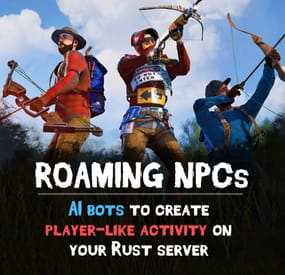
Bring your Rust server to life with Roaming NPCs — AI bots that act just like real players. They gather, loot, and fight, making your server feel active and alive.
Features:
⚒️ Realistic AI Behavior
• NPCs roam the map and simulate player-like behavior.
• Customizable behaviour: friendly, aggressive, defensive
• Spawn bots on beaches or random points around the map.
• Random or custom names and appearances.
🌲 Resource Farming
• Bots harvest wood, stone, metal, and sulfur using tools like rocks, hatchets, or pickaxes.
• Automatically pick up nearby dropped resources, food, and more.
• Loot crates and barrels found across the map.
• Automatically equip better gear found during looting.
⚔️ Dynamic Combat
• Bots attack wild animals like wolves, bears, and boars.
• Uses ranged and melee weapons – from bows to rifle ak.
🎒 Spawn Loadouts
• Configure bot spawn kits – tools, weapons, clothes, and other.
• Choose whether bots spawn with kit or start with rock and torch.
⚙️ Customization
• Setup health, damage rates, respawn timers and other.
• Record your own voice phrases that bot will replay on some actions using voice chat.
• Define bot's behavior:
- Friendly (doesn't attack, runs away)
- Defensive (defends if attacked)
- Aggressive (attacks first)
📺 See It in Action! Watch the Video
⚠️ Don't forget to download data files that include default voice phrases for bots. You can find them here (put this folder in oxide/data)
📋 Commands (roamingnpcs.admin permission):
/rnpc vis - shows all RoamingNPC's bots /rnpc stashvis - shows all RoamingNPC's stashes /rnpc killall - kills all RoamingNPC's bots /rnpc tp - teleports all RoamingNPC's bots to you /rnpc totp - teleports you to closest RoamingNPC bot /rnpc init - clears all data and respawns bot (needs to be done after editing config)
/rnpc recvoice start - start recording /rnpc recvoice stop - stop recording /rnpc recvoice replay - listen to current recording (recording will be stopped) /rnpc recvoice save <file name> - save current recording /rnpc recvoice replay <file name> - listen to the recording from file /rnpc recvoice clear - clear current recording
📃 Configuration:
{ "Specify the ID of the bot generator (8 - 15)": 9, "Bots settings": { "bob_resources_farmer": { "Enable bot?": true, "Bot appearance (Use the id in the range of the specified number of digits for the bot ID generator or leave 0 for random appearance)": 100000000, "Bot name (leave empty for random)": "Bob", "Respawn timer (3 - 60 seconds)": 300.0, "Use for respawn a random place on the map? (false - will respawn on the beach)": false, "Maximum health": 100.0, "What spawns on death (PlayerCorpse, NpcCorpse, Backpack)": "PlayerCorpse", "How many items will be destroyed when Backpack is selected (0 - 100%)": 50.0, "Bot behaviour - Aggressive, Friendly, Defensive": "Friendly", "Controller setup": { "Brain timer tick (0.01 - 1)": 0.1, "Controls timer tick (0.01 - 1)": 0.5, "Accuracy of fire (lower is better)": 10.0, "Find entities radius": 30.0, "Movement speed (1 - 4)": 4, "Movement speed in water (1 - 4)": 2, "Suicide timer if the bot does not reach the destination point (0 - disables the timer)": 600.0, "Timer attempt to avoid obstacle if the bot does not reach the target route": 3.0, "Damage rate from water": 1.0, "Allowed distance to teleport if the bot does not reach the destination point within this distance (-1 - allowed for any distance)": 0.0, "Damage rate to NPC targets": 2.0, "Damage rate to animals": 2.0, "Damage rate to players": 0.8, "Damage rate from NPCs": 0.2, "Damage rate from animals": 0.2, "Damage rate from players": 0.8 }, "Wear items (on respawn)": { "Lock container? (true - after death loot won't drop)": true, "Allow bot to wear found clothes?": false, "List of items": [ { "Item shortname or ID": "hazmatsuit.lumberjack", "Item skin": 0 } ] }, "Resource collection": { "Allow to gather wood?": true, "Allow to use fuel for chainsaw?": false, "Allow to mine ore?": true, "Allow to loot barrels?": false, "Allow to loot road signs?": false, "Allow to pickup resources?": true, "Allow to pickup dropped items?": false, "Allow to loot containers?": false, "Allow to loot corpses?": false, "Allow to harvest corpses?": false, "List of prefabs of corpses to harvest": [ "assets/rust.ai/agents/boar/boar.corpse.prefab", "polarbear.corpse", "bear.corpse", "stag.corpse", "wolf.corpse", "crocodile.corpse", "panther.corpse", "tiger.corpse", "chicken.corpse" ], "List of prefabs blocked for mining": [ "assets/bundled/prefabs/autospawn/resource/vine_swinging/vineswingingtree03.prefab", "assets/bundled/prefabs/autospawn/resource/vine_swinging/vineswingingtreeprefab.prefab", "assets/bundled/prefabs/autospawn/resource/vine_swinging/vineswingingtree02.prefab" ] }, "Fights with NPCs and players": { "Maximum distance for attack from weapon": 30.0, "Maximum distance for attack from melee": 1.0 }, "Animal hunting": { "Allow to hunt? (true - will attack animals even if they are not attacking)": false, "Make melee weapons preferred for hunting?": true, "Maximum distance for attack from weapon": 30.0, "Maximum distance for attack from melee": 2.0, "List of prefabs of animals to block hunting them": [] }, "Inventory overflow": { "Stash setup (bot will put items in the stash)": { "Enable?": true, "Hide stash?": true, "Life time (0 - will exist until restart)": 3600.0, "Maximum amount to use (0 - without limit)": 10 }, "Box setup (bot will put items in the box)": { "Enable?": true, "Use small box?": true, "Box skin": 0, "Life time (0 - will exist until restart or until it dies)": 3600.0, "Maximum amount to use (0 - without limit)": 5, "Another container prefab (you can leave it empty)": "" } }, "Monuments visit setup": { "Amount of random positions to visit on monument": 5, "List of monument prefabs blocked for visiting": [] }, "Items for ore mining": { "List of items (in priority order)": [ { "Allow to create item if it is not in inventory?": false, "Allow to give item when respawning?": false, "Item": { "Item shortname or ID": "jackhammer", "Item skin": 0 } }, { "Allow to create item if it is not in inventory?": false, "Allow to give item when respawning?": false, "Item": { "Item shortname or ID": "lumberjack.pickaxe", "Item skin": 0 } }, { "Allow to create item if it is not in inventory?": false, "Allow to give item when respawning?": false, "Item": { "Item shortname or ID": "diverpickaxe", "Item skin": 0 } }, { "Allow to create item if it is not in inventory?": true, "Allow to give item when respawning?": true, "Item": { "Item shortname or ID": "pickaxe", "Item skin": 0 } }, { "Allow to create item if it is not in inventory?": false, "Allow to give item when respawning?": false, "Item": { "Item shortname or ID": "stone.pickaxe", "Item skin": 0 } }, { "Allow to create item if it is not in inventory?": false, "Allow to give item when respawning?": false, "Item": { "Item shortname or ID": "rock", "Item skin": 0 } } ] }, "Items for tree gathering": { "List of items (in priority order)": [ { "Allow to create item if it is not in inventory?": false, "Allow to give item when respawning?": false, "Item": { "Item shortname or ID": "chainsaw", "Item skin": 0 } }, { "Allow to create item if it is not in inventory?": false, "Allow to give item when respawning?": false, "Item": { "Item shortname or ID": "lumberjack.hatchet", "Item skin": 0 } }, { "Allow to create item if it is not in inventory?": false, "Allow to give item when respawning?": false, "Item": { "Item shortname or ID": "frontier_hatchet", "Item skin": 0 } }, { "Allow to create item if it is not in inventory?": true, "Allow to give item when respawning?": true, "Item": { "Item shortname or ID": "hatchet", "Item skin": 0 } }, { "Allow to create item if it is not in inventory?": false, "Allow to give item when respawning?": false, "Item": { "Item shortname or ID": "stonehatchet", "Item skin": 0 } }, { "Allow to create item if it is not in inventory?": false, "Allow to give item when respawning?": false, "Item": { "Item shortname or ID": "rock", "Item skin": 0 } } ] }, "Items for fights": { "Use ammo?": false, "List of items (in priority order)": [ { "Allow to create item if it is not in inventory?": true, "Allow to give item when respawning?": true, "Item": { "Item shortname or ID": "bow.hunting", "Item skin": 0 } }, { "Allow to create item if it is not in inventory?": false, "Allow to give item when respawning?": false, "Item": { "Item shortname or ID": "1965232394", "Item skin": 0 } }, { "Allow to create item if it is not in inventory?": false, "Allow to give item when respawning?": false, "Item": { "Item shortname or ID": "salvaged.cleaver", "Item skin": 0 } } ], "Amount of ammo to give for weapon if respawning is allowed": 128 }, "Items for harvesting animals": { "List of items (in priority order)": [ { "Allow to create item if it is not in inventory?": true, "Allow to give item when respawning?": false, "Item": { "Item shortname or ID": "knife.skinning", "Item skin": 0 } } ] }, "Items for healing": { "List of items (in priority order)": [ { "Allow to create item if it is not in inventory?": false, "Allow to give item when respawning?": true, "Item": { "Item shortname or ID": "syringe.medical", "Item skin": 0 }, "Amount of items to give when respawning": 5 }, { "Allow to create item if it is not in inventory?": true, "Allow to give item when respawning?": false, "Item": { "Item shortname or ID": "bandage", "Item skin": 0 }, "Amount of items to give when respawning": 1 } ] }, "Voice phrases for different actions": { "Use voice phrases?": true, "Phrases for the Miner state": { "Phrases when picking up resources": { "Phrases": [ "uinston/miner/pickup_collectable/1" ], "Chance of using phrases (% 0 - 100)": 30.0 }, "Phrases when picking up items": { "Phrases": [ "uinston/miner/pickup_collectable/1" ], "Chance of using phrases (% 0 - 100)": 30.0 }, "Phrases when gathering trees": { "Phrases": [ "uinston/miner/mining_tree/1" ], "Chance of using phrases (% 0 - 100)": 30.0 }, "Phrases when mining ore": { "Phrases": [ "uinston/miner/mining_ore/1" ], "Chance of using phrases (% 0 - 100)": 30.0 }, "Phrases when looting containers": { "Phrases": [ "uinston/miner/looting/1" ], "Chance of using phrases (% 0 - 100)": 30.0 }, "Phrases when breaking containers (barrels, signs and etc.)": { "Phrases": [ "uinston/miner/breaking/1" ], "Chance of using phrases (% 0 - 100)": 30.0 }, "Phrases when looting corpses": { "Phrases": [ "uinston/miner/looting/1" ], "Chance of using phrases (% 0 - 100)": 30.0 }, "Phrases when harvesting corpses": { "Phrases": [ "uinston/miner/butcher_corpse/1" ], "Chance of using phrases (% 0 - 100)": 30.0 } }, "Phrases for the Hunter state": { "Phrases before starting to attack": { "Phrases": [ "uinston/hunter/start_attack/1", "uinston/hunter/start_attack/2" ], "Chance of using phrases (% 0 - 100)": 30.0 } }, "Phrases for the Fight state": { "Phrases before starting to attack": { "Phrases": [ "uinston/attacker/start_attack/1" ], "Chance of using phrases (% 0 - 100)": 30.0 }, "Phrases when the bot does not see the target": { "Phrases": [ "uinston/attacker/not_visible/1", "uinston/attacker/not_visible/2", "uinston/attacker/not_visible/3" ], "Chance of using phrases (% 0 - 100)": 30.0 }, "Phrases when the bot runs away from the attacker": { "Phrases": [ "uinston/attacker/run_away/1", "uinston/attacker/run_away/2", "uinston/attacker/run_away/3" ], "Chance of using phrases (% 0 - 100)": 30.0 } }, "Phrases for the Researcher state": { "Phrases before starting to move to the monument point": { "Phrases": [ "uinston/researcher/before_move/1" ], "Chance of using phrases (% 0 - 100)": 30.0 }, "Phrases when reaching the destination": { "Phrases": [ "uinston/researcher/after_move/1" ], "Chance of using phrases (% 0 - 100)": 30.0 } }, "Phrases when creating a container with resources": { "Phrases": [ "uinston/full_state/1", "uinston/full_state/2" ], "Chance of using phrases (% 0 - 100)": 30.0 }, "Phrases when healing": { "Phrases": [ "uinston/medical_state/1", "uinston/medical_state/2", "uinston/medical_state/3" ], "Chance of using phrases (% 0 - 100)": 30.0 } } }, "john_looter": { "Enable bot?": true, "Bot appearance (Use the id in the range of the specified number of digits for the bot ID generator or leave 0 for random appearance)": 0, "Bot name (leave empty for random)": "John", "Respawn timer (3 - 60 seconds)": 300.0, "Use for respawn a random place on the map? (false - will respawn on the beach)": false, "Maximum health": 120.0, "What spawns on death (PlayerCorpse, NpcCorpse, Backpack)": "PlayerCorpse", "How many items will be destroyed when Backpack is selected (0 - 100%)": 50.0, "Bot behaviour - Aggressive, Friendly, Defensive": "Defensive", "Controller setup": { "Brain timer tick (0.01 - 1)": 0.1, "Controls timer tick (0.01 - 1)": 0.5, "Accuracy of fire (lower is better)": 10.0, "Find entities radius": 30.0, "Movement speed (1 - 4)": 4, "Movement speed in water (1 - 4)": 2, "Suicide timer if the bot does not reach the destination point (0 - disables the timer)": 600.0, "Timer attempt to avoid obstacle if the bot does not reach the target route": 3.0, "Damage rate from water": 1.0, "Allowed distance to teleport if the bot does not reach the destination point within this distance (-1 - allowed for any distance)": 0.0, "Damage rate to NPC targets": 2.0, "Damage rate to animals": 2.0, "Damage rate to players": 0.8, "Damage rate from NPCs": 0.2, "Damage rate from animals": 0.2, "Damage rate from players": 0.8 }, "Wear items (on respawn)": { "Lock container? (true - after death loot won't drop)": true, "Allow bot to wear found clothes?": false, "List of items": [ { "Item shortname or ID": "hazmatsuit.nomadsuit", "Item skin": 0 } ] }, "Resource collection": { "Allow to gather wood?": false, "Allow to use fuel for chainsaw?": false, "Allow to mine ore?": false, "Allow to loot barrels?": true, "Allow to loot road signs?": true, "Allow to pickup resources?": true, "Allow to pickup dropped items?": true, "Allow to loot containers?": true, "Allow to loot corpses?": true, "Allow to harvest corpses?": false, "List of prefabs of corpses to harvest": [ "assets/rust.ai/agents/boar/boar.corpse.prefab", "polarbear.corpse", "bear.corpse", "stag.corpse", "wolf.corpse", "crocodile.corpse", "panther.corpse", "tiger.corpse", "chicken.corpse" ], "List of prefabs blocked for mining": [ "assets/bundled/prefabs/autospawn/resource/vine_swinging/vineswingingtree03.prefab", "assets/bundled/prefabs/autospawn/resource/vine_swinging/vineswingingtreeprefab.prefab", "assets/bundled/prefabs/autospawn/resource/vine_swinging/vineswingingtree02.prefab" ] }, "Fights with NPCs and players": { "Maximum distance for attack from weapon": 30.0, "Maximum distance for attack from melee": 1.0 }, "Animal hunting": { "Allow to hunt? (true - will attack animals even if they are not attacking)": false, "Make melee weapons preferred for hunting?": true, "Maximum distance for attack from weapon": 30.0, "Maximum distance for attack from melee": 2.0, "List of prefabs of animals to block hunting them": [] }, "Inventory overflow": { "Stash setup (bot will put items in the stash)": { "Enable?": true, "Hide stash?": true, "Life time (0 - will exist until restart)": 3600.0, "Maximum amount to use (0 - without limit)": 10 }, "Box setup (bot will put items in the box)": { "Enable?": true, "Use small box?": true, "Box skin": 0, "Life time (0 - will exist until restart or until it dies)": 3600.0, "Maximum amount to use (0 - without limit)": 5, "Another container prefab (you can leave it empty)": "" } }, "Monuments visit setup": { "Amount of random positions to visit on monument": 5, "List of monument prefabs blocked for visiting": [] }, "Items for ore mining": { "List of items (in priority order)": [ { "Allow to create item if it is not in inventory?": false, "Allow to give item when respawning?": false, "Item": { "Item shortname or ID": "jackhammer", "Item skin": 0 } }, { "Allow to create item if it is not in inventory?": false, "Allow to give item when respawning?": false, "Item": { "Item shortname or ID": "lumberjack.pickaxe", "Item skin": 0 } }, { "Allow to create item if it is not in inventory?": false, "Allow to give item when respawning?": false, "Item": { "Item shortname or ID": "diverpickaxe", "Item skin": 0 } }, { "Allow to create item if it is not in inventory?": true, "Allow to give item when respawning?": true, "Item": { "Item shortname or ID": "pickaxe", "Item skin": 0 } }, { "Allow to create item if it is not in inventory?": false, "Allow to give item when respawning?": false, "Item": { "Item shortname or ID": "stone.pickaxe", "Item skin": 0 } }, { "Allow to create item if it is not in inventory?": false, "Allow to give item when respawning?": false, "Item": { "Item shortname or ID": "rock", "Item skin": 0 } } ] }, "Items for tree gathering": { "List of items (in priority order)": [ { "Allow to create item if it is not in inventory?": false, "Allow to give item when respawning?": false, "Item": { "Item shortname or ID": "chainsaw", "Item skin": 0 } }, { "Allow to create item if it is not in inventory?": false, "Allow to give item when respawning?": false, "Item": { "Item shortname or ID": "lumberjack.hatchet", "Item skin": 0 } }, { "Allow to create item if it is not in inventory?": false, "Allow to give item when respawning?": false, "Item": { "Item shortname or ID": "frontier_hatchet", "Item skin": 0 } }, { "Allow to create item if it is not in inventory?": true, "Allow to give item when respawning?": true, "Item": { "Item shortname or ID": "hatchet", "Item skin": 0 } }, { "Allow to create item if it is not in inventory?": false, "Allow to give item when respawning?": false, "Item": { "Item shortname or ID": "stonehatchet", "Item skin": 0 } }, { "Allow to create item if it is not in inventory?": false, "Allow to give item when respawning?": false, "Item": { "Item shortname or ID": "rock", "Item skin": 0 } } ] }, "Items for fights": { "Use ammo?": true, "List of items (in priority order)": [ { "Allow to create item if it is not in inventory?": false, "Allow to give item when respawning?": true, "Item": { "Item shortname or ID": "rifle.ak.diver", "Item skin": 0 } }, { "Allow to create item if it is not in inventory?": true, "Allow to give item when respawning?": true, "Item": { "Item shortname or ID": "bow.hunting", "Item skin": 0 } }, { "Allow to create item if it is not in inventory?": true, "Allow to give item when respawning?": false, "Item": { "Item shortname or ID": "1965232394", "Item skin": 0 } }, { "Allow to create item if it is not in inventory?": true, "Allow to give item when respawning?": false, "Item": { "Item shortname or ID": "salvaged.cleaver", "Item skin": 0 } } ], "Amount of ammo to give for weapon if respawning is allowed": 300 }, "Items for harvesting animals": { "List of items (in priority order)": [ { "Allow to create item if it is not in inventory?": true, "Allow to give item when respawning?": false, "Item": { "Item shortname or ID": "knife.skinning", "Item skin": 0 } } ] }, "Items for healing": { "List of items (in priority order)": [ { "Allow to create item if it is not in inventory?": false, "Allow to give item when respawning?": true, "Item": { "Item shortname or ID": "syringe.medical", "Item skin": 0 }, "Amount of items to give when respawning": 5 }, { "Allow to create item if it is not in inventory?": true, "Allow to give item when respawning?": false, "Item": { "Item shortname or ID": "bandage", "Item skin": 0 }, "Amount of items to give when respawning": 1 } ] }, "Voice phrases for different actions": { "Use voice phrases?": true, "Phrases for the Miner state": { "Phrases when picking up resources": { "Phrases": [ "uinston/miner/pickup_collectable/1" ], "Chance of using phrases (% 0 - 100)": 30.0 }, "Phrases when picking up items": { "Phrases": [ "uinston/miner/pickup_collectable/1" ], "Chance of using phrases (% 0 - 100)": 30.0 }, "Phrases when gathering trees": { "Phrases": [ "uinston/miner/mining_tree/1" ], "Chance of using phrases (% 0 - 100)": 30.0 }, "Phrases when mining ore": { "Phrases": [ "uinston/miner/mining_ore/1" ], "Chance of using phrases (% 0 - 100)": 30.0 }, "Phrases when looting containers": { "Phrases": [ "uinston/miner/looting/1" ], "Chance of using phrases (% 0 - 100)": 30.0 }, "Phrases when breaking containers (barrels, signs and etc.)": { "Phrases": [ "uinston/miner/breaking/1" ], "Chance of using phrases (% 0 - 100)": 30.0 }, "Phrases when looting corpses": { "Phrases": [ "uinston/miner/looting/1" ], "Chance of using phrases (% 0 - 100)": 30.0 }, "Phrases when harvesting corpses": { "Phrases": [ "uinston/miner/butcher_corpse/1" ], "Chance of using phrases (% 0 - 100)": 30.0 } }, "Phrases for the Hunter state": { "Phrases before starting to attack": { "Phrases": [ "uinston/hunter/start_attack/1", "uinston/hunter/start_attack/2" ], "Chance of using phrases (% 0 - 100)": 30.0 } }, "Phrases for the Fight state": { "Phrases before starting to attack": { "Phrases": [ "uinston/attacker/start_attack/1" ], "Chance of using phrases (% 0 - 100)": 30.0 }, "Phrases when the bot does not see the target": { "Phrases": [ "uinston/attacker/not_visible/1", "uinston/attacker/not_visible/2", "uinston/attacker/not_visible/3" ], "Chance of using phrases (% 0 - 100)": 30.0 }, "Phrases when the bot runs away from the attacker": { "Phrases": [ "uinston/attacker/run_away/1", "uinston/attacker/run_away/2", "uinston/attacker/run_away/3" ], "Chance of using phrases (% 0 - 100)": 30.0 } }, "Phrases for the Researcher state": { "Phrases before starting to move to the monument point": { "Phrases": [ "uinston/researcher/before_move/1" ], "Chance of using phrases (% 0 - 100)": 30.0 }, "Phrases when reaching the destination": { "Phrases": [ "uinston/researcher/after_move/1" ], "Chance of using phrases (% 0 - 100)": 30.0 } }, "Phrases when creating a container with resources": { "Phrases": [ "uinston/full_state/1", "uinston/full_state/2" ], "Chance of using phrases (% 0 - 100)": 30.0 }, "Phrases when healing": { "Phrases": [ "uinston/medical_state/1", "uinston/medical_state/2", "uinston/medical_state/3" ], "Chance of using phrases (% 0 - 100)": 30.0 } } }, "alfred_hunter": { "Enable bot?": true, "Bot appearance (Use the id in the range of the specified number of digits for the bot ID generator or leave 0 for random appearance)": 0, "Bot name (leave empty for random)": "Alfred", "Respawn timer (3 - 60 seconds)": 300.0, "Use for respawn a random place on the map? (false - will respawn on the beach)": false, "Maximum health": 100.0, "What spawns on death (PlayerCorpse, NpcCorpse, Backpack)": "PlayerCorpse", "How many items will be destroyed when Backpack is selected (0 - 100%)": 50.0, "Bot behaviour - Aggressive, Friendly, Defensive": "Defensive", "Controller setup": { "Brain timer tick (0.01 - 1)": 0.1, "Controls timer tick (0.01 - 1)": 0.5, "Accuracy of fire (lower is better)": 10.0, "Find entities radius": 30.0, "Movement speed (1 - 4)": 4, "Movement speed in water (1 - 4)": 2, "Suicide timer if the bot does not reach the destination point (0 - disables the timer)": 600.0, "Timer attempt to avoid obstacle if the bot does not reach the target route": 3.0, "Damage rate from water": 1.0, "Allowed distance to teleport if the bot does not reach the destination point within this distance (-1 - allowed for any distance)": 0.0, "Damage rate to NPC targets": 2.0, "Damage rate to animals": 2.0, "Damage rate to players": 0.8, "Damage rate from NPCs": 0.2, "Damage rate from animals": 0.2, "Damage rate from players": 0.8 }, "Wear items (on respawn)": { "Lock container? (true - after death loot won't drop)": true, "Allow bot to wear found clothes?": false, "List of items": [ { "Item shortname or ID": "hazmatsuit.frontier", "Item skin": 0 } ] }, "Resource collection": { "Allow to gather wood?": false, "Allow to use fuel for chainsaw?": false, "Allow to mine ore?": false, "Allow to loot barrels?": false, "Allow to loot road signs?": false, "Allow to pickup resources?": false, "Allow to pickup dropped items?": true, "Allow to loot containers?": false, "Allow to loot corpses?": false, "Allow to harvest corpses?": true, "List of prefabs of corpses to harvest": [ "assets/rust.ai/agents/boar/boar.corpse.prefab", "polarbear.corpse", "bear.corpse", "stag.corpse", "wolf.corpse", "crocodile.corpse", "panther.corpse", "tiger.corpse", "chicken.corpse" ], "List of prefabs blocked for mining": [ "assets/bundled/prefabs/autospawn/resource/vine_swinging/vineswingingtree03.prefab", "assets/bundled/prefabs/autospawn/resource/vine_swinging/vineswingingtreeprefab.prefab", "assets/bundled/prefabs/autospawn/resource/vine_swinging/vineswingingtree02.prefab" ] }, "Fights with NPCs and players": { "Maximum distance for attack from weapon": 30.0, "Maximum distance for attack from melee": 1.0 }, "Animal hunting": { "Allow to hunt? (true - will attack animals even if they are not attacking)": true, "Make melee weapons preferred for hunting?": false, "Maximum distance for attack from weapon": 25.0, "Maximum distance for attack from melee": 2.0, "List of prefabs of animals to block hunting them": [] }, "Inventory overflow": { "Stash setup (bot will put items in the stash)": { "Enable?": true, "Hide stash?": true, "Life time (0 - will exist until restart)": 3600.0, "Maximum amount to use (0 - without limit)": 10 }, "Box setup (bot will put items in the box)": { "Enable?": true, "Use small box?": true, "Box skin": 0, "Life time (0 - will exist until restart or until it dies)": 3600.0, "Maximum amount to use (0 - without limit)": 5, "Another container prefab (you can leave it empty)": "" } }, "Monuments visit setup": { "Amount of random positions to visit on monument": 5, "List of monument prefabs blocked for visiting": [] }, "Items for ore mining": { "List of items (in priority order)": [ { "Allow to create item if it is not in inventory?": false, "Allow to give item when respawning?": false, "Item": { "Item shortname or ID": "jackhammer", "Item skin": 0 } }, { "Allow to create item if it is not in inventory?": false, "Allow to give item when respawning?": false, "Item": { "Item shortname or ID": "lumberjack.pickaxe", "Item skin": 0 } }, { "Allow to create item if it is not in inventory?": false, "Allow to give item when respawning?": false, "Item": { "Item shortname or ID": "diverpickaxe", "Item skin": 0 } }, { "Allow to create item if it is not in inventory?": true, "Allow to give item when respawning?": true, "Item": { "Item shortname or ID": "pickaxe", "Item skin": 0 } }, { "Allow to create item if it is not in inventory?": false, "Allow to give item when respawning?": false, "Item": { "Item shortname or ID": "stone.pickaxe", "Item skin": 0 } }, { "Allow to create item if it is not in inventory?": false, "Allow to give item when respawning?": false, "Item": { "Item shortname or ID": "rock", "Item skin": 0 } } ] }, "Items for tree gathering": { "List of items (in priority order)": [ { "Allow to create item if it is not in inventory?": false, "Allow to give item when respawning?": false, "Item": { "Item shortname or ID": "chainsaw", "Item skin": 0 } }, { "Allow to create item if it is not in inventory?": false, "Allow to give item when respawning?": false, "Item": { "Item shortname or ID": "lumberjack.hatchet", "Item skin": 0 } }, { "Allow to create item if it is not in inventory?": false, "Allow to give item when respawning?": false, "Item": { "Item shortname or ID": "frontier_hatchet", "Item skin": 0 } }, { "Allow to create item if it is not in inventory?": true, "Allow to give item when respawning?": true, "Item": { "Item shortname or ID": "hatchet", "Item skin": 0 } }, { "Allow to create item if it is not in inventory?": false, "Allow to give item when respawning?": false, "Item": { "Item shortname or ID": "stonehatchet", "Item skin": 0 } }, { "Allow to create item if it is not in inventory?": false, "Allow to give item when respawning?": false, "Item": { "Item shortname or ID": "rock", "Item skin": 0 } } ] }, "Items for fights": { "Use ammo?": false, "List of items (in priority order)": [ { "Allow to create item if it is not in inventory?": false, "Allow to give item when respawning?": true, "Item": { "Item shortname or ID": "shotgun.spas12", "Item skin": 0 } }, { "Allow to create item if it is not in inventory?": true, "Allow to give item when respawning?": false, "Item": { "Item shortname or ID": "bow.hunting", "Item skin": 0 } }, { "Allow to create item if it is not in inventory?": true, "Allow to give item when respawning?": false, "Item": { "Item shortname or ID": "1965232394", "Item skin": 0 } }, { "Allow to create item if it is not in inventory?": true, "Allow to give item when respawning?": false, "Item": { "Item shortname or ID": "salvaged.cleaver", "Item skin": 0 } } ], "Amount of ammo to give for weapon if respawning is allowed": 300 }, "Items for harvesting animals": { "List of items (in priority order)": [ { "Allow to create item if it is not in inventory?": true, "Allow to give item when respawning?": false, "Item": { "Item shortname or ID": "knife.skinning", "Item skin": 0 } } ] }, "Items for healing": { "List of items (in priority order)": [ { "Allow to create item if it is not in inventory?": false, "Allow to give item when respawning?": true, "Item": { "Item shortname or ID": "syringe.medical", "Item skin": 0 }, "Amount of items to give when respawning": 5 }, { "Allow to create item if it is not in inventory?": true, "Allow to give item when respawning?": false, "Item": { "Item shortname or ID": "bandage", "Item skin": 0 }, "Amount of items to give when respawning": 1 } ] }, "Voice phrases for different actions": { "Use voice phrases?": true, "Phrases for the Miner state": { "Phrases when picking up resources": { "Phrases": [ "uinston/miner/pickup_collectable/1" ], "Chance of using phrases (% 0 - 100)": 30.0 }, "Phrases when picking up items": { "Phrases": [ "uinston/miner/pickup_collectable/1" ], "Chance of using phrases (% 0 - 100)": 30.0 }, "Phrases when gathering trees": { "Phrases": [ "uinston/miner/mining_tree/1" ], "Chance of using phrases (% 0 - 100)": 30.0 }, "Phrases when mining ore": { "Phrases": [ "uinston/miner/mining_ore/1" ], "Chance of using phrases (% 0 - 100)": 30.0 }, "Phrases when looting containers": { "Phrases": [ "uinston/miner/looting/1" ], "Chance of using phrases (% 0 - 100)": 30.0 }, "Phrases when breaking containers (barrels, signs and etc.)": { "Phrases": [ "uinston/miner/breaking/1" ], "Chance of using phrases (% 0 - 100)": 30.0 }, "Phrases when looting corpses": { "Phrases": [ "uinston/miner/looting/1" ], "Chance of using phrases (% 0 - 100)": 30.0 }, "Phrases when harvesting corpses": { "Phrases": [ "uinston/miner/butcher_corpse/1" ], "Chance of using phrases (% 0 - 100)": 30.0 } }, "Phrases for the Hunter state": { "Phrases before starting to attack": { "Phrases": [ "uinston/hunter/start_attack/1", "uinston/hunter/start_attack/2" ], "Chance of using phrases (% 0 - 100)": 30.0 } }, "Phrases for the Fight state": { "Phrases before starting to attack": { "Phrases": [ "uinston/attacker/start_attack/1" ], "Chance of using phrases (% 0 - 100)": 30.0 }, "Phrases when the bot does not see the target": { "Phrases": [ "uinston/attacker/not_visible/1", "uinston/attacker/not_visible/2", "uinston/attacker/not_visible/3" ], "Chance of using phrases (% 0 - 100)": 30.0 }, "Phrases when the bot runs away from the attacker": { "Phrases": [ "uinston/attacker/run_away/1", "uinston/attacker/run_away/2", "uinston/attacker/run_away/3" ], "Chance of using phrases (% 0 - 100)": 30.0 } }, "Phrases for the Researcher state": { "Phrases before starting to move to the monument point": { "Phrases": [ "uinston/researcher/before_move/1" ], "Chance of using phrases (% 0 - 100)": 30.0 }, "Phrases when reaching the destination": { "Phrases": [ "uinston/researcher/after_move/1" ], "Chance of using phrases (% 0 - 100)": 30.0 } }, "Phrases when creating a container with resources": { "Phrases": [ "uinston/full_state/1", "uinston/full_state/2" ], "Chance of using phrases (% 0 - 100)": 30.0 }, "Phrases when healing": { "Phrases": [ "uinston/medical_state/1", "uinston/medical_state/2", "uinston/medical_state/3" ], "Chance of using phrases (% 0 - 100)": 30.0 } } }, "austin_fighter": { "Enable bot?": true, "Bot appearance (Use the id in the range of the specified number of digits for the bot ID generator or leave 0 for random appearance)": 0, "Bot name (leave empty for random)": "Austin", "Respawn timer (3 - 60 seconds)": 300.0, "Use for respawn a random place on the map? (false - will respawn on the beach)": false, "Maximum health": 120.0, "What spawns on death (PlayerCorpse, NpcCorpse, Backpack)": "PlayerCorpse", "How many items will be destroyed when Backpack is selected (0 - 100%)": 0.0, "Bot behaviour - Aggressive, Friendly, Defensive": "Aggressive", "Controller setup": { "Brain timer tick (0.01 - 1)": 0.1, "Controls timer tick (0.01 - 1)": 0.5, "Accuracy of fire (lower is better)": 3.0, "Find entities radius": 30.0, "Movement speed (1 - 4)": 4, "Movement speed in water (1 - 4)": 2, "Suicide timer if the bot does not reach the destination point (0 - disables the timer)": 600.0, "Timer attempt to avoid obstacle if the bot does not reach the target route": 3.0, "Damage rate from water": 0.0, "Allowed distance to teleport if the bot does not reach the destination point within this distance (-1 - allowed for any distance)": 0.0, "Damage rate to NPC targets": 2.0, "Damage rate to animals": 2.0, "Damage rate to players": 0.8, "Damage rate from NPCs": 0.2, "Damage rate from animals": 0.2, "Damage rate from players": 0.8 }, "Wear items (on respawn)": { "Lock container? (true - after death loot won't drop)": true, "Allow bot to wear found clothes?": false, "List of items": [ { "Item shortname or ID": "hazmat.krieg", "Item skin": 0 } ] }, "Resource collection": { "Allow to gather wood?": false, "Allow to use fuel for chainsaw?": false, "Allow to mine ore?": false, "Allow to loot barrels?": true, "Allow to loot road signs?": false, "Allow to pickup resources?": false, "Allow to pickup dropped items?": true, "Allow to loot containers?": true, "Allow to loot corpses?": true, "Allow to harvest corpses?": false, "List of prefabs of corpses to harvest": [ "assets/rust.ai/agents/boar/boar.corpse.prefab", "polarbear.corpse", "bear.corpse", "stag.corpse", "wolf.corpse", "crocodile.corpse", "panther.corpse", "tiger.corpse", "chicken.corpse" ], "List of prefabs blocked for mining": [ "assets/bundled/prefabs/autospawn/resource/vine_swinging/vineswingingtree03.prefab", "assets/bundled/prefabs/autospawn/resource/vine_swinging/vineswingingtreeprefab.prefab", "assets/bundled/prefabs/autospawn/resource/vine_swinging/vineswingingtree02.prefab" ] }, "Fights with NPCs and players": { "Maximum distance for attack from weapon": 30.0, "Maximum distance for attack from melee": 1.0 }, "Animal hunting": { "Allow to hunt? (true - will attack animals even if they are not attacking)": false, "Make melee weapons preferred for hunting?": false, "Maximum distance for attack from weapon": 30.0, "Maximum distance for attack from melee": 2.0, "List of prefabs of animals to block hunting them": [] }, "Inventory overflow": { "Stash setup (bot will put items in the stash)": { "Enable?": true, "Hide stash?": true, "Life time (0 - will exist until restart)": 3600.0, "Maximum amount to use (0 - without limit)": 10 }, "Box setup (bot will put items in the box)": { "Enable?": true, "Use small box?": true, "Box skin": 0, "Life time (0 - will exist until restart or until it dies)": 3600.0, "Maximum amount to use (0 - without limit)": 5, "Another container prefab (you can leave it empty)": "" } }, "Monuments visit setup": { "Amount of random positions to visit on monument": 5, "List of monument prefabs blocked for visiting": [] }, "Items for ore mining": { "List of items (in priority order)": [ { "Allow to create item if it is not in inventory?": false, "Allow to give item when respawning?": false, "Item": { "Item shortname or ID": "jackhammer", "Item skin": 0 } }, { "Allow to create item if it is not in inventory?": false, "Allow to give item when respawning?": false, "Item": { "Item shortname or ID": "lumberjack.pickaxe", "Item skin": 0 } }, { "Allow to create item if it is not in inventory?": false, "Allow to give item when respawning?": false, "Item": { "Item shortname or ID": "diverpickaxe", "Item skin": 0 } }, { "Allow to create item if it is not in inventory?": true, "Allow to give item when respawning?": true, "Item": { "Item shortname or ID": "pickaxe", "Item skin": 0 } }, { "Allow to create item if it is not in inventory?": false, "Allow to give item when respawning?": false, "Item": { "Item shortname or ID": "stone.pickaxe", "Item skin": 0 } }, { "Allow to create item if it is not in inventory?": false, "Allow to give item when respawning?": false, "Item": { "Item shortname or ID": "rock", "Item skin": 0 } } ] }, "Items for tree gathering": { "List of items (in priority order)": [ { "Allow to create item if it is not in inventory?": false, "Allow to give item when respawning?": false, "Item": { "Item shortname or ID": "chainsaw", "Item skin": 0 } }, { "Allow to create item if it is not in inventory?": false, "Allow to give item when respawning?": false, "Item": { "Item shortname or ID": "lumberjack.hatchet", "Item skin": 0 } }, { "Allow to create item if it is not in inventory?": false, "Allow to give item when respawning?": false, "Item": { "Item shortname or ID": "frontier_hatchet", "Item skin": 0 } }, { "Allow to create item if it is not in inventory?": true, "Allow to give item when respawning?": true, "Item": { "Item shortname or ID": "hatchet", "Item skin": 0 } }, { "Allow to create item if it is not in inventory?": false, "Allow to give item when respawning?": false, "Item": { "Item shortname or ID": "stonehatchet", "Item skin": 0 } }, { "Allow to create item if it is not in inventory?": false, "Allow to give item when respawning?": false, "Item": { "Item shortname or ID": "rock", "Item skin": 0 } } ] }, "Items for fights": { "Use ammo?": false, "List of items (in priority order)": [ { "Allow to create item if it is not in inventory?": false, "Allow to give item when respawning?": true, "Item": { "Item shortname or ID": "krieg.shotgun", "Item skin": 0 } }, { "Allow to create item if it is not in inventory?": true, "Allow to give item when respawning?": false, "Item": { "Item shortname or ID": "krieg.chainsword", "Item skin": 0 } } ], "Amount of ammo to give for weapon if respawning is allowed": 300 }, "Items for harvesting animals": { "List of items (in priority order)": [ { "Allow to create item if it is not in inventory?": true, "Allow to give item when respawning?": false, "Item": { "Item shortname or ID": "knife.skinning", "Item skin": 0 } } ] }, "Items for healing": { "List of items (in priority order)": [ { "Allow to create item if it is not in inventory?": true, "Allow to give item when respawning?": false, "Item": { "Item shortname or ID": "syringe.medical", "Item skin": 0 }, "Amount of items to give when respawning": 5 } ] }, "Voice phrases for different actions": { "Use voice phrases?": true, "Phrases for the Miner state": { "Phrases when picking up resources": { "Phrases": [ "uinston/miner/pickup_collectable/1" ], "Chance of using phrases (% 0 - 100)": 30.0 }, "Phrases when picking up items": { "Phrases": [ "uinston/miner/pickup_collectable/1" ], "Chance of using phrases (% 0 - 100)": 30.0 }, "Phrases when gathering trees": { "Phrases": [ "uinston/miner/mining_tree/1" ], "Chance of using phrases (% 0 - 100)": 30.0 }, "Phrases when mining ore": { "Phrases": [ "uinston/miner/mining_ore/1" ], "Chance of using phrases (% 0 - 100)": 30.0 }, "Phrases when looting containers": { "Phrases": [ "uinston/miner/looting/1" ], "Chance of using phrases (% 0 - 100)": 30.0 }, "Phrases when breaking containers (barrels, signs and etc.)": { "Phrases": [ "uinston/miner/breaking/1" ], "Chance of using phrases (% 0 - 100)": 30.0 }, "Phrases when looting corpses": { "Phrases": [ "uinston/miner/looting/1" ], "Chance of using phrases (% 0 - 100)": 30.0 }, "Phrases when harvesting corpses": { "Phrases": [ "uinston/miner/butcher_corpse/1" ], "Chance of using phrases (% 0 - 100)": 30.0 } }, "Phrases for the Hunter state": { "Phrases before starting to attack": { "Phrases": [ "uinston/hunter/start_attack/1", "uinston/hunter/start_attack/2" ], "Chance of using phrases (% 0 - 100)": 30.0 } }, "Phrases for the Fight state": { "Phrases before starting to attack": { "Phrases": [ "uinston/attacker/start_attack/1" ], "Chance of using phrases (% 0 - 100)": 30.0 }, "Phrases when the bot does not see the target": { "Phrases": [ "uinston/attacker/not_visible/1", "uinston/attacker/not_visible/2", "uinston/attacker/not_visible/3" ], "Chance of using phrases (% 0 - 100)": 30.0 }, "Phrases when the bot runs away from the attacker": { "Phrases": [ "uinston/attacker/run_away/1", "uinston/attacker/run_away/2", "uinston/attacker/run_away/3" ], "Chance of using phrases (% 0 - 100)": 30.0 } }, "Phrases for the Researcher state": { "Phrases before starting to move to the monument point": { "Phrases": [ "uinston/researcher/before_move/1" ], "Chance of using phrases (% 0 - 100)": 30.0 }, "Phrases when reaching the destination": { "Phrases": [ "uinston/researcher/after_move/1" ], "Chance of using phrases (% 0 - 100)": 30.0 } }, "Phrases when creating a container with resources": { "Phrases": [ "uinston/full_state/1", "uinston/full_state/2" ], "Chance of using phrases (% 0 - 100)": 30.0 }, "Phrases when healing": { "Phrases": [ "uinston/medical_state/1", "uinston/medical_state/2", "uinston/medical_state/3" ], "Chance of using phrases (% 0 - 100)": 30.0 } } } } }
-
$24.99$19.99Firework Shows
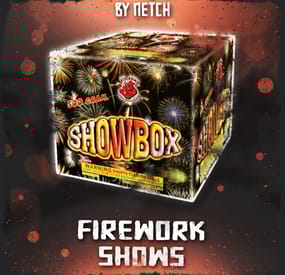
The Firework Shows plugin lets you trigger full fireworks displays using a single item. It includes 40 pre-made shows, with support for custom and admin created shows loaded from data files. Designed for server events, rewards, or general atmosphere, it’s easy to set up and flexible to use. The plugin also supports kits and item shops, making it a clean fit for most Rust servers.
Join my Discord community to stay informed on new plugins and updates. https://discord.com/invite/yz5D3PBXa8
Instantly create full-blown fireworks shows with a single item. 40 unique shows are included. You can add more or edit them as you like! Supports kits and item shops. Perfect for server events or as a reward.
40 unique shows included out of the box!
fireworkshows.give "Player steam64 ID" "Firework config ID" – Gives a firework show to the player. Useful for web shops or Tebex.
/fws – Spawns all of the firework show boxes.
fireworkshows.admin – Grants access to fireworkshows.give and /fws
- #firework shows
- #firework
- (and 5 more)
-

$14.99
Title Selector
TITLE SELECTOR
Customize Chat Titles Without Losing Permission Groups
by romzar.games
Description
TitleSelector provides an intuitive UI for players to select, hide, or show their chat titles from BetterChat. It also integrates seamlessly with SkillTree, giving players independent control over their Level and Prestige indicators. Players can customize which titles appear in chat without losing their permission groups.
Key Features
Visual Title Selection — Clean modal UI with green/gray/orange/locked states Title Presets — 5 slots, quick-switch via buttons or keybinds Collectible Display — Shows locked titles players can work towards SkillTree Integration — Independent toggle for Level/Prestige indicators Hide All Option — One-click hide all titles, keep SkillTree/Clan visible Clan Tag Preservation — Clan tags always visible, even with Hide All Emoji Toggle — Hide emoji-only titles or strip emojis from mixed titles Permission-Based Title Limits — Different max titles per group/VIP tier Title Exclusion System — Prevent conflicting titles simultaneously Pagination — Handles large title collections with configurable pages Multi-language Support — Fully translatable via Oxide lang system Persistent Data — Auto-saved per-player, survives restarts/reloads BetterChatGradients Support — Native gradient color support Installation
Upload TitleSelector.cs to oxide/plugins/ or carbon/plugins/ Ensure BetterChat is installed and configured Grant permission: o.grant group default titleselector.use Reload the plugin if needed: o.reload TitleSelector (Optional) Customize the config and lang files Dependencies
Required:
BetterChat — hooks into BetterChat to modify title display Optional:
SkillTree — toggle Level/Prestige visibility Clans (Reborn) — clan tags forced visible BetterChatGradients — gradient colors render natively Permissions
titleselector.use — Access to the title selector UI titleselector.default — Grants "default" max title limit (default: 3) titleselector.vip1 — Grants "vip1" max title limit (default: 4) titleselector.vip2 — Grants "vip2" max title limit (default: 5) Permission names match keys in "Max titles per permission" config. Player gets the HIGHEST limit from all matching permissions.
Permission Examples:
# Grant to all players o.grant group default titleselector.use o.grant group default titleselector.default # Grant VIP tiers o.grant group vip titleselector.vip1 o.grant group vip+ titleselector.vip2 # Grant to specific player o.grant user PlayerName titleselector.use o.grant user 76561198000000000 titleselector.use Commands
/title — Opens the Title Selector UI (main command) /titulo — Alternative command (configurable) /titulos — Alternative command (configurable) /titlepreset <1-5> — Switch to a specific preset titleselector.preset <1-5> — Console/bind command for preset switching Configuration
File: oxide/config/TitleSelector.json or carbon/configs/TitleSelector.json
{ "Allow hide all titles": true, "Allow toggle SkillTree (level + prestige)": true, "Allow toggle emoji titles": true, "Force show clan tags (Clans)": false, "Emoji patterns (regex)": [ "\\s*:\\w+:\\s*" ], "Extra patterns (regex) - applied with emoji toggle": [ "\\s*\\[#[\\w,\\s#]+\\]\\[\\+\\d+\\]\\s*:\\w+:\\s*\\[/\\+\\]\\[/#\\]\\s*", "\\s*\\[#[\\w,\\s#]+\\]\\s*:\\w+:\\s*\\[/#\\]\\s*", "\\s*<color=[^>]*>:\\w+:</color>\\s*" ], "Max titles per permission": { "default": 3, "master1": 4, "master2": 4, "master3": 5, "fullmaster": 5 }, "Default max titles (no permission)": 2, "Main command": "title", "Alternative commands": [ "titulo", "titulos" ], "Ignored groups (hidden from UI)": [ "default", "player", "guest" ], "Permanent groups (always shown)": [ "admin" ], "Title exclusion groups (mutual exclusion)": [ [ "master1", "master2", "master3", "master4", "master5" ], [ "bradleymaster1", "bradleymaster2" ], [ "helimaster1", "helimaster2" ] ], "Items per page": 8, "UI - Background color": "0.1 0.1 0.1 0.95", "UI - Header color": "0.15 0.15 0.15 1", "UI - Available item color": "0.2 0.2 0.2 0.9", "UI - Locked item color": "0.12 0.12 0.12 0.7", "UI - Selected item color": "0.1 0.4 0.1 0.9", "UI - Close button color": "0.8 0.2 0.2 1", "UI - Active checkbox color": "0.3 0.8 0.3 1", "UI - Restricted item color": "0.35 0.25 0.1 0.9", "UI - Inactive checkbox color": "0.3 0.3 0.3 1", "UI - Edit mode button color": "0.4 0.35 0.15 1", "UI - Edit mode active color": "0.6 0.5 0.1 1", "Max preset name length": 16, "PlayerRanks integration": { "Enable PlayerRanks titles (requires AddTitleHoldersToGroup=true in PlayerRanks)": false, "Title color (hex)": "#FFD700", "Title size": 15, "Title prefix": "", "Title suffix": "", "Priority (lower = higher in list)": 500, "Suppress PlayerRanks third-party title in chat (recommended: also set MaxDisplayedTitles=0 in PlayerRanks)": true, "Refresh interval (seconds)": 60.0 }, "UltimateLeaderboard integration": { "Enable UltimateLeaderboard titles (requires 'Custom Titles' enabled in UltimateLeaderboard)": true, "Title color (hex)": "#7FFFD4", "Title size": 15, "Title prefix": "", "Title suffix": "", "Base priority (lower = higher in list; each title adds its own UltimateLeaderboard priority)": 600, "Suppress UltimateLeaderboard third-party title in chat (recommended: keeps only the titles the player selected)": true, "Refresh interval (seconds)": 60.0 }, "Title categories (filter dropdown) - group: [titles]": { "VIP": [ "vip1", "vip2", "vip3", "vip_diamond" ], "Mestres": [ "master1", "master2", "master3", "master4", "master5", "fullmaster" ], "Bradley": [ "bradleyeasy", "bradleymedium", "bradleyhard", "bradleyexpert", "bradleyelite", "bradleynightmare", "bradleyinferno", "bradleyarmageddon", "bradleyapocalipse", "bradleyromzar", "bradleymaster1", "bradleymaster2" ], "Heli": [ "helieasy", "helimedium", "helihard", "heliexpert", "helielite", "helinightmare", "heliinferno", "heliarmageddon", "heliultimato", "heliapocalipse", "helimaster1", "helimaster2" ], "Raid": [ "raideasy", "raidmedium", "raidhard", "raidexpert", "raidnightmare" ], "Conquistas": [ "bosskiller", "npcslayer", "dgmaster2", "semigod", "explorer", "tryhard" ], "Profissoes": [ "farmer", "wildhunter", "rareminer", "fisherman" ], "Ranking": [ "king", "prince", "noble", "admin" ], "Comunidade": [ "discord", "legacy", "mentorado" ], "Temporadas": [ "season012026", "season022026", "season032026", "season042026", "season052026" ] } } Configuration Options:
Allow hide all titles — Enable/disable the "Hide All" button Allow toggle SkillTree — Enable/disable SkillTree toggle Allow toggle emoji titles — Enable/disable Emoji toggle Force show clan tags — Keep clan tags visible when hiding Emoji/Extra patterns — Regex patterns for emoji detection Max titles per permission — Named permission entries with limits Default max titles — Fallback when no permission matches Main/Alternative commands — Chat commands to open UI Ignored groups — BetterChat groups hidden from UI Permanent groups — Always-displayed groups Title exclusion groups — Mutually exclusive title lists Items per page — Titles per page in UI UI colors — Customize interface appearance Title Exclusion System
Prevents conflicting titles from being active simultaneously.
{ "Title exclusion groups (mutual exclusion)": [ ["vip", "mvp", "elite"], ["admin", "moderator"] ] } A player cannot have "vip" and "mvp" active simultaneously Selecting "mvp" when "vip" is active auto-deselects "vip" Player receives a chat notification about the conflict Restricted titles show in orange in the UI Title Presets
Players can save up to 5 different title configurations:
Each preset stores: selected titles, hide all, emoji toggle, skilltree toggle Switch via numbered buttons (1-5) in the UI header Active preset highlighted in green Chat: /titlepreset 3 Keybind: bind f5 titleselector.preset 1 Hook events fire for changed titles when switching How It Works
Player with titleselector.use permission types /title UI opens showing all available titles Titles organized by status: Active (green) | Available (gray) | Restricted (orange) | Locked Click titles to enable/disable them Use preset buttons (1-5) to save/switch configurations When no titles selected, BetterChat displays by priority Preferences saved automatically Title States
Available — Player owns it, interactive checkbox, click to toggle Selected — Green checkbox, displays in chat Restricted — Orange indicator, conflicts with selected title Locked — Collectible/goal, locked icon, cannot select SkillTree Integration
Toggle button in the Filters row of the UI Controls Level [Lv.X] and Prestige [Pr.X] visibility Uses skilltree.notitles permission internally Emoji Toggle
Controls emoji-only titles (:coffeecan:, 🎖️, etc.) Strips emojis from mixed titles (e.g., "Admin :star:" becomes "Admin") Works with selected titles and Hide All mode Extra patterns applied when emoji toggle is OFF Gradient Collors Support
Gradient colors render correctly when selecting titles Supports hex colors: #ff0000, #00ff00, #0000ff Supports named colors: red, green, blue, yellow, orange, purple, pink, cyan, white, black, gray, gold, silver Multi-color gradients: red,orange,yellow,green No additional configuration required Clan Tag Preservation
Clan tags remain visible even with "Hide All" Don't count towards max title limit Prevents hiding clan identity on solo/trio servers Requires Clans Reborn plugin Hide All Feature
One-click hide all BetterChat titles Respects SkillTree and Emoji toggle settings Clan tags preserved when configured "Show All" button reverses the action Player Workflow
Type /title to open the UI Browse titles using pagination Click checkboxes to select titles (up to max limit) Toggle SkillTree/Emoji visibility Use "Hide All" for quick hiding Save configurations using presets (1-5) Close UI — preferences saved automatically Admin Workflow
Install plugin with BetterChat dependency Configure ignored groups Set up permission-based max titles Configure exclusion groups if needed Set permanent groups Customize UI colors Grant permissions to groups Translate lang file if needed API Methods
API_GetSelectedTitles(string odId) — Returns List<string> of selected titles API_IsHidingTitles(string odId) — Returns bool hide status API_SetSelectedTitles(string odId, List<string> titles) — Set titles programmatically API_RefreshTitles() — Refresh title cache after config changes Developer Hooks
OnTitleSelected(BasePlayer player, string groupName) — Fires on select and preset switch OnTitleDeselected(BasePlayer player, string groupName) — Fires on deselect, exclusion, and preset switch OnTitlesCleared(BasePlayer player, List<string> previousTitles) — Fires on Clear button API Usage Example
[PluginReference] private Plugin TitleSelector; void Example(BasePlayer player) { var titles = TitleSelector?.Call<List<string>>( "API_GetSelectedTitles", player.UserIDString); var isHiding = TitleSelector?.Call<bool>( "API_IsHidingTitles", player.UserIDString) ?? false; TitleSelector?.Call("API_SetSelectedTitles", player.UserIDString, new List<string> { "vip", "donator" }); TitleSelector?.Call("API_RefreshTitles"); } Localization
File: oxide/lang/en/TitleSelector.json or carbon/lang/en/TitleSelector.json
{ "NoPermission": "<color=#ff5555>You do not have permission.</color>", "BetterChatNotLoaded": "<color=#ff5555>BetterChat is not loaded!</color>", "TitleLocked": "<color=#ff5555>You do not own this title!</color>", "MaxTitlesReached": "<color=#ff5555>Maximum of {max} titles reached!</color>", "UITitle": "TITLE SELECTOR", "UIStatusHidden": "All titles are hidden", "UIStatusDefault": "Showing default titles (by priority)", "UIStatusSelected": "{count}/{max} titles selected", "UILocked": "Locked", "UISelected": "Active", "UIAvailable": "Available", "UIRestricted": "Restricted", "UIClear": "Clear", "UIHideAll": "Hide All", "UIShowAll": "Show All", "UIClose": "Close", "PresetSwitched": "<color=#55ff55>Preset {num} activated!</color>", "TitleExclusionRemoved": "<color=#ffaa55>Title removed (conflicts).</color>" } Troubleshooting
UI not opening? — Check titleselector.use permission Titles not showing in chat? — Ensure BetterChat is loaded SkillTree toggles missing? — Install SkillTree + enable in config Titles missing from UI? — Check "Ignored groups" config Can't select more titles? — Max limit reached, check permissions Changes not saving? — Check data folder permissions Emoji toggle not working? — Enable in config Gradients broken? — Ensure hex colors are right Title shows "Restricted"? — Conflicts with selected title (exclusion groups) Preset not switching? — Needs titleselector.use permission Performance
Lightweight and optimized Per-player data files with lazy loading UI rendered on-demand only Safe for high-population servers Compatibility
Requires BetterChat (mandatory) Optional: SkillTree, Clans Works with Oxide and Carbon No conflicts with other chat plugins Use Cases
VIP Customization — Let VIP players customize chat appearance VIP Tiers — Different limits per donation level Roleplay Servers — Choose titles that fit character Clean Chat — Minimalist players hide all titles Quick Switching — Presets for instant config swaps Exclusive Ranks — Exclusion groups prevent conflicts Clan Identity — Force clan tags for accountability Gradient Titles — Beautiful color gradients Collectibles — Motivate players to unlock titles UltimateLeaderboard Integration
Leaderboard titles ([Hunter], [Killer], ...) become selectable entries in the
title menu, so players choose which one to display instead of having them all
forced into chat.
## Setup
**1. UltimateLeaderboard config** (`UltimateLeaderboard.json`)
```json
"Custom Titles": {
"Enabled": true,
"Working with BetterChat?": true,
"Max Titles": 5
}
2. TitleSelector config (TitleSelector.json)
"UltimateLeaderboard integration": {
"Enable UltimateLeaderboard titles ...": true
}
Reload both plugins. Titles are read straight from UltimateLeaderboard's config —
nothing to duplicate.
Set Max Titles to the number of titles you have
This is the one setting that decides whether the integration is worth anything.
Max Titles limits how many titles a player owns, not how many are shown.
Left at the default 1, a player only ever owns the highest-priority title —
every other title stays locked, and there is nothing to choose from.
Set it to the number of titles in your list. Players then own everything they
earned, and TitleSelector controls what actually appears in chat (using its own
titleselector.max.* permissions).
Expect a delay
Titles are only recalculated when UltimateLeaderboard finishes a leaderboard
cache cycle. With the default Leaderboard Cache Interval of 600, a player who
takes first place waits up to 10 minutes.
Do not drop that interval to a very low value to compensate — each cycle aborts
the one still running, so on a populated server the cycle never completes and
titles stop being assigned entirely. 300–600 is a safe range.
Grouping them in the filter
Leaderboard titles work with the category dropdown like any other title:
"Title categories (filter dropdown) - group: [titles]": {
"Leaderboard": [ "ul_Hunter", "ul_Builder", "ul_Gatherer", "ul_Killer" ],
"Ranks": [ "vip", "vip2" ]
}
© 2025-2026 romzar.games — All rights reserved.
Thank you for using Title Selector! Give your players control over their chat identity!
- #title
- #betterchat
- (and 16 more)