
ELF's Wishlist
-
$8.00
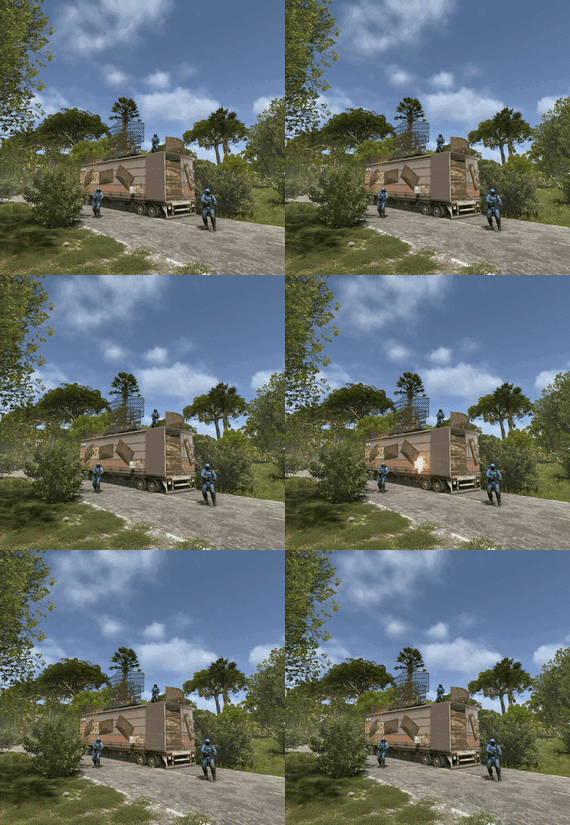
Blueprint Trailers📘
If you also find the new blueprint update a bit strange or unbalanced, this pack can help your players progress a bit faster by offering alternate ways to find blueprint fragments.
These trailers can be placed both at Tier 1 monuments or along roadside locations.
Each trailer has built-in lighting that can be toggled using a switch — just like in standard Rust monuments.
Trailer Variations:
🔴 Red Card Trailer
– Contains 2 blueprints
– Requires a blue keycard and a battery
– Guarded by 5 scientists
– Triggers a light-only alarm when activated (no sound)
🔵 Blue Card Trailer
– Contains 1 blueprint
– Requires a green keycard
– Small loot inside + a blue keycard
– The blueprint is used for Workbench Level 2
🟢 Green Card Trailer (Variant 1)
– Requires a green keycard
– Light loot
– Contains 1 basic blueprint
🟢 Green Card Trailer (Variant 2)
– Easiest version
– Requires only a battery
– Ideal for placement at ports or ferry terminals
If you have any questions or run into issues — feel free to reach out!
Rust - 2025-10-20 12-26-19.mp4- #blueprints
- #pvp
- (and 4 more)
-
$9.99
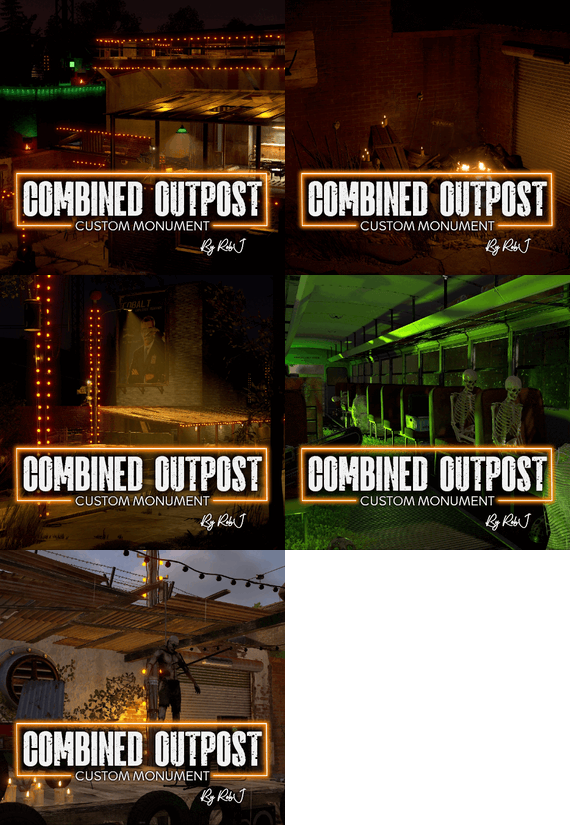
Halloween Combined Outpost, Bandit & Stables
Welcome to my Halloween Combined Outpost, Bandit & Stables prefab! This prefab allows you to transform any standard compound into a all-in-one compound. It includes all the amenities of each location, complete with shopkeepers, vending machines, an Airwolf dealer, and a horse seller.
Horse Seller Plugin
This plugin includes features that allow you to interact with the horse seller, purchase saddles, and buy your own horse.
RustMaps.com
An empty map is included with the compound and prefab, ready for upload to RustMaps.
Video Install Guides
Manual Install Video
RustMaps Install Video
Contact And Help
If you need to contact me discord is best: RobJ2210#2553
For help/support my discord group is best: Join RobJ Maps Discord
- #halloween
- #combined
- (and 5 more)
-
$38.99
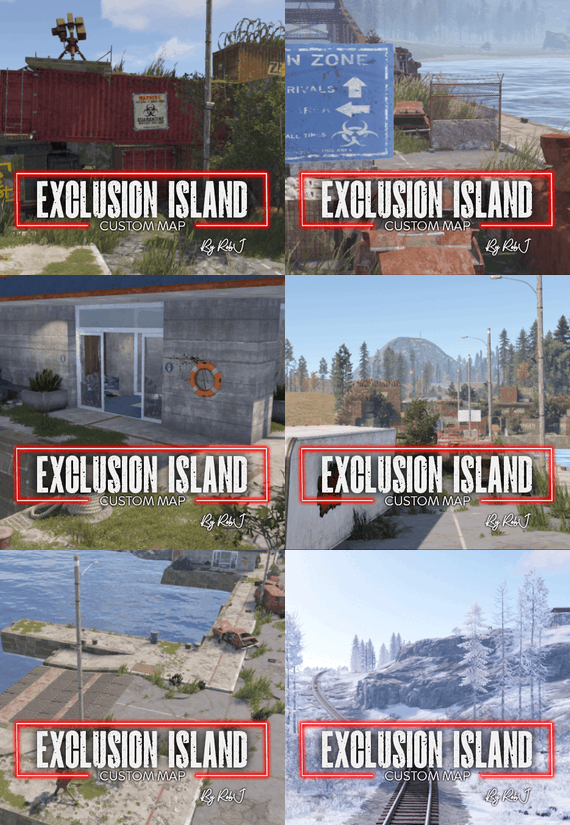
Exclusion Zone Custom Map
Details
This 3500 map offers a unique layout with vast possibilities for your gameplay experience. At its core is a central island where building is permitted, featuring two ferry terminals, subway access, and an entrance monument bridge. Surrounding this central island is a ring island that houses all of Facepunch's monuments along with additional space for future monuments.
The map is designed to support a variety of gameplay scenarios, allowing you to tailor the experience to your preferences. Here are a few example scenarios:
1. Zombie Outbreak: Zombies are confined to the monument ring island, creating a dangerous perimeter around the central island and risk when looting monuments. (Suggested Plugin Zombie Horde)
2. Virus Outbreak: Introduce a virus scenario that players must navigate and survive. (Suggested Plugin Injuries And Diseases)
3. Radiation Fallout: The ring island can be constantly radiated, or you can implement a roaming radiation zone that travels around the ring island. (Suggested Plugin Freak Radiation)
4. Mixed PVP/PVE Server: Designate the central island as a PVE safe zone for player living areas, while the ring monument island remains a PVP zone for intense battles. (Suggested Plugin Zone Manager)
These are just a few ideas to get you started. The true potential of this map lies in your creativity and the variety of plug-ins you choose to use. Customize it to fit your vision and create a truly unique server experience.
Fully custom terrain that brings a unique look to your server.
Two Versions Of The Map Included.
To let you play the map the way you prefer, I've included two versions: one that allows building only on the central core island, and another that permits building across the entire map.
Included Plugin
The plugin is an all-in-one mix comprising three custom plugins specifically designed for use exclusively on this map. It offers a range of features, from custom signs and blood to graffiti textures all made by me. Additionally, it prevents the cargo ship from sailing through the island if it’s located within the ring when it intends to depart. Moreover, it powers the swing bridge for seamless functionality.
Railways
This map features a large railway that has a one line running around the map with full compatibility with cargo train event as well as a link from the surface to the underground railway
Editing
Yes, you are allowed to edit the map and add stuff etc.
Custom NPC @ Custom Monuments
Normal RustEdit Scientist’s have been replaced with my own set of NPC’S from the various factions from the rust world (Normal Scientist, Arctic Scientist, Tunnel Dweller and Underwater Dweller) if you do not like my NPC’s simply don’t install the plug-in and supply your own with any bot plugin you want.
Monuments
RadTown 1 Airfield Arctic Research Base Bandit Camp Dome Gas Station Giant Excavator Pit Harbor Junkyard Large Oil Rig Launch Site Lighthouse Military Tunnels Outpost Power Plant Quarry (Sulfur, Stone, HQM) Satellite Dish Sewer Branch Small Oil Rig Supermarket Train Yard Underwater Labs Water Treatment Plant Fishing Village Abandoned Supermarket Oxum’s Gas Station Nuclear Silo (Missile Silo) Abandoned Desert Base Gateway Entrance (Custom Monument) Early Warning Satellites (Custom Monument) Soft Drinks Factory (Custom Monument) Help And Contact
If you need to contact me discord is best: RobJ2210#2553
For help/support my discord group is best: Join RustMapsByRobJ Discord
-

$2.00
Underwater base
Underwater customization for building. You can turn on the light (the Oxygen plugin must be installed on the server).
-
$9.99
RustTimeTracker
By cengizhanbucak in Plugins
This tool is designed to make your time in Rust more efficient and enjoyable. The plugin tracks your in-game time, offering you customized rewards and advantages. Whether you're a beginner or an experienced adventurer, this plugin will elevate your gaming experience to a whole new level.
How It Works
Time Tracking: Each player’s activity is monitored in real time. The system differentiates between active play and AFK, ensuring that rewards are earned fairly. Kit Claiming: Players can claim kits via a simple console command once they meet the required playtime hours set in the config. This system is designed to motivate players to stay longer and engage more with the server. Dynamic Config Updates: The plugin reads from the config.json file on startup, meaning changes to kits and settings can be made on the fly without needing plugin restarts. UI Notifications: Utilizes Rust's CUI system to provide players with a seamless interface for tracking their statistics and available rewards. Ranking & BetterChat Integration (Optional) All players are ranked based on their total playtime. The plugin: Keeps a live ranking of all players. Broadcasts messages when someone enters the top 5, climbs the ladder, or reaches #1. Can automatically place Top 1–5 players into BetterChat groups (e.g. top1, top2, …) to give them special prefixes/tags in chat. These groups are configurable and can be individually enabled/disabled.
Key Features
Player Time Tracking: Automatically tracks total, active, and AFK time spent in-game for each player. Reward System: Players can earn kits based on the amount of time they've spent playing. These kits are customizable and can be configured to suit different play styles or server themes. Dynamic Configuration: All kits and rewards can be easily added, modified, or removed via the config.json file. This allows server admins to tailor the experience without needing to touch the code. Ranking System: Keeps track of players' activity and ranks them, promoting a competitive environment. Alerts are broadcasted when players enter the top ranks. Multi-language Support: Comes with multilingual support for messages and commands, enhancing accessibility for global players.
Admin Commands
/taddtime <steamId> <seconds> - Manually adjust the total server time for a player. /tremovetime <steamId> <seconds> - Decrease the recorded time for a player to correct discrepancies. /tplayerwipe <steamId> - Completely reset a player's data. /twipe - Wipe all player data on the server – useful for server resets or new seasons. /resetplayerkits <steamId> - Reset the claim status of all kits for a specific player, allowing them to claim them again.
Player Commands
/topplay - The /topplay command in the RustTimeTracker plugin activates a comprehensive in-game UI menu that displays detailed statistics about your gameplay on the server. This command brings up a user-friendly interface directly within the game, offering you an easy way to view your total playtime, active time, AFK time, and your current rank within the server's active player base.
/mytime Sends a simple chat summary: Your rank Total time Active time AFK time (The claimkit console command is used internally by the UI but can also be called manually from the console if needed.)
Config
In the configuration settings, it’s important that the kit names exactly match the kit names defined in your Kits plugin (e.g. Kits.cs). The structure below reflects the current config layout, including the new BetterChat rank integration. Set Enabled to true for any rank you want to sync with BetterChat. Make sure the "Group Name" matches an existing BetterChat group, or let the plugin auto-create it.
{ "UI Header Title": "Playing time", "UI Header Description": "Earn rewards based on the time spent in the game and keep your place in the ranking!", "Available Kits": [ { "Name": "Basic Kit", "Description": "Starter tools for new players.", "RequiredPlaytimeHours": 1, "IsClaimed": false }, { "Name": "Advanced Kit", "Description": "High-quality tools for advanced players.", "RequiredPlaytimeHours": 2, "IsClaimed": false } ], "Rank Chat Groups": [ { "Rank": 1, "Enabled": false, "Group Name": "top1" }, { "Rank": 2, "Enabled": false, "Group Name": "top2" }, { "Rank": 3, "Enabled": false, "Group Name": "top3" }, { "Rank": 4, "Enabled": false, "Group Name": "top4" }, { "Rank": 5, "Enabled": false, "Group Name": "top5" } ] }
- #rusttimetracker
- #rust time plugin
- (and 2 more)