

-
Posts
255 -
Joined
-
Last visited
Content Type
Profiles
Warranty Claims
Downloads
Forums
Store
Services
Downloads Plus Support
DOWNLOADS EXTRA
Reels
Everything posted by Budapeshter
-
No, there are no timers on the economy, the balance updates via the plugin API. I checked the /deposit command, the balance immediately changed. It's about one of the plugins. I will now check the plugins that I have
-
Everything works. Write plugins that use Economics and Server Rewards Rust 2022.05.06 - 17.18.52.00_Trim.zip
-
Video Rust 2022.05.06 - 12.53.08.00_Trim.zip
-
I checked the plugin. Oddly enough, but my economy is displayed perfectly. Try to set the player's balance with the setbalance command <player name or id | *> <amount> If the economy is working, then the balance should change instantly
-
Thanks for the feedback. During the day, I will update the plugin and notify you!
-
Use o.reload SvPanUi . Your pictures didn't load. The plugin is working, I successfully use it on my servers
-
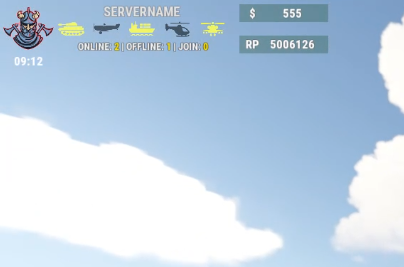 The top right, bottom right, and bottom left configurations come as additional configurations. To revert the top-left configuration back, you need to unload the o.unload SvPanUi plugin, delete the old configuration and reload the o.reload SvPanUi plugin
-
This configuration file comes standard, it creates it itself
-
Changed Status from Pending to Closed
-
I think I need to redo the plugin for extensions with other modules in the future)
-
Is there an icon that separately shows the balance on the screen? Like in my plugin RP and $? If there is, it will be easier to change the coordinates and fit them to my panel and that's it. There is no point in adding this to the plugin itself yet, since you are the first one who asked, and this function will load the plugin a little. If possible, then for $ 2 I will make a separate plugin and display the balance on the screen, I will try to fit it to my panel
-
I will add language support, and unnecessary words can be removed.
-
Changed Status from Pending to Closed Changed Fixed In to 2.0.5
-
Hello. Try this configuration. I hope you will give 5 stars and a good review of the product SvPanUi.json
-
Hello. Show me on the screenshot where to add it, and maybe I'll download the update today
-
Hello. Server time is in the plugin! I will try to add the economy in future updates
-
Changed Status from Pending to Closed Changed Fixed In to 2.0.3
-
The problem is solved. I will close this ticket
-
Sent a request.
-
Thanks. If you have any ideas, write to me. I have recently started writing plugins , writing for my server , checking and sometimes sharing in this way
-
I compressed your image and now it hangs less
-
https://www.iloveimg.com/compress-image Compress the pictures, your logo hangs a lot
-
DOWNLOAD IT IT WORKS
-
Throw off any logo, I'll test it myself
-
Try restarting the plugin a couple of times. The image cache should be reset. The logo still needs to be compressed https://imagecompressor.com / , the lower the weight , the faster the panel loads