

maxalt
-
Posts
235 -
Joined
-
Last visited
Content Type
Profiles
Warranty Claims
Downloads
Forums
Store
Services
Downloads Plus Support
DOWNLOADS EXTRA
Support Replies posted by maxalt
-
-
On 9/14/2025 at 2:34 PM, maxalt said:
可能であれば、コマンドを実行したり、権限を付与したりすることで、ボットに認識されないようにすることができますか?
時間制限があるといいですね。I understand that you’re busy, but I’d appreciate a reply, whether what I mentioned above seems possible or not...
-
Compilation errors are appearing, but if you change the two SendNetworkUpdateImmediate(true); to just ();, it resolves.
And what are the permissions like copterweapon.m249 used for?
It seems that players can still shoot even without those permissions.
-
If possible, could you make it so that by executing a command or granting a permission, you become unrecognized by bots?
It would be nice if it had a time limit. -
-
Thanks

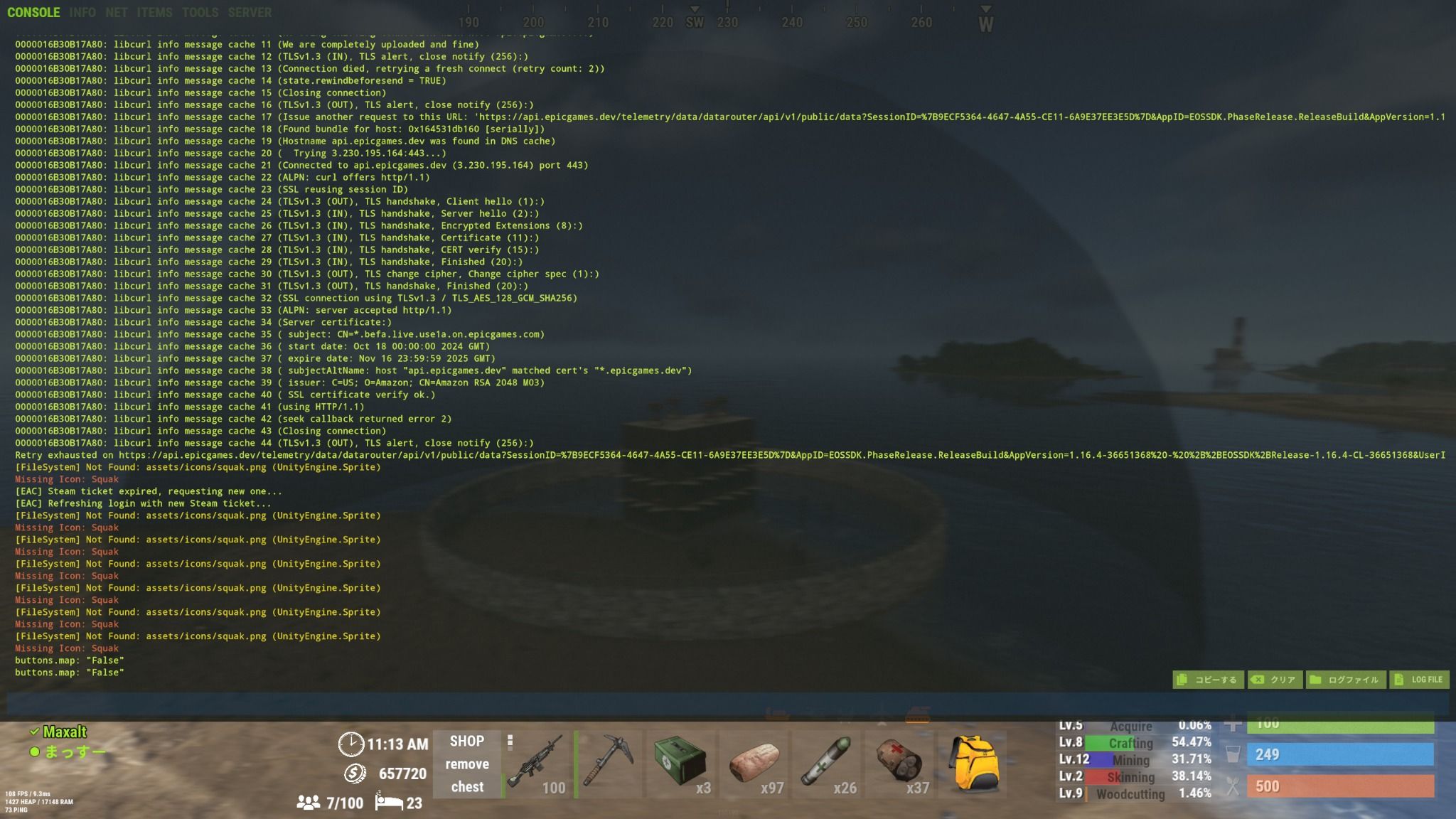
By the way, yesterday’s issue was that when selecting the walkie-talkie item, this kind of thing popped up.
I don’t think it’s caused by RB or RB’s LootTableEditor, but I’ve been looking into it and it seems like it’ll take some time to figure out which plugin is messing things up…

-
Thanks! I’ll look into it a bit.
Also, although it’s unrelated to the subject line, I’ve set the Nightmare loot to 160, but when I enter the circle it shows as 158.
I’ve placed about 30 large chests.
How many large chests would I need to prepare loot for 160?
-
Items that are not specified as loot in RaidableBases (a “transceiver”) are appearing.
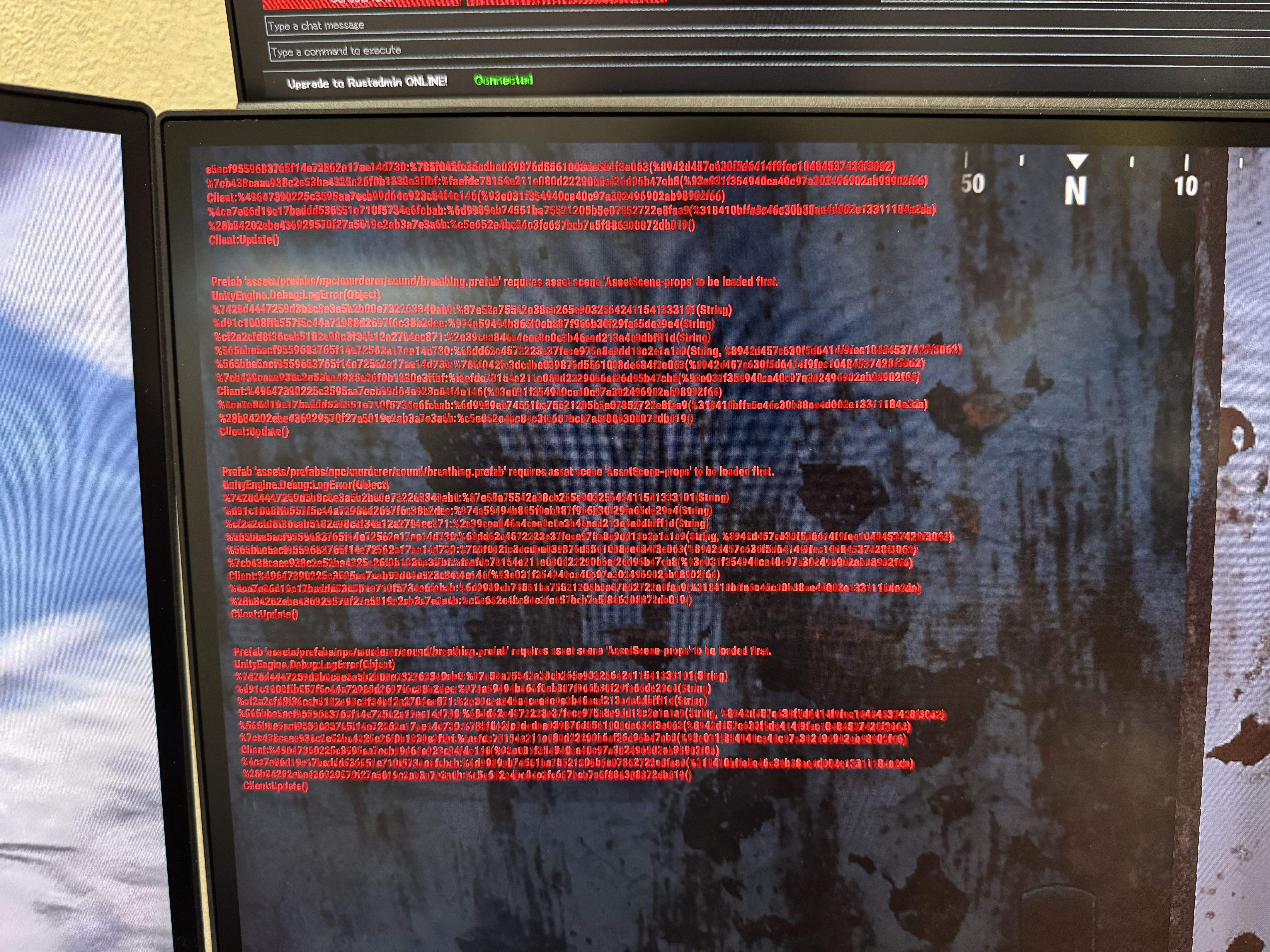
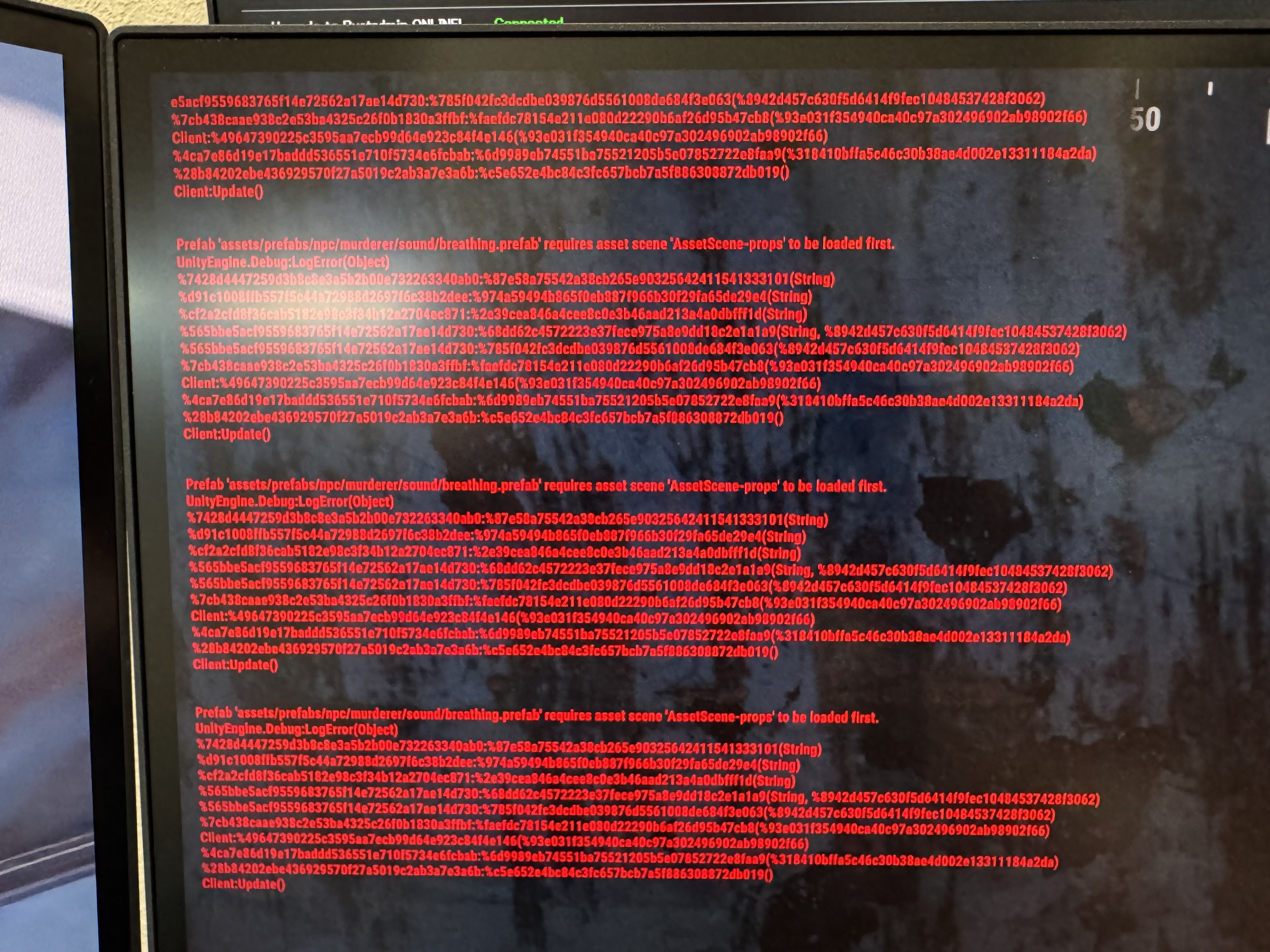
It looks like a mobile phone, and when a player holds it and possibly performs some action (details unclear—this is based on another player’s report), a red error message shows in the top-right of the screen and an NPC normally found at Fishing Village or Bandit Camp (MissionProvider_test) spawns directly under the player.
I’m managing loot using Loot Table Editor.
-
Items that are not specified as loot in RaidableBases (a “transceiver”) are appearing.
It looks like a mobile phone, and when a player holds it and possibly performs some action (details unclear—this is based on another player’s report), a red error message shows in the top-left of the screen and an NPC normally found at Fishing Village or Bandit Camp (MissionProvider_test) spawns directly under the player.
-
Hello!
After today’s update, I’m seeing red error messages on the screen.
What should I do?
From the looks of it, the errors are related to audio files such as asset/prefab/Murderder/Breathing.
-
Hello!
Every few hours (though not every time), a warning appears when the server performs an auto-save, saying:
“NullReferenceException: Object reference not set to an instance of an object”
I looked into the oxide logs and found the following error:
[Error] Failed to call hook 'CmdConsoleShop' on plugin 'Shop v2.3.1' (NullReferenceException: Object reference not set to an instance of an object)
I’ve attached Default.json and config/Shop.json.
Could you please take a look at them?
-
Error?
in BotReSpawn
By the way, this has nothing to do with this thread,
but I want to spawn a very strong NPC, like a boss.
I’d like to have it roam around the map, so on a map with a size of 4500,
would it be possible if I set the roaming range to 4500??
-
Error?
in BotReSpawn
2 hours ago, Steenamaroo said:Ok.
It's not something I've been keeping up to date with but Gen2 (from your errors) seems to relate to the new animals...
Crocodile, Panther, Tiger, and Wolf 2.
BotReSpawn doesn't spawn or manage these.
I guess you could kill all of each kind from console, to see if the errors stop?- del assets/rust.ai/agents/crocodile/crocodile.prefab
- del assets/rust.ai/agents/tiger/tiger.prefab
- del assets/rust.ai/agents/panther/panther.prefab
- del assets/rust.ai/agents/wolf/wolf2.prefab
OK.
Thanks!!
-
Error?
in BotReSpawn
47分前、Steenamarooは言った:こんにちは、
いいえ、そうは思いません。
あなたのエラーは、ゲームAIの最新作であると思うGen2に関連しています。
「InSameTeam」と呼ばれる方法にある問題は、動物ではなくnpcsを示唆しています。
ステージングやその他のプレリリースビルドにいますか?Sorry…
I’m a beginner who just started hosting a Rust server in May, so I don’t understand everything very well yet…
I’m trying to figure out the cause of this spam error that crashes the server:
Server Exception: FSMComponent.BudgetedUpdate
NullReferenceException
I was looking through the logs to try and pinpoint what’s causing it.
-
Error?
in BotReSpawn
Is this error caused by BotReSpawn?
at Rust.Ai.Gen2.SenseComponent.Tick () [0x000b0] in <a7bea7c56e7845fc83ba7018fb29f9c5>:0
at Rust.Ai.Gen2.FSMComponent+TickFSMWorkQueue.RunJob (Rust.Ai.Gen2.FSMComponent component) [0x00019] in <a7bea7c56e7845fc83ba7018fb29f9c5>:0
at Rust.Ai.Gen2.SenseComponent.InSameTeam (BaseEntity other) [0x0000e] in <a7bea7c56e7845fc83ba7018fb29f9c5>:0
at Rust.Ai.Gen2.SenseComponent.Tick () [0x000b0] in <a7bea7c56e7845fc83ba7018fb29f9c5>:0
at Rust.Ai.Gen2.FSMComponent+TickFSMWorkQueue.RunJob (Rust.Ai.Gen2.FSMComponent component) [0x00019] in <a7bea7c56e7845fc83ba7018fb29f9c5>:0
at Rust.Ai.Gen2.SenseComponent.InSameTeam (BaseEntity other) [0x0000e] in <a7bea7c56e7845fc83ba7018fb29f9c5>:0
at Rust.Ai.Gen2.SenseComponent.Tick () [0x000b0] in <a7bea7c56e7845fc83ba7018fb29f9c5>:0
at Rust.Ai.Gen2.FSMComponent+TickFSMWorkQueue.RunJob (Rust.Ai.Gen2.FSMComponent component) [0x00019] in <a7bea7c56e7845fc83ba7018fb29f9c5>:0
at Rust.Ai.Gen2.SenseComponent.InSameTeam (BaseEntity other) [0x0000e] in <a7bea7c56e7845fc83ba7018fb29f9c5>:0
at Rust.Ai.Gen2.SenseComponent.Tick () [0x000b0] in <a7bea7c56e7845fc83ba7018fb29f9c5>:0
at Rust.Ai.Gen2.FSMComponent+TickFSMWorkQueue.RunJob (Rust.Ai.Gen2.FSMComponent component) [0x00019] in <a7bea7c56e7845fc83ba7018fb29f9c5>:0
at Rust.Ai.Gen2.SenseComponent.InSameTeam (BaseEntity other) [0x0000e] in <a7bea7c56e7845fc83ba7018fb29f9c5>:0
at Rust.Ai.Gen2.SenseComponent.Tick () [0x000b0] in <a7bea7c56e7845fc83ba7018fb29f9c5>:0
at Rust.Ai.Gen2.FSMComponent+TickFSMWorkQueue.RunJob (Rust.Ai.Gen2.FSMComponent component) [0x00019] in <a7bea7c56e7845fc83ba7018fb29f9c5>:0
at Rust.Ai.Gen2.SenseComponent.InSameTeam (BaseEntity other) [0x0000e] in <a7bea7c56e7845fc83ba7018fb29f9c5>:0
at Rust.Ai.Gen2.SenseComponent.Tick () [0x000b0] in <a7bea7c56e7845fc83ba7018fb29f9c5>:0
at Rust.Ai.Gen2.FSMComponent+TickFSMWorkQueue.RunJob (Rust.Ai.Gen2.FSMComponent component) [0x00019] in <a7bea7c56e7845fc83ba7018fb29f9c5>:0
at Rust.Ai.Gen2.SenseComponent.InSameTeam (BaseEntity other) [0x0000e] in <a7bea7c56e7845fc83ba7018fb29f9c5>:0
at Rust.Ai.Gen2.SenseComponent.Tick () [0x000b0] in <a7bea7c56e7845fc83ba7018fb29f9c5>:0
at Rust.Ai.Gen2.FSMComponent+TickFSMWorkQueue.RunJob (Rust.Ai.Gen2.FSMComponent component) [0x00019] in <a7bea7c56e7845fc83ba7018fb29f9c5>:0
at Rust.Ai.Gen2.SenseComponent.InSameTeam (BaseEntity other) [0x0000e] in <a7bea7c56e7845fc83ba7018fb29f9c5>:0
at Rust.Ai.Gen2.SenseComponent.Tick () [0x000b0] in <a7bea7c56e7845fc83ba7018fb29f9c5>:0
at Rust.Ai.Gen2.FSMComponent+TickFSMWorkQueue.RunJob (Rust.Ai.Gen2.FSMComponent component) [0x00019] in <a7bea7c56e7845fc83ba7018fb29f9c5>:0
at Rust.Ai.Gen2.SenseComponent.InSameTeam (BaseEntity other) [0x0000e] in <a7bea7c56e7845fc83ba7018fb29f9c5>:0
at Rust.Ai.Gen2.SenseComponent.Tick () [0x000b0] in <a7bea7c56e7845fc83ba7018fb29f9c5>:0
at Rust.Ai.Gen2.FSMComponent+TickFSMWorkQueue.RunJob (Rust.Ai.Gen2.FSMComponent component) [0x00019] in <a7bea7c56e7845fc83ba7018fb29f9c5>:0
at Rust.Ai.Gen2.SenseComponent.InSameTeam (BaseEntity other) [0x0000e] in <a7bea7c56e7845fc83ba7018fb29f9c5>:0
at Rust.Ai.Gen2.SenseComponent.Tick () [0x000b0] in <a7bea7c56e7845fc83ba7018fb29f9c5>:0
at Rust.Ai.Gen2.FSMComponent+TickFSMWorkQueue.RunJob (Rust.Ai.Gen2.FSMComponent component) [0x00019] in <a7bea7c56e7845fc83ba7018fb29f9c5>:0
at Rust.Ai.Gen2.SenseComponent.InSameTeam (BaseEntity other) [0x0000e] in <a7bea7c56e7845fc83ba7018fb29f9c5>:0
at Rust.Ai.Gen2.SenseComponent.Tick () [0x000b0] in <a7bea7c56e7845fc83ba7018fb29f9c5>:0
at Rust.Ai.Gen2.FSMComponent+TickFSMWorkQueue.RunJob (Rust.Ai.Gen2.FSMComponent component) [0x00019] in <a7bea7c56e7845fc83ba7018fb29f9c5>:0
at Rust.Ai.Gen2.SenseComponent.InSameTeam (BaseEntity other) [0x0000e] in <a7bea7c56e7845fc83ba7018fb29f9c5>:0
at Rust.Ai.Gen2.SenseComponent.Tick () [0x000b0] in <a7bea7c56e7845fc83ba7018fb29f9c5>:0
at Rust.Ai.Gen2.FSMComponent+TickFSMWorkQueue.RunJob (Rust.Ai.Gen2.FSMComponent component) [0x00019] in <a7bea7c56e7845fc83ba7018fb29f9c5>:0
at Rust.Ai.Gen2.SenseComponent.InSameTeam (BaseEntity other) [0x0000e] in <a7bea7c56e7845fc83ba7018fb29f9c5>:0
at Rust.Ai.Gen2.SenseComponent.Tick () [0x000b0] in <a7bea7c56e7845fc83ba7018fb29f9c5>:0
at Rust.Ai.Gen2.FSMComponent+TickFSMWorkQueue.RunJob (Rust.Ai.Gen2.FSMComponent component) [0x00019] in <a7bea7c56e7845fc83ba7018fb29f9c5>:0
at Rust.Ai.Gen2.SenseComponent.InSameTeam (BaseEntity other) [0x0000e] in <a7bea7c56e7845fc83ba7018fb29f9c5>:0
at Rust.Ai.Gen2.SenseComponent.Tick () [0x000b0] in <a7bea7c56e7845fc83ba7018fb29f9c5>:0
at Rust.Ai.Gen2.FSMComponent+TickFSMWorkQueue.RunJob (Rust.Ai.Gen2.FSMComponent component) [0x00019] in <a7bea7c56e7845fc83ba7018fb29f9c5>:0
at Rust.Ai.Gen2.SenseComponent.InSameTeam (BaseEntity other) [0x0000e] in <a7bea7c56e7845fc83ba7018fb29f9c5>:0
at Rust.Ai.Gen2.SenseComponent.Tick () [0x000b0] in <a7bea7c56e7845fc83ba7018fb29f9c5>:0
at Rust.Ai.Gen2.FSMComponent+TickFSMWorkQueue.RunJob (Rust.Ai.Gen2.FSMComponent component) [0x00019] in <a7bea7c56e7845fc83ba7018fb29f9c5>:0
at Rust.Ai.Gen2.SenseComponent.InSameTeam (BaseEntity other) [0x0000e] in <a7bea7c56e7845fc83ba7018fb29f9c5>:0
at Rust.Ai.Gen2.SenseComponent.Tick () [0x000b0] in <a7bea7c56e7845fc83ba7018fb29f9c5>:0
at Rust.Ai.Gen2.FSMComponent+TickFSMWorkQueue.RunJob (Rust.Ai.Gen2.FSMComponent component) [0x00019] in <a7bea7c56e7845fc83ba7018fb29f9c5>:0
at Rust.Ai.Gen2.SenseComponent.InSameTeam (BaseEntity other) [0x0000e] in <a7bea7c56e7845fc83ba7018fb29f9c5>:0
at Rust.Ai.Gen2.SenseComponent.Tick () [0x000b0] in <a7bea7c56e7845fc83ba7018fb29f9c5>:0
at Rust.Ai.Gen2.FSMComponent+TickFSMWorkQueue.RunJob (Rust.Ai.Gen2.FSMComponent component) [0x00019] in <a7bea7c56e7845fc83ba7018fb29f9c5>:0
at Rust.Ai.Gen2.SenseComponent.InSameTeam (BaseEntity other) [0x0000e] in <a7bea7c56e7845fc83ba7018fb29f9c5>:0
at Rust.Ai.Gen2.SenseComponent.Tick () [0x000b0] in <a7bea7c56e7845fc83ba7018fb29f9c5>:0
at Rust.Ai.Gen2.FSMComponent+TickFSMWorkQueue.RunJob (Rust.Ai.Gen2.FSMComponent component) [0x00019] in <a7bea7c56e7845fc83ba7018fb29f9c5>:0
at Rust.Ai.Gen2.SenseComponent.InSameTeam (BaseEntity other) [0x0000e] in <a7bea7c56e7845fc83ba7018fb29f9c5>:0
at Rust.Ai.Gen2.SenseComponent.Tick () [0x000b0] in <a7bea7c56e7845fc83ba7018fb29f9c5>:0
at Rust.Ai.Gen2.FSMComponent+TickFSMWorkQueue.RunJob (Rust.Ai.Gen2.FSMComponent component) [0x00019] in <a7bea7c56e7845fc83ba7018fb29f9c5>:0
at Rust.Ai.Gen2.SenseComponent.InSameTeam (BaseEntity other) [0x0000e] in <a7bea7c56e7845fc83ba7018fb29f9c5>:0
at Rust.Ai.Gen2.SenseComponent.Tick () [0x000b0] in <a7bea7c56e7845fc83ba7018fb29f9c5>:0
at Rust.Ai.Gen2.FSMComponent+TickFSMWorkQueue.RunJob (Rust.Ai.Gen2.FSMComponent component) [0x00019] in <a7bea7c56e7845fc83ba7018fb29f9c5>:0
at Rust.Ai.Gen2.SenseComponent.InSameTeam (BaseEntity other) [0x0000e] in <a7bea7c56e7845fc83ba7018fb29f9c5>:0
at Rust.Ai.Gen2.SenseComponent.Tick () [0x000b0] in <a7bea7c56e7845fc83ba7018fb29f9c5>:0
at Rust.Ai.Gen2.FSMComponent+TickFSMWorkQueue.RunJob (Rust.Ai.Gen2.FSMComponent component) [0x00019] in <a7bea7c56e7845fc83ba7018fb29f9c5>:0
at Rust.Ai.Gen2.SenseComponent.InSameTeam (BaseEntity other) [0x0000e] in <a7bea7c56e7845fc83ba7018fb29f9c5>:0
at Rust.Ai.Gen2.SenseComponent.Tick () [0x000b0] in <a7bea7c56e7845fc83ba7018fb29f9c5>:0
at Rust.Ai.Gen2.FSMComponent+TickFSMWorkQueue.RunJob (Rust.Ai.Gen2.FSMComponent component) [0x00019] in <a7bea7c56e7845fc83ba7018fb29f9c5>:0
at Rust.Ai.Gen2.SenseComponent.InSameTeam (BaseEntity other) [0x0000e] in <a7bea7c56e7845fc83ba7018fb29f9c5>:0
at Rust.Ai.Gen2.SenseComponent.Tick () [0x000b0] in <a7bea7c56e7845fc83ba7018fb29f9c5>:0
at Rust.Ai.Gen2.FSMComponent+TickFSMWorkQueue.RunJob (Rust.Ai.Gen2.FSMComponent component) [0x00019] in <a7bea7c56e7845fc83ba7018fb29f9c5>:0
at Rust.Ai.Gen2.SenseComponent.InSameTeam (BaseEntity other) [0x0000e] in <a7bea7c56e7845fc83ba7018fb29f9c5>:0
at Rust.Ai.Gen2.SenseComponent.Tick () [0x000b0] in <a7bea7c56e7845fc83ba7018fb29f9c5>:0
at Rust.Ai.Gen2.FSMComponent+TickFSMWorkQueue.RunJob (Rust.Ai.Gen2.FSMComponent component) [0x00019] in <a7bea7c56e7845fc83ba7018fb29f9c5>:0
at Rust.Ai.Gen2.SenseComponent.InSameTeam (BaseEntity other) [0x0000e] in <a7bea7c56e7845fc83ba7018fb29f9c5>:0
at Rust.Ai.Gen2.SenseComponent.Tick () [0x000b0] in <a7bea7c56e7845fc83ba7018fb29f9c5>:0
at Rust.Ai.Gen2.FSMComponent+TickFSMWorkQueue.RunJob (Rust.Ai.Gen2.FSMComponent component) [0x00019] in <a7bea7c56e7845fc83ba7018fb29f9c5>:0
at Rust.Ai.Gen2.SenseComponent.InSameTeam (BaseEntity other) [0x0000e] in <a7bea7c56e7845fc83ba7018fb29f9c5>:0
at Rust.Ai.Gen2.SenseComponent.Tick () [0x000b0] in <a7bea7c56e7845fc83ba7018fb29f9c5>:0
at Rust.Ai.Gen2.FSMComponent+TickFSMWorkQueue.RunJob (Rust.Ai.Gen2.FSMComponent component) [0x00019] in <a7bea7c56e7845fc83ba7018fb29f9c5>:0
at Rust.Ai.Gen2.SenseComponent.InSameTeam (BaseEntity other) [0x0000e] in <a7bea7c56e7845fc83ba7018fb29f9c5>:0
at Rust.Ai.Gen2.SenseComponent.Tick () [0x000b0] in <a7bea7c56e7845fc83ba7018fb29f9c5>:0
at Rust.Ai.Gen2.FSMComponent+TickFSMWorkQueue.RunJob (Rust.Ai.Gen2.FSMComponent component) [0x00019] in <a7bea7c56e7845fc83ba7018fb29f9c5>:0
at Rust.Ai.Gen2.SenseComponent.InSameTeam (BaseEntity other) [0x0000e] in <a7bea7c56e7845fc83ba7018fb29f9c5>:0
at Rust.Ai.Gen2.SenseComponent.Tick () [0x000b0] in <a7bea7c56e7845fc83ba7018fb29f9c5>:0
at Rust.Ai.Gen2.FSMComponent+TickFSMWorkQueue.RunJob (Rust.Ai.Gen2.FSMComponent component) [0x00019] in <a7bea7c56e7845fc83ba7018fb29f9c5>:0
at Rust.Ai.Gen2.SenseComponent.InSameTeam (BaseEntity other) [0x0000e] in <a7bea7c56e7845fc83ba7018fb29f9c5>:0
at Rust.Ai.Gen2.SenseComponent.Tick () [0x000b0] in <a7bea7c56e7845fc83ba7018fb29f9c5>:0
at Rust.Ai.Gen2.FSMComponent+TickFSMWorkQueue.RunJob (Rust.Ai.Gen2.FSMComponent component) [0x00019] in <a7bea7c56e7845fc83ba7018fb29f9c5>:0
at Rust.Ai.Gen2.SenseComponent.InSameTeam (BaseEntity other) [0x0000e] in <a7bea7c56e7845fc83ba7018fb29f9c5>:0
at Rust.Ai.Gen2.SenseComponent.Tick () [0x000b0] in <a7bea7c56e7845fc83ba7018fb29f9c5>:0
at Rust.Ai.Gen2.FSMComponent+TickFSMWorkQueue.RunJob (Rust.Ai.Gen2.FSMComponent component) [0x00019] in <a7bea7c56e7845fc83ba7018fb29f9c5>:0
at Rust.Ai.Gen2.SenseComponent.InSameTeam (BaseEntity other) [0x0000e] in <a7bea7c56e7845fc83ba7018fb29f9c5>:0
at Rust.Ai.Gen2.SenseComponent.Tick () [0x000b0] in <a7bea7c56e7845fc83ba7018fb29f9c5>:0
at Rust.Ai.Gen2.FSMComponent+TickFSMWorkQueue.RunJob (Rust.Ai.Gen2.FSMComponent component) [0x00019] in <a7bea7c56e7845fc83ba7018fb29f9c5>:0
at Rust.Ai.Gen2.SenseComponent.InSameTeam (BaseEntity other) [0x0000e] in <a7bea7c56e7845fc83ba7018fb29f9c5>:0
at Rust.Ai.Gen2.SenseComponent.Tick () [0x000b0] in <a7bea7c56e7845fc83ba7018fb29f9c5>:0
at Rust.Ai.Gen2.FSMComponent+TickFSMWorkQueue.RunJob (Rust.Ai.Gen2.FSMComponent component) [0x00019] in <a7bea7c56e7845fc83ba7018fb29f9c5>:0
at Rust.Ai.Gen2.SenseComponent.InSameTeam (BaseEntity other) [0x0000e] in <a7bea7c56e7845fc83ba7018fb29f9c5>:0
at Rust.Ai.Gen2.SenseComponent.Tick () [0x000b0] in <a7bea7c56e7845fc83ba7018fb29f9c5>:0
at Rust.Ai.Gen2.FSMComponent+TickFSMWorkQueue.RunJob (Rust.Ai.Gen2.FSMComponent component) [0x00019] in <a7bea7c56e7845fc83ba7018fb29f9c5>:0
at Rust.Ai.Gen2.SenseComponent.InSameTeam (BaseEntity other) [0x0000e] in <a7bea7c56e7845fc83ba7018fb29f9c5>:0
at Rust.Ai.Gen2.SenseComponent.Tick () [0x000b0] in <a7bea7c56e7845fc83ba7018fb29f9c5>:0
at Rust.Ai.Gen2.FSMComponent+TickFSMWorkQueue.RunJob (Rust.Ai.Gen2.FSMComponent component) [0x00019] in <a7bea7c56e7845fc83ba7018fb29f9c5>:0
at Rust.Ai.Gen2.SenseComponent.InSameTeam (BaseEntity other) [0x0000e] in <a7bea7c56e7845fc83ba7018fb29f9c5>:0
at Rust.Ai.Gen2.SenseComponent.Tick () [0x000b0] in <a7bea7c56e7845fc83ba7018fb29f9c5>:0
at Rust.Ai.Gen2.FSMComponent+TickFSMWorkQueue.RunJob (Rust.Ai.Gen2.FSMComponent component) [0x00019] in <a7bea7c56e7845fc83ba7018fb29f9c5>:0
at Rust.Ai.Gen2.SenseComponent.InSameTeam (BaseEntity other) [0x0000e] in <a7bea7c56e7845fc83ba7018fb29f9c5>:0
at Rust.Ai.Gen2.SenseComponent.Tick () [0x000b0] in <a7bea7c56e7845fc83ba7018fb29f9c5>:0
at Rust.Ai.Gen2.FSMComponent+TickFSMWorkQueue.RunJob (Rust.Ai.Gen2.FSMComponent component) [0x00019] in <a7bea7c56e7845fc83ba7018fb29f9c5>:0
at Rust.Ai.Gen2.SenseComponent.InSameTeam (BaseEntity other) [0x0000e] in <a7bea7c56e7845fc83ba7018fb29f9c5>:0 -
05:10 [Error] Failed to call hook 'OnEntityDismounted' on plugin 'CustomButtons v2.0.72' (NullReferenceException: Object reference not set to an instance of an object)
at Oxide.Plugins.CustomButtons.ShowButtons (BasePlayer player) [0x00011] in <34d00308b0ce49d7a55a8858e91f7dc0>:0
at Oxide.Plugins.CustomButtons.OnEntityDismounted (ComputerStation entity, BasePlayer player) [0x00000] in <34d00308b0ce49d7a55a8858e91f7dc0>:0
at Oxide.Plugins.CustomButtons.DirectCallHook (System.String name, System.Object& ret, System.Object[] args) [0x01010] in <34d00308b0ce49d7a55a8858e91f7dc0>:0
at Oxide.Plugins.CSharpPlugin.InvokeMethod (Oxide.Core.Plugins.HookMethod method, System.Object[] args) [0x00079] in <42f9bedc659b4f4786eb778d3cd58968>:0
at Oxide.Core.Plugins.CSPlugin.OnCallHook (System.String name, System.Object[] args) [0x000de] in <d59b507fd76240e5b62228d0eae39b73>:0
at Oxide.Core.Plugins.Plugin.CallHook (System.String hook, System.Object[] args) [0x00060] in <d59b507fd76240e5b62228d0eae39b73>:0
-
How to use
in Shop
1時間前、MeventSupportは次のように述べています。こんにちは!RustサーバーにShopConverterをインストールし、コンソールコマンド「shop.convert.sr」または「shop.convert.shopui」を使用してデータファイルを変換します。デフォルトのパスが自動的に処理されます。
Is this required?
What is it needed for?
-
How to use
in Shop
On 2025/7/19 at 午後12時42分, maxalt said:ShopConverter.csの使い方を教えてください。
I know you’re probably busy, but please reply!
-
How to use
in Shop
ShopConverter.csの使い方を教えてください。
-
I have another question. I’d appreciate your answer.
I’m using this plugin with Murderer Sound set to true. The voice plays nicely, but even after a player kills a bot, the sound keeps playing for about 10 seconds.
Is there a way to make the voice stop immediately after the bot is killed?
-
On 7/7/2025 at 12:20 AM, nivex said:
heya, yes
1. no, admins can use the command. otherwise it requires raidablebases.allow permission which is for admins/mods/staff
2. yes, set the max amounts for each
      "Max Amount Allowed To Automatically Spawn Per Difficulty (0 = infinite, -1 = disabled)": {
        "Allow Max Amount Increase From Difficulties Disabled On A Specific Day Of The Week": false,
        "Easy": 1,
        "Medium": -1,
        "Hard": -1,
        "Expert": -1,
        "Nightmare": 1
      },
Thanks so much every time!! It’s resolved!
-
I’ll observe the situation for now.
Also, may I ask you two more things?
1,Is the /rbe NightmareBase◯◯ command something that anyone can use?
2,Is it possible to have a scheduled event spawn only one Nightmare and one Easy raidable base — a total of two bases?
-
2 minutes ago, maxalt said:
Is it possibly caused by another plugin…?
When I use the /rbe NightmareBase◯ command to spawn the base, there’s no issue at all.
However, when the base spawns via the scheduled events, sometimes the TC and other objects seem to disappear randomly.
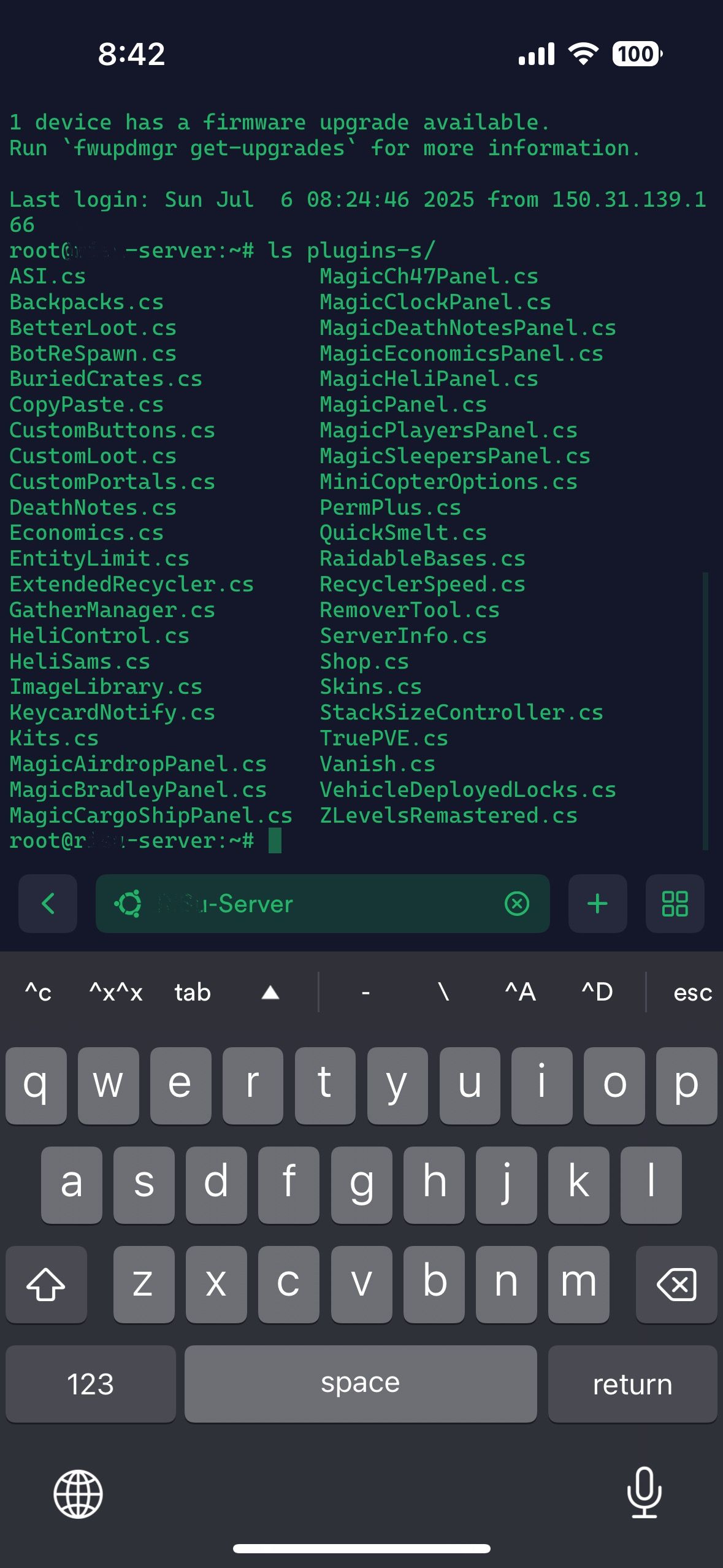
Here’s my plugin list — do you see anything that might be suspicious?

The plugin called ASI is a custom-made one.
It’s mainly used to automatically post announcements in the chat — either once, at a specific time, or on a repeating schedule.
It’s probably not related to the issue this time.
-
Is it possibly caused by another plugin…?
When I use the /rbe NightmareBase◯ command to spawn the base, there’s no issue at all.
However, when the base spawns via the scheduled events, sometimes the TC and other objects seem to disappear randomly.
Here’s my plugin list — do you see anything that might be suspicious?
-
7 hours ago, Steenamaroo said:
It will exist if you reload CustomLoot first.
You truly are a wonderful creator.
I now completely understand the integration between CustomLoot and BotReSpawn.
Thank you so much!
-
6 hours ago, maxalt said:
I'm really, really sorry.
I honestly don't understand.
Please take a look at my current settings.
I finally understood!
Does this look correct?
The file /data/CustomLoot/hunter.json does exist!
-
Thank you very much. By the way, is there any misconfiguration in the file I sent?
Also, if I send you a Raidable Bases file in a format that can be opened with Fortify, would you be able to take a look at it? -
Thank you for this fun plugin!
Recently, I set the loot count for RaidableBases (Nightmare) to 160, but I noticed that the actual spawned bases only had values like 143 or 150.
When I entered the bases, I found that some chests and Tool Cupboards (TCs) that were placed using Fortify had disappeared.
Do you know what might be causing this?By the way, even without a TC, the raid was marked as completed once the loot count reached zero.
However, I definitely want TCs to be present.
There are several bases where TCs disappear even though they were placed in Fortify.
That said, not all Fortify-made bases are missing TCs, so it doesn’t seem to happen every time. -
I'm really, really sorry.
I honestly don't understand.
Please take a look at my current settings. -
Sorry for the late reply! I’ll give it a try today.
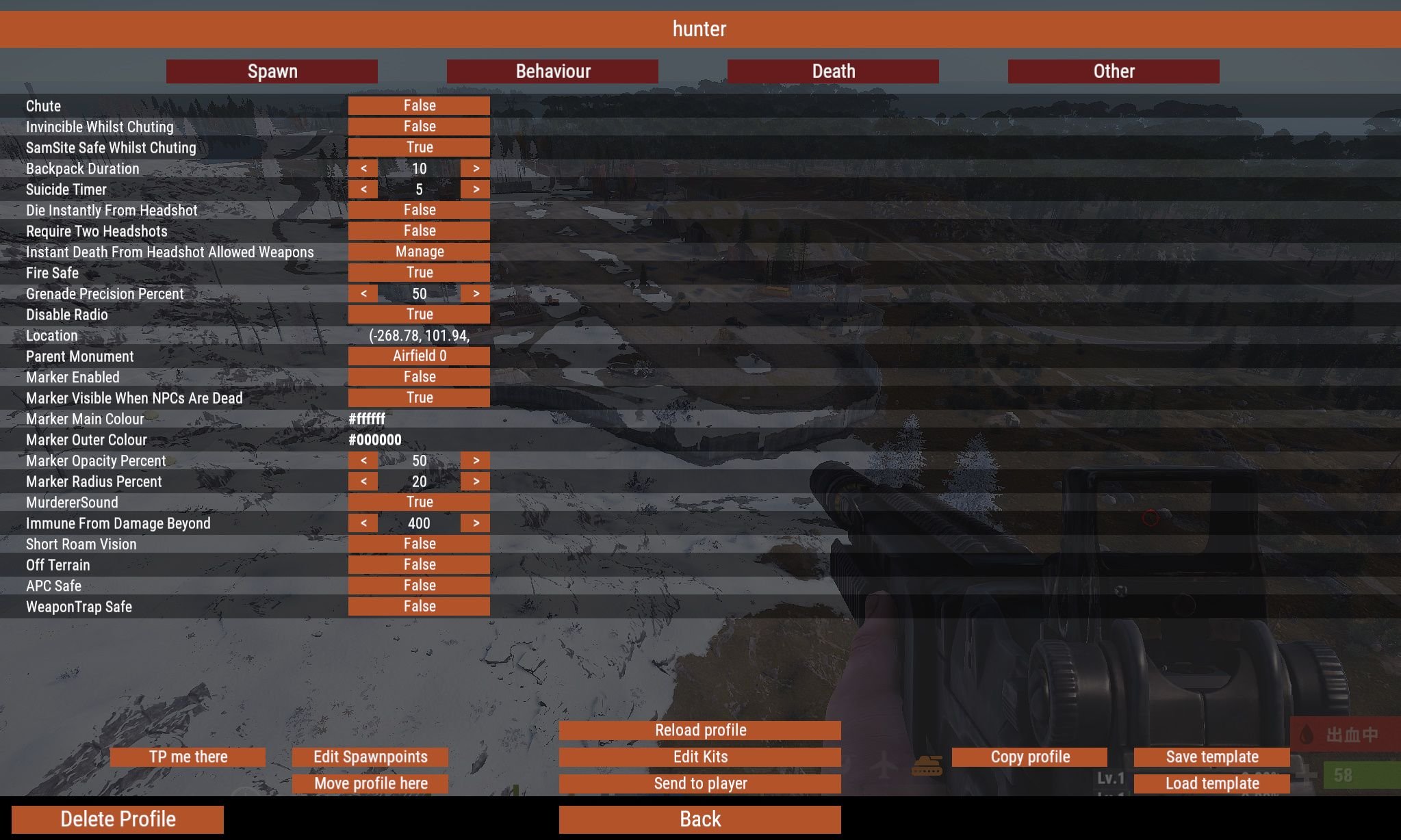
Where is the Hunter profile created/generated?
-
19 minutes ago, Steenamaroo said:
通常のゾンビとは誰ですか?
彼らはハンターとは異なるBotReSpawnプロファイルを持っているはずです。もしそうなら、CustomLoot設定ファイルでそのプロファイルにハンターの戦利品テーブルが含まれていないことを確認してください。つまり、頭蓋骨専用のカスタム ルート ルート テーブルがすでにあるので、他の NPC (ハンターではない) はそれを使用する必要があります。
I'm really sorry for my lack of understanding.
Could you please take a look at the file?
The sk file is the one I want to assign to the regular zombies.By "regular zombies", I mean the ones configured from /botrespawn under "Default profiles" for each monument.
During the daytime, 30 NPCs are spawned — 29 are set as "zombie" and 1 as "hunter" via "Edit Kits". -
I tried it, but the regular zombies at that monument are also dropping dog tags.
I set the LootTable of the Water Treatment Plant to "hunter" → reloaded → adjusted /data/CustomLoot/hunter.json to drop both Blue Dog Tags and skulls → reloaded again.
Then, when I defeat the Hunter (strong zombie) on site, it drops the Dog Tag and Skull as intended — but the regular zombies are dropping them too.What I want is for the Hunter to be a tough enemy for players, and as a reward for defeating it, they can sell the Dog Tag.
So I want only the Hunter to drop the Dog Tag — not the regular zombies. -
Sorry for the trouble.
To be honest, I’m still not entirely sure how BotReSpawn and CustomLoot work.
Would it be okay if I summarize what I’m trying to do?
What I want to achieve:
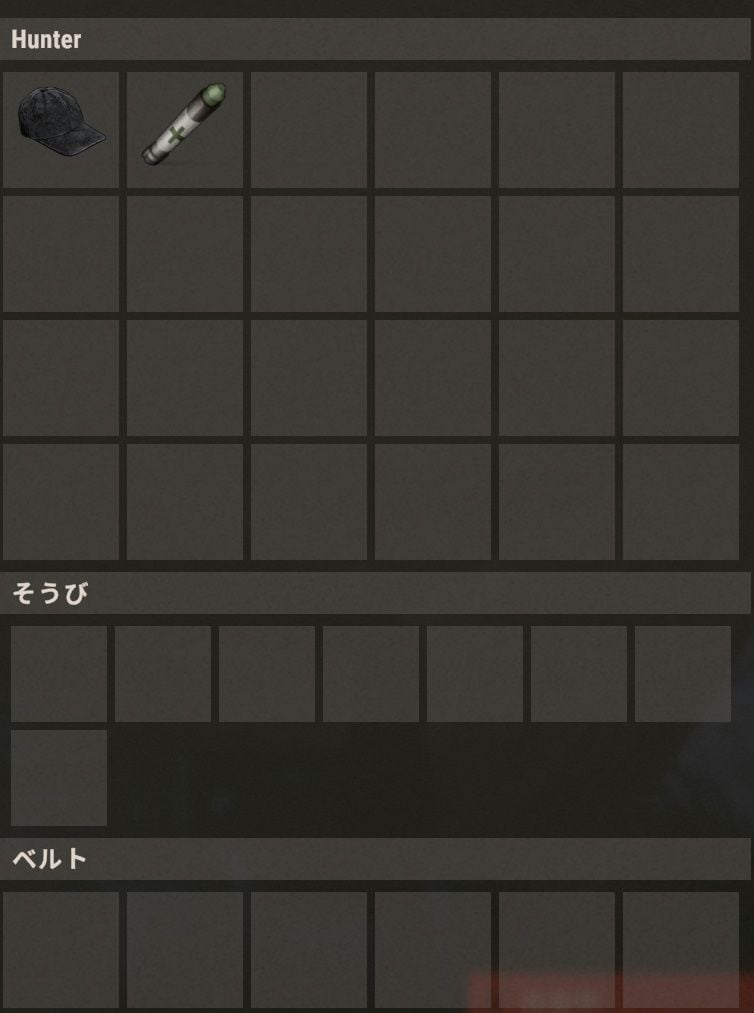
I have strong zombies (Hunter) spawning only at large monuments, and I want only the Hunters to carry one skull and one bluedogtag.
In other areas such as biomes, harbors, and rad towns, I only want regular zombies, and they should drop only skulls.
Regarding the method you mentioned—does it go like this?
In config/CustomLoot.json, I assign a LootTable (e.g. “Hunter”) to monuments like Water Treatment or Airfield, then reload CustomLoot.
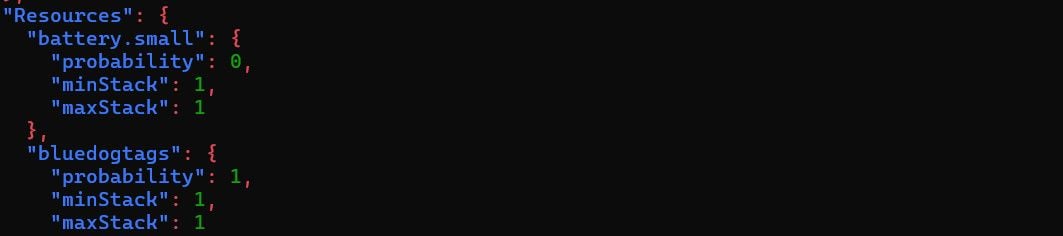
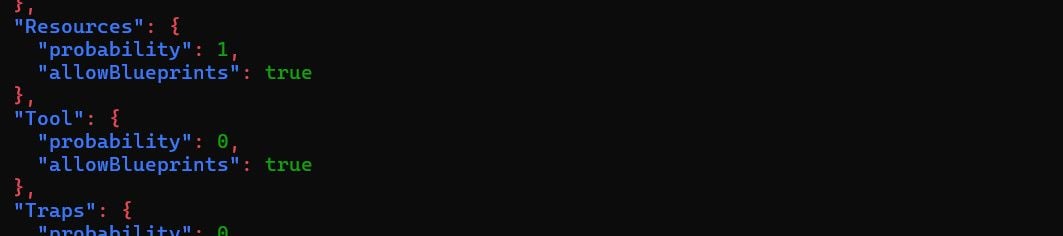
In data/CustomLoot/Hunter.json, I set the chance for skull.human to 1, and also set bluedogtags to 1.
Is this correct?
However, there’s one thing I still don’t understand.
I want regular zombies to drop only skulls, and Hunters to drop skulls and bluedogtags.
But if I assign the “Hunter” LootTable to a monument, wouldn’t the regular zombies there also drop bluedogtags?
Sorry to bother you again, and thank you for your help.
-
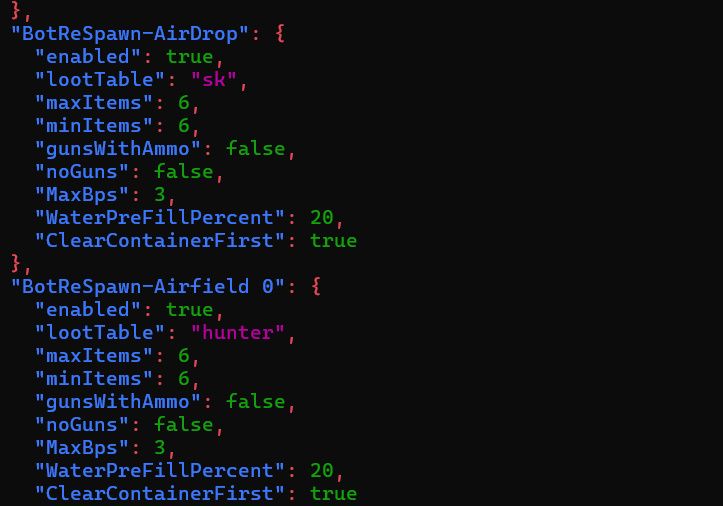
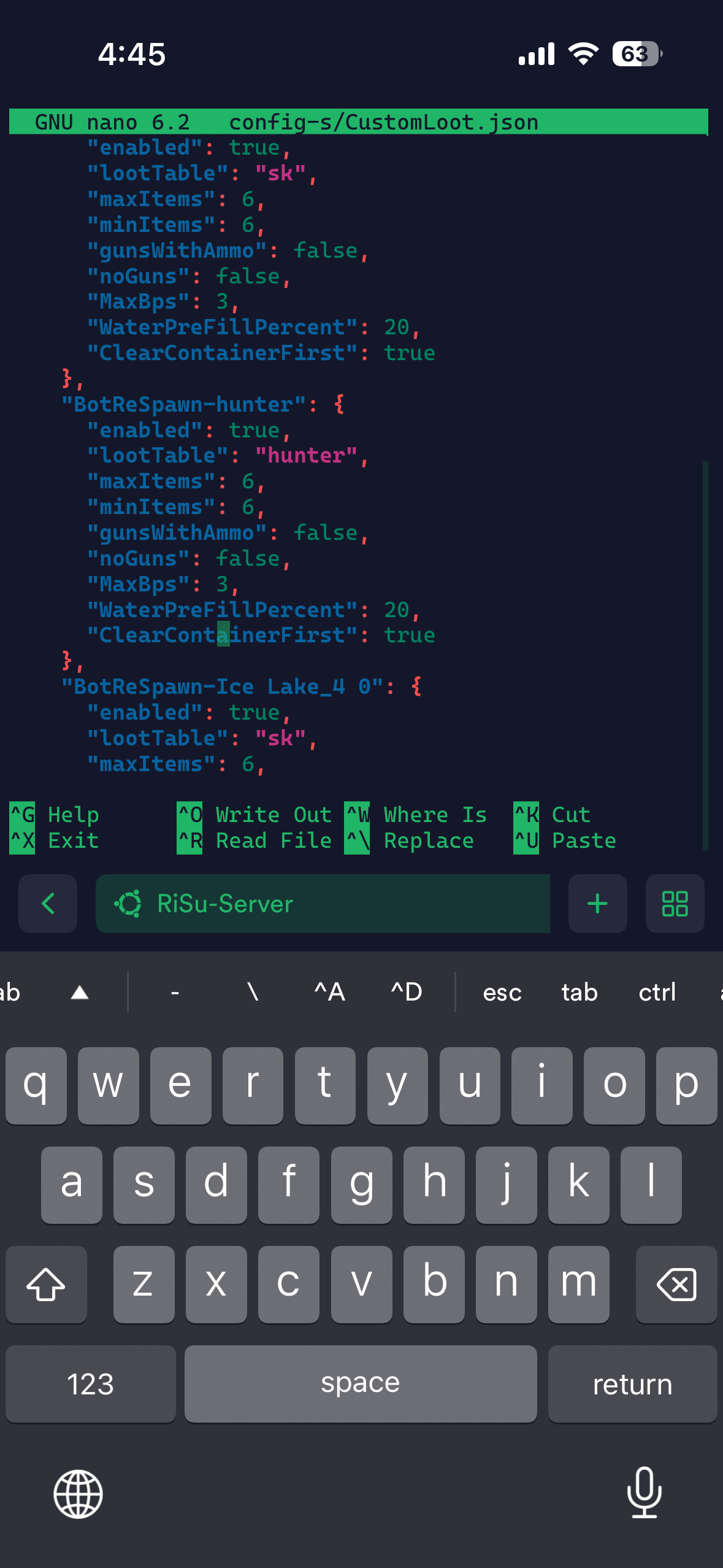
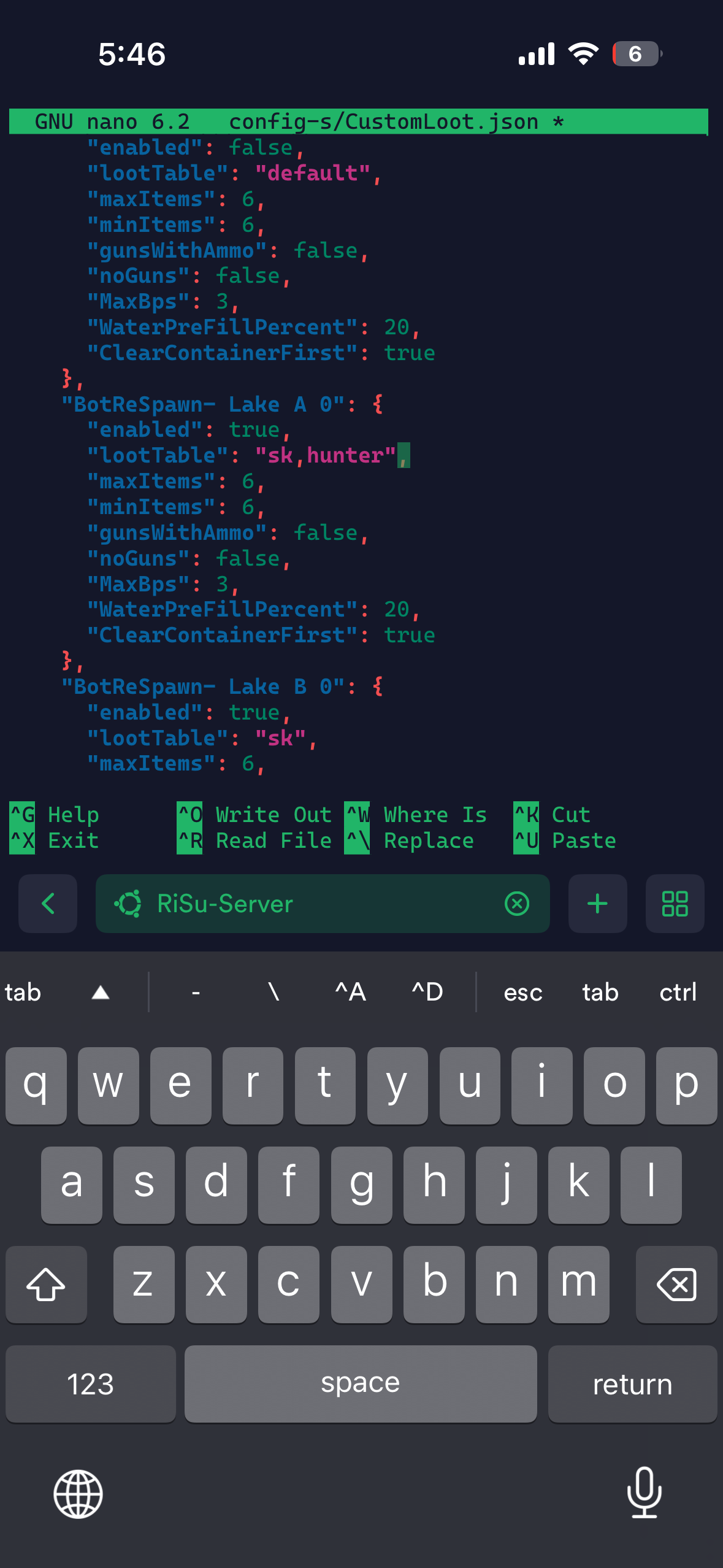
Am I editing it correctly like this?
-
1時間前、Steenamarooは言った:
こんにちは、
そのような単一の、またはいくつかの特定のアイテムである場合、おそらくそのnpcプロファイルのカスタムルートテーブルに追加するのが最も簡単です。
現在のカスタムルートテーブルを複製して名前を変更するだけです - 頭蓋骨を与えるもの、
次に、/config/CustomLoot.jsonで、その新しい名前を「lootTable」として作業しているプロファイルに適用します。
そこにいる間、minItemsとmaxItemsが2に設定されていることを確認してください
次に、新しい戦利品テーブルを開いて編集し、「リソース」カテゴリの確率を1に設定し、検索して「bluedogtags」エントリを見つけ、その確率を1に設定します。
または、すべての確率をゼロに設定し、/data/Customloot...ルートテーブルファイルの上部にあるAlwaysSpawnListを使用することもできます。
このように。"AlwaysSpawnList": [「bluedogtags」、「skull.human」]、Thank you very much.
When you say to duplicate a custom loot table, do you mean the sk.json file I previously created that only drops skulls?
Should I simply copy that file and rename it?
By the way, I’m currently using the /botrespawn command in-game to configure settings.
I’ve set it so that for each monument or biome, I spawn 1 strong zombie using the “Edit Kits” section with Zombie29 and Hunter1.
-
Hello, and thank you always for providing such a fun server!
Previously, I received help setting up zombie loot so that they only drop skulls using CustomLoot — and it's working great!
However, I'm wondering if it's possible to add extra items to some specific bots in addition to the skulls.
For example, at the Water Treatment Plant, I have 30 zombies spawning, and one of them is a stronger zombie that I've configured through Kits to carry an L96.
I'd like this one to also carry a skull and a bluedogtag. (Both items can be sold for RP at the Shop.)I tried giving items through Kits to its inventory, but it seems like the zombie only drops the skull — everything else disappears.
Is there any workaround or method to make this work?
-
On 2025/6/7 at 午前12時49分, MeventSupport said:
確認します
Has support responded yet? Is there no solution?
I've submitted several support requests to you, but I haven't received any replies so far. -
Thank you so much!
Thanks for sticking with me for so long.
Is it okay if I ask you again if something comes up…?
-
Got it! If the behavior is bad, I’ll go ahead and ban them.
I’ll share the .json file from /config, so could you take a look at my current cooldown settings?
As far as I know, I intended to set:
・3-hour cooldown for buyable raids
・3-hour cooldown for scheduled raids as well
…but I’m not sure if it’s working as intended. -
4分前、maxaltは言った:
本当に、本当に、心からありがとう!
では、あなたの申し出を受け入れてもよければ...
RaidableBasesでやりたいことは次のとおりです。
レイド完了後のクールダウン
レイダブルベースを完了した後(スケジュールされたスポーンからでも/buyraidコマンドからでも)、プレイヤー/チームが3時間再びレイドするのを防ぎたいです。
このクールダウンの間、彼らは難易度に関係なく、どのドームにも入ることができないはずです。
(例えば、プレイヤーがナイトメアベースを終えたとしても、3時間のクールダウン内にミディアムベースドームに入ることはできません)。理想的には、このクールダウンはチームの全員に当てはまります。
さらに、プレイヤーは次のことによってクールダウンを迂回することはできません。
彼らのチームを去り、
別のチームに参加する。
最大同時レイドとキューシステム
どのように生成されたか(スケジューリングまたは/buyraid)に関係なく、一度に最大10の襲撃可能な基地をマップに表示したい。
誰かがキャップがすでにヒットしているときに/buyraidを実行しようとした場合、レイドが完了してデスポーンするまで待つ必要があります。
理想的には、制限に達したときに/buyraidが使用される場合:
キュー行が作成されます。
レイドが終了し、スロットが利用可能になると、基地はキューの先頭のプレイヤーのためにスポーンします。
RaidableBasesでそのような設定は可能でしょうか?
Additional note!
For example, even if there are already 10 Raidable Bases on the map (the maximum allowed number),
I still want the scheduled Raidable Bases to spawn.
-
Really, truly, sincerely thank you!
Then if I may take you up on your offer…
Here’s what I’d like to do with RaidableBases:
Cooldown After Raid Completion
After completing a Raidable Base (whether from a scheduled spawn or via the /buyraid command), I want to prevent the player/team from raiding again for 3 hours.
During this cooldown, they should not be able to enter any dome, regardless of difficulty level.
(e.g. even if a player finishes a Nightmare base, they should not be able to enter a Medium base dome within the 3-hour cooldown).Ideally, this cooldown should apply to everyone in the team.
Additionally, players should not be able to bypass the cooldown by:
Leaving their team,
Joining another team.
Max Simultaneous Raids & Queue System
I want a maximum of 10 Raidable Bases on the map at once, regardless of how they were spawned (Scheduled or /buyraid).
If someone tries to run /buyraid while the cap is already hit, they should be forced to wait until a raid is completed and despawns.
Ideally, when /buyraid is used while the limit is reached:
A queue line is created.
Once a raid finishes and a slot becomes available, the base spawns for the player at the front of the queue.
Would such a setup be possible with RaidableBases?
-
Thank you so much.
You’re a genius.
There’s one more thing I wanted to ask about RaidableBases,but I feel like I’ve already asked too much… so I’ll come back another time

-
Thank you very much.
Actually, one of the players on my server recently got shot down by a SAM site they had placed themselves while flying a minicopter, and I was trying to figure out how to prevent that.
I’m sorry for suddenly changing the topic from RaidableBases to something completely different… But I truly appreciate your help.
Just to confirm, does the TruePVE config you shared mean the following?
Players cannot damage structures or deployables owned by other players, but can damage structures from RaidableBases.
While flying in a helicopter or minicopter, they might get shot by static SAM sites (like the ones at the Launch Site), but not by SAM sites placed
-
I’m really sorry to bother you again…
This time, I have a question about integrating with your masterpiece plugin, TruePVE.
On my server, TruePVE is being used to enforce PvE rules.
Is the following configuration possible?
Allow players to raid PvE raidable bases without allowing them to damage other players’ bases.
As far as I can tell, damage between players is properly blocked.
However, if I block damage to structures to prevent base raiding, it also prevents damage to raidable bases—so in order to allow those to be raided, I end up having to allow player base damage too.
I’m trying to find a way to solve this.
Please, I would really appreciate your help!
-
Thank you very much!
I truly appreciate it!
-
“Allow Max Amount Increase From Difficulties Disabled On A Specific Day Of The Week”: false
Is it okay to leave this as false?
On my server, I’m happy as long as scheduled events work.
-
6時間前、nivexは言った:
こんにちは、あなたが無効なショートネームを持っていることに気づきました。だから20%は武器を持っていません。
rifle.m249はlmg.m249であるべきです
You are truly a genius.
Even with the RaidableBases pack I purchased, I was having the same issue, so I was really struggling to figure out the cause.
Also, sorry, but may I ask two more questions?
I want only Easy and Nightmare bases to spawn randomly via scheduled events, but Medium bases are still appearing.
For some reason, Medium bases in PVE raidable bases aren’t being assigned an owner, but Nightmare bases are. The configurations for Profile/Medium and Profile/Nightmare are almost identical, so I’m not sure why…
-
1 hour ago, nivex said:
heya, all of the turrets all spawn with a weapon. so you have something removing the weapons, or preventing them from being added
So, does that mean there’s nothing wrong with the config file or the copypaste file?
Is there anything else I can do on my end?
By the way, this is based on the data I just confirmed in-game in Rust.
Regardless of whether they were indoors or outdoors, about 30% to 40% of the auto turrets had no weapons installed.
-
7時間前、nivexは言った:
ヘイ、いいえ、これで大丈夫です。何か他の何かが干渉している必要があります、またはコピーペーストファイルに問題があります。ファイルを添付していただければ、私はそれを見ることができます。
Please!
-
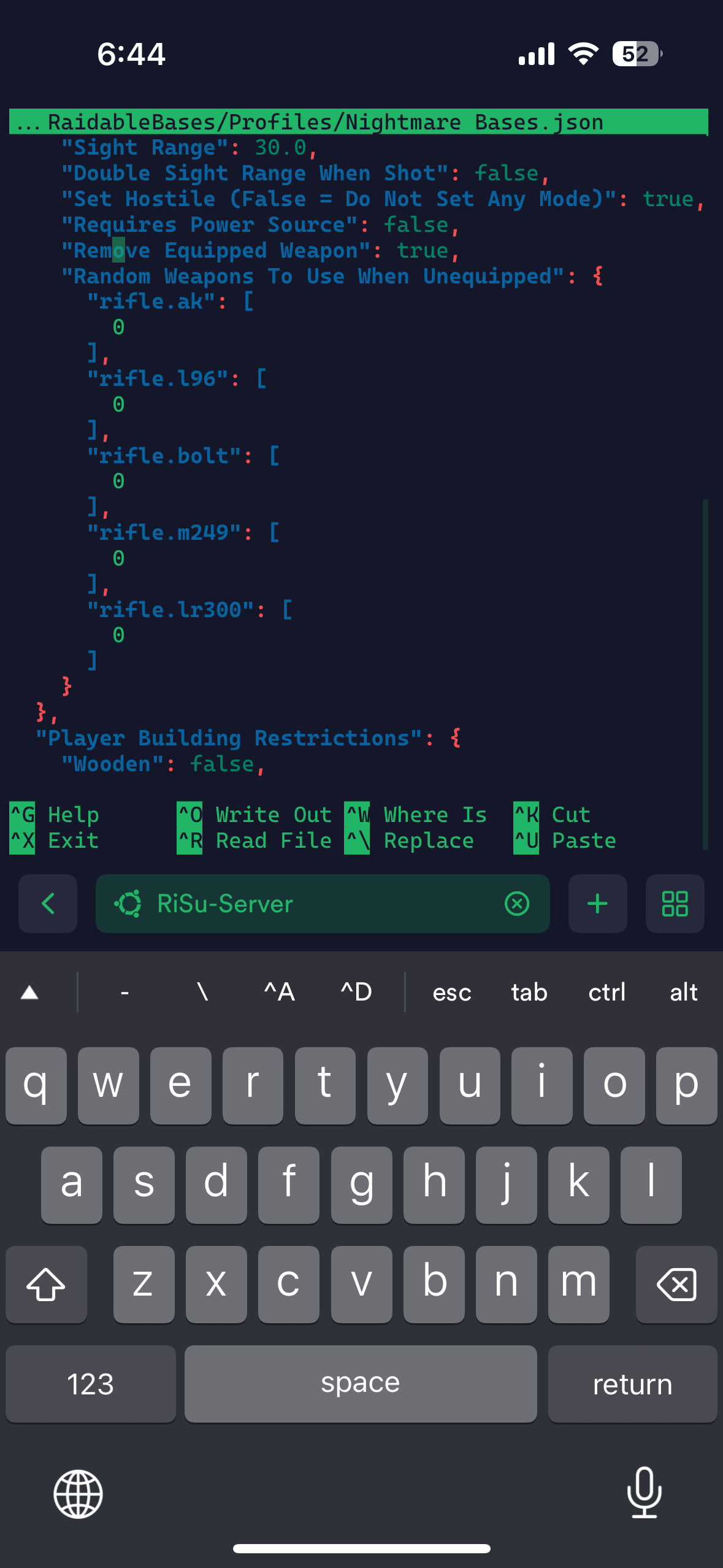
This is a follow-up to a previous question I asked.
Some of the auto turrets in a base I created with Fortify are starting up without any weapons attached, even though the settings are configured as shown below.
Is there another setting I need to change elsewhere?
-
When a player purchases an item via the Shop, the following log is generated:
[06/09/2025 22:47:49] Player ?? (76561198) bought items for 100$: [ITEM-6] diesel_barrel(DN: Diesel Fuel, SKIN: 0).
However, in reality, each diesel_barrel is set to a quantity of 50, so in this case, it means the player actually purchased 2 units.
Is it possible to display the quantity like this instead?
[06/09/2025 22:47:49] Player ?? (76561198) bought items for 100$: [ITEM-6] diesel_barrelx2(DN: Diesel Fuel, SKIN: 0).
-
I did it!!! I actually shouted out loud!! Thank you so much!!!
-
10 hours ago, Steenamaroo said:
In BotReSpawn enabled true/false is turning the profile on and off.
That is, if you set it to false npcs won't spawn.The skull is included correctly, but I would like to remove the original loot from the corpse.
Also, it seems that the skull does not have the bot’s name on it.
Could you please tell me how I can fix both of these issues?
-
20 minutes ago, maxalt said:
I’ll give it a try!
Thank you so much!
By the way, is it okay to set “enabled” to true in this part?
"BotReSpawn-Substation_Small_2 0": {
→"enabled": false,←
"lootTable": "default", -
I’ll give it a try!
Thank you so much!
-
1 hour ago, Steenamaroo said:
こんにちは。BotReSpawn
にはCorpse_Has_Skullオプションがあり、プレイヤーは死体からNPC名付きの頭蓋骨を収集できます。
これを使えばCustomLootの設定が面倒になるかもしれませんね。そうでない場合は、/config/CustomLoot.json を開き、corpseTypePerBotReSpawnProfile を true に設定してください。
ファイルを保存して閉じ、CustomLoot プラグインをリロードしてから、ファイルを再度開いてください。
これで、すべての BotReSpawn プロファイルが個別にリスト表示されるはずです。- 作業中のものを見つけて、フィールド「lootTable」を「skull」(または任意の名前) に設定します。
- そのプロファイルの「ClearContainerFirst」: true を false に設定します。
- ファイルを保存し、ファイルを閉じて、CustomLoot をリロードします。
/data/CustomLoot/ に移動し、新しく作成された Skull.json を見つけて開きます。ファイルの先頭付近の「カテゴリ」の下にある「リソース」を見つけ
、「確率」を1に設定します。検索で「skull.human」を見つけ、確率を1に設定します。
ファイルを保存して閉じ、CustomLootをリロードします。
これで、そのプロファイルのBotReSpawn NPCには、常に人間の頭蓋骨が戦利品として付与されるようになります。Thank you so much!
Can the entire setup process be done through the in-game /botrespawn GUI? -
35 minutes ago, maxalt said:
これまでは、/Shop/Shops/Default.json を直接編集してアイテムの追加と削除を行っていました。
しかし、ゲーム内でショップを管理しようとしたところ、.json ファイル経由で追加されたアイテムの編集ボタンをクリックした際に、以下のエラーが発生しました。.json 経由で追加されたアイテムは、ファイル自体からのみ編集する必要がありますか?
ゲーム内のショップ UI から追加されたアイテムは、問題なく編集および削除できます。errorlog↓
Failed to call hook 'CmdConsoleShop' on plugin 'Shop v2.3.1' (NullReferenceException: Object reference not set to an instance of an object) at Oxide.Plugins.Shop+ShopItem.ToDictionary () [0x00131] in <2f4f43ec1f7e442b8546d6949f594319>:0 at Oxide.Plugins.Shop.EditUi (BasePlayer player, System.Int32 itemId, System.Boolean First) [0x00054] in <2f4f43ec1f7e442b8546d6949f594319>:0 at Oxide.Plugins.Shop.CmdConsoleShop (ConsoleSystem+Arg arg) [0x01792] in <2f4f43ec1f7e442b8546d6949f594319>:0 at Oxide.Plugins.Shop.DirectCallHook (System.String name, System.Object& ret, System.Object[] args) [0x0245e] in <2f4f43ec1f7e442b8546d6949f594319>:0 at Oxide.Plugins.CSharpPlugin.InvokeMethod (Oxide.Core.Plugins.HookMethod method, System.Object[] args) [0x00079] in <42f9bedc659b4f4786eb778d3cd58968>:0 at Oxide.Core.Plugins.CSPlugin.OnCallHook (System.String name, System.Object[] args) [0x000de] in <8cb2d664f1574f2b96d53f1c1869d96a>:0 at Oxide.Core.Plugins.Plugin.CallHook (System.String hook, System.Object[] args) [0x00060] in <8cb2d664f1574f2b96d53f1c1869d96a>:0
-
Up until now, I’ve been adding and removing items by editing /Shop/Shops/Default.json directly.
However, after trying to manage the shop in-game, I encountered the following error when clicking the edit button for items that were added via the .json file.Do I have to edit items added via .json only through the file itself?
Items added from within the in-game Shop UI can be edited and deleted just fine. -
I would like to use this plugin together with BotReSpawn for the following purpose.
On my server, I make the bots look like zombies using a kit, and I set MurdererSound to true to create a zombie-themed server.
I want each zombie corpse to drop only one Human Skull as loot.Could you please tell me the steps to achieve this?
-
target_noobs was set to false.
You are a genius. Thank you so much!
BotReSpawn is the best plugin ever!!!!!!!!!!!
-
2 hours ago, maxalt said:
I’ve placed bots in the world, but they don’t attack. Peacemaker is set to false.
I'm using TruePVE — could that be affecting it?I forgot to mention, but there are times when they attack and times when they don’t.
-
I’ve placed bots in the world, but they don’t attack. Peacemaker is set to false.
I'm using TruePVE — could that be affecting it? -
-
First of all, thank you for creating such a beautiful and easy-to-use plugin!
I'm using multiple plugins, and I use this Shop to execute commands and more. However, when I open the Shop UI, images loaded from external URLs initially appear completely white. Once I switch categories and come back, the images display properly.
Would it be possible to have the images display correctly from the start, without having to switch categories?
-
-
Thanks!!
-
“Are turret weapon settings configured in RaidableBase.json or in the difficulty profile JSON under /data/RaidableBases/Profile/?”
-
Fortifyを使って襲撃可能な基地を作成しました。しかし、一部の自動砲塔に武器が装備されていないのに対し、他の自動砲塔には武器が正しく装備されています。何か特別な設定が必要ですか?
-
Thank you for the reply.
I’ve changed all of the files to Japanese,
but the message still shows something like:
“◯◯ has activated the ブルー card key ◯◯!”
— only the card key color is displayed in Japanese.
If possible, could I send you the three files and have you take a look?
-
8 hours ago, maxalt said:
素晴らしいプラグインをありがとうございます!
カードをスキャンした際に表示されるチャットメッセージを完全に日本語化しようとしています。.cs
ファイル、lang.json、config.jsonなど全て翻訳したのですが、メッセージはまだ英語のままです。In English↓
Thank you for the amazing plugin!
I’m trying to make the chat message (that appears when a card is scanned) fully in Japanese.
I’ve translated everything — the .cs file, the lang .json, and the config .json — but the message still shows in English.
Is there a way to fully localize it into Japanese?
-
素晴らしいプラグインをありがとうございます!
カードをスキャンした際に表示されるチャットメッセージを完全に日本語化しようとしています。.cs
ファイル、lang.json、config.jsonなど全て翻訳したのですが、メッセージはまだ英語のままです。 -
Thanks, I’ll give it a try!!
-
Thanks for the quick reply!
I want to add a dogtag item, but I’m currently only using the Default_Loot.
If I add the dogtag there, will it be placed inside the TC?
-
“Is it possible to put specific items into the TC?”
-
Thanks!! I’m really glad you replied, but I managed to solve it myself! Appreciate it!


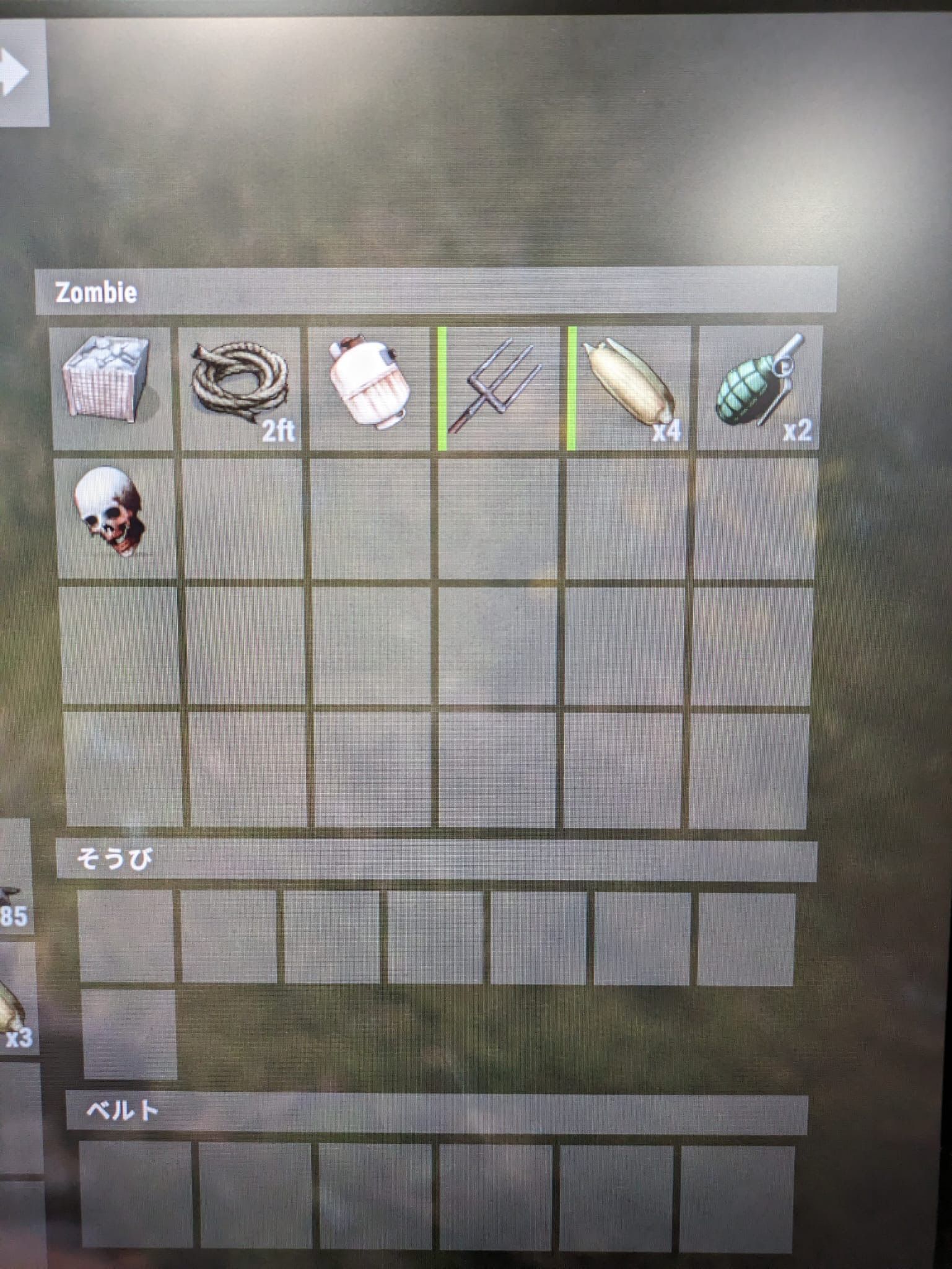
Suggestion
in BotReSpawn
Posted
Thank you for the reply!
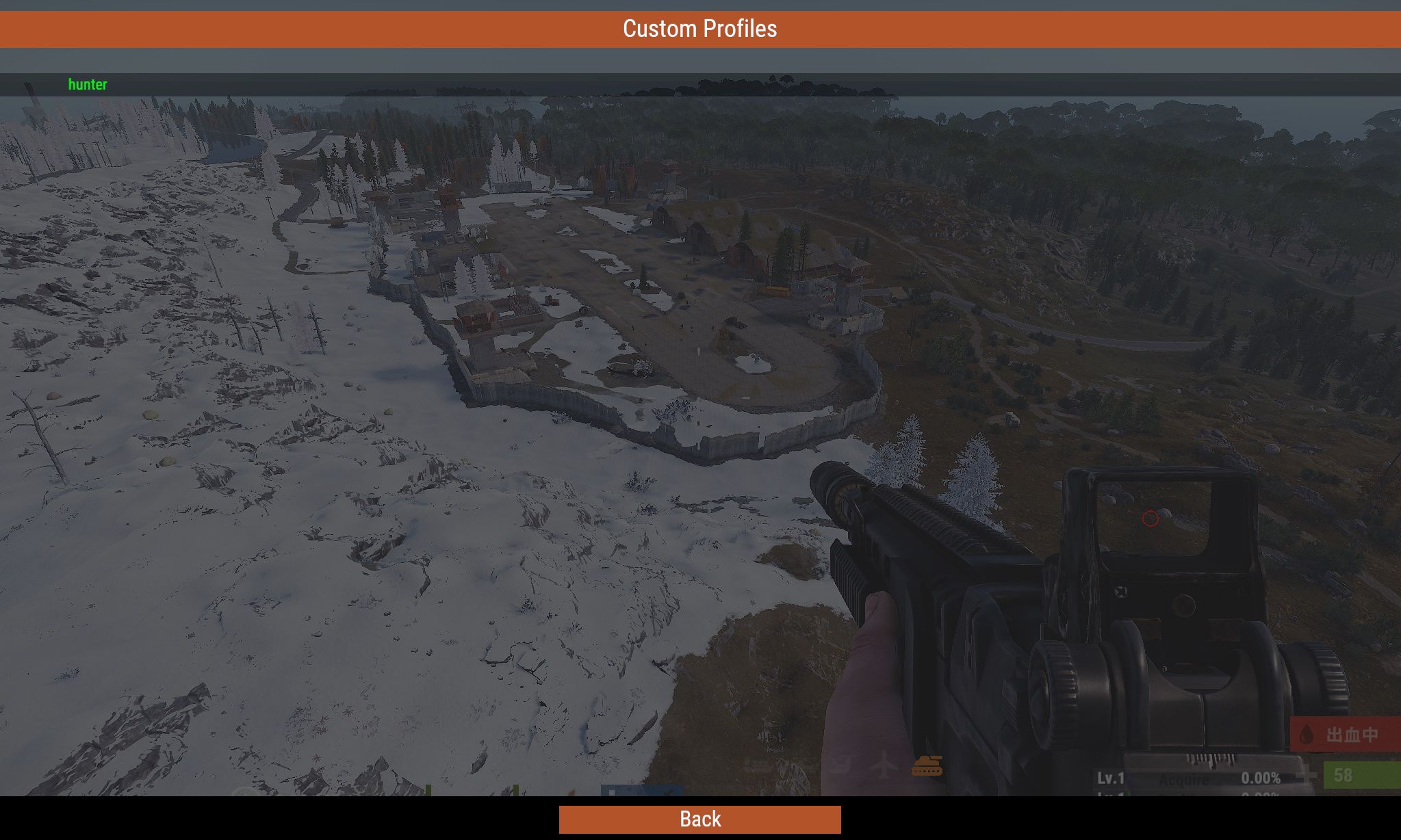
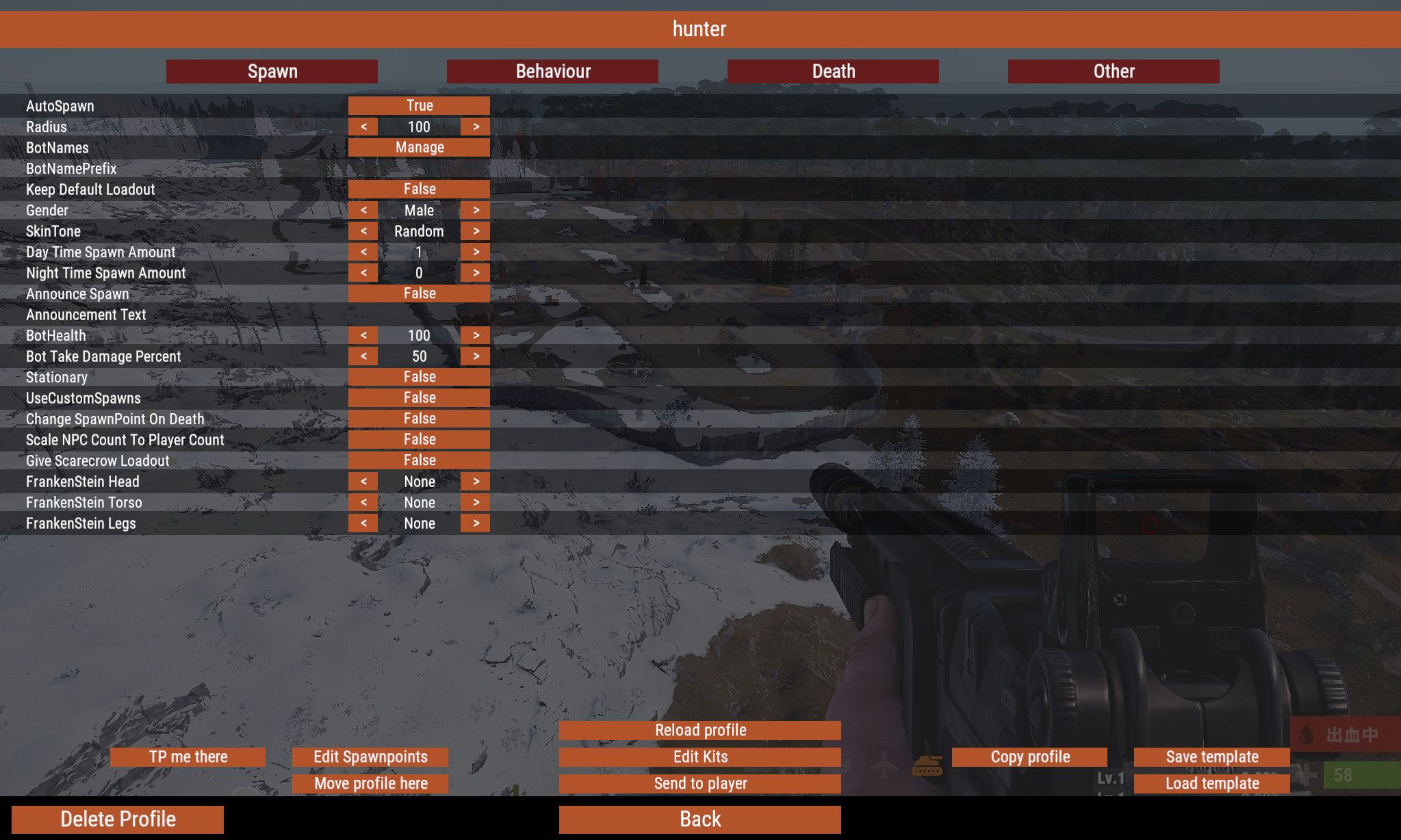
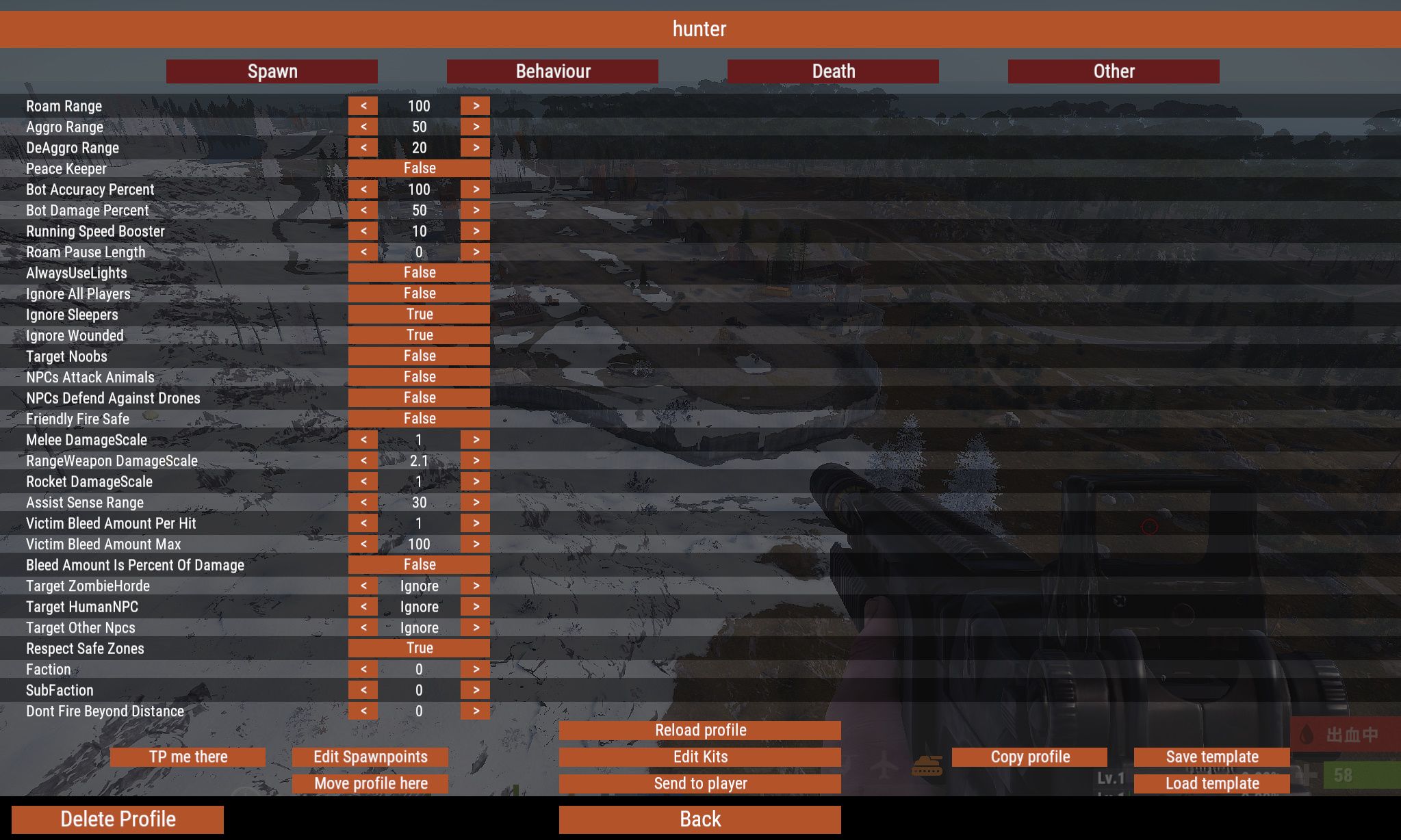
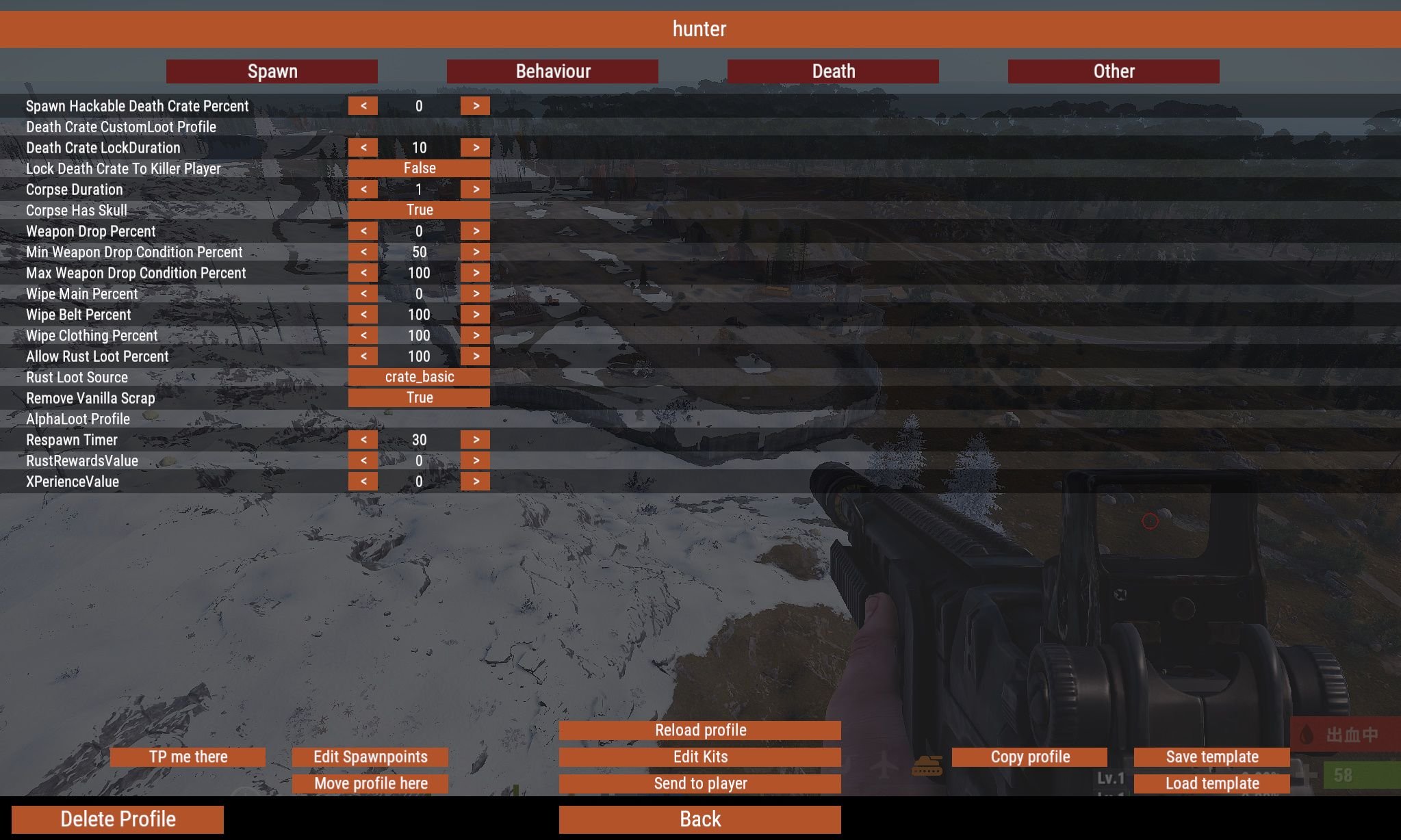
Yes! It would be great to be ignored by bots globally (across all profiles)!
Actually, a player on our server made a suggestion.
They thought it would be interesting to offer something via the SHOP plugin—like a command that makes zombies ignore you—and sell it.
And it would be convenient if it had a time limit…
Would something like that be possible?