
-
Posts
170 -
Joined
-
Last visited
-
Days Won
3
Content Type
Profiles
Warranty Claims
Downloads
Forums
Store
Services
Downloads Plus Support
DOWNLOADS EXTRA
Everything posted by SinKohh
-
-
I'm actually about to update this to include items for currency "Free Rerolls (Daily)": 10 "Daily Reroll Limit": 11, Setting these above will allow your players to have a total of 21 rerolls a day. The first 10 won't cost the player anything and the last 11 will cost them whatever the currency is set to. The vip values are the limits for the players that have the VIP permission.
-
-
Version 1.2.0
182 downloads
Dive into a world of enhanced gameplay with the Loot Reroll plugin, which introduces a dynamic element to looting crates. This plugin empowers players with the appropriate permissions to exercise a unique gameplay mechanic—rerolling the contents of crates. By leveraging this innovative feature, players can potentially uncover better rewards and loot items, elevating their experience within the game. Limits Tailor your server's experience by configuring the frequency at which players can reroll crates. This allows for fine-tuning of daily reroll limits, providing an avenue for players to strategically manage their loot rerolls. If desired, you can also set up a tantalizing incentive: daily free rerolls. By specifying an allotted number of free rerolls, you can encourage players to engage with the feature without spending currency. If a more controlled environment suits your server better, you have the flexibility to disable free rerolls entirely. Cost Currency takes center stage in the Loot Reroll plugin, with each crate's reroll operation entailing a specific cost. Both regular players and VIPs are catered to, as the plugin supports distinct costs for each group. VIPs can access a unique pricing structure, fostering a sense of exclusivity and incentivizing player engagement. Crates Each container is assigned its own reroll costs. The possibility to enable or disable specific containers for rerolls offers complete control over the gameplay experience. With the power to shape the availability of rerolls on a container-by-container basis, you can curate a diverse and engaging looting environment that aligns with your server's theme and objectives. Commands /rerolls - This will show the player the amount of free/daily rerolls available. Admin/Console Commands Chat - /addrolls playername daily/free quantity (example: /addrolls sinkohh daily 5 will give me 5 daily rolls) Console - addrolls playername daily/free quantity (example: addrolls sinkohh free 5 will give me 5 daily rolls) Notes: - A crate can only be rerolled ONE time. - If you exit the container prior to rerolling it you CANNOT reroll if afterwards. - If you move an item in the container you CANNOT reroll it. - Only the FIRST player to loot the container can reroll it. Default Config { "Currency type": "ServerRewards", "Free Rerolls (Daily)": 3, "Daily Reroll Limit": 20, "Free Rerolls VIP (Daily)": 5, "Daily Reroll Limit VIP": 20, "Crates that can be rerolled": [ { "crateName": "crate_elite", "enabled": true, "rerollCost": 10, "rerollCostVIP": 5 }, { "crateName": "supply_drop", "enabled": true, "rerollCost": 10, "rerollCostVIP": 5 }, { "crateName": "heli_crate", "enabled": true, "rerollCost": 10, "rerollCostVIP": 5 }, { "crateName": "bradley_crate", "enabled": true, "rerollCost": 10, "rerollCostVIP": 5 }, { "crateName": "codelockedhackablecrate_oilrig", "enabled": true, "rerollCost": 10, "rerollCostVIP": 5 }, { "crateName": "codelockedhackablecrate", "enabled": true, "rerollCost": 10, "rerollCostVIP": 5 }, { "crateName": "wagon_crate_normal_2", "enabled": true, "rerollCost": 10, "rerollCostVIP": 5 }, { "crateName": "wagon_crate_normal", "enabled": true, "rerollCost": 10, "rerollCostVIP": 5 }, { "crateName": "crate_tools", "enabled": true, "rerollCost": 10, "rerollCostVIP": 5 }, { "crateName": "crate_underwater_advanced", "enabled": true, "rerollCost": 10, "rerollCostVIP": 5 }, { "crateName": "crate_normal_2", "enabled": true, "rerollCost": 10, "rerollCostVIP": 5 }, { "crateName": "crate_normal", "enabled": true, "rerollCost": 10, "rerollCostVIP": 5 }, { "crateName": "crate_normal_2_food", "enabled": true, "rerollCost": 10, "rerollCostVIP": 5 }, { "crateName": "crate_food_1", "enabled": true, "rerollCost": 10, "rerollCostVIP": 5 }, { "crateName": "crate_food_2", "enabled": true, "rerollCost": 10, "rerollCostVIP": 5 }, { "crateName": "wagon_crate_normal_2_food", "enabled": true, "rerollCost": 10, "rerollCostVIP": 5 }, { "crateName": "crate_normal_2_medical", "enabled": true, "rerollCost": 10, "rerollCostVIP": 5 }, { "crateName": "crate_medical", "enabled": true, "rerollCost": 10, "rerollCostVIP": 5 }, { "crateName": "wagon_crate_normal_2_medical", "enabled": true, "rerollCost": 10, "rerollCostVIP": 5 }, { "crateName": "crate_underwater_basic", "enabled": true, "rerollCost": 10, "rerollCostVIP": 5 }, { "crateName": "crate_basic", "enabled": true, "rerollCost": 10, "rerollCostVIP": 5 }, { "crateName": "crate_mine", "enabled": true, "rerollCost": 10, "rerollCostVIP": 5 }, { "crateName": "crate_ammunition", "enabled": true, "rerollCost": 10, "rerollCostVIP": 5 }, { "crateName": "crate_fuel", "enabled": true, "rerollCost": 10, "rerollCostVIP": 5 }, { "crateName": "wooden_crate_gingerbread", "enabled": true, "rerollCost": 10, "rerollCostVIP": 5 } ] }$9.99 -
Version 1.2.3
85 downloads
The Key Crates plugin introduces a captivating gameplay feature centered around locked loot crates and colored keys. Players must gather these keys to access the valuable rewards hidden within the crates. Each key color corresponds to a unique crate type, offering different levels of rarity and rewards Keys The keys spawn in world loot containers listed in the config. Each container has a probability field that can be customized to set the probabilities for each key type to spawn in the container. Normal cards CANNOT be used at the loot crates and loot keys cannot be used in monuments. Upon collection 10 Green loot keys they will be upgraded to one Blue key. The same for Blue to Red Loot Crates The three loot crates all have their own configurable reward lists that even allows you to specify skinID and names to allow custom rewards to be given when the key is claimed. Each item added must be given a probability %. This will determine how likely a player is to receive the item. Admin Commands There are a few admin commands: /addcustomloc - This will allow you to set the coords for a custom set of crates to spawn at. You MAY need to alter the coords to best fit your needs in the config. Just stand where you want them to spawn, face the way you want the readers to face, and run the command. Within 5 seconds a set of crates will spawn and be ready for use. /gk - This will give you, the admin, one of each key. This can be used for testing rewards and handing out randomly. /givekey <color> - This is a console command. It can be used to give keys through shops, rewards, or anything that allows commands as a reward. /givekey <player> <color> <qty> - This admin command allows you to give a specific color and quantity of key to a specific player. Monument Spawning The three loot crates will spawn in default positions. These can be changed by altering the config position and rotation values for the crates at a specific monument OR by using the /addcustomloc command mentioned above. Example Config: { "Custom Crate Location": [ { "enabled": true, "pos": { "x": -1785.229, "y": 3.521712, "z": 1480.33313 }, "rot": { "x": 0.0, "y": 150.63768, "z": 0.0 } } ], "Crates that Keys will spawn in": [ { "crateName": "heli_crate", "enabled": true, "gKeyChance": 0, "bKeyChance": 0, "rKeyChance": 5 }, { "crateName": "bradley_crate", "enabled": true, "gKeyChance": 0, "bKeyChance": 0, "rKeyChance": 5 }, { "crateName": "codelockedhackablecrate_oilrig", "enabled": true, "gKeyChance": 0, "bKeyChance": 0, "rKeyChance": 5 }, { "crateName": "codelockedhackablecrate", "enabled": true, "gKeyChance": 0, "bKeyChance": 0, "rKeyChance": 5 }, { "crateName": "wagon_crate_normal_2", "enabled": true, "gKeyChance": 5, "bKeyChance": 1, "rKeyChance": 0 }, { "crateName": "wagon_crate_normal", "enabled": true, "gKeyChance": 0, "bKeyChance": 5, "rKeyChance": 0 }, { "crateName": "crate_tools", "enabled": true, "gKeyChance": 5, "bKeyChance": 1, "rKeyChance": 0 }, { "crateName": "crate_underwater_advanced", "enabled": true, "gKeyChance": 0, "bKeyChance": 5, "rKeyChance": 0 }, { "crateName": "crate_normal_2", "enabled": true, "gKeyChance": 5, "bKeyChance": 1, "rKeyChance": 0 }, { "crateName": "crate_normal", "enabled": true, "gKeyChance": 0, "bKeyChance": 5, "rKeyChance": 0 }, { "crateName": "supply_drop", "enabled": true, "gKeyChance": 0, "bKeyChance": 0, "rKeyChance": 5 }, { "crateName": "crate_elite", "enabled": true, "gKeyChance": 0, "bKeyChance": 5, "rKeyChance": 0 } ], "Green Loot Rewards": [ { "itemShortname": "wood", "skin": 0, "itemName": "", "minQuantity": 500, "maxQuantity": 500, "probability": 100 }, { "itemShortname": "stones", "skin": 0, "itemName": "", "minQuantity": 500, "maxQuantity": 500, "probability": 100 }, { "itemShortname": "lowgradefuel", "skin": 0, "itemName": "", "minQuantity": 250, "maxQuantity": 250, "probability": 100 }, { "itemShortname": "metal.fragments", "skin": 0, "itemName": "", "minQuantity": 250, "maxQuantity": 250, "probability": 100 }, { "itemShortname": "metal.refined", "skin": 0, "itemName": "", "minQuantity": 50, "maxQuantity": 50, "probability": 100 }, { "itemShortname": "scrap", "skin": 0, "itemName": "", "minQuantity": 100, "maxQuantity": 100, "probability": 100 }, { "itemShortname": "ammo.pistol", "skin": 0, "itemName": "", "minQuantity": 50, "maxQuantity": 50, "probability": 100 }, { "itemShortname": "wood", "skin": 0, "itemName": "", "minQuantity": 500, "maxQuantity": 500, "probability": 100 }, { "itemShortname": "stones", "skin": 0, "itemName": "", "minQuantity": 500, "maxQuantity": 500, "probability": 100 }, { "itemShortname": "lowgradefuel", "skin": 0, "itemName": "", "minQuantity": 250, "maxQuantity": 250, "probability": 100 }, { "itemShortname": "metal.fragments", "skin": 0, "itemName": "", "minQuantity": 250, "maxQuantity": 250, "probability": 100 }, { "itemShortname": "metal.refined", "skin": 0, "itemName": "", "minQuantity": 50, "maxQuantity": 50, "probability": 100 }, { "itemShortname": "scrap", "skin": 0, "itemName": "", "minQuantity": 100, "maxQuantity": 100, "probability": 100 }, { "itemShortname": "ammo.pistol", "skin": 0, "itemName": "", "minQuantity": 50, "maxQuantity": 50, "probability": 100 } ], "Give Green rewards through commands?": true, "Green Command (use %steamid% where player ID would be)": [ { "Command": "givekey %steamid% blue", "Command Chat Message": "", "Enabled": true } ], "Blue Loot Rewards": [ { "itemShortname": "rifle.ak", "skin": 0, "itemName": "", "minQuantity": 1, "maxQuantity": 1, "probability": 100 }, { "itemShortname": "explosive.satchel", "skin": 0, "itemName": "", "minQuantity": 2, "maxQuantity": 2, "probability": 100 }, { "itemShortname": "largebackpack", "skin": 0, "itemName": "", "minQuantity": 1, "maxQuantity": 1, "probability": 100 }, { "itemShortname": "grenade.f1", "skin": 0, "itemName": "", "minQuantity": 10, "maxQuantity": 10, "probability": 100 }, { "itemShortname": "rifle.lr300", "skin": 0, "itemName": "", "minQuantity": 1, "maxQuantity": 1, "probability": 100 }, { "itemShortname": "metal.facemask", "skin": 0, "itemName": "", "minQuantity": 1, "maxQuantity": 1, "probability": 100 }, { "itemShortname": "metal.plate.torso", "skin": 0, "itemName": "", "minQuantity": 1, "maxQuantity": 1, "probability": 100 }, { "itemShortname": "electric.generator.small", "skin": 0, "itemName": "", "minQuantity": 1, "maxQuantity": 1, "probability": 100 }, { "itemShortname": "black.raspberries", "skin": 0, "itemName": "", "minQuantity": 10, "maxQuantity": 10, "probability": 100 }, { "itemShortname": "rifle.ak", "skin": 0, "itemName": "", "minQuantity": 1, "maxQuantity": 1, "probability": 100 }, { "itemShortname": "explosive.satchel", "skin": 0, "itemName": "", "minQuantity": 2, "maxQuantity": 2, "probability": 100 }, { "itemShortname": "grenade.f1", "skin": 0, "itemName": "", "minQuantity": 10, "maxQuantity": 10, "probability": 100 }, { "itemShortname": "rifle.lr300", "skin": 0, "itemName": "", "minQuantity": 1, "maxQuantity": 1, "probability": 100 }, { "itemShortname": "metal.facemask", "skin": 0, "itemName": "", "minQuantity": 1, "maxQuantity": 1, "probability": 100 }, { "itemShortname": "metal.plate.torso", "skin": 0, "itemName": "", "minQuantity": 1, "maxQuantity": 1, "probability": 100 }, { "itemShortname": "electric.generator.small", "skin": 0, "itemName": "", "minQuantity": 1, "maxQuantity": 1, "probability": 100 }, { "itemShortname": "black.raspberries", "skin": 0, "itemName": "", "minQuantity": 10, "maxQuantity": 10, "probability": 100 } ], "Give Blue rewards through commands?": false, "Blue Command (use %steamid% where player ID would be)": [ { "Command": "givekey %steamid% red", "Command Chat Message": "", "Enabled": true } ], "Red Loot Rewards": [], "Give Red rewards through commands?": true, "Red Command (use %steamid% where player ID would be)": [ { "Command": "sr add %steamid% 3", "Command Chat Message": "<color=white>%steamid%</color> <color=red> received <color=white>3 RP</color> from the Red Key Crate!</color>", "Enabled": true }, { "Command": "opl %steamid%", "Command Chat Message": "<color=white>%steamid%</color> <color=red> received a <color=white>RP Rocket Launcher</color> from the Red Key Crate!</color>", "Enabled": true }, { "Command": "inventory.giveto %steamid% supply.signal 3", "Command Chat Message": "<color=white>%steamid%</color> <color=red> received <color=white>3 Supply Signals</color> from the Red Key Crate!</color>", "Enabled": true }, { "Command": "recycler.give %steamid%", "Command Chat Message": "<color=white>%steamid%</color> <color=red> received a <color=white>Recycler</color> from the Red Key Crate!</color>", "Enabled": true }, { "Command": "inventory.giveto %steamid% blood 3", "Command Chat Message": "<color=white>%steamid%</color> <color=red> received <color=white>3 Blood</color> from the Red Key Crate!</color>", "Enabled": true }, { "Command": "addrolls %steamid% free 3", "Command Chat Message": "<color=white>%steamid%</color> <color=red> received <color=white>3 Free Rerolls for today</color> from the Red Key Crate!</color>", "Enabled": true } ], "Broadcast when Red Key used?": true, "Monument Info": [ { "name": "assets/bundled/prefabs/autospawn/monument/medium/bandit_town.prefab", "enabled": false, "pos": { "x": 9.0, "y": 2.8, "z": 0.7 }, "rot": { "x": 0.0, "y": -90.0, "z": 0.0 } }, { "name": "assets/bundled/prefabs/autospawn/monument/medium/compound.prefab", "enabled": false, "pos": { "x": -24.1, "y": 0.2, "z": 12.1 }, "rot": { "x": 0.0, "y": 90.0, "z": 0.0 } } ] }$5.99 -
Not a big deal but I was wanting to get Developer role on the site like I have in discord and I needed the CF+ role in discord.
-
-
-
-
Version 1.2.1
54 downloads
***YOU WILL NEED A MySQL Database for this to work! The attached txt file will create a table for you in the database you create with the required fields.**** Cross-Server Economics Storage: The plugin allows players' in-game currency balances (Economics balance) to be saved and accessed across different Rust game servers that you own. This enables players to maintain the same balance even when they switch between servers. Tracking Last Login: The plugin keeps track of the last login date and login count for each player. This information is also saved in the database, allowing server administrators to monitor player activity. Please note that for the "EcoWallet" plugin to work correctly, the "Economics" plugin must be installed and functioning on the server. Additionally, the plugin's configuration file should be properly set up with the correct database connection details. You must have all of the servers configs set up to the same database. PlayerDatabase Create Statement.txt$9.99 -
-
-
-
-
-
-
-
-
-
Version 1.4.0
601 downloads
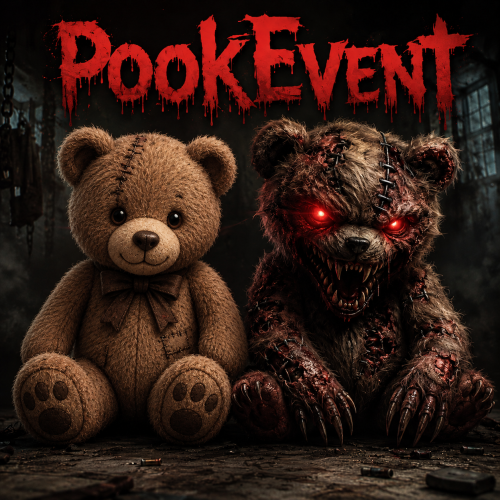
The PookEvent plugin adds a thrilling and rewarding twist to your Rust server. Brace yourself for encounters with the mischievous Pookie Bear and its glowing lantern, lurking at random locations across the map. However, defeating the Pookie Bear is just the beginning of the adventure. When players triumph over the Pookie Bear, they will be rewarded with exciting treasures and valuable loot. It's a chance to claim unique items and enhance their survival in the harsh Rust environment. The greater the challenge, the richer the rewards! But beware, for the Pookie Decoy presents a different story. Once players vanquish this cunning decoy, they may face random and unpredictable punishments. These negative effects can test their resilience, introducing obstacles and surprises that require quick thinking and adaptability to overcome. Will you emerge victorious and reap the spoils, or will you fall victim to the Pookie Decoy's wrath? The fate of your Rust adventure lies in your hands. The PookEvent plugin empowers you to customize the experience according to your server's preferences. Enable or disable negative effects, fine-tune the rewards, and unleash the full potential of the PookEvent on your server. Prepare yourself for exhilarating encounters, strategic decision-making, and a world of surprises. The PookEvent plugin injects a dose of excitement into Rust, making every journey an unforgettable adventure. (Note: Make sure to configure the plugin's settings and intervals to suit your server's gameplay and balance.) Are you ready to face the PookEvent challenge? Embrace chaos, claim rewards, and conquer the mysteries that await in the world of Rust! Event Description: Based on the "Event Interval" set in the config, two Pookie bears will spawn on the map in random locations. One of them, when killed, will reward the player with a random reward and quantity from the config. The other one however, will apply a random negative effect that is enabled in the config. Admin Commands: /spawnpookie - Force starts the event. Chat Commands: /pg- Displays Pookie grids in chat. Default Config: { "Event Interval (in minutes)": 60, "Event Length (in minutes)": 20, "How many decoys should spawn?": 1, "Item to spawn next to Pookies": "assets/prefabs/deployable/lantern/lantern.deployed.prefab", "Broadcast grids they spawn in?": true, "Show map markers when they spawn?": false, "Color of Map Marker": "#00FF00", "Map Marker Radius": 0.25, "Name color for decoy killer.": "orange", "Name color for pookie killer.": "green", "Enable custom HP for Pookie and Decoy?": false, "Custom Pookie HP Amount": 100, "Custom Decoy HP Amount": 100, "Enable Negative Effects?": true, "Enable Negative Effect Commands?": false, "Give Reward Item AND Currency?": false, "Use ServerRewards?": false, "ServerRewards Amount to give per kill.": 0, "Use Economics?": false, "Economics Amount to give per kill.": 0, "Reward Items (Item Shortname, Quantity)": [ { "Item Shortname": "ammo.rifle", "Item Skin": 0, "Item Name": "", "Minimum Quantity": 1, "Maximum Quantity": 5 }, { "Item Shortname": "apple", "Item Skin": 0, "Item Name": "", "Minimum Quantity": 2, "Maximum Quantity": 3 }, { "Item Shortname": "bandage", "Item Skin": 0, "Item Name": "", "Minimum Quantity": 7, "Maximum Quantity": 11 } ], "Negative Effects (Executes on player for killing Decoy)": [ { "Effect Name": "Health", "Effect Description": "Subtracts amount from players health. (If players health is less than amount, they will die!)", "Enabled": true, "Amount": 25 }, { "Effect Name": "Dehydration", "Effect Description": "Sets players hydration to the value given.", "Enabled": true, "Amount": 25 }, { "Effect Name": "Hunger", "Effect Description": "Sets players hunger to the value given.", "Enabled": true, "Amount": 25 }, { "Effect Name": "Radiation", "Effect Description": "Amount of radiation poisoning you want to give the player.", "Enabled": true, "Amount": 25 }, { "Effect Name": "Bleeding", "Effect Description": "Bleeding amount you want applied to the player.", "Enabled": true, "Amount": 25 }, { "Effect Name": "Spawn Bears", "Effect Description": "Number of bears you want spawned around the player.", "Enabled": true, "Amount": 1 }, { "Effect Name": "Spawn Wolves", "Effect Description": "Number of wolves you want spawned around the player.", "Enabled": true, "Amount": 1 }, { "Effect Name": "Spawn Boar", "Effect Description": "Number of boar you want spawned around the player.", "Enabled": true, "Amount": 1 }, { "Effect Name": "Drop Inventory", "Effect Description": "Drops the players inventory on the ground.(1 = Hot Bar, 2 = Armor, 3 = Main Inventory, 4 = All)", "Enabled": true, "Amount": 1 }, { "Effect Name": "Spikes", "Effect Description": "Spawn a ring of spike traps around a player for x secs.(e.g. Amount = 10 is 10 seconds.)", "Enabled": true, "Amount": 10 } ], "Negative Effect Commands (When using commands, put %steamid% where the player ID would be used in the command)": [ { "Command": "killplayer %steamid%", "Enabled": false }, { "Command": "killplayer %steamid%", "Enabled": false }, { "Command": "killplayer %steamid%", "Enabled": false } ] } Special thanks to @Delco6467 for helping with debugging, testing, and functionality feedback!$5.00