

Mevent
-
Posts
3,442 -
Joined
-
Last visited
-
Days Won
53
Content Type
Profiles
Warranty Claims
Downloads
Forums
Store
Services
Downloads Plus Support
DOWNLOADS EXTRA
Reels
Everything posted by Mevent
-
Changed Status from Pending to Fixed Changed Fixed In to 1.4.34
-
Changed Status from Pending to Fixed Changed Fixed In to 1.4.34
-
as it turned out, there really is such a problem. I will release an update soon.
-
Changed Status from Pending to Closed
-
This issue has been fixed in the latest versions of the plugin. Use the latest versions of the plugin!
-
I recommended that you change JSON to SQLite, not MySQL I can assume that you are using a version of MySQL that is not compatible with Rust. P.S.
-
Hi! Can you send me a video? Because I don't have any problems with armor slots on my server.
-
Hi @Kimbo ! Images should be PNG or JPG. Offline: set “Enable Offline Image Mode”: true, put files in oxide/data/TheMevent/, then reference them like TheMevent/QR-1.png (subfolders allowed; use exact name and extension). Hosted: use a direct link to a .png or .jpg file (not a webpage). After changes, reload the plugin to refresh images. If you still see “NO IMAGE FOUND”, the path/filename or the link is incorrect.
-
which version of MySQL are you using?
-
Changed Status from Pending to Closed
-
 Hi! I'm sorry, I entered the wrong IP address for the test server. :(I've already updated to the correct one
 -
hello! Airfield monument is needed for the event to work I would suggest that you find a map seed on rustmaps that has an Airfield.
-
command: leaderboard.manage hide <steamID>
-
You need to switch `Data Storage` to `SQLite` in the config
-
yes
-
Version 1.1.11
797 downloads
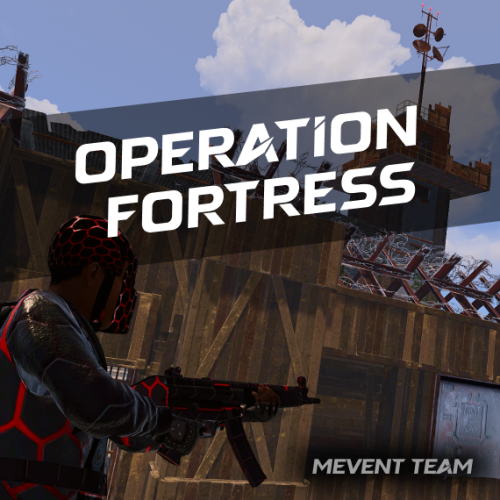
Introducing OperationFortress, the ultimate PvE base assault event plugin for Rust servers! Experience intense tactical combat as you and your team infiltrate a heavily fortified enemy base at the Airfield monument. With dynamic NPC encounters, strategic tower captures, and epic boss battles, OperationFortress delivers an immersive military operation experience that will challenge even the most skilled players. Features of Operation Fortress Epic Base Assault: Infiltrate a heavily fortified enemy base at the Airfield monument with multiple defensive towers and strategic positions. Dynamic Tower System: Capture 6 strategically placed guard towers, each with unique NPC defenders and electric switches to disable the base's security system. Intelligent NPC Combat: Face off against elite enemy forces with advanced AI, including snipers, assault troops, machine gunners, and grenadiers. Boss Battle: Confront the powerful "Fortress" commander in the main base with enhanced health and elite weaponry. Reinforcement System: Experience dynamic combat as enemy reinforcements spawn after capturing towers, adding intensity to the operation. Rich Loot System: Collect valuable rewards from captured towers, defeated NPCs, and the commander's personal safe. PvE Mode Integration: Seamless integration with PvE mode systems for fair loot distribution and team-based gameplay. Customizable Difficulty: Adjust the number of required towers to access the main base, event duration, and NPC configurations. Visual Markers: Clear map markers show tower status, base location, and event progress for easy navigation. Automatic Scheduling: Set up automatic event scheduling with customizable intervals and preparation times. Team Support: Full support for team-based gameplay with shared loot rights and coordinated assaults. Performance Optimized: Efficient NPC spawning and cleanup systems ensure smooth gameplay even with large player bases. Event Overview Operation Fortress transforms the Airfield monument into a hostile military installation controlled by the "Fortress" faction. Players must work together to: Capture Guard Towers: Infiltrate and secure 6 strategically positioned guard towers, each defended by elite NPC forces. Disable Security System: Activate electric switches in captured towers to disable the base's security system and gain access to the main facility. Assault Main Base: Breach the heavily fortified main base located in one of the Airfield's large hangars. Eliminate Commander: Face off against the powerful "Fortress" commander and his elite bodyguards in an epic final battle. Secure Rewards: Collect valuable loot from defeated enemies, captured positions, and the commander's personal safe. Showcase Commands operation.start - Manually start the Operation Fortress event (requires admin permissions) operation.stop - Stop the current Operation Fortress event (requires admin permissions) Permissions operationfortress.start - Permission to start Operation Fortress events operationfortress.stop - Permission to stop Operation Fortress events FAQ Q: Can players use their own weapons and equipment? A: Yes! Players use their own weapons, armor, and equipment during the event. No special gear is provided, making it a true test of player preparation and skill. Q: How does the loot system work? A: Loot is collected manually from defeated NPCs, captured towers, and the commander's safe. The PvE mode integration ensures fair loot distribution among team members based on damage contribution. Q: Can the event be played solo? A: Yes! The event is designed to scale with player count. Solo players can complete the operation, though it will be more challenging. Team play is recommended for optimal experience. Q: How often does the event occur? A: The event can be configured to run automatically at customizable intervals, or it can be started manually by administrators using the provided commands. Q: What happens if players fail to complete the event? A: If the event timer expires or all players are eliminated, the event ends automatically. Players can attempt the operation again when it becomes available. Q: Does the event interfere with other Airfield activities? A: The plugin includes options to disable other NPCs and events at the Airfield during Operation Fortress to prevent conflicts and ensure smooth gameplay. Q: Can I customize the NPC types and weapons? A: Yes! The plugin includes extensive NPC configuration options, allowing you to customize health, weapons, behavior patterns, and reinforcement types for each tower and the main base. Q: How does the PvE mode integration work? A: The plugin integrates with PvE mode systems to ensure fair loot distribution among team members. Players who contribute more damage to NPCs have priority access to loot, while still allowing team coordination. Plugin Integration OperationFortress is designed to work seamlessly with other popular Rust plugins: PvE Mode: Full integration for fair loot distribution and team-based gameplay NpcSpawn: Utilizes advanced NPC spawning and AI systems for realistic enemy encounters Notify/UINotify: Integrated notification system for event announcements and player updates BetterNpc: Compatible with enhanced NPC systems for improved AI behavior MonumentOwner: Integration with monument ownership systems for enhanced gameplay TEST SERVER Join our test server to experience Operation Fortress firsthand! Copy the IP Address below to start playing! connect 194.147.90.239:28015 API / Hooks OnOperationFortressStart() Triggered when the Operation Fortress event starts. OnOperationFortressStop() Triggered when the Operation Fortress event stops (ends or is canceled). OnOperationFortressEnter(BasePlayer player) Triggered when a player enters the event zone. OnOperationFortressLeave(BasePlayer player) Triggered when a player leaves the event zone or dies inside it. OnOperationFortressWin(BasePlayer player) Triggered when the boss is defeated and the victory chest is opened. player is the boss killer/owner.$41.95- 18 comments
- 6 reviews
-
- 4
-

-

-
- #event
- #rust event
- (and 1 more)
-
I need a full log of this error.
-
why?
-
Changed Status from Work in Progress to Fixed
-
you can write reviews about my plugins
-
you are getting an error from the ServerPanel plugin because you are using ServerPanel v1.1.9, the latest version of ServerPanel v1.4.3.
-
> ServerPanel v1.1.9
-
You need to use the latest versions of plugins.
-
Changed Status from Pending to Work in Progress Changed Fixed In to Next Version
