


About Npc Supply
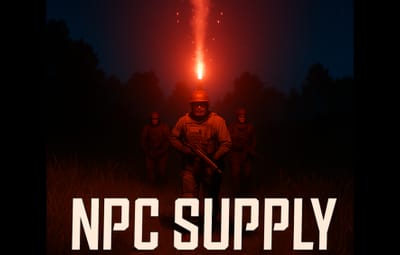
 Npc Supply – Advanced NPC Summon System
Npc Supply brings custom, balanced, and cinematic NPC summoning to your Rust server.
It’s perfect for PvE events, survival reinforcements, boss fights, or cooperative wave spawns.
 Overview
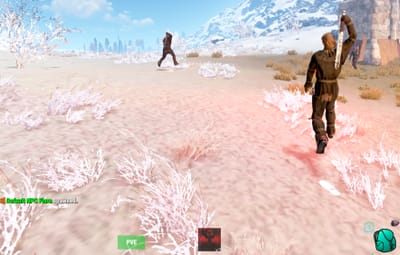
Npc Supply allows players (with permission) to throw special flares that summon groups of NPCs defined in the BotReSpawn plugin.
Each flare type can have its own permission, cooldown, spawn profile, announcement style, and behavioral rules — all fully customizable through the config file.
It’s designed to feel like calling in an NPC drop or reinforcement, with complete server-side control and safety checks to prevent abuse.
 Features
Flare Spawning — Throwing a configured flare triggers the spawn of an NPC group using a BotReSpawn profile.
Flare Profiles — Each flare (by skin ID) can have unique permissions, cooldowns, group profiles, and names.
Landing Spawn — The plugin reads the flare’s final landing position, not the throw position — bots spawn where the flare lands.
Spawn Offset — NPCs spawn slightly (~1.5 m) away from the flare so they don’t appear directly on it.
Cooldown System — Prevents repeated use; shows formatted remaining time (e.g. “3 m 20 s”) and refunds the flare if used too soon.
Permission System — Custom permission nodes (npcsupply.<your_permission>) determine who can use which flare type.
Monument & Base Safety — Optional checks prevent using flares near monuments, building privileges (TCs), or underground.
Customizable Announcements — from launch and spawn notifications to errors and cooldowns, can be edited directly in the config with rich color tags and placeholders.
Chat Prefix — The tag shown before all messages ([NpcSupply]) can be fully customized or colorized.
BotReSpawn Integration — Uses BotReSpawn’s AddGroupSpawn API to create configured NPC groups instantly at the flare location.
Admin Commands — Admins can give flares or reload config files from chat or console.
 How It Works
1. Configuration defines one or more flare types (by skin ID).
2. When a player throws a flare:
- The plugin verifies permission.
- Checks cooldown.
- Ensures location is safe (not near monuments/bases, not underground).
- Schedules a delayed NPC spawn at the flare’s landing position.
3. After the delay, BotReSpawn spawns the configured NPC group.
4. Messages are displayed according to your configurable announcement texts.
 Permissions
npcsupply.admin — Allows use of admin commands.
npcsupply.<key> — Allows use of a specific flare type.
 Commands (Admin or console)
nsgive <permission> <player> [amount] — Give configured flares to a player. — npcsupply.admin
npcsupply.reloadconfig — Reloads the plugin configuration and monument cache. — npcsupply.admin
npcsupply.where — Displays monument proximity info for your location. — npcsupply.admin
 Example Scenario
1. Admin creates a new profile in BotReSpawn called “Raiders”.
2. Adds this entry to SignalProfiles:
```
"1234567890": {
"Permission": "vipRaiders",
"BotReSpawnProfile": "Raiders",
"Cooldown": 600.0,
"Name": "Raider NPC Boss Flare",
"AnnounceGlobally": true
}
```
3. Grants player oxide.grant user steamid npcsupply.vipRaiders.
4. Player throws the “Raider NPC Boss Flare.”
5. After 15 seconds, the Raiders NPC group spawns at the flare’s landing site with global announcement.
 Configuration Guide
All settings are stored in:
oxide/config/NpcSupply.json