
.thumb.jpg.45731a24847d630db109a6d36b3151ab.jpg)
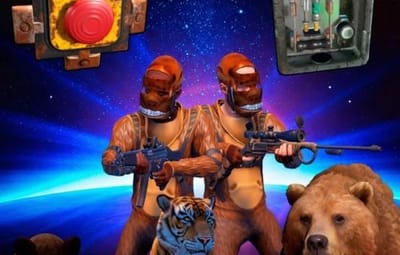

About Custom Npc Spawn
 Note: This plugin was originally created specifically for my own custom maps and wasn't initially intended for general public release. However, I decided to share it here in case other server owners or map makers find it useful!
Custom Npc Spawn
Custom Npc Spawn is a highly versatile and lightweight PvE plugin for Rust that allows administrators and custom map makers to create dynamic, interactive encounters. Whether you want to build an arena where pressing a button unleashes a pack of hungry bears, or populate a custom monument with auto-respawning NPCs, this plugin handles it seamlessly.
It features a unique trigger system: you can bind animal spawns to almost any interactable entity, including Buttons, Smart Switches, Doors, Ovens, and even invisible Triggers!
 Key Features
Perfect for Map Makers & Admins: Easily breathe life into your custom monuments. Bind animal spawns to Buttons, Switches, Doors, Ovens, or Triggers to create trap rooms, puzzles, and arenas.
Extensive Animal Support: Spawn a wide variety of animals including wolf, bear, boar, stag, chicken, polarbear, tiger, crocodile, panther, and snake.
Cooldown System: Built-in, configurable cooldowns for triggers to prevent players from spamming buttons and crashing the server with entities.
Dynamic Prefab Whitelisting: Encountered a custom button or trigger on a newly downloaded map? Easily add it to your allowed prefab list directly from the game chat!
Advanced NPC Integration: Works directly with the NpcSpawn plugin to create static, auto-respawning NPC camps with exact coordinates and custom loadouts.
 Permissions
customnpcspawn.admin — Required to use any of the plugin's chat commands.
 Chat Commands
Animal / Trap Commands:
/animal button <PresetName> — Look at a valid entity (button, switch, door) and type this to create a new preset and bind it to that entity.
/animal spawn <PresetName> <AnimalType> — Stand exactly where you want the animal to spawn and type this to add a spawn point to your preset. You can add multiple spawns to one button!
/animal addprefab — If you try to bind a button that isn't in the config, the plugin will notify you. Use this command immediately after to whitelist that new prefab.
 Detailed NPC Commands & Mechanics (Requires NpcSpawn plugin):
/npc create <PresetName> — Creates a new, empty NPC preset group (e.g., /npc create BanditCamp).
/npc spawn <PresetName> <NpcSpawn_Profile> — Stand exactly where you want the NPC to spawn and type this command.
 How the NPC System Works:
Loadouts & Profiles: The visual appearance, weapons, names, and stats of the NPCs are not configured in this plugin. You must create and configure those profiles inside the data folder of the NpcSpawn plugin. If you haven't created any custom profiles yet, you can simply use the word default (e.g., /npc spawn MyCamp default).
Mass Spawning (Grouping): You do not need to create a new preset for every single NPC! You can add multiple NPCs to a single group with one command. Just stand in a spot, type /npc spawn MyCamp default, move to the next spot, type the exact same command again, and so on. All those NPCs will now be saved under the "MyCamp" group and will spawn together.
 Quick Start Guide (Creating a Bear Trap Room)
Place a Push Button on a wall.
Look directly at the button and type: /animal button TrapRoom1
Walk to the center of the room where you want the bear to appear.
Type: /animal spawn TrapRoom1 bear
Walk to another corner and type: /animal spawn TrapRoom1 wolf
Press the button! A bear and a wolf will spawn. They cannot be spawned again until the config cooldown (default 60s) expires.
 Configuration
The configuration file (oxide/config/CustomNpcSpawn.json) allows you to define default health for spawned animals, the default cooldown for buttons, and a list of valid interactable prefabs.