
BellaaGaming's Wishlist
-
$7.99
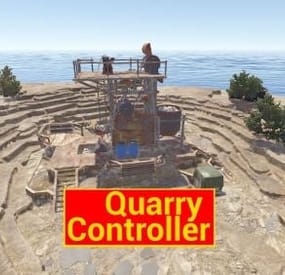
Quarry Controller
Change the speed, fuel time and resource gained from all quarries and the giant excavator with a simple config.
Works with GatherManager.
Console commands (admin only):
qc.data - Displays in chat the values for each of the quarries
qc.reload - Reloads all quarries
Config:
You can easily configure each quarry type separately:
Fuel time - How long does a diesel last (in seconds) Resource tickrate - How often resources are added to the output container (in seconds) Amount of resources - Total amount of resources from each diesel. A value of 1000 means it makes the same amount as vanilla. Changing this value to 2000 means it makes 2 times as much as vanilla, or 500 means half as much as vanilla. (example: in vanilla 1 diesel = 50 hqm at the HQM quarry. Setting the value to 2000 gives you 100 hqm for each diesel, and a value of 500 gives 25 hqm for each diesel.
Note: Any GatherManager multipliers are multiplied on top of this setting Excavator fuel time - How long a diesel last for the giant excavator (in seconds) Excavator resource tickrate - How often resources are added to the output container for the giant excavator (in seconds) Excavator resource multiplier - Multiplies the output resource with this value.
Note: This multiplier and GatherManager multiplier will stack (if "Use excavator settings if GatherManager exists" is set to true) Use excavator settings if GatherManager exists - If GatherManager is loaded (or reloaded) and this setting is true, it will override GatherManager excavator settings.
Note: GatherManager still modifies the output as normal Default config (vanilla values):
{ "Stone Quarry": { "Fuel time per diesel (seconds)": 120.0, "Resource tickrate (seconds)": 5.0, "Amount of resources per diesel (1000 = vanilla)": 1000.0 }, "Sulfur Quarry": { "Fuel time per diesel (seconds)": 120.0, "Resource tickrate (seconds)": 5.0, "Amount of resources per diesel (1000 = vanilla)": 1000.0 }, "High quality metal Quarry": { "Fuel time per diesel (seconds)": 120.0, "Resource tickrate (seconds)": 5.0, "Amount of resources per diesel (1000 = vanilla)": 1000.0 }, "Pumpjack": { "Fuel time per diesel (seconds)": 120.0, "Resource tickrate (seconds)": 5.0, "Amount of resources per diesel (1000 = vanilla)": 1000.0 }, "Excavator": { "Excavator fuel time per diesel (seconds)": 120.0, "Excavator resource tickrate": 3.0, "Excavator resource multiplier": { "Stone": 1.0, "Sulfur": 1.0, "Metal fragments": 1.0, "High quality metal": 1.0 } }, "Personal Quarry": { "Enabled": false, "Fuel time per diesel (seconds)": 120.0, "Resource tickrate (seconds)": 5.0 }, "Use excavator settings if GatherManager exists": true } Useful convar:
excavatorsignalcomputer.chargeneededforsupplies - Time until it's possible to call a supplydrop at the excavator. Default value 600 (seconds)
- #quarry
- #controller
- (and 7 more)
-

$12.99
IQTurret
IQTurrets is a plugin that adds turrets to your server without electricity!
There will be an additional "switch" on the turrets, which will start and turn it off without electricity.
It also supports the ability to connect electricity to the turret without electricity, the plugin is synchronized and everything will work according to the mechanics of the game
Opportunities :
- Support SAM-Site
- There are limits on the cabinet and specifically for the player
- It is possible to set limits on privileges
- IQChat support is available
- There are console and chat commands for controlling turrets with the ability to bind them
- The ability to use 2 types of switches: Buttons and tublers
API :
Object OnSetupTurret(BaseEntity entityTurret) /// - return null to ignore and continue the installation, otherwise nothing will be installed on the turret
-
$9.11
CombatBlock
CombatBlock is a classic plugin that serves as a great addition to the RaidBlock (NoEscape) plugin.
This plugin features extensive settings and several types of modern design.
It has a cohesive style and pairs excellently with the RaidBlock plugin.
Provide your players with an optimized and stylish plugin that will operate quickly and seamlessly.
List of features:
UI Interface Variations:
Perfectly complements the RaidBlock plugin.
0 option
1 option
2 option
Configuration of Additional Triggers:
You set the triggers for the plugin yourself.
Attacking an NPC Receiving damage from an NPC Inflicting damage on a sleeping player Deactivating combat-block upon death
Configuration of Restrictions During Combat-Block:
Blocking teleportation Blocking trade Blocking the use of kits Blocking commands (Supports chat and console commands)
Permissions:
combatblock.ignore - with this permission, the player will have immunity to combat blocking.
Api:
Object CanCombatBlocked(BasePlayer player) Object CanCombatBlock(BasePlayer player) void OnCombatBlockStarted(BasePlayer player) void OnCombatBlockStopped(BasePlayer player)
Configuration:
An excellent addition to this plugin:
- #combat
- #combat block
- (and 5 more)
-

$13.99
RaidBlock
Multifunctional and advanced RaidBlock plugin
It includes all the necessary functions for this plugin and an extended configuration that will allow you to fully customize the plugin to the requirements of your server.
Introduce your players to a truly functional plugin with a beautiful and modern UI interface, optimization, and new features that your players will appreciate.
List of features:
(The description briefly outlines the functionality and includes screenshots.)
Visual Dome System:
This is a new feature for RaidBlock's plugins, the visual dome system, offering a choice of two possible domes - standard and BattleRoyale.
The dome can be disabled or configured in the configuration file.
Sphere
BattleRoyale The ability to set colors for the Battle Royale dome:
List of supported colors
Blue
Green
Purple
Red
Modern and optimized UI design of the plugin:
We offer a choice of 3 UI design options, which can be fully customized and changed using settings in the configuration.
It blends well with the game design and looks compact on the players' screens.
0 option
1 option
2 option
Map Markers:
A wide selection of markers for displaying raid blocks on the map.
Fully customizable markers.
Type 0
Type 1
Type 2
Type 3
Conveniences for Administrators:
Implemented a black and white list system for raid block triggers, we have added for convenience 2 items that will help easily configure these lists directly from the game.
To obtain these items, use the commands described in the "Commands" tab. Don't forget to grant yourself the necessary permissions.
Black List
White List
Permissions:
raidblock.ignore - with this permission, the player will have immunity to raid blocking. raidblock.toolgun - with this permission, the player can obtain a "Toolgun" for configuring the blacklist and whitelist of items. Command:
Chat commands: /rbtest - allows testing raid block (simulates a raid at your position) (available only to administrators). /rb.white - obtain the Toolgun to add items to the whitelist. /rb.black - obtain the Toolgun to add items to the blacklist. Api:
API: // Returns whether the player is raid blocked bool IsBlocked(BasePlayer player) bool IsRaidBlocked(string playerId) bool IsRaidBlocked(ulong playerId) bool IsRaidBlocked(BasePlayer player) bool IsRaidBlock(ulong userId) // Returns the remaining time of raid block for a player int ApiGetTime(ulong userId) Hooks: CanRaidBlock(BasePlayer player, Vector3 position) OnRaidBlock(Vector3 position) OnRaidBlockStopped(BasePlayer player) OnRaidBlockStopped(Vector3 position) OnCreatedRaidZone(Vector3 position, BasePlayer initiator) OnEnterRaidZone(BasePlayer player) OnExitRaidZone(BasePlayer player) Configuration:
An excellent addition to this plugin:
- #no escape
- #no escape rust
- (and 6 more)
-
$7.00
Better Chat Gradients
By LaserHydra in Plugins
Better Chat Gradients allows you to use gradients to color titles, username, and message in Better Chat, rather than just a single color.
Commands
gradient <color> <color> [color...] - Shows a preview for a gradient with the given colors in chat
Permissions
betterchatgradients.admin - Allows to use the 'gradient' command
Configuration
This plugin does not have a configuration file.
With this plugin installed, you can simply specify lists of colors in Better Chat to use as a gradient.
Colors can be color names like red or lime, or hex codes like #ff0000 or #00ff00 (also without #).
Example
[ { "GroupName": "default", "Priority": 0, "Title": { "Text": "[Player]", "Color": "red,yellow", "Size": 15, "Hidden": false, "HiddenIfNotPrimary": false }, "Username": { "Color": "yellow,lime,yellow", "Size": 15 }, "Message": { "Color": "yellow,#FFFFFF", "Size": 15 }, "Format": { "Chat": "{Title} {Username}: {Message}", "Console": "{Title} {Username}: {Message}" } } ]
Other Plugin Titles
Better Chat Gradients also supports clan tags and should work with any other plugin adding titles via Better Chat 🙂
... "Clan Tag Options": { "Enable clan tags (requires BetterChat)": true, "Tag opening character": "[", "Tag closing character": "]", "Tag color (hex)": "aqua,lime,aqua", "Allow clan leaders to set custom tag colors (BetterChat only)": false, "Tag size": 15, "Tag character limits": { "Minimum": 2, "Maximum": 5 } } ...
- #chat
- #better chat
- (and 4 more)