
-
Posts
10 -
Joined
-
Last visited
Content Type
Profiles
Warranty Claims
Downloads
Forums
Store
Services
Downloads Plus Support
DOWNLOADS EXTRA
Reels
Support Center
Everything posted by Alexprojercts
-
 Hello, You can make them appear at the time you configure in the JSON file.
 -
Thanks for letting me know. The current version has a terrain validation system; to avoid this problem, it will likely need to be improved to be more robust and intelligent, especially when using custom maps. I'll include the fix in the next version.
-
Thanks for the heads-up. I will be looking into these bugs and I'll get them fixed as soon as possible.
-
Yes, it's totally possible! You just need to change the object's short name in the configuration file. Open this file. Find the "zombies" section where "grenade.molotov" appears. Replace it with "explosive.timed" (the short name for C4). Save and reload the plugin.
-
Hi! Thank you so much for your support! If you need help with the plugin or have ideas for new features and improvements, please don't hesitate to contact me. I'm here to help! Thanks again!
-
Hi man! Thanks for the interest. I will talk to the administrator to see if there is any possibility of bringing the Pro version here. I'll keep you updated!
-
Okay, I'll check it. If anything goes wrong, I'll send a new version with the fix.
-
They work, but only if the limits are respected. This version is not optimized to exceed them.
-
Version 1.0.8
805 downloads
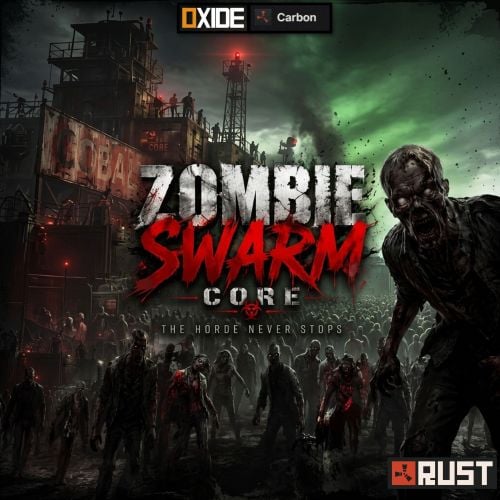
Turn your Rust server's nights into a survival challenge. Stop spawning random NPCs. Start orchestrating a coordinated apocalypse. Zombie Swarm Core is a high-performance, squad-based system that transforms how NPCs interact with your players. This plugin doesn't scatter individual zombies across the map; instead, it creates connected squads that patrol, hunt, and move as a single, intimidating unit. Version Features Zombie Swarm gives you complete control over the threat cycle: Classic Terror: Hordes appear only at nightfall. Daytime Scourge: Keep players on edge even in broad daylight. 24/7 Survival: Configure the swarm to be a constant and relentless threat. Custom Time Windows: Define the exact start and end times for horde activity. Nighttime Visual Effects: Optional glowing eyes effect for terrifying nighttime encounters. Auto-Cleanup: Automatically removes NPCs and corpses when the event ends. Advanced squadron intelligence Coordinated movement: NPCs move as a unified swarm, maintaining formation. Dynamic states: Patrol mode: Monitors areas when no players are nearby. Pursuit mode: Aggressively pursues players upon detection. Hive mind system: Damage one zombie... and the entire squad instantly becomes aggressive. Adaptive behavior: Zombies dynamically change their actions at configurable intervals. Server performance and optimization No map scanning: Uses intelligent radio-based player generation. Optimized physics: Cached environmental checks. High-speed data handling: Uses HashSets for fast feature management. Automatic cleanup system: Prevents feature buildup and lag. Intelligent spawning system Efficient, immersive, and fully customizable: Player-based generation: Hordes dynamically spawn around players. Distance control: Configure the minimum and maximum spawn range. Horde limits: Maximum number of zombies worldwide Hors per player Zombies per horde Automatic recharge: Maintains constant pressure by replenishing hordes over time. Patrol movement and behavior Bring your zombies to life (and scare them): Sprint probability: The chance that zombies will sprint while on patrol. Behavior intervals: Control how often zombies change their actions. Formation spacing: Adjust how close together teams move. Commands and Permissions Permission: zombieswarm.admin (or server administrator) /swarms - Displays the current status of active hordes and the overall entity count. Configuration file Installation Drag the ZombieSwarm.cs file to your oxide/plugins folder. The plugin will start automatically at sunset (default: 7:00 PM). (Optional) Adjust the nighttime hours in the configuration file to match your server's day/night cycle.Free