
-
Posts
17 -
Joined
-
Last visited
Content Type
Profiles
Warranty Claims
Downloads
Forums
Store
Services
Downloads Plus Support
DOWNLOADS EXTRA
Reels
Support Center
Everything posted by MasterSplinter
-
After some more use and digging I found a skin that wont work but I own and can skin through the repair bench. from the looks the skinid that the plugin gets is different compared to the one skinned in the repair bench. I also know that the Skins plugin by misticos can get it as it was the old plugin I was using before trying to switch to this one, it used the shorter id from the repair bench. ive uploaded a zip file with a video showing the 2 skinid differences. 8mb.video-fSg-qRm0jzYN.zip
-
Are you sure? wouldn't that mean none of the skins would work as all the skins in the data file are their skins and haven't add any of my own yet? Also a little more info with the issue, I can't find the AaronPlay Hoodie skin in my workshop folder and it's working and it's one of their skins but the Cuda87 I can find in my workshop folder and its not working but is one of theirs as well.
-
I have notice that some skins from the automatically downloaded list from marketplace will not load and will display an error in the F1 console. these first 6 in the hoodies won't load and show's the error in F1 Console from what I can tell is that the non working skins are bundled different and are already apart of the game file's and have a bundle.manifest compared to a manifest.txt
-
Version 1.0.3
1,037 downloads
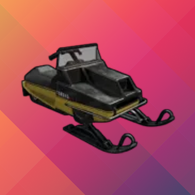
Introduction My Snowmobile allows you to let players to skin a Snowmobile to a Tomaha or to purchase one with scrap via a chat command, allows you to enable snowmobiles to go fast on all terrain types not just snow and change there power to make them go faster! Permissions mysnowmobile.useskin_command - To be able to use the skin command mysnowmobile.usebuy_command - To be able to use the buy command Chat Commands To use these Chat Commands player's will need to have permission /skinsnowmobile tomaha - Skin Snowmobile to a Tomaha /buysnowmobile tomaha - Buy Tomaha Configuration { "Main Settings": { "Allow Snowmobile's to goes fast on all terrain types": false, "Allow Snowmobile's to have more power": false, "The amount of power to give in KW (59KW is default)": 59, "The amount of Scrap to charge for a Snowmobile": 500, "The amount of fuel to give on purchase": 50, "The amount of seconds in between purchase (0 = Instant)": 30 }, "Advance Settings": { "Tomaha Location": "assets/content/vehicles/snowmobiles/tomahasnowmobile.prefab", "Spray Cloud Location": "assets/prefabs/tools/spraycan/reskineffect.prefab", "Spray Sound Location": "assets/prefabs/deployable/repair bench/effects/skinchange_spraypaint.prefab" } } Localization { "Not_Enough_Scrap": "[#e0e0e0]You don't have enough scrap to purchase a Tomaha. Cost:[/#]", "Buy_succes_tomaha": "[#e0e0e0]You have successfully bought a[/#] [#ffe479]Tomaha.[/#]", "Buy_cooldown_tomaha": "[#e0e0e0]You have to wait before buying another Tomaha. Wait Time:[/#]", "notlooking_item": "[#e0e0e0]You need to look at a Snowmobile to skin![/#]", "mysnowmobile_help": "\n[#eeeeee]<size=14>Available Commands:</size>[/#]\n[#ffe479]/skinsnowmobile[/#] [#e0e0e0]- Display Help[/#]\n[#ffe479]/buysnowmobile <Available Skins>[/#] [#e0e0e0]- buy a Snowmobile[/#]\n[#ffe479]/skinsnowmobile <Available Skins>[/#] [#e0e0e0]- Skin a Snowmobile[/#]\n \n[#ffd479]<size=14>Available Skins:</size>[/#]\n[#ffe479]\"tomaha\"[/#] [#e0e0e0]- Tomaha Snowmobile[/#]\n \n[#73c2fa]<size=14>Example:</size>[/#]\n[#ffe479]/skinsnowmobile tomaha[/#] [#e0e0e0]- This will skin to a Tomaha[/#]", "Skin_succes_tomaha": "[#e0e0e0]You have successfully skinned to a[/#] [#ffe479]Tomaha.[/#]", "already_tomaha": "[#e0e0e0]This Snowmobile is already skinned to a[/#] [#ffe479]Tomaha![/#]", "snowmobile_damage": "[#e0e0e0]This Snowmobile is damaged! Repair it to skin[/#]", "NoPermMsg": "[#e0e0e0]You are not allowed to use this command[/#]" }Free- 4 comments
- 2 reviews
-
- 2
-

-
- #snowmobile
- #snow
- (and 5 more)
-
Version 1.0.0
470 downloads
Rock Topology Pack was develop as RustEdit for some reason can't fetch the topology mask for Rocks which could result with player finding it hard to mine nodes and leaving you having to paint it by hand. FAQ: Q: How do I install the "Rock Topology Pack"? A: Just copy the "CustomPrefabs" folder into your RustEdit root folder Q: Will the Rocks within this pack snap to the original rocks with Ctrl + Shift + Mouse1? A: Yes TutorialFree -
from what I can tell it right before someone fully joins and spawns on the map as after every error it says some one has joined. only other thing is that it maybe due to a player being on a empty team and joining. I made an empty team last night for testing other stuff and notice that when I join It hasn't done it for me until I done that. Edit: I have also added you on discord for when you need a tester
-

Failed to create agent because it is not close enough to the NavMesh
MasterSplinter replied to MasterSplinter's Support Report in Support
After doing what you suggested I got this error on one of the profiles and it didn't interrupt the NavMesh error. At the monument with the profile that gave the error we are setting each one to stationary to track down the broken npc. If I can't find which one I'm happy to send my map and profiles. NullReferenceException: Object reference not set to an instance of an object at Oxide.Plugins.BotReSpawn.SelectWeapon (HumanNPC npc) [0x000d0] in <005888e6a0d240e599ce36ee1df76c41>:0 at Oxide.Plugins.BotReSpawn+BotData.SelectWeapon () [0x00000] in <005888e6a0d240e599ce36ee1df76c41>:0 Edit: After setting all bots on every profile to stationary the NavMesh error still persist -
Failed to create agent because it is not close enough to the NavMesh
MasterSplinter posted A Support Report in Support
My logfile is spammed full of the error and it make it extremally annoying to go through. went though every Npc spawned with BotReSpawn to remove the broken spawn but all are spawning and moving (except the ones I made stationary). It must be something with it as unloading it makes the error stop but seems not to be related to my spawns strange. -
Same here
-
Failed to call hook 'OnEntitySpawned'
MasterSplinter replied to MasterSplinter's Support Report in Support
yea it's just before you can join -
Failed to call hook 'OnEntitySpawned' on plugin 'BotReSpawn v1.0.6' (KeyNotFoundException: The given key was not present in the dictionary.) at System.Collections.Generic.Dictionary`2[TKey,TValue].get_Item (TKey key) [0x0001e] in <eae584ce26bc40229c1b1aa476bfa589>:0 at Oxide.Plugins.BotReSpawn.DoEvent (System.String name, UnityEngine.Vector3 pos) [0x00000] in <e3ee9f05dae241a1ae89e48428fa85ef>:0 at Oxide.Plugins.BotReSpawn.OnEntitySpawned (HackableLockedCrate crate) [0x0003d] in <e3ee9f05dae241a1ae89e48428fa85ef>:0 at Oxide.Plugins.BotReSpawn.DirectCallHook (System.String name, System.Object& ret, System.Object[] args) [0x00763] in <e3ee9f05dae241a1ae89e48428fa85ef>:0 at Oxide.Plugins.CSharpPlugin.InvokeMethod (Oxide.Core.Plugins.HookMethod method, System.Object[] args) [0x00079] in <60c318df79ed41688ea59335e48d61ad>:0 at Oxide.Core.Plugins.CSPlugin.OnCallHook (System.String name, System.Object[] args) [0x000d8] in <9882f28dc2204b4dba514a9ad18f5042>:0 at Oxide.Core.Plugins.Plugin.CallHook (System.String hook, System.Object[] args) [0x00060] in <9882f28dc2204b4dba514a9ad18f5042>:0 Failed to call hook 'OnEntitySpawned' on plugin 'BotReSpawn v1.0.6' (KeyNotFoundException: The given key was not present in the dictionary.) Been getting these on the 1.0.6 update mainly after server boot
-
Add support for custom monuments via Monument Marker.prefab
MasterSplinter replied to MasterSplinter's Support Report in Support
hmm maybe have a look at Monument Addons by white thunder. I used to use it to spawn a magnetic crane at my scrap yard monument when the static one use to break the map as it needed to be spawned after boot. it spawned the crane always at the correct location but only if I snapped the monument marker.prefab to the monument as it used that to locate the monument. Only other thing is that could maybe work is that if you make the user put in the coordinates manually in a data file as thats a lot easier than moving them each wipe lmao -
Add support for custom monuments via Monument Marker.prefab
MasterSplinter posted A Support Report in Support
Could we get BotReSpawn to support custom monuments. Really annoying having to place each bot every wipe for custom monuments just because they moved location on the map. Also would allow people that make monuments with npc’s to share pre made data files. Then if they would like to share or sell there monument, it will be How they intended it and would but less hassle on the receiver