
TGWA
-
Posts
130 -
Joined
-
Last visited
-
Days Won
1
Content Type
Profiles
Warranty Claims
Downloads
Forums
Store
Services
Downloads Plus Support
DOWNLOADS EXTRA
Reels
Everything posted by TGWA
-
Changed Status from Pending to Can't Reproduce Changed Fixed In to 1.1.4
-
Hi @CoconutStandard, I am unable to replicate this issue, I am running the most recent public version (v1.1.4) and successfully spawned the reaper with both the shop item as well as the reseller item (box.wooden and box.wooden.large). Please ensure that you are not placing the box with an admin tool like build tools, uber tool, etc. when you are trying to spawn the vehicle with the box. Let me know if this issue persists, TGWA
-
@CoconutStandard, thanks for the report! I will have a look at this later today and will update this ticket when I do so
-
Hi @CoconutStandard, The turrets should not be targeting teammates as is. I will look into the issue tonight and update you on this here in this ticket Thanks, TGWA
-
Changed Status from Work in Progress to Not a Bug
-
Changed Status from Pending to Work in Progress
-
I will have a look at the vehicles from my plugin. If these random spawned vehicles are from my plugin then they will be fixed when I release the next update. The seating issues should have been fixed in version 1.1.35 and all managed vehicles would have been automatically fixed on update. If you still have vehicles of which have their heater angled to the side they most likely may have been corrupted and are no longer managed. You can check if they are managed by doing /checkstatus while looking at any vehicle to see if they are still a gunship vehicle
-
Hi @Stampy, I am not sure what you mean by 'Random Spawned' could you please explain what you mean
-
Changed Status from Pending to Can't Reproduce Changed Fixed In to 1.1.35
-
Hi @RustyKnutts, Both the Apache and the Huey are fully functional. The signs cannot be removed even with ent kill as they are a part of the vehicle and its system however this is a feature that is on the list to add in the future for individual players to change the modules of their vehicles. The Huey along with all other vehicles that use manual firing needs to have its ammunition (any rifle ammo or rockets excluding the homing missile) loaded into the storage boxes. The Huey's minigun has a 2-second charge time just like the vanilla minigun meaning it will not fire for the first 2 seconds of holding the fire button (LMB). The UI will display the data relating to those numbers relating to cooldown, ammo count, ammo type, etc. The Apache has to have all weapons and ammo loaded in the turrets individually. By default, the Apache target mode is set to manual meaning that the two side-mounted HMLMGs will fire instead of the turrets which will be in a passive state. To change the targeting mode you can, as per the on-screen instructions, change the targeting mode with your RELOAD key (default: R) to the desired setting. All gunship vehicles have their instructions displayed on screen, for example, the Huey's fire controls are displayed right below the main panel outlining the use of LMB for firing machine guns and RMB for firing rockets. The same goes for the Apache which has its control instructions below the main panel as well displaying that hitting your RELOAD key will change the targeting profile and LMB will fire the manual machine guns when in manual targeting mode. If you have any other issues let me know, TGWA
-
Changed Status from Work in Progress to Closed Changed Fixed In to 1.1.34
-
Changed Status from Pending to Closed Changed Fixed In to 1.1.34
-
Hi @RustyKnutts, this has been fixed as of the current version
-
That most likely indicates a issue with another plugin. If you are using a plugin like true pve or a turret plugin that might change the damage hooks, I would take a look at their configs / rulesets. I will do some testing of my own to ensure that the plugin is working optimally today and will update this ticket when I do so
-
@GooberGrape, thanks for letting me know. I will issue a fix in the next update
-
Changed Status from Pending to Work in Progress
-
Hey @GooberGrape, thanks for the report. Ill see if I can replicate anything and will issue a patch in the next version.
-
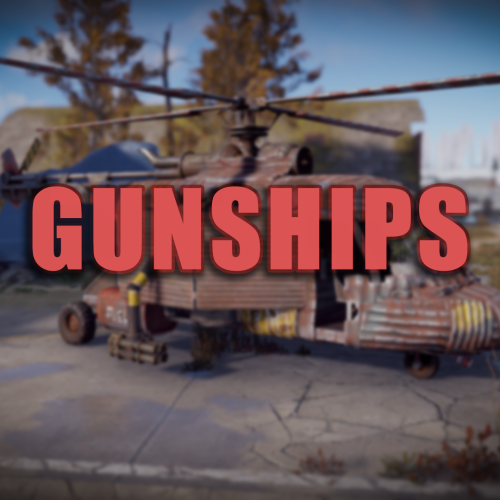 Hi @ChristopherS, Apologies for the late response. It seems you found your solution! As mentioned in the description you can spawn the vehicles with a skinned spawn item. You simply need to give a player a skinned small wooden box (shortname: box.wooden) and skin it with the coordinating skin id (see description page). When a player places the box down it will give the player the permission for the vehicle to spawn the vehicle with /gunship vehicle_name or /gs vehicle_name as well as granting the wipe fee so that the player will not have to pay the fee when they attempt to spawn the vehicle the next time around. This can be disabled in the config to only allow for a player to use the vehicle one time so that when the player spawns the vehicle they can only recall or kill it. It cannot be respawned without the use of another vehicle item. The prices of the vehicle is purely dependent on what price you set for the actual item itself, the "wipe fee" and "respawn fee" can be disregarded unless the player is using the /gunship or /gs command to spawn / respawn the vehicle. Additionally, as mentioned by @Chill Roleplay, there is a 'Reseller' framework that allows players to sell the vehicle items to other players while allowing for discounts and seller commissions! Info about this can be found in the reseller section of the description page as well as the reseller section of the config example which explains the individual settings for the reseller framework! If you have any further questions please ping me here or add me on discord @.tgwa and ill make sure that I respond as soon as possible!
 -
@NukeSter I implemented this a few patches ago You can use the vehicles in a shop by adding their custom Skin Ids (https://codefling.com/plugins/gunships?tab=details) to a small wooden box. When the player places the box down itll spawn the vehicle according to the Shop Item Spawn config.
-
Changed Status from to Can't Reproduce
-
Changed Status from Can't Reproduce to