
☜Марат☞
-
Posts
146 -
Joined
-
Last visited
-
Days Won
6
Content Type
Profiles
Warranty Claims
Downloads
Forums
Store
Services
Downloads Plus Support
DOWNLOADS EXTRA
Reels
Everything posted by ☜Марат☞
-
why use extra code to create a button if the menu background is the close button
-
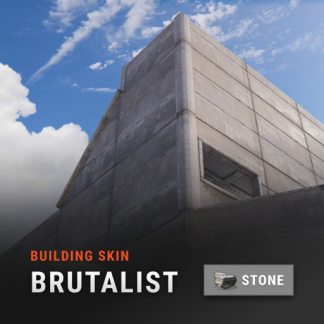 skins are disabled by default (unless you enable them in the config). And if you bought a dlc then you don't need to use this plugin.
 -
it's just old text that I forgot to update. You can still change the skin for adobe and shipping container
-
Changed Status from Pending to Closed Changed Fixed In to 1.0.5
-
what auto-upgrade plugin are you using?
-
you can upload them here
-
this is how the default skin is applied even for those who bought the dlc. you need to change the colors with the Spray Can
-
the skin will be applied automatically depending on the type of building block.
-
this is a conflict with another plugin. how exactly do you update the build and what happens at that moment? which building grade plugin are you using?
-
open the plugin and you'll see that you can't use /bskin build commands without permission. look for a problem with your installed plugins and make sure your player is telling the truth
-
Changed Status from Pending to Not a Bug
-
if you have permissionAdmin permission then you can change the skin for any player.
-
Changed Status from Pending to Not a Bug
-
this is a problem with the plugin you are using to auto-upgrade buildings. My plugin has no effect on this.
-
I kind of explained it in the description. If you have Adobe skin enabled, the skin will be applied when upgrading or using commands. If it is disabled, the skin will be reset when upgrading or using commands, and constructions will be made of stone.
-
Changed Status from Pending to Not a Bug
-
it's a problem on your part. use another browser or clear cache
-
Changed Status from Pending to Not a Bug
-
it is so intended. if you have adobe skin enabled, you will use the bskin buil command to change the skin to adobe, and if it is disabled, adobe will change to stone
-
Yes, I will change it in the next update.
-
Changed Status from Pending to Closed
-
Changed Status from Pending to Not a Bug
-
The plugin does the same as the dlc. Players who purchase the DLC will experience the same issues when updating with the plugin. You need to ask the developer of the plugin that updates the buildings to add support for new skins.
-
you can change the name of the command in the plugin to the one you need.
-
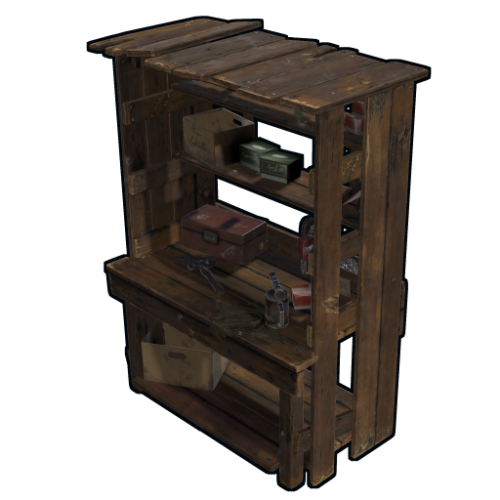
Version 1.0.4
954 downloads
Removes the tech tree from workbenches, replacing it with the research table menu. hardcoreworkbench.use - Allows the player to use the workbench menu Information Use workbench menu - use the standard workbench menu to open the research table. Remove need for workbench - removes the need for a workbench when crafting items. Time to research item - changes the research time of the item. Add vehicles parts vending machine - Add a vending machine for vehicle parts in the Outpost. Use permission to open workbench - Use permission to open workbench menu. Configuration { "Use workbench menu | Use the workbench menu": true, "Remove need for workbench | Remove need for workbench in the workbench": false, "Time to research item | Time to research item": 10.0, "Add vehicles parts vending machine | Add vehicles parts vending machine": true, "Use permission open workbench | Open workbench with the following permissions": false }Free- 12 comments
- 1 review
-
- 3
-

-
- #techtree
- #workbench
- (and 1 more)