


-
Posts
1,849 -
Joined
-
Last visited
-
Days Won
6
Content Type
Profiles
Warranty Claims
Downloads
Forums
Store
Services
Downloads Plus Support
DOWNLOADS EXTRA
Reels
Everything posted by MrLiquid
-
 and thats all i'm asking for,, to be able to track it down
 -
While NON event owner is locked out from event bubble, can you please add a config option to allow admin to enter event zone please? Also if the EVENT bubble popups and players bases are caught up inside, is there a way they can enter also so they can access their bases?
-
any ideas mate?
-
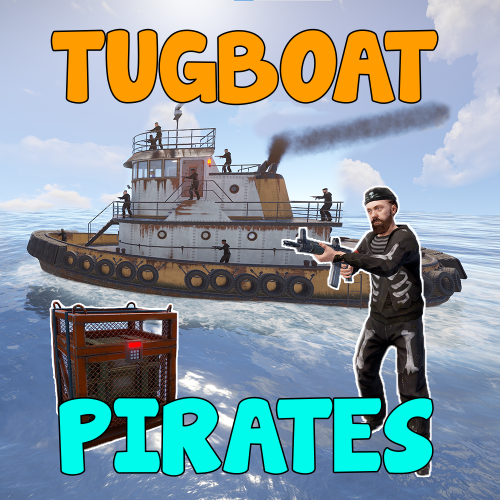 If I recall correctly, thats the engine noise
 -
I would suggest, if a player has hit the event, causing a extended timer, and that time is coming to an end and message to the 'event owner' or global advising that they have 5 minutes before event will end and all remaining loot and /or npcs will end too.. something along those lines. If they don't empty the creates and only take the loot they want, set crates to bounce all loot to the ground after a set period of time as a standard feature.
-
Its a warning because something is not right, That's what I've been saying all along sir, The car engine warning light comes on as a warning when something is not right, unless it is attended too.. something more drastic can happen. the only suppression Id prefer is the code behave and be adjusted to not throw these kind of errors. I am sure code can be added to help trace down the problem code.. debugging code.. as mentioned by WhiteThunder
-
@Death while I appreciate what you are saying, your a dev.. I am sure you can quite easily fix it yourself. I am not and prefer not to run buggy code. I am sorry if that seems trivial to you but rust has enough bugs and problems without plugins behaving badly.
-
I find when the tugboat runs over floating loot or hits the bottom on the ocean there is a loud bang.. buts that's all I notice
-
It fill server logs, any error in code in a PAID plugin that affects the performance of a server surely is worthy of their time? as its worthy enough to collect money for it?
-
Sure would be a great feature for your bot to be able to Syc Oxide/discord roles That would def make it the ULTIMATE bot then and give many a reason to ditch Rustcord
-
Failed to call hook 'CanDismountEntity' on plugin 'MyMiniCopter v0.5.8' (NullReferenceException: Object reference not set to an instance of an object) at Oxide.Plugins.MyMiniCopter.DoLog (System.String message) [0x00000] in <ae8dc29774b64997a19572442ba2fb29>:0 at Oxide.Plugins.MyMiniCopter.CanDismountEntity (BasePlayer player, BaseMountable mountable) [0x0008e] in <ae8dc29774b64997a19572442ba2fb29>:0 at Oxide.Plugins.MyMiniCopter.DirectCallHook (System.String name, System.Object& ret, System.Object[] args) [0x00666] in <ae8dc29774b64997a19572442ba2fb29>:0 at Oxide.Plugins.CSharpPlugin.InvokeMethod (Oxide.Core.Plugins.HookMethod method, System.Object[] args) [0x00079] in <23ba99f131254889867c71f0bd137b1d>:0 at Oxide.Core.Plugins.CSPlugin.OnCallHook (System.String name, System.Object[] args) [0x000d8] in <157a94ee66ab4a7991faecd1eb84be3b>:0 at Oxide.Core.Plugins.Plugin.CallHook (System.String hook, System.Object[] args) [0x00060] in <157a94ee66ab4a7991faecd1eb84be3b>:0 Failed to call hook 'CanDismountEntity' on plugin 'MyMiniCopter v0.5.8' (NullReferenceException: Object reference not set to an instance of an object) at Oxide.Plugins.MyMiniCopter.DoLog (System.String message) [0x00000] in <ae8dc29774b64997a19572442ba2fb29>:0 at Oxide.Plugins.MyMiniCopter.CanDismountEntity (BasePlayer player, BaseMountable mountable) [0x0008e] in <ae8dc29774b64997a19572442ba2fb29>:0 at Oxide.Plugins.MyMiniCopter.DirectCallHook (System.String name, System.Object& ret, System.Object[] args) [0x00666] in <ae8dc29774b64997a19572442ba2fb29>:0 at Oxide.Plugins.CSharpPlugin.InvokeMethod (Oxide.Core.Plugins.HookMethod method, System.Object[] args) [0x00079] in <23ba99f131254889867c71f0bd137b1d>:0 at Oxide.Core.Plugins.CSPlugin.OnCallHook (System.String name, System.Object[] args) [0x000d8] in <157a94ee66ab4a7991faecd1eb84be3b>:0 at Oxide.Core.Plugins.Plugin.CallHook (System.String hook, System.Object[] args) [0x00060] in <157a94ee66ab4a7991faecd1eb84be3b>:0
-
Failed to call hook 'OnEntityTakeDamage' on plugin 'BradleyDrops v1.1.3' (NullReferenceException: Object reference not set to an instance of an object) at Oxide.Plugins.BradleyDrops.OnEntityTakeDamage (BradleyAPC bradley, HitInfo info) [0x00243] in <ae8dc29774b64997a19572442ba2fb29>:0 at Oxide.Plugins.BradleyDrops.DirectCallHook (System.String name, System.Object& ret, System.Object[] args) [0x005b5] in <ae8dc29774b64997a19572442ba2fb29>:0 at Oxide.Plugins.CSharpPlugin.InvokeMethod (Oxide.Core.Plugins.HookMethod method, System.Object[] args) [0x00079] in <23ba99f131254889867c71f0bd137b1d>:0 at Oxide.Core.Plugins.CSPlugin.OnCallHook (System.String name, System.Object[] args) [0x000d8] in <157a94ee66ab4a7991faecd1eb84be3b>:0 at Oxide.Core.Plugins.Plugin.CallHook (System.String hook, System.Object[] args) [0x00060] in <157a94ee66ab4a7991faecd1eb84be3b>:0
-
can we please get some traction on a fix though, its an ongoing nasty issue. ALL these awesome developers and programmers ...
-
open StackMOdifier.cs and add this {"tugboat", 1}, {"hazmatsuit.diver", 1}, {"rifle.ak.diver", 1}, {"diverhatchet", 1}, {"diverpickaxe", 1}, {"divertorch", 1}, The new items
-
@Death @Adem Are we any closer to a patch for this please? I am seeing a growing number of people with the same issues looking for a solution within the RAA and Codefling support community.
-
WOW, adding another great fun event for my players, they love this!!, Well done @The_Kiiiing The captain with the code, great feature! Highly recommend this plugin
-
I would comment, my players complain of HUGE frame loss when near the tugboat event.
-
there is a moving map marker for the Tug Boat event
-
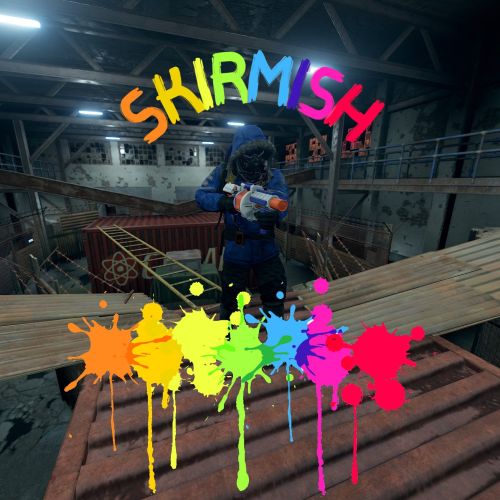 Can these arenas being incorporated in Paintball? it seems like a very similar event plugin
 -
.thumb.png.d09d873ed8905a9625a3ef8909d913ef.png) where ever it needs to be .. its a ArmoredTrain suggestions, correct Me if I am wrong, is this not ArmoredTrain Support/discussion?
where ever it needs to be .. its a ArmoredTrain suggestions, correct Me if I am wrong, is this not ArmoredTrain Support/discussion? -
Suggestion, "Allow the non-owner of the event to enter the event zone? [true/false]": false, add config option to allow ADMIN (auth level 1 & 2) in to event event zone when locked to player/team
-
Unloaded plugin ArmoredTrain v1.3.5 by Adem (Filename: ./Runtime/Export/Debug/Debug.bindings.h Line: 35) Kinematic body only supports Speculative Continuous collision detection (Filename: Line: 747) Kinematic body only supports Speculative Continuous collision detection (Filename: Line: 1728) NullReferenceException: Object reference not set to an instance of an object at Oxide.Plugins.ArmoredTrain+Train.DestroyZone () [0x001ab] in <951e9e173c114f15aa5c779da0040c84>:0 at Oxide.Plugins.ArmoredTrain+Train.OnDestroy () [0x0016f] in <951e9e173c114f15aa5c779da0040c84>:0 (Filename: <951e9e173c114f15aa5c779da0040c84> Line: 0) Train was running on aboveground tracks but I unloaded the plugin on my test server, the result is above
-
I may have found the problem, I ran all the offending plugins on a test server one by one and all sorts of variations of interactions until I came across this All other "Kinematic" plugins were unloaded. Unloaded plugin ArmoredTrain v1.3.5 by Adem (Filename: ./Runtime/Export/Debug/Debug.bindings.h Line: 35) Loaded plugin ArmoredTrain v1.3.5 by Adem (Filename: ./Runtime/Export/Debug/Debug.bindings.h Line: 35) Kinematic body only supports Speculative Continuous collision detection (Filename: Line: 747) Kinematic body only supports Speculative Continuous collision detection (Filename: Line: 1728) [ArmoredTrain] | Luffy Rust Express | Event activated (Filename: ./Runtime/Export/Debug/Debug.bindings.h Line: 35)


